In this guide, we will go over how to view and manage your taxes through the Keka portal.
Introduction
You can view, manage, and download your income tax computations and declarations via Keka. This guide shows you where to find your tax details, how to make declarations, and how to see what’s been accepted vs what’s still pending.
Table of Contents
- Access Income Tax Computation
- What the Computation Page Shows
- Detailed Break-up
- Manage Declarations
- Other Income & Previous Employment
- Form 12BB & Tax-Saving Tools
1. Access Income Tax Computation
-
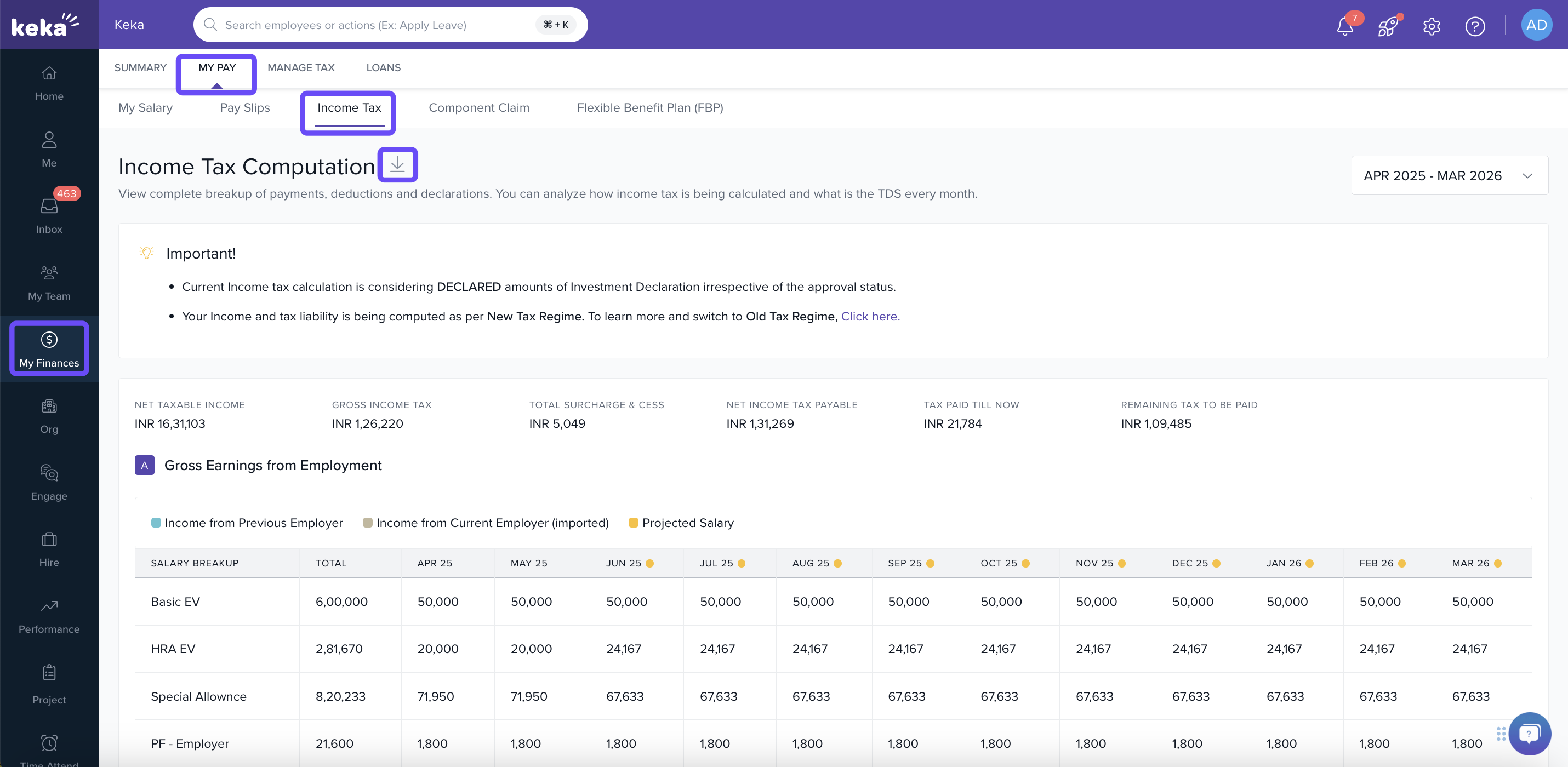
Go to My Finances → My Pay → Income Tax.
-
The Income Tax Computation page opens.
-
You can download the computation sheet using the Download button.
2. What the Computation Page Shows
-
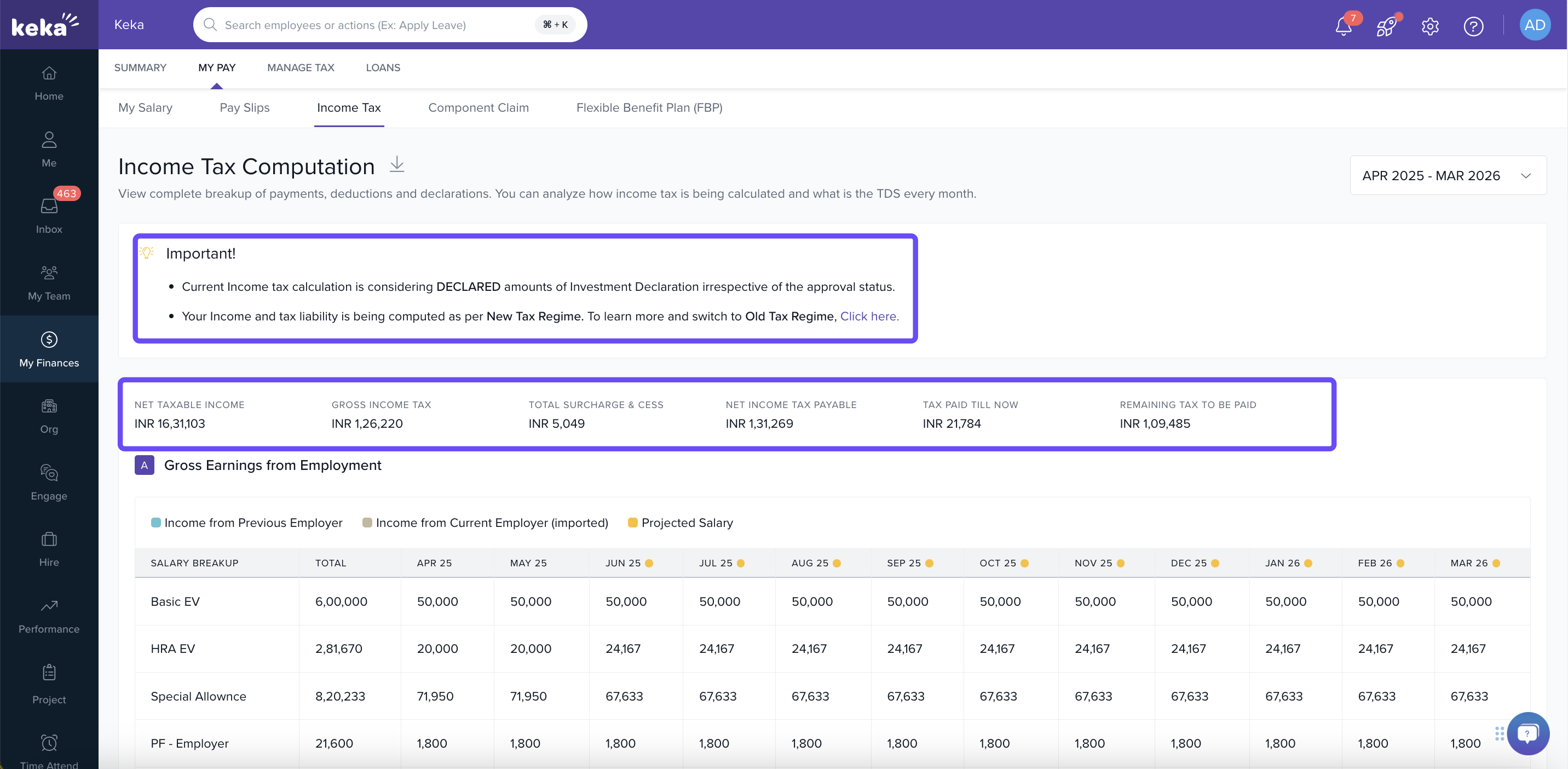
Keka uses DECLARED investment amounts in the tax calculation — even if some are not yet approved.
-
You will also see which tax regime (Old / New) your calculations are under, with option to switch regime if your organization allows.
-
Key summary values:
-
Net Taxable Income
-
Gross Income Tax
-
Surcharge & Cess
-
Net Income Tax Payable
-
Tax paid till now
-
Remaining tax to be paid
-
3. Detailed Break-up
-
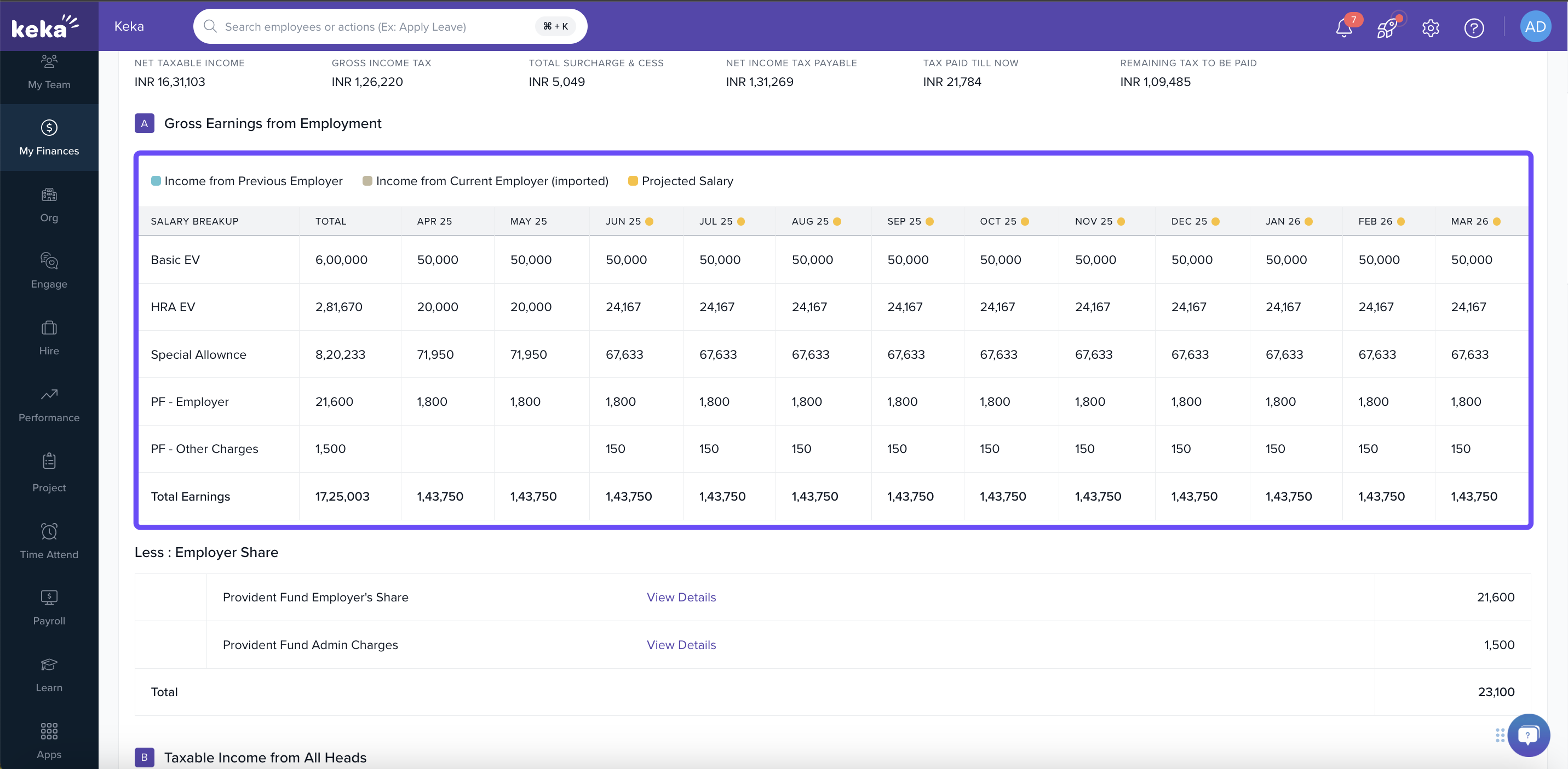
Below the summary are sections showing your total earnings from your current job for the financial year.
-
There’s also a detailed breakdown of exemptions and deductions applied to arrive at your net taxable income.
-
You can scroll to the bottom to view month-by-month tax deductions.
4. Manage Declarations
-
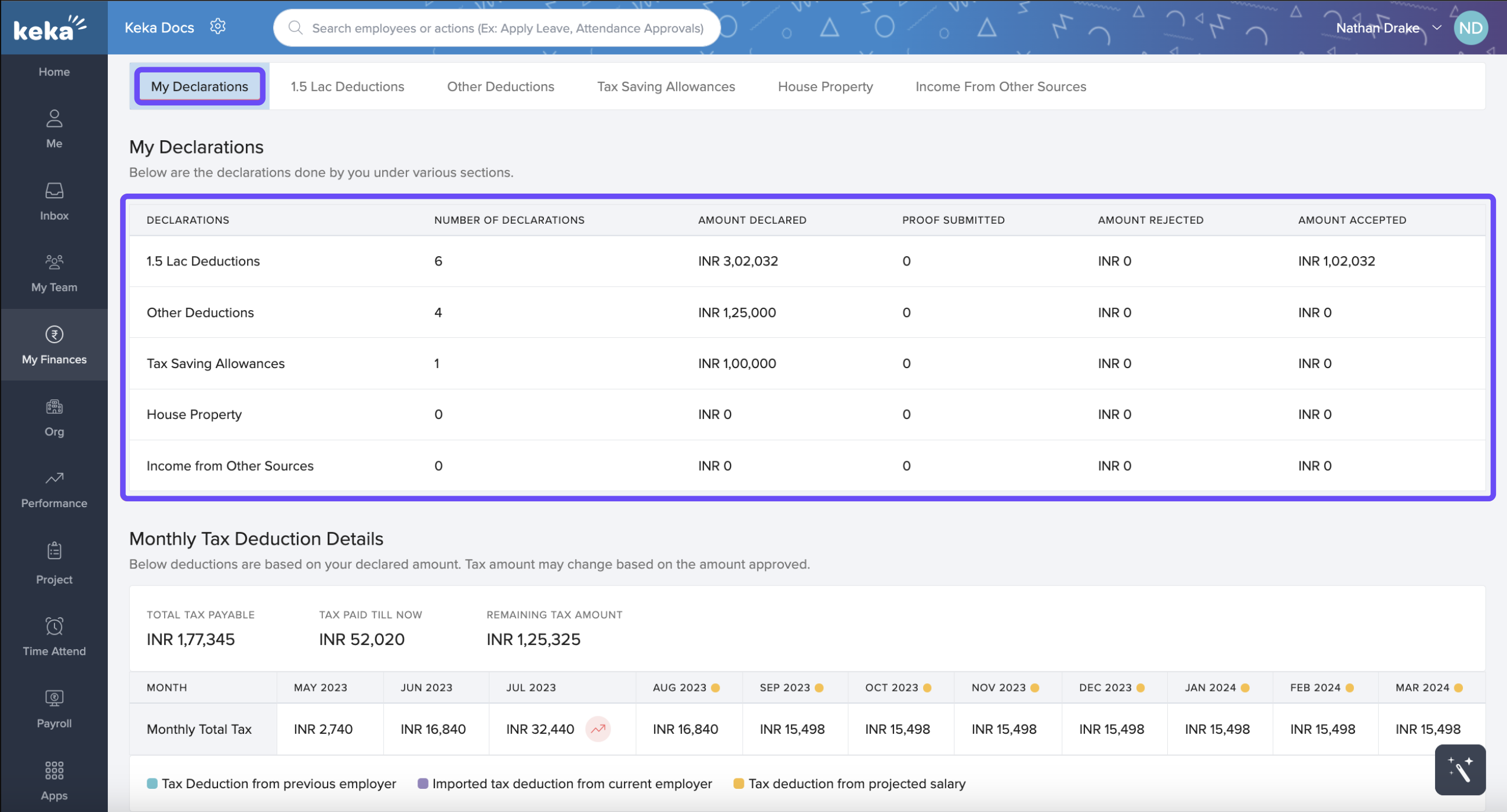
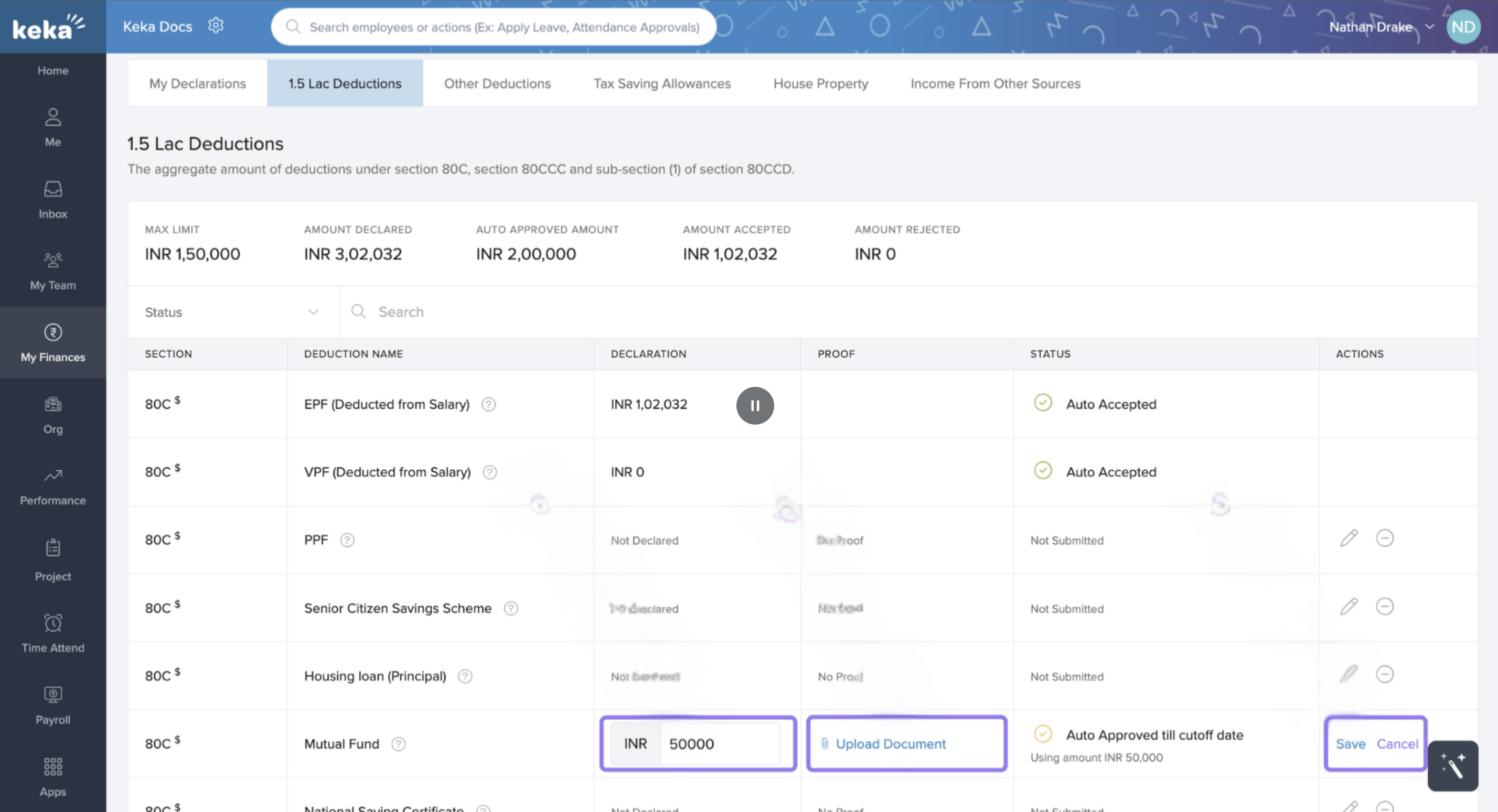
Go to the Manage Tax tab → My Declarations. Here you’ll see all your declared amounts by category and their status (declared / accepted).
-
To add or edit a declaration: choose the section → click Edit Declaration → enter the amount → upload proof if needed → Save.
5. Other Income & Previous Employment
-
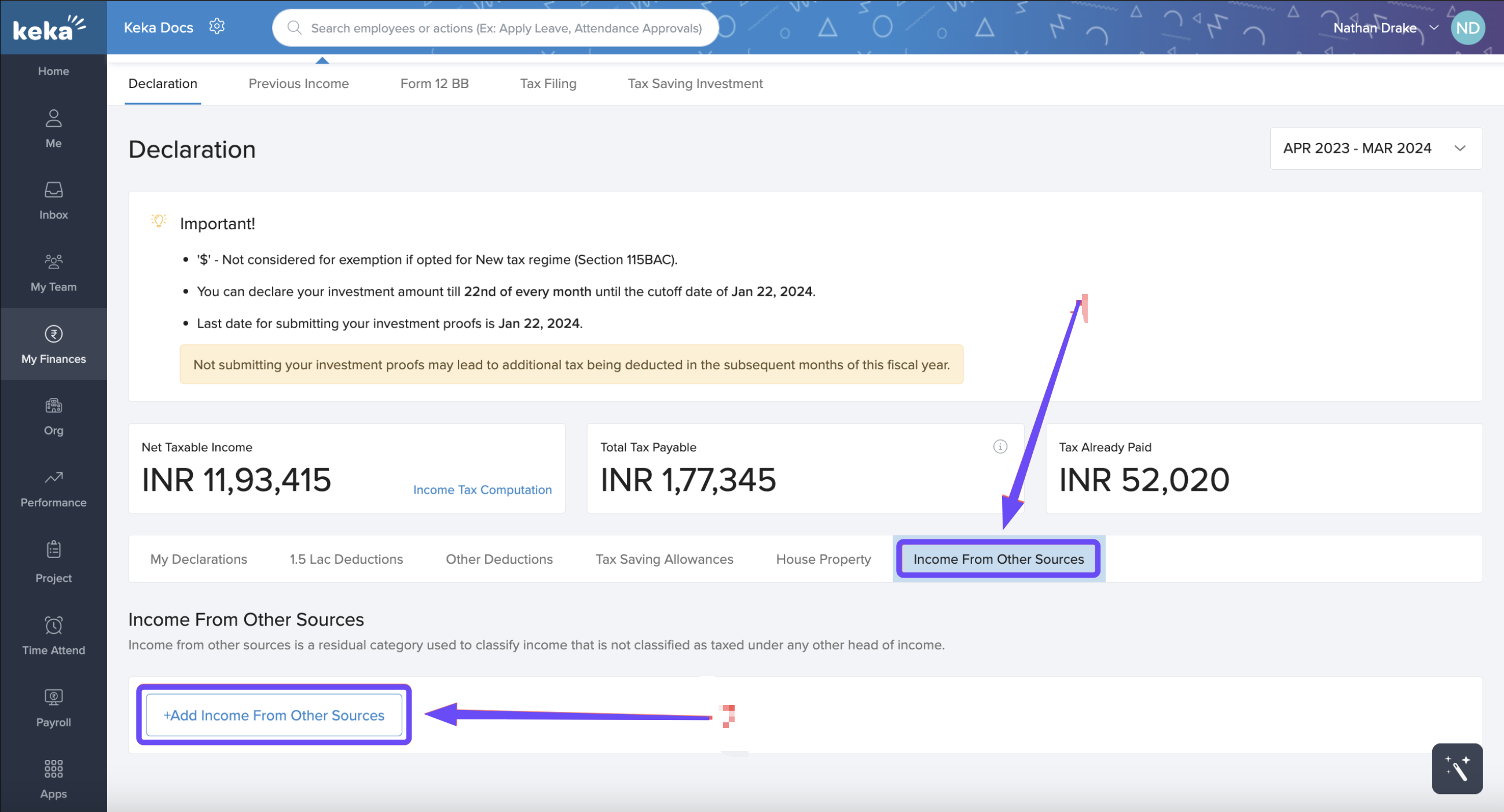
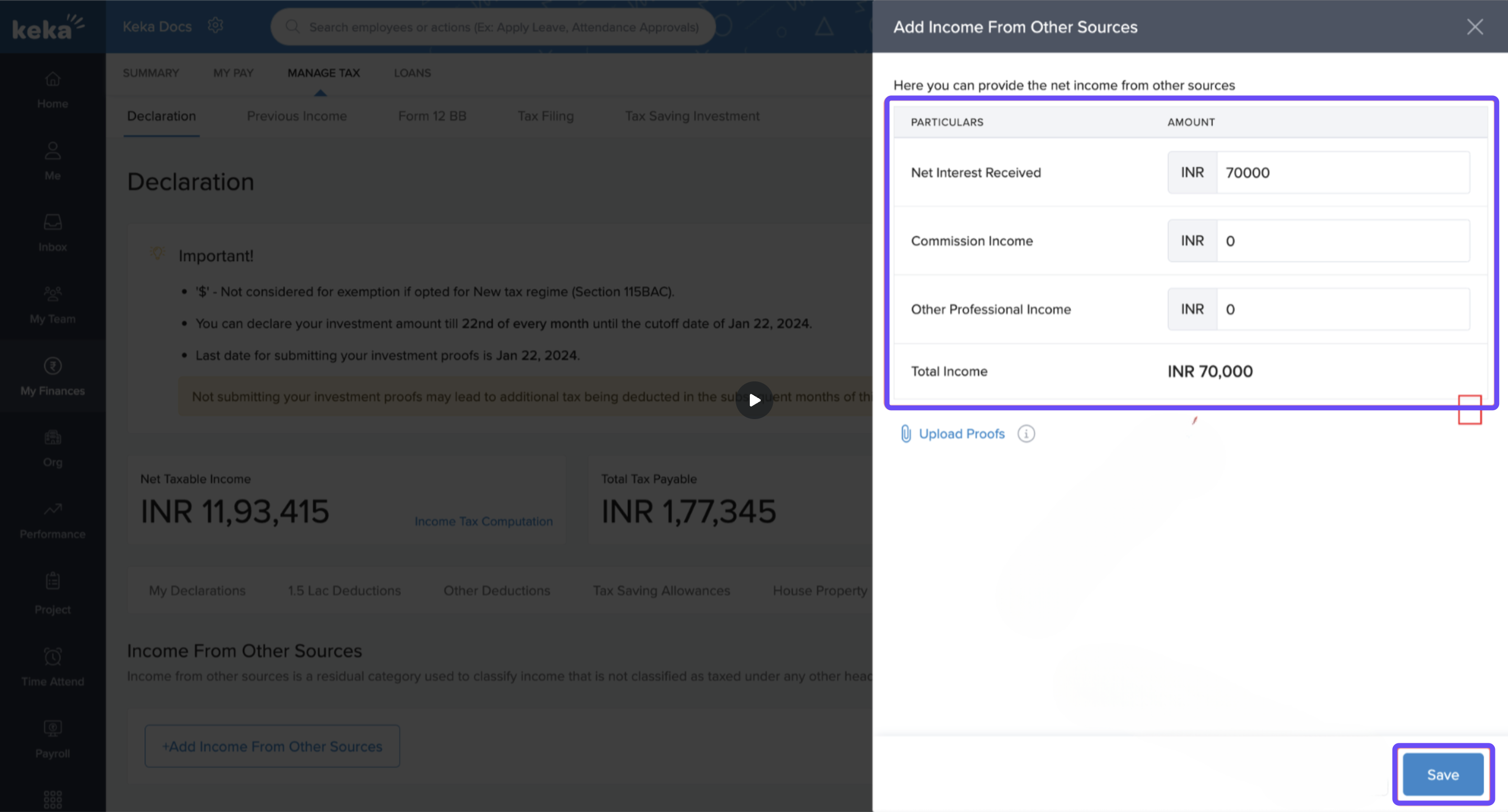
If you have income from outside current employment, use Income From Other Sources tab → +Add → enter category & amount → Save.
-
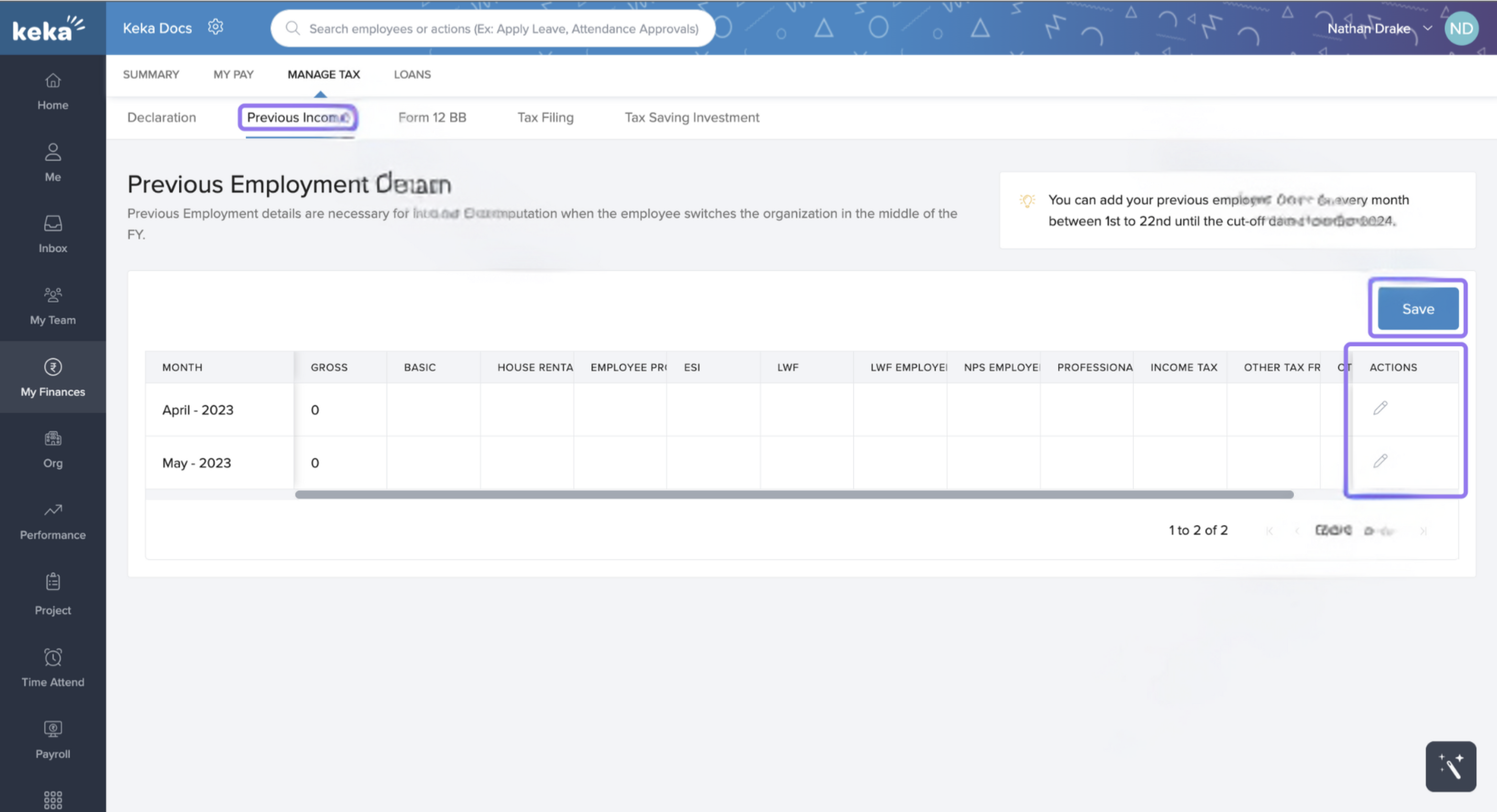
If you joined mid-financial year, use Previous Income tab to enter income from former employer (for months before joining).
6. Form 12BB & Tax-Saving Tools
-
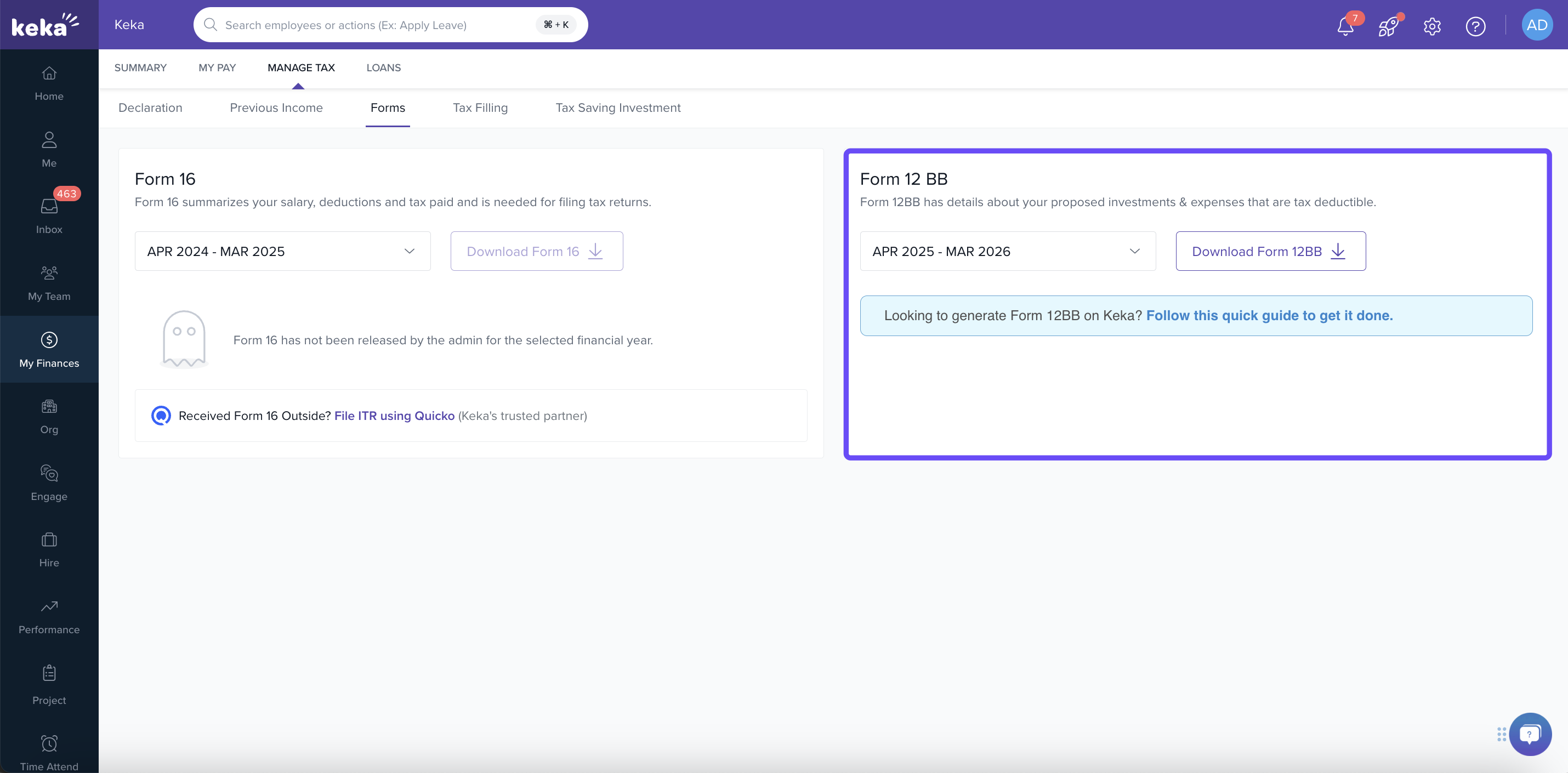
You can download Form 12BB (provisional statement of investments etc.) by selecting your financial year → Download.
-
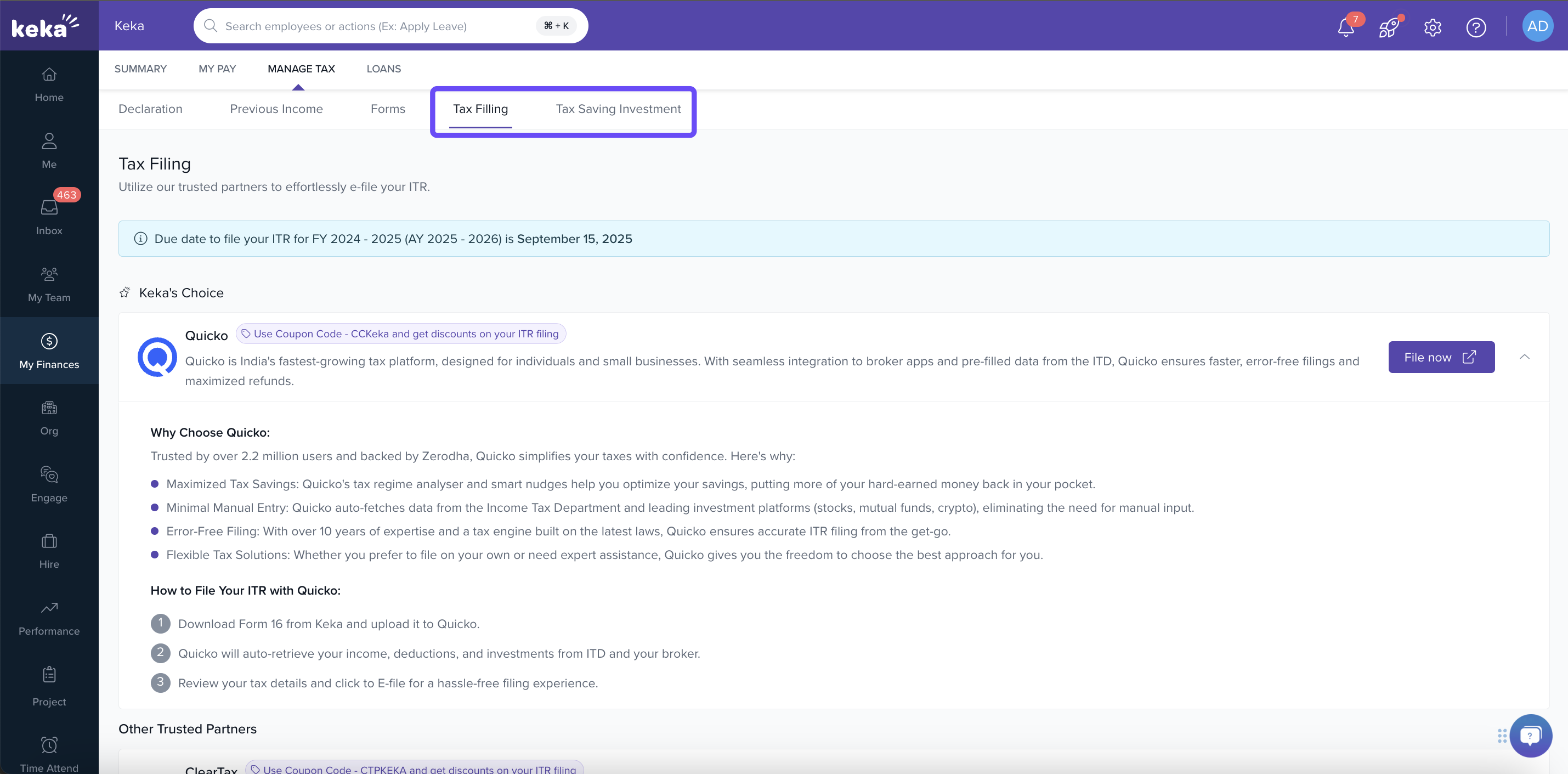
There are also tabs for Tax Filing and Tax Saving Investment (in collaboration with ClearTax) to help with ITR filing and exploring investment options.
Notes & Tips
-
You should review that your investment proofs / documents are submitted and approved (if applicable) to reflect accurately in computation.
-
Check your tax regime carefully—old vs new—before switching if that option is available.
-
If you have income from other sources or from previous employment, don’t forget to add these declarations so your tax liability estimate is accurate.
Keka gives you a centralized view of your tax liability, deductions, declarations, and income summaries for the financial year. By keeping your declarations up to date, submitting proofs timely, and reviewing the tax regime, you’ll see accurate tax computations. Always cross-check your estimates with what has been deducted and keep track of remaining liability.
Comments
0 comments
Please sign in to leave a comment.