Introduction
Depending on your organization’s settings, there are multiple ways to log into the Keka HR portal. Your admin might have enabled one or more of these methods. Captcha verification helps make login more secure for some methods.
Login Methods
You may see one or more of the following options on the login screen: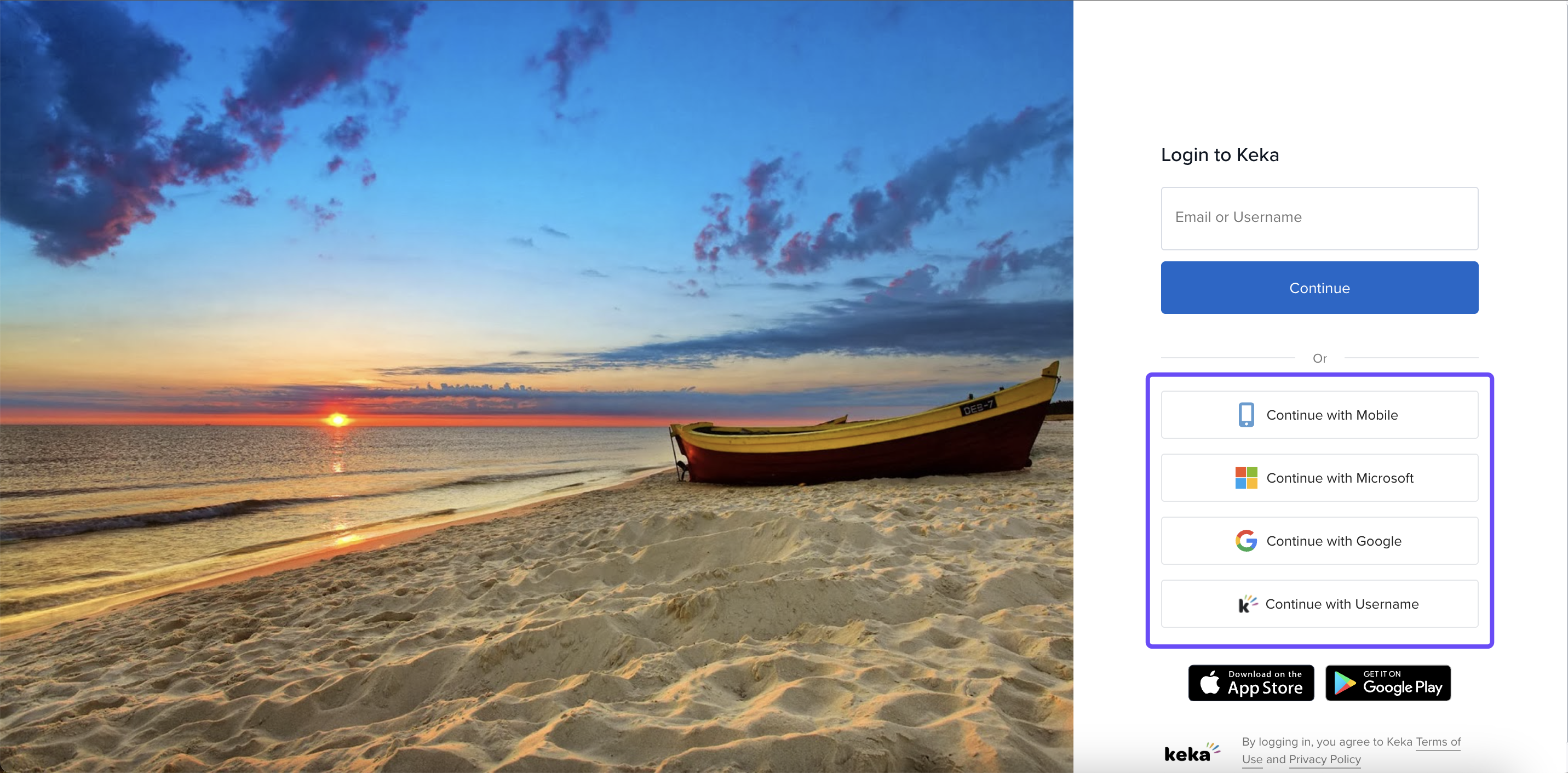
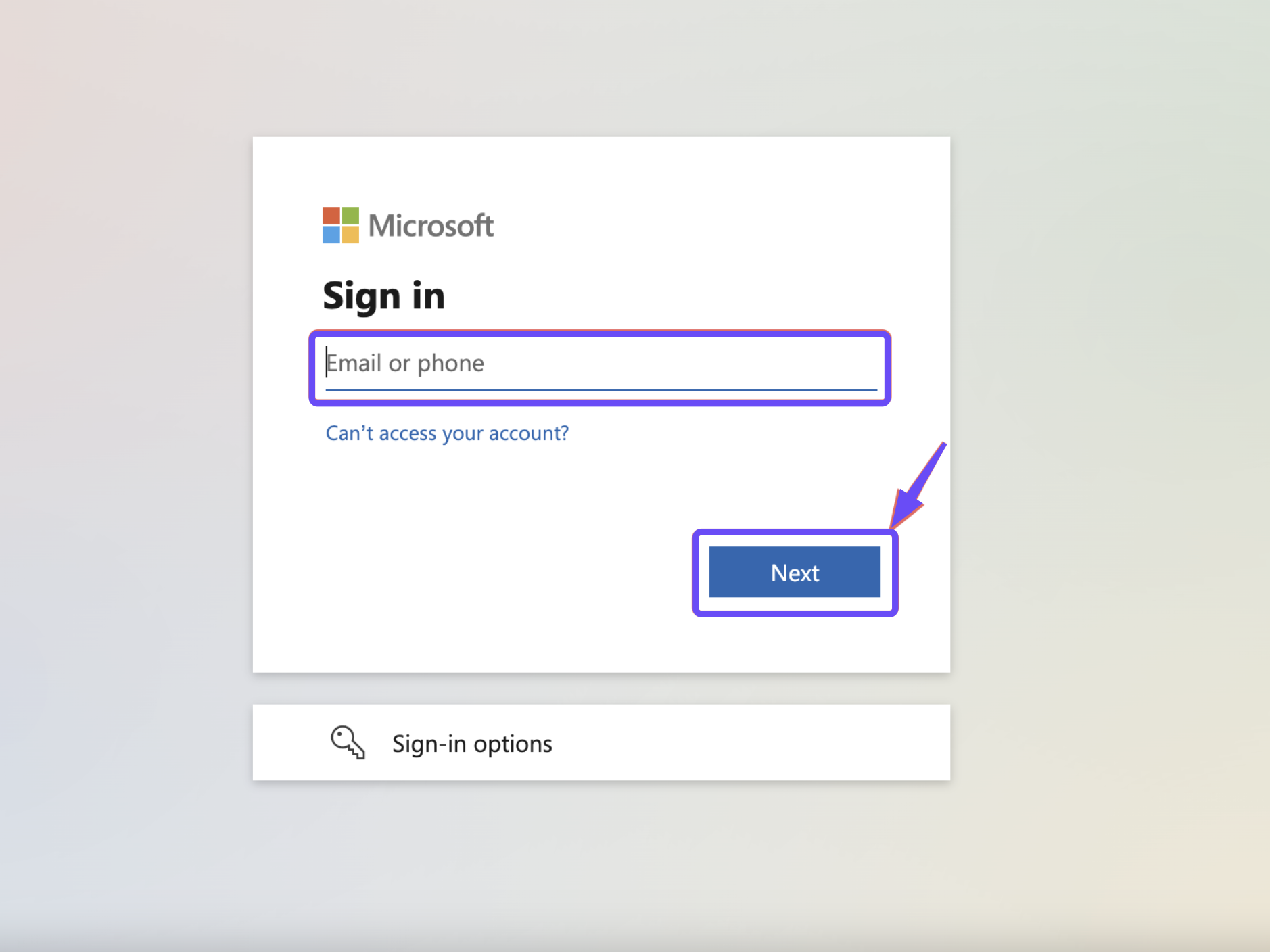
Microsoft Account
Your official Microsoft work or school account
Click Microsoft → Enter work email or phone → Enter password → Sign in.
Google Account
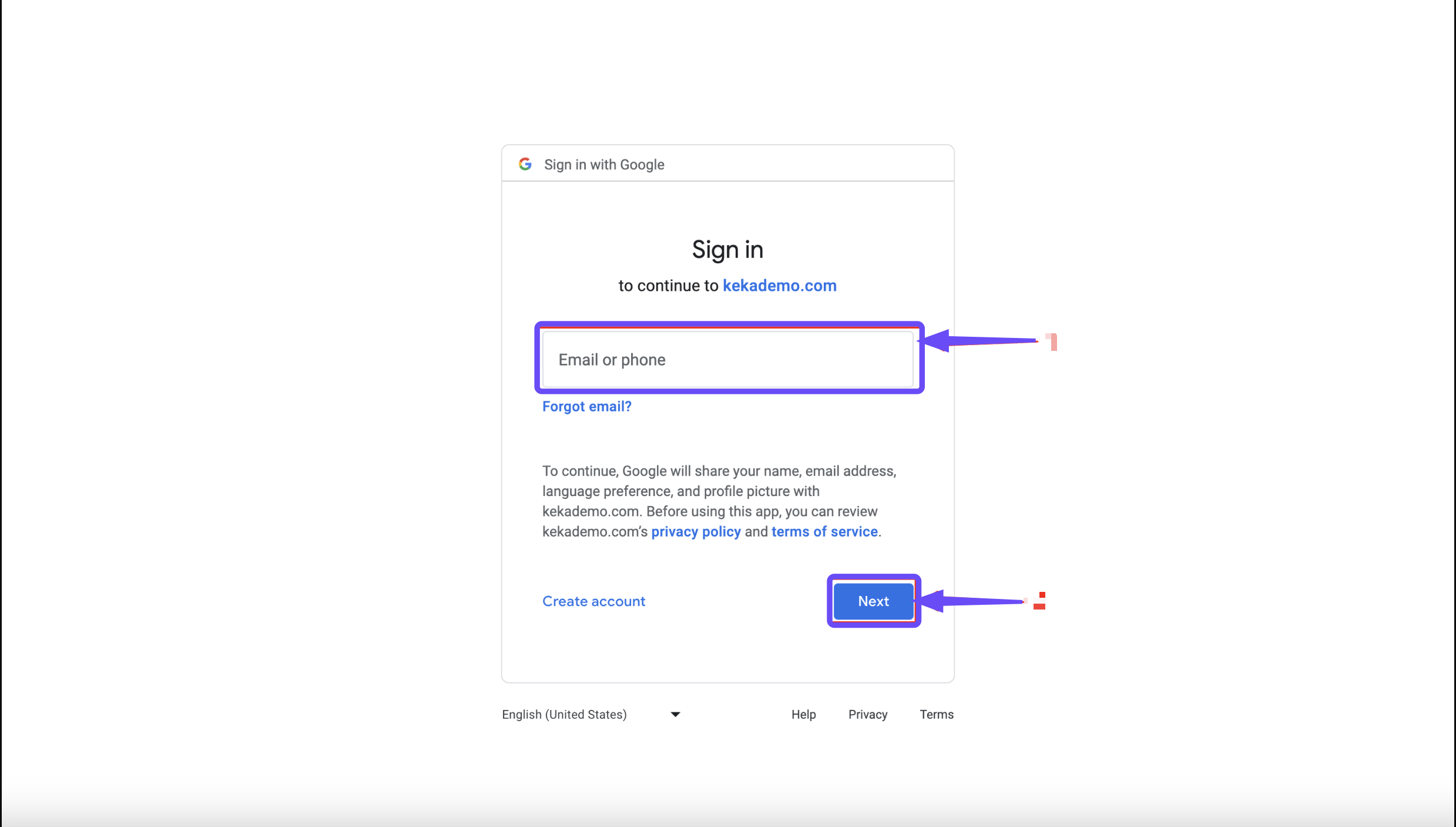
Your organization’s Google Workspace account
Click Google → Enter email or phone → Enter password → Sign in.
Keka Password
Your email registered with Keka + a password
Click Keka Password → Enter your work email → Enter password → Complete Captcha → Log in. Optional 2‑factor via mobile or email may follow.

Mobile OTP
Your mobile number registered with Keka
Click Mobile OTP → Enter your mobile number → Send OTP → Enter OTP → Complete Captcha → Log in.

Your system administrator for Keka has the option to enable or disable any of these
login methods.
Notes
-
Some organizations limit which login methods are available. If you don’t see one of the options above, it may be disabled.
-
Captcha is enabled for password and mobile‑OTP login methods to add security.
-
For Keka Password login, you have to verify using a code sent to your email or mobile.
-
Make sure your email or phone number is registered and up to date in Keka, or login may fail.
Troubleshooting
-
If you can’t log in using Microsoft or Google, ensure you’re using your work/school account (not personal).
-
If you don’t receive OTP, check that your mobile number is updated and that network or messaging is functional.
-
If Captcha isn’t working, try refreshing the page or using another browser.
Logging into Keka is made flexible so you can use a method that suits your organization: Microsoft, Google, Keka Password, or OTP. Ensure your credentials and contact info (email, phone) are accurate. If you’re still having trouble, reach out to your admin or product support for help.
Comments
0 comments
Please sign in to leave a comment.