Introduction
Generally, resignations are handled by managers or admins in organizations. But Keka also supports letting employees submit a resignation directly—if your company has enabled that option. This article walks you through how to resign from your profile if that capability is active.
When You Can Resign Yourself
-
Your organization must have enabled the “Show Resignation Form for employees” setting (under Exit / Resignation settings).
-
If that setting is not enabled, then resignations must be initiated by your manager or admin, and you won’t see the option yourself.
Steps to Submit Your Resignation
-
Log into Keka.
-
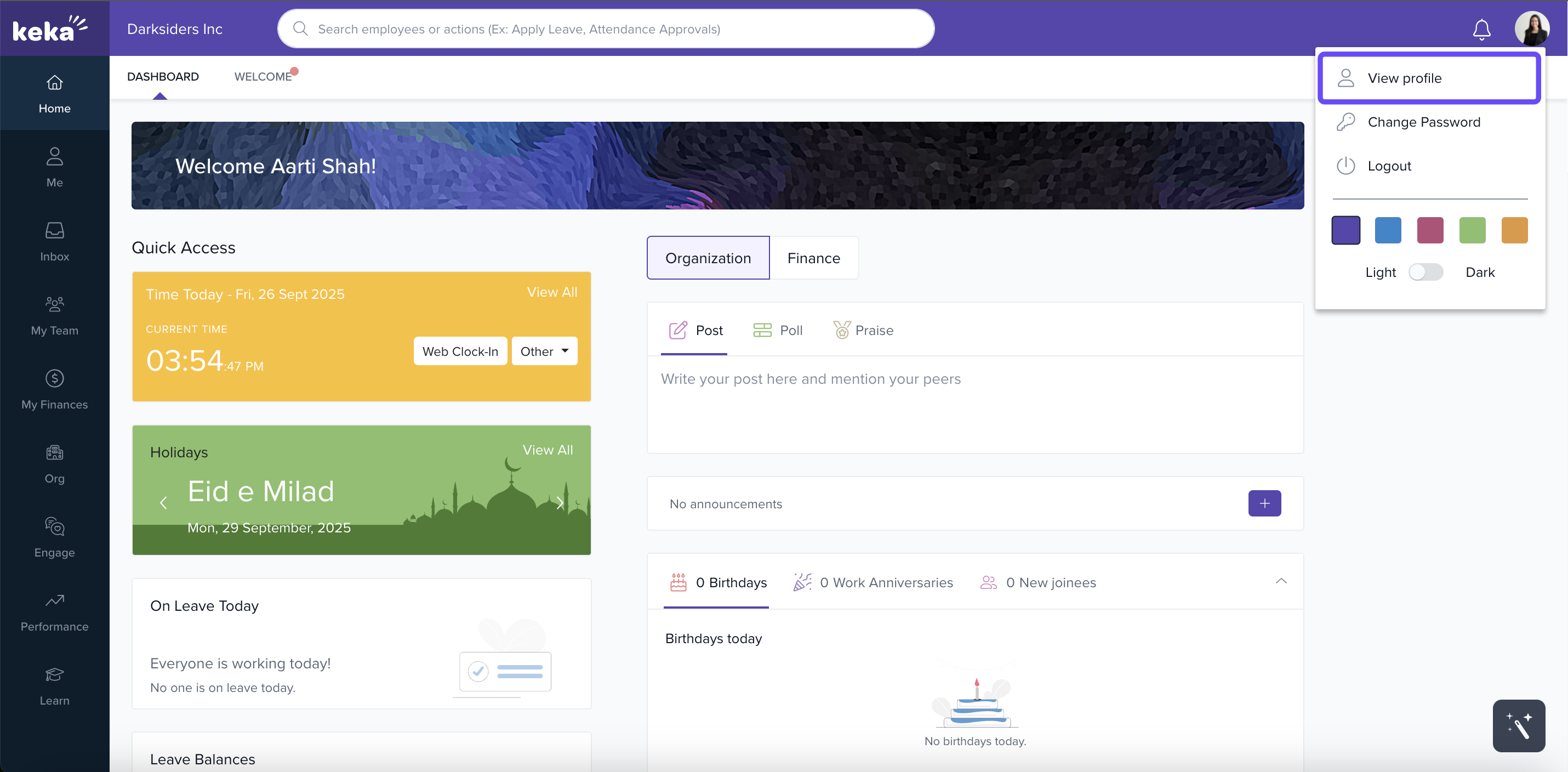
Go to your Profile page.
-
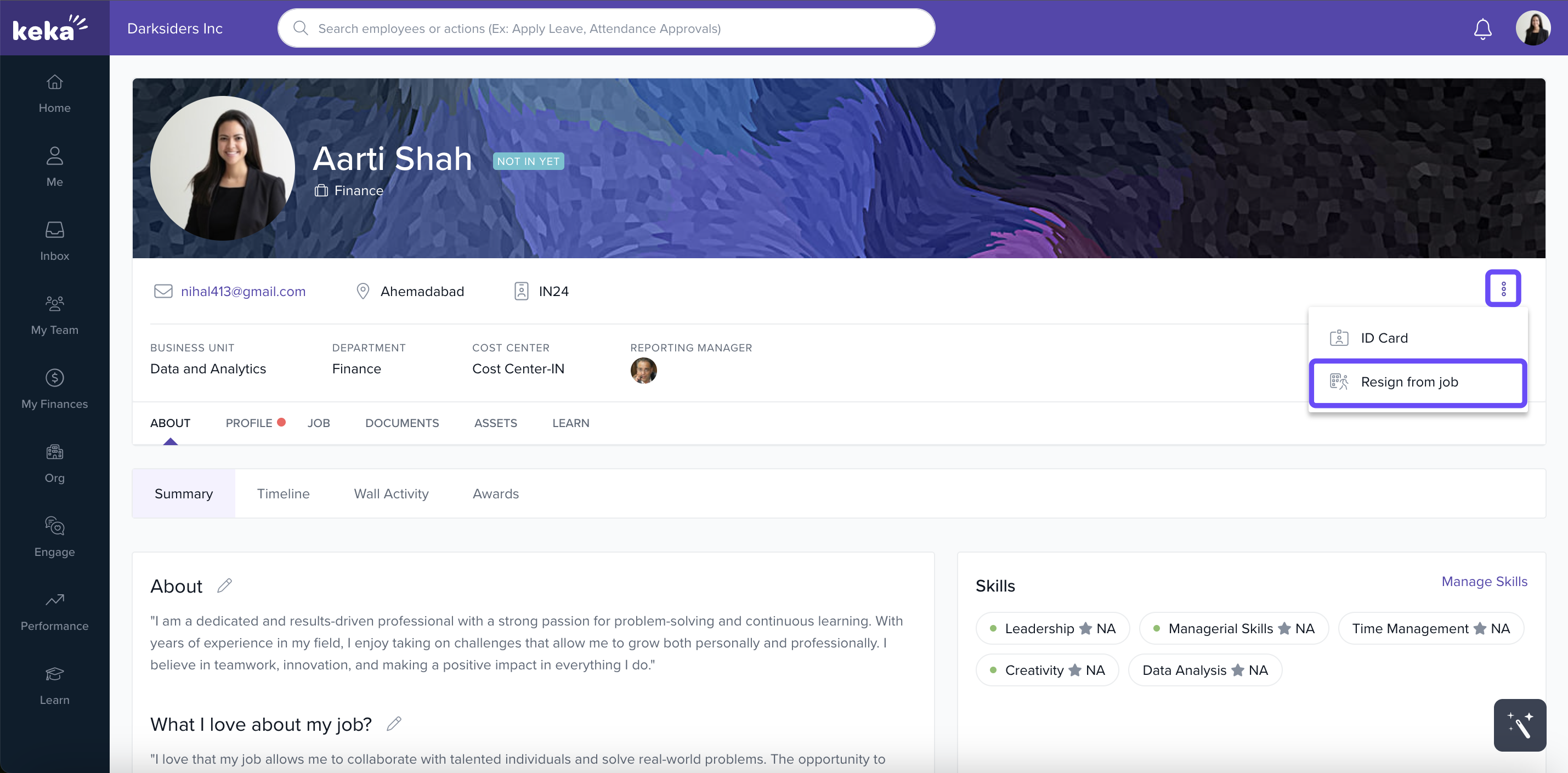
Under Actions on your profile, select Resign From Job.
-
A resignation form window opens. Enter the requested details (such as last working day, reason, comments).
-
Click Submit Resignation.
-
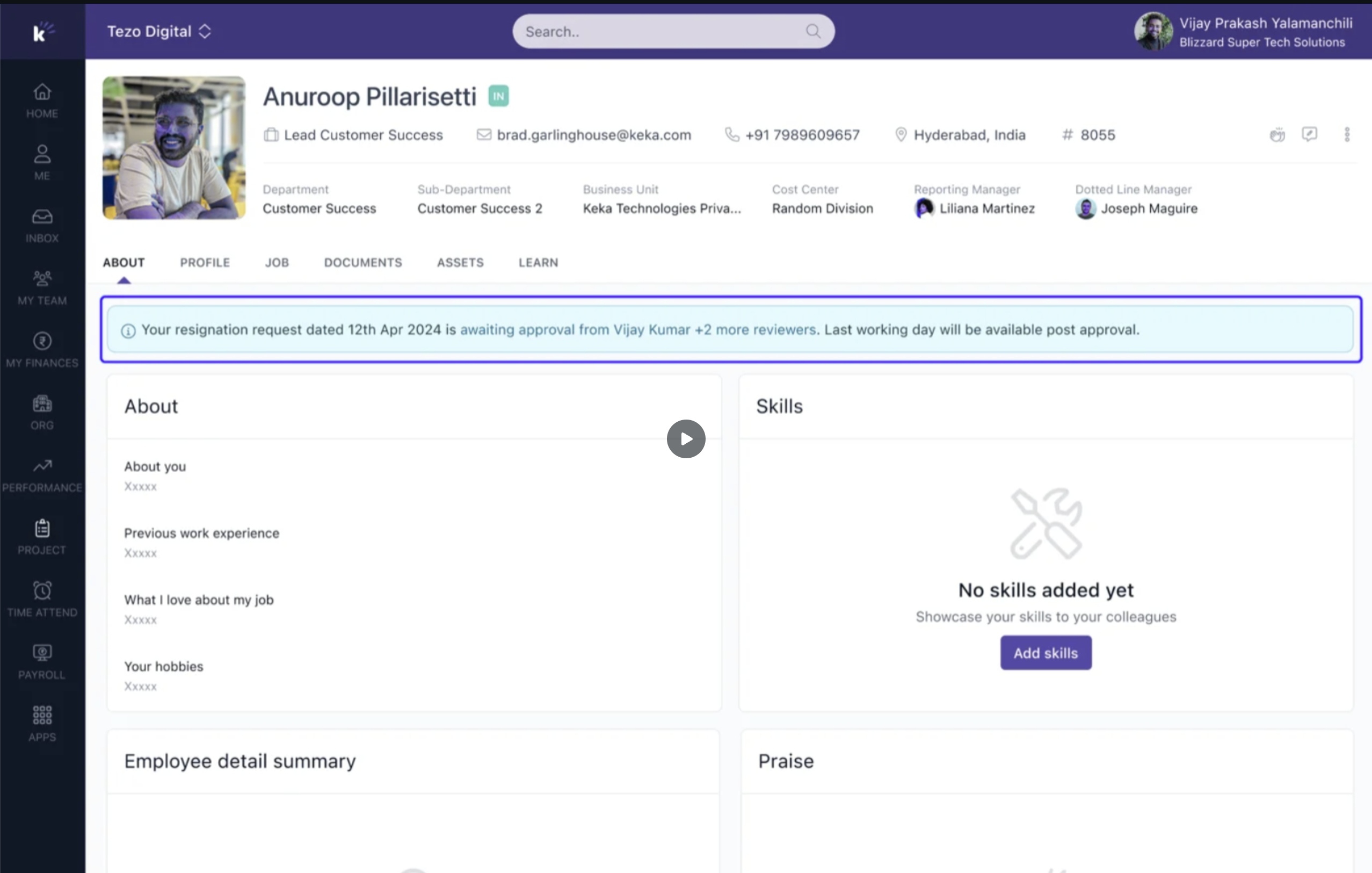
After submission, your resignation status (e.g. “Pending”, “Processed”) will appear on your profile.
Hope it is now clear on how employees can submit resignation on Keka. Need more help? chat with the bot on our website
Comments
0 comments
Please sign in to leave a comment.