Introduction
Keka’s Single Comprehensive Pulse Survey Mode streamlines feedback collection by sending all engagement metric questions in one survey. This reduces survey fatigue and helps improve response rates—especially useful for smaller teams or organisations seeking deeper insights with fewer touch-points.
Setting Up Single Comprehensive Pulse Survey Mode
-
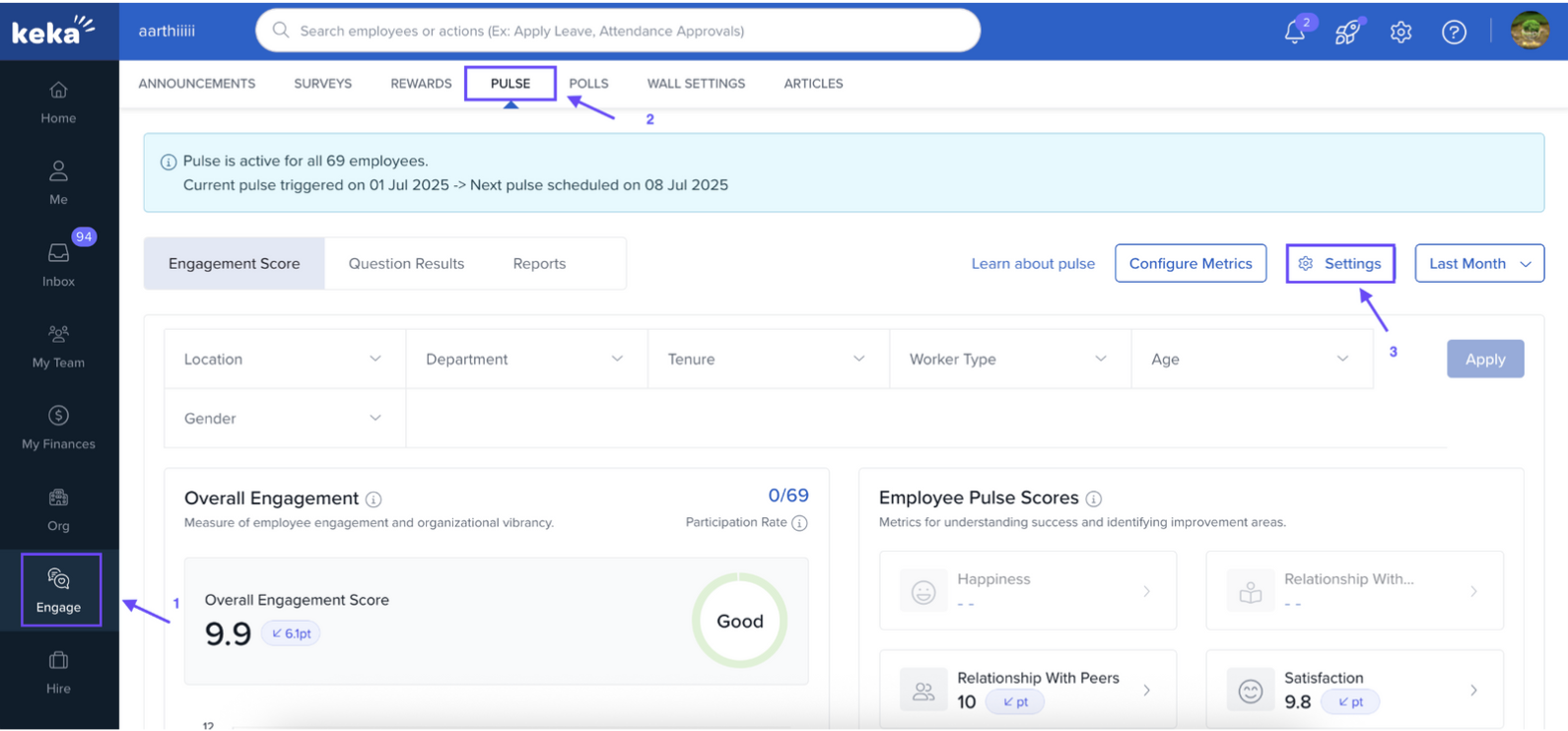
Navigate to Engage and click on Pulse. Under Pulse, select Settings.
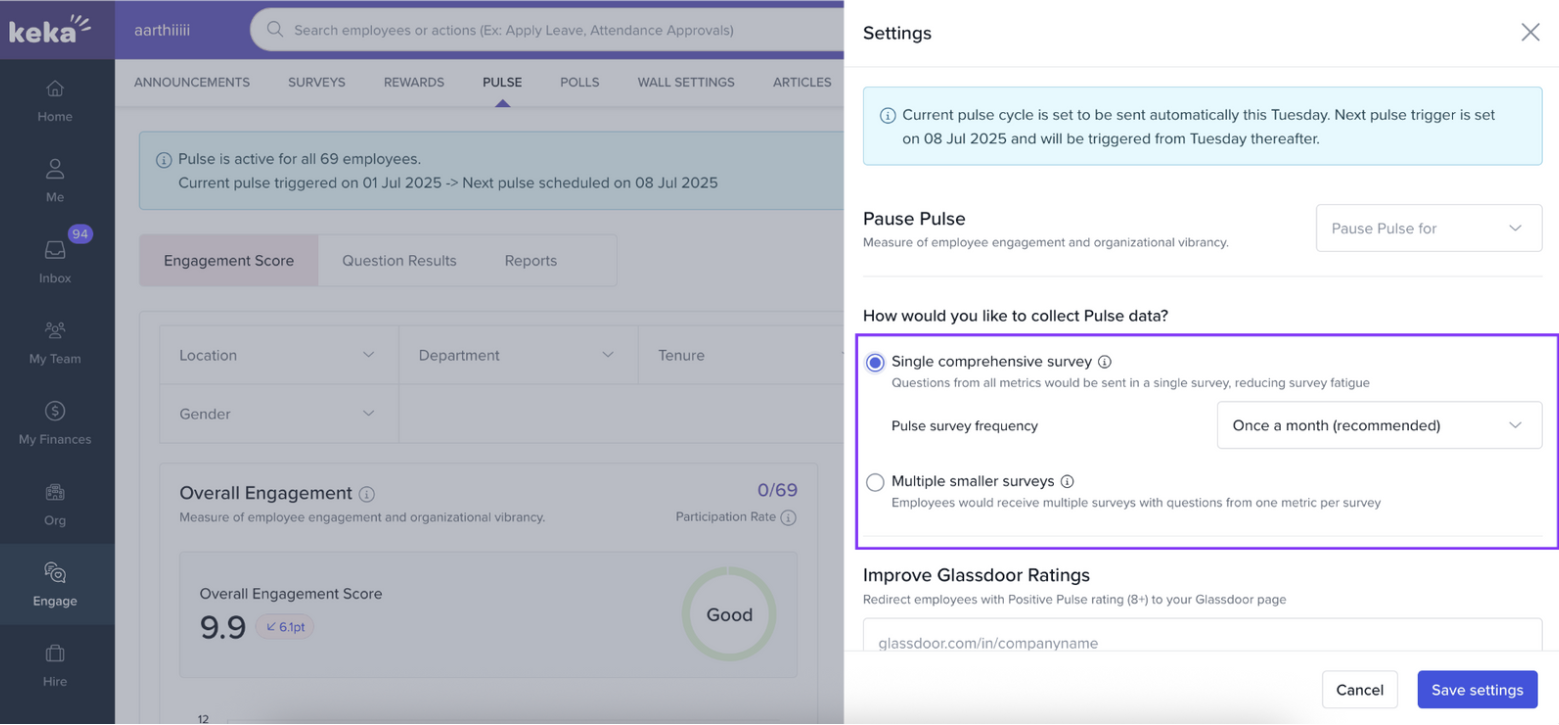
Under the question “How would you like to collect Pulse data?”, choose Single Comprehensive Survey.
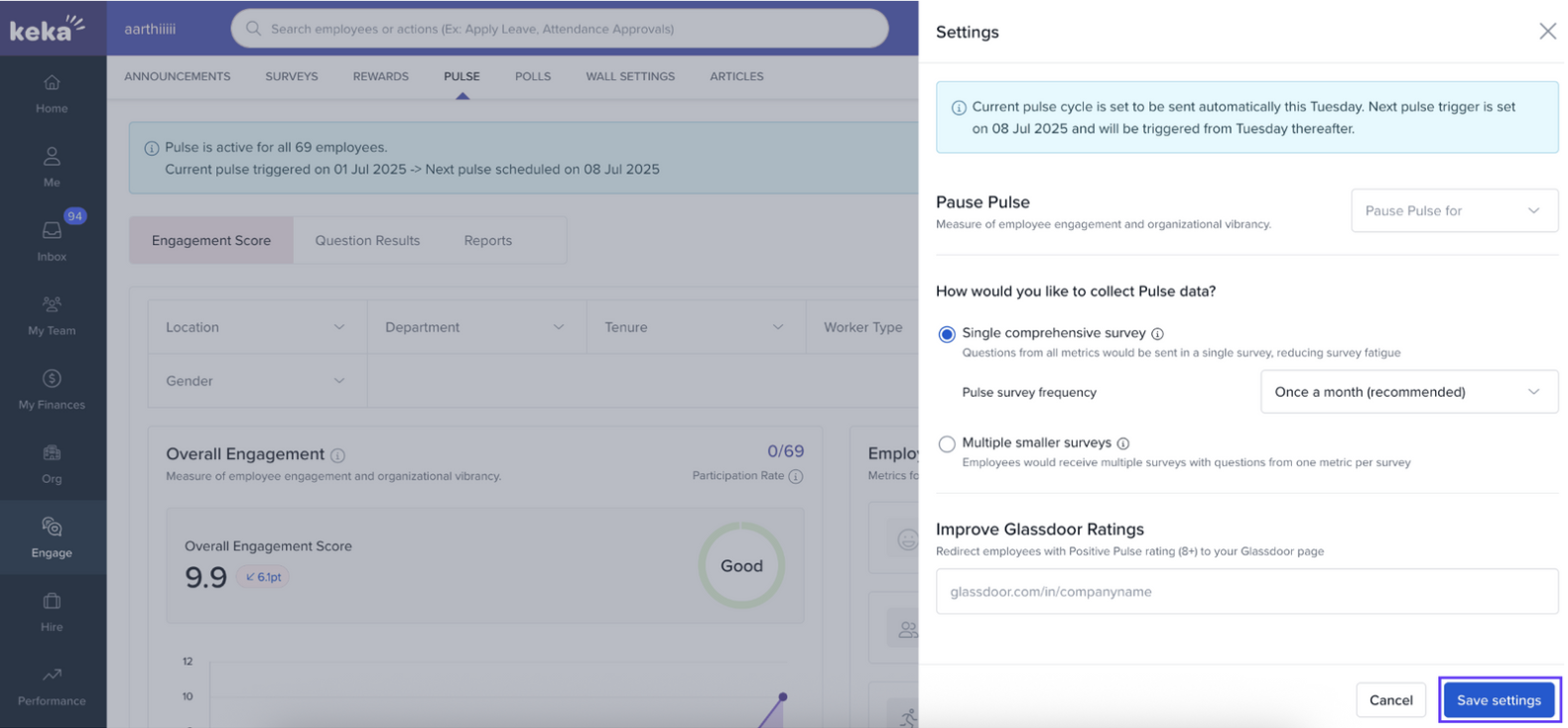
Hit Save settings. Your next Pulse cycle will adopt this unified format.
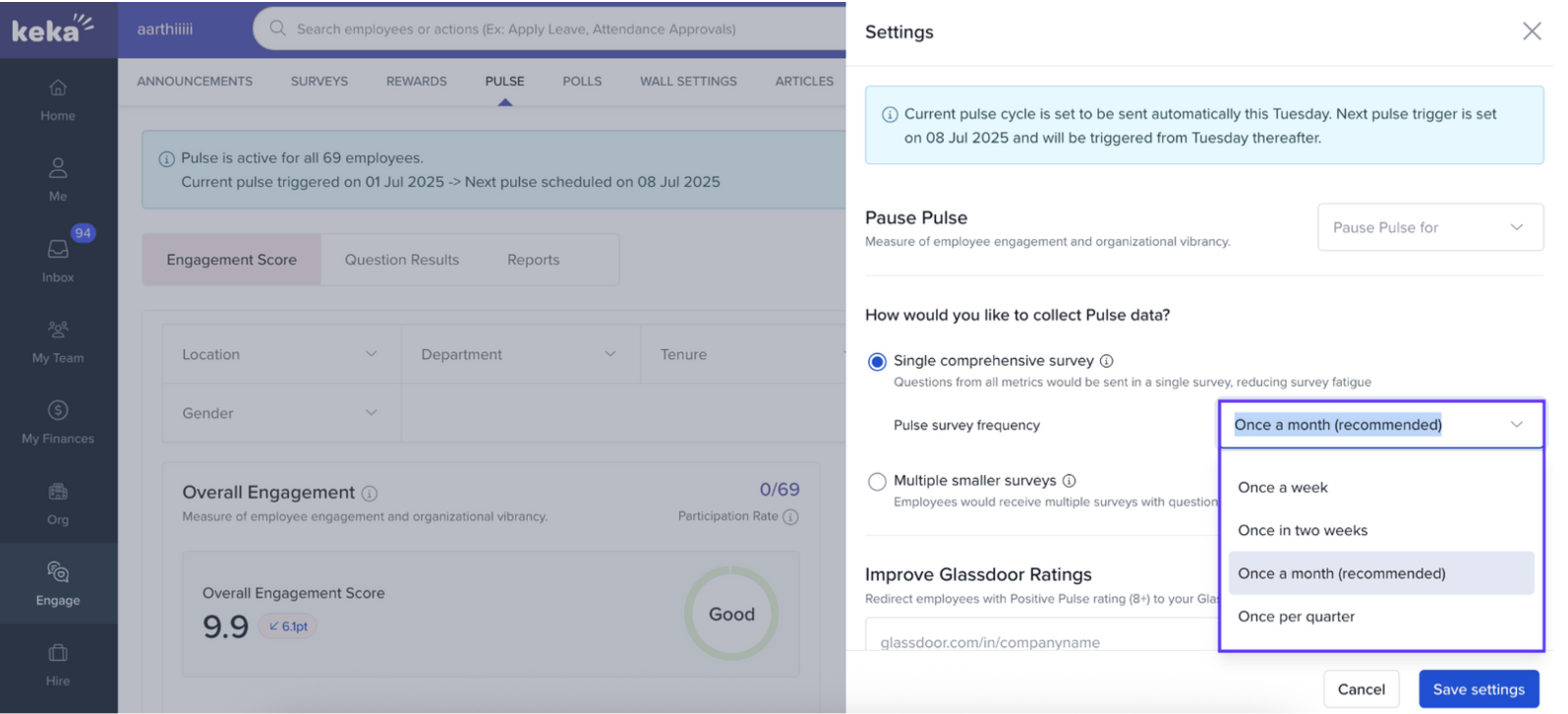
Survey Frequency Options
-
You can set how often the comprehensive survey is pushed:
Option Use Case / Best Practice Weekl Frequent check-ins; for very small, dynamic teams Bi‑weekly Moderate flow of feedback Monthly (recommended) Balanced approach for consistency Quarterly Less frequent but deeper pulses - Choose the rhythm that aligns with your team's culture and bandwidth.
Operating the Unified Survey
All questions from different engagement metrics are consolidated into one single survey.
This avoids multiple touch-points and helps reduce drop-offs.
You still maintain the ability to filter by department, location, or team, as you would in segmented survey mode.
Viewing Consolidated Results
Results span all metrics in a unified dashboard view.
You can segment responses by filters (department, gender, etc.).
Trend graphs show how metrics evolve across cycles.
Comparison heat maps help you spot which groups differ most across metrics.
Options & Variants
You can switch between this mode and a segmented (metric‑wise) survey mode if your organisation grows or your feedback strategy needs adjustment.
Field Reference / Parameters
| Field / Setting | Purpose / Behavior |
|---|---|
| Survey Format | Defines whether to use unified or metric‑wise surveys |
| Survey Frequency | Determines how often the survey is sent |
| Cycle Activation | When the mode takes effect (from the next scheduled Pulse) |
Notes, Tips & Warnings
- Tip: Start with monthly frequency when rolling out this mode, then tune based on engagement.
- Important: Make sure employees know that all feedback metrics will be in one survey—set expectations.
- Warning: Frequent surveys (weekly) may still cause fatigue for some—monitor response trends and adjust.
Use Cases (Examples)
A team of 50 people where multiple surveys led to low participation—switching to single mode lifted response rate.
A fast-moving start-up wanting consolidated feedback each cycle, instead of fragmented metric surveys.
FAQs
Can I revert to segmented survey mode later?
Yes — you can switch modes anytime from the settings.Will filtering by department still work?
Absolutely — filters (department, location, etc.) remain active.Is this mode mandatory?
No. It’s optional but ideal for smaller setups or when you're optimising survey load.
Comments
0 comments
Please sign in to leave a comment.