This happens because of a setting in the leave policy that automatically extends an employee’s Last Working Day (LWD) if they take leave during their notice period.
When this setting is enabled:
Any approved leave taken during the notice period
Will extend the exit date by the number of leave days used
This ensures the full notice duration is served as per policy.
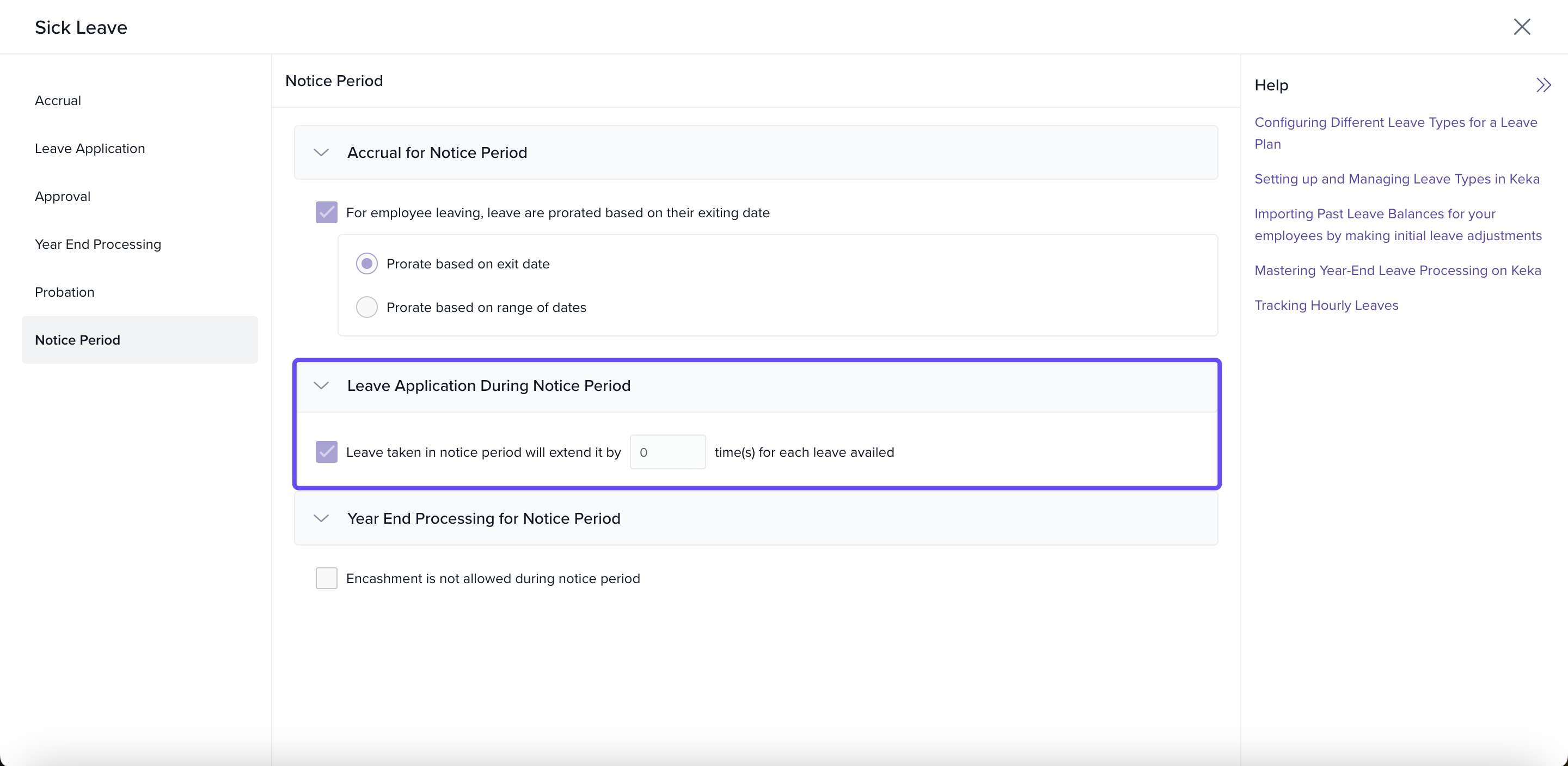
What you can do:
Go to Leave Policies under Time & Attendance
Open the relevant policy assigned to the employee
-
Check the setting:
“Extend exit date if leave is taken during notice period”
Update or disable the setting if automatic extension isn’t required
If you want to change the exit date of that particular employee learn more here.
Comments
0 comments
Please sign in to leave a comment.