You can retain an employee even after their exit has been approved, as long as they are in the Exit in Process stage.
1. From the Employee Profile
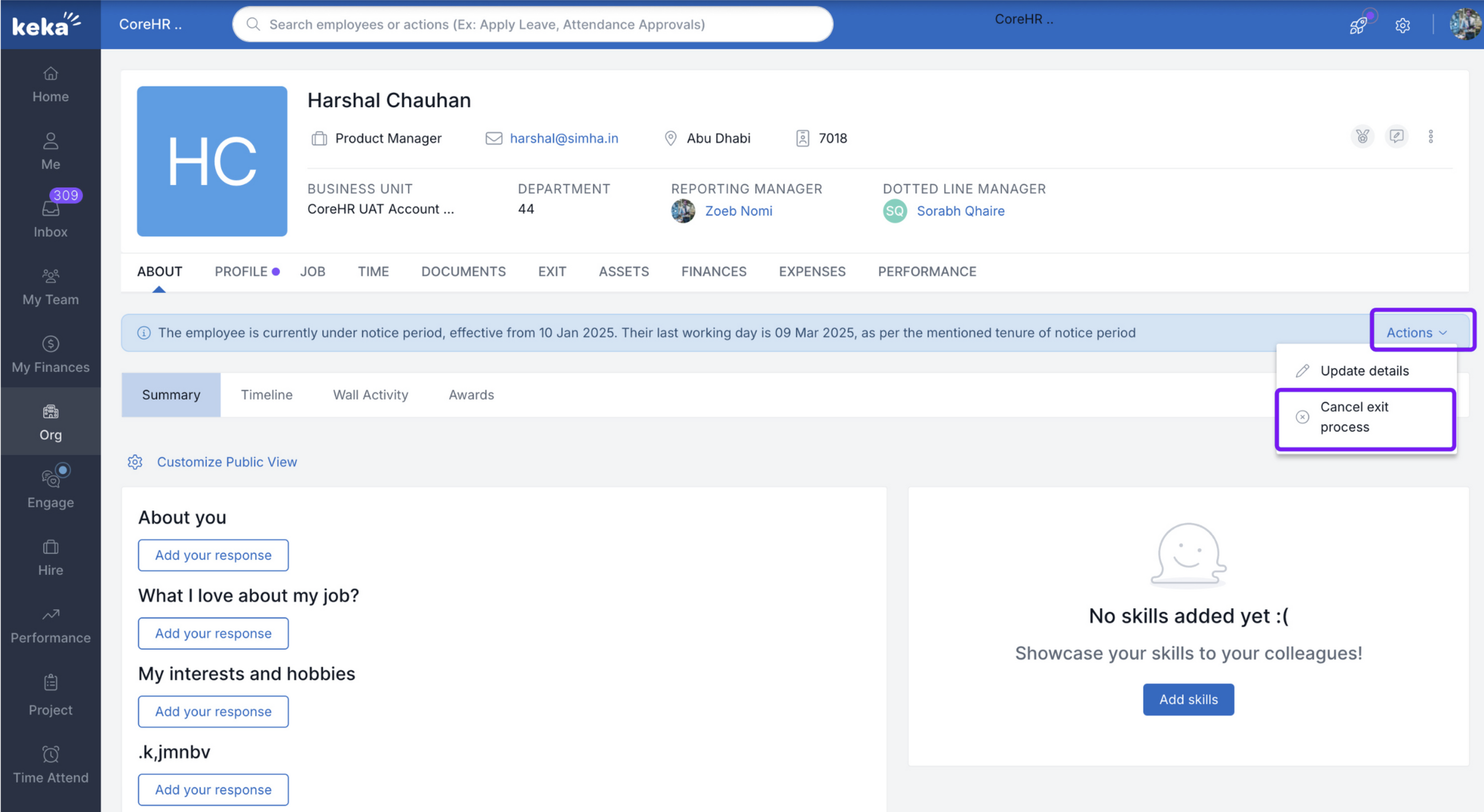
Search for the employee and open their profile.
Click Actions → Cancel Exit Process.
Add a summary of the retention discussion.
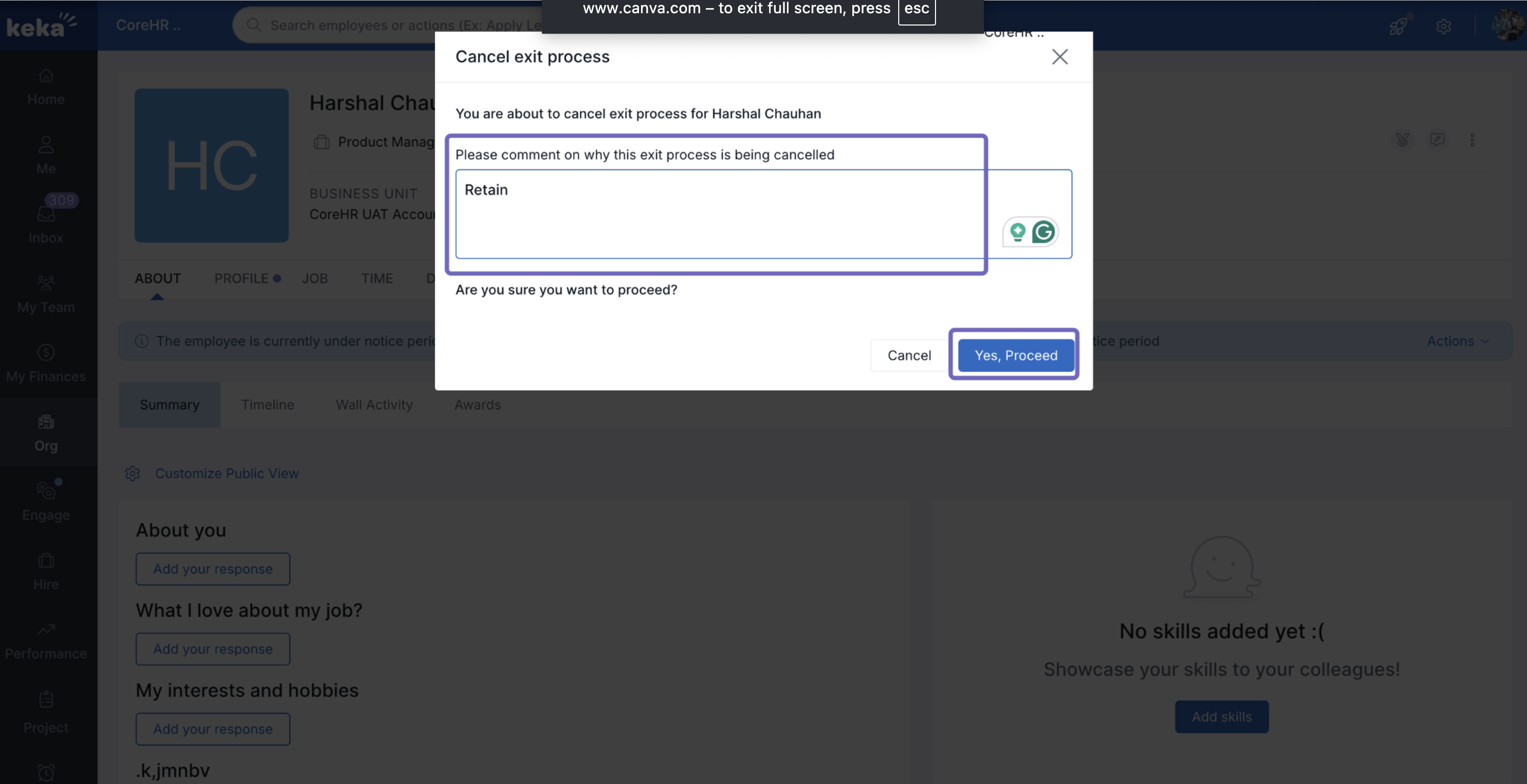
Click Yes, Proceed to cancel the exit.
2. From the Org Section
Go to Org → Exits → Exit in Process.
Find the employee and click the three dots under Actions.
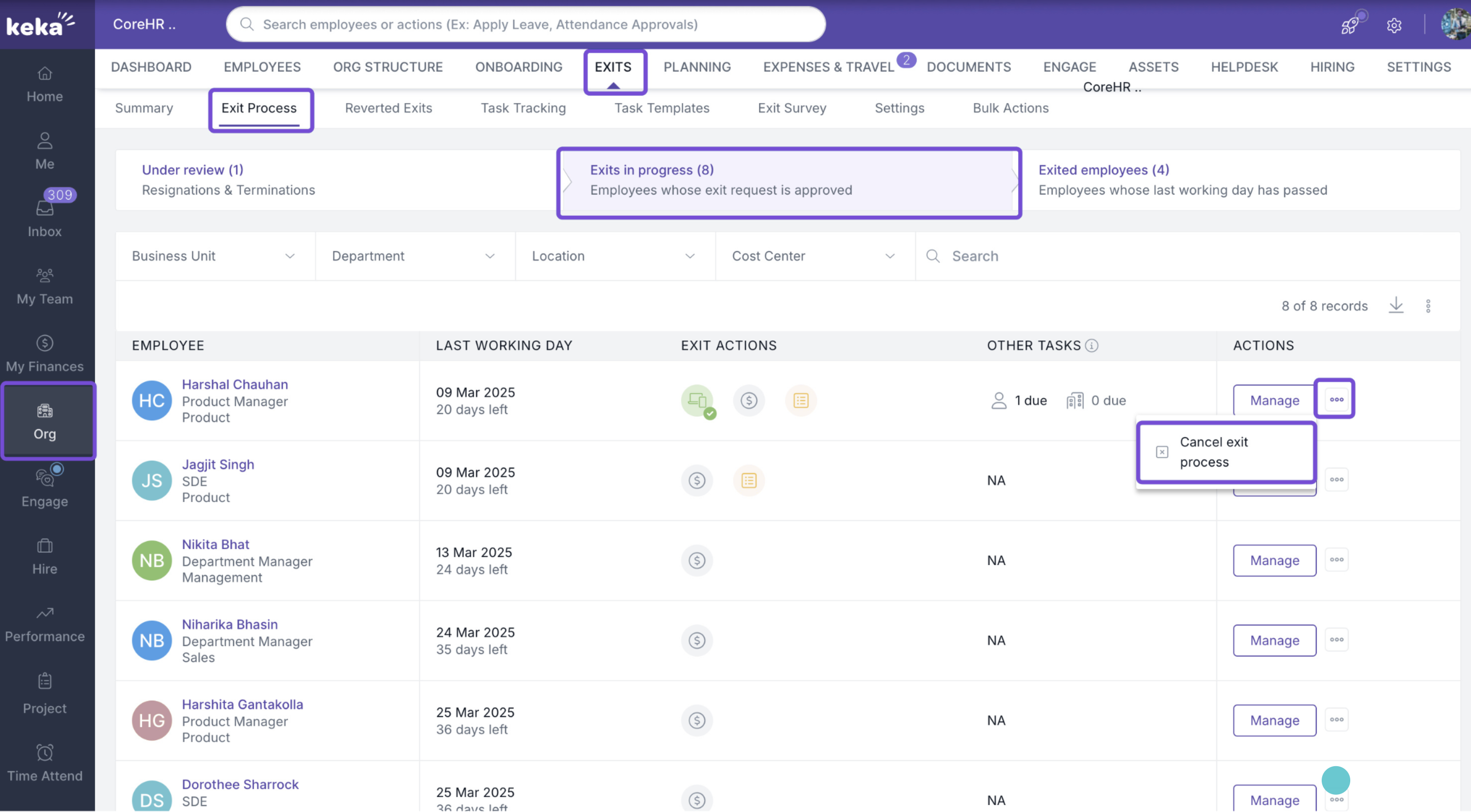
Select Cancel Exit Process.
Enter the summary and click Yes, Proceed.
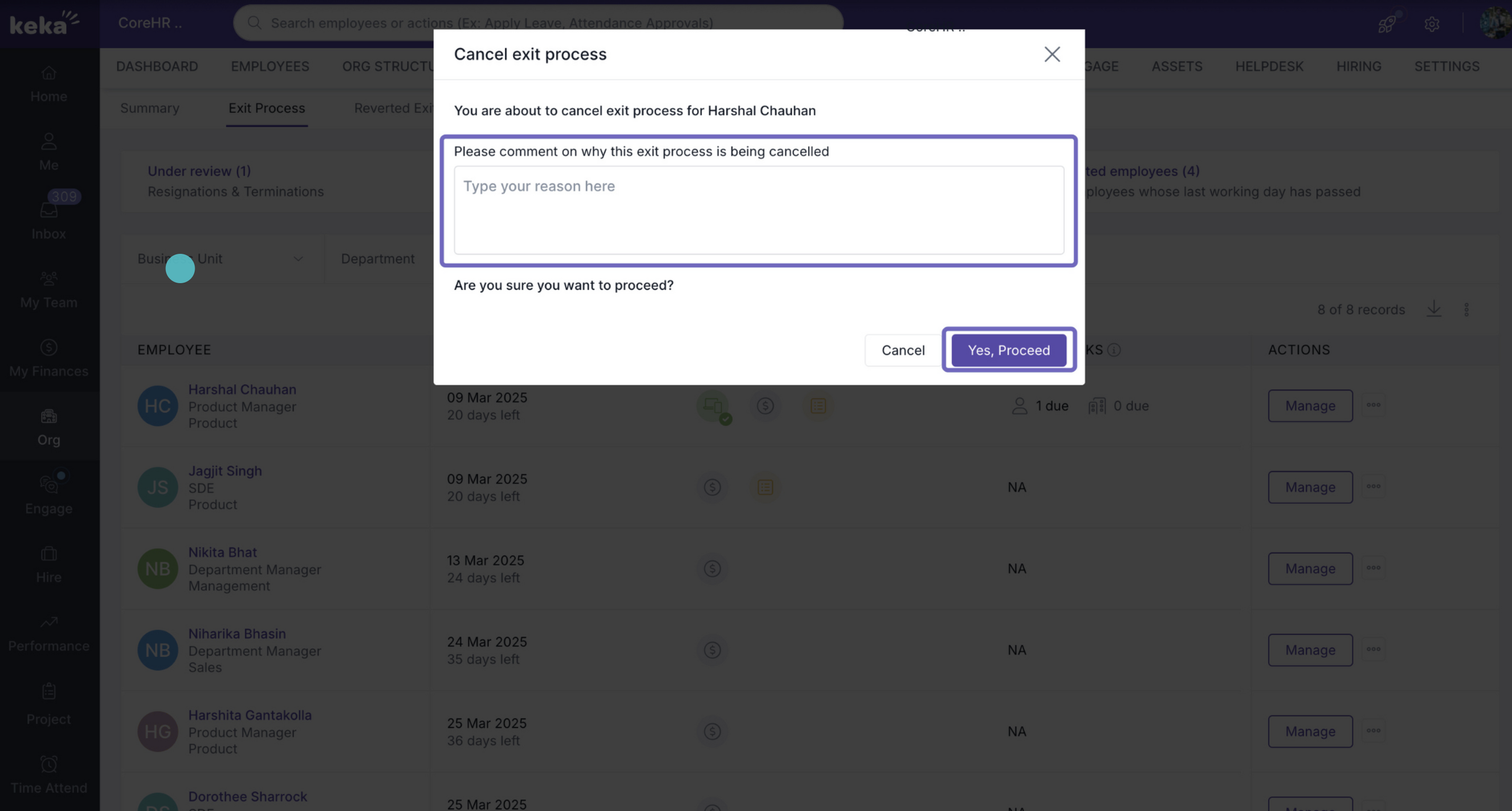
The employee will now be retained, and their exit process will be fully canceled in Keka HR.
Comments
0 comments
Please sign in to leave a comment.