Stop chasing people for punches and leave requests—let Keka nudge them at the right moment. Based on NPS feedback and support conversations, Keka now offers proactive reminders that reduce last-minute escalations and help employees act before penalties or expiries occur.
Configuration
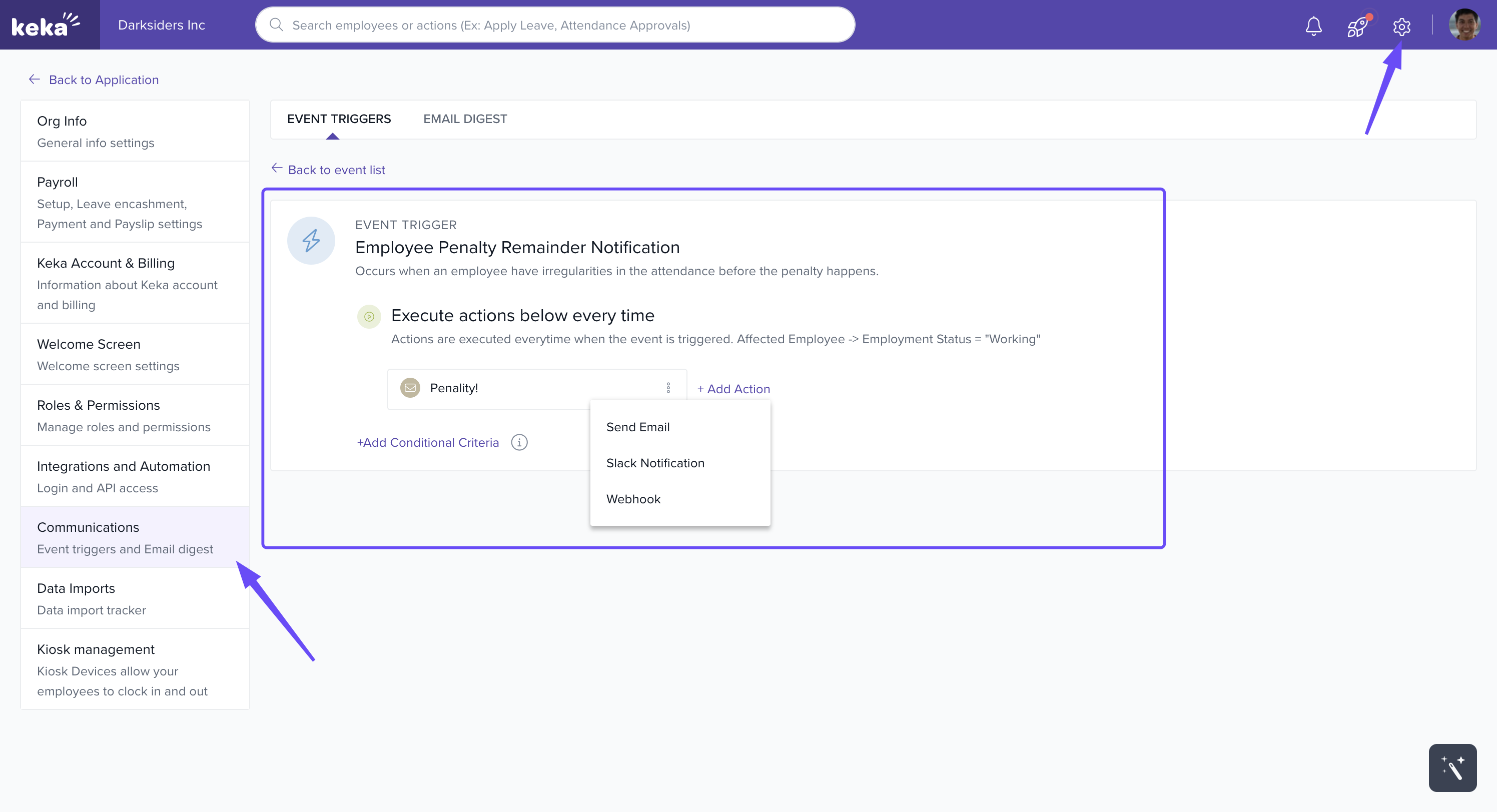
1) Penalty Prevention Alerts — reduce surprises, prevent penalties
Employees receive automated email alerts before they breach attendance buffers (late swipes, missed punches, insufficient work hours). They can regularise in time and avoid salary deductions.
Go to Global Settings → Communications → Event Triggers → Attendance.
Click Add New Event → select Employee Penalty Reminder Notification.
Click Add Action → choose Send Email.
Customize the recipient list, subject, and email template.
(Optional) Apply filters like Department, Employment Status, etc.
Auto reminder frequency (based on penalty buffer):
Up to 3 days → 1 reminder
4–6 days → 2 reminders
7+ days → 4 reminders
Prerequisites
Employee has login enabled
Employee is registered on Keka
Employee has an active penalisation policy
2) Leave Expiry Reminders — “No more, I didn’t know!”
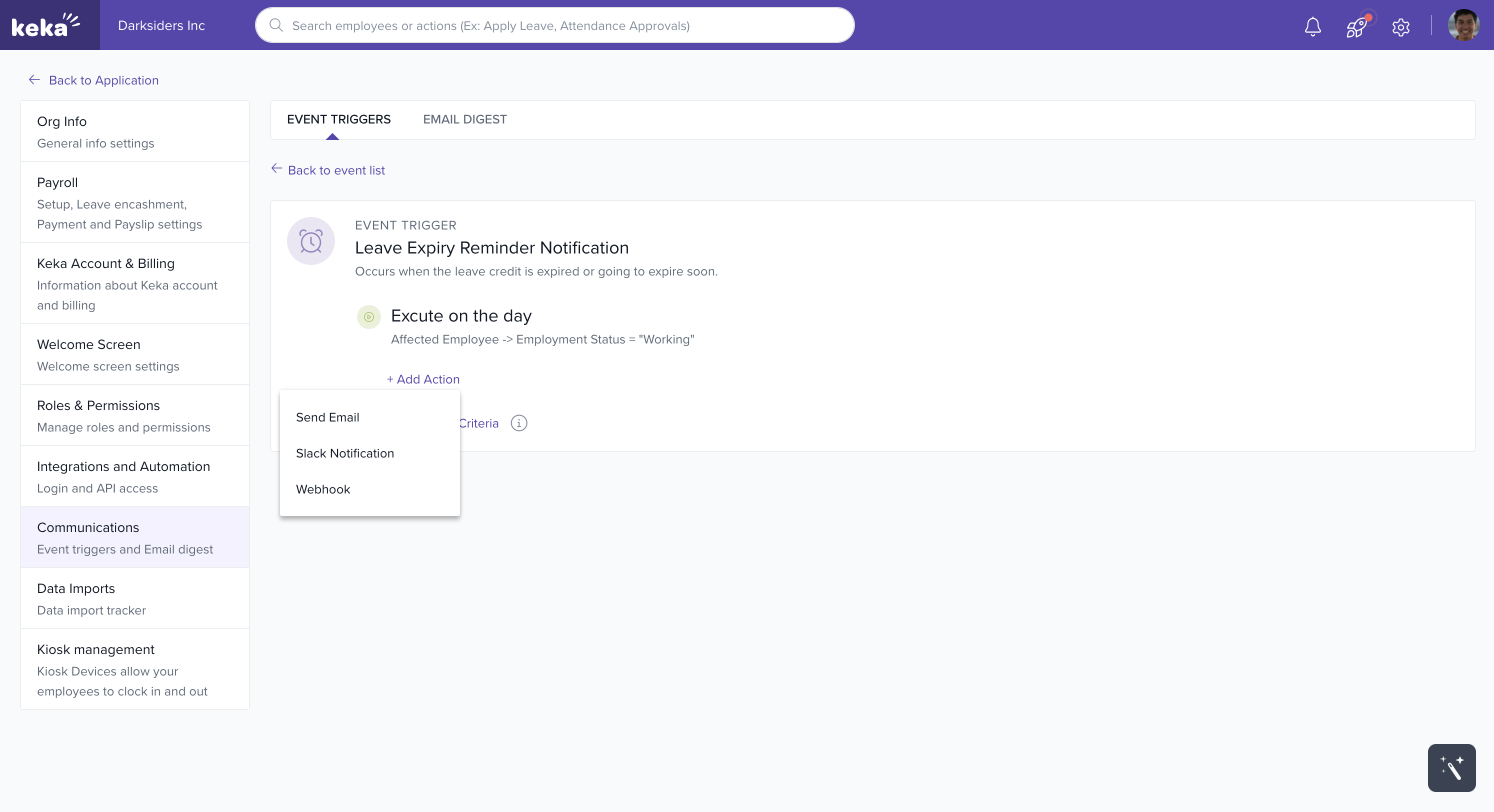
Employees get email alerts before their leave expires, so they have time to use balances without chasing HR.
Go to Global Settings → Communications → Event Triggers → Leave.
Click Add New Event → choose Leave Expiry Reminder Notification.
Click Add Action → Send Email.
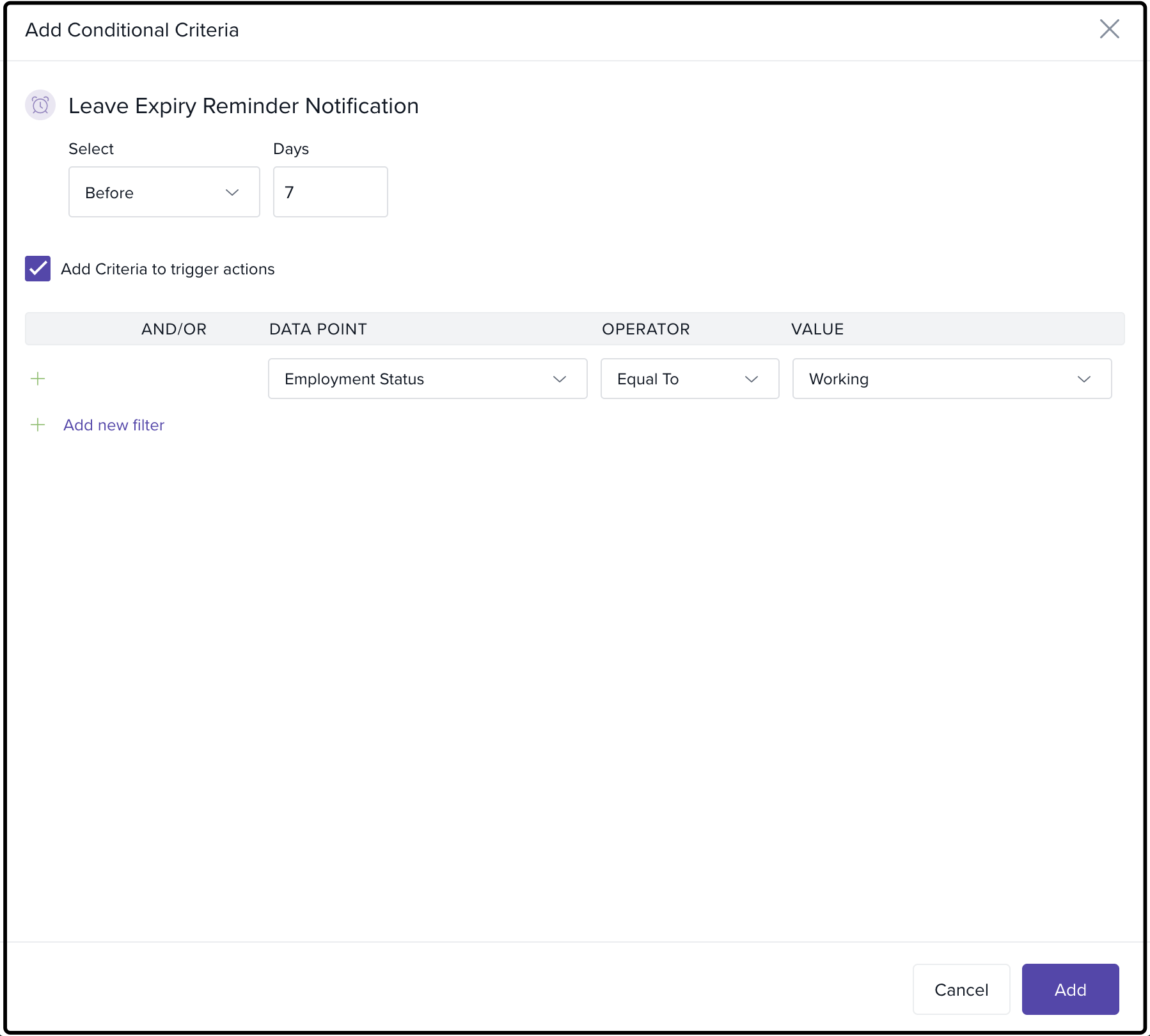
Define when and to whom (e.g., 7 days before expiry; specific groups).
Prerequisites
Employee has login enabled
Employee is registered on Keka
 3) Clock In/Out Push Notifications — never miss a punch
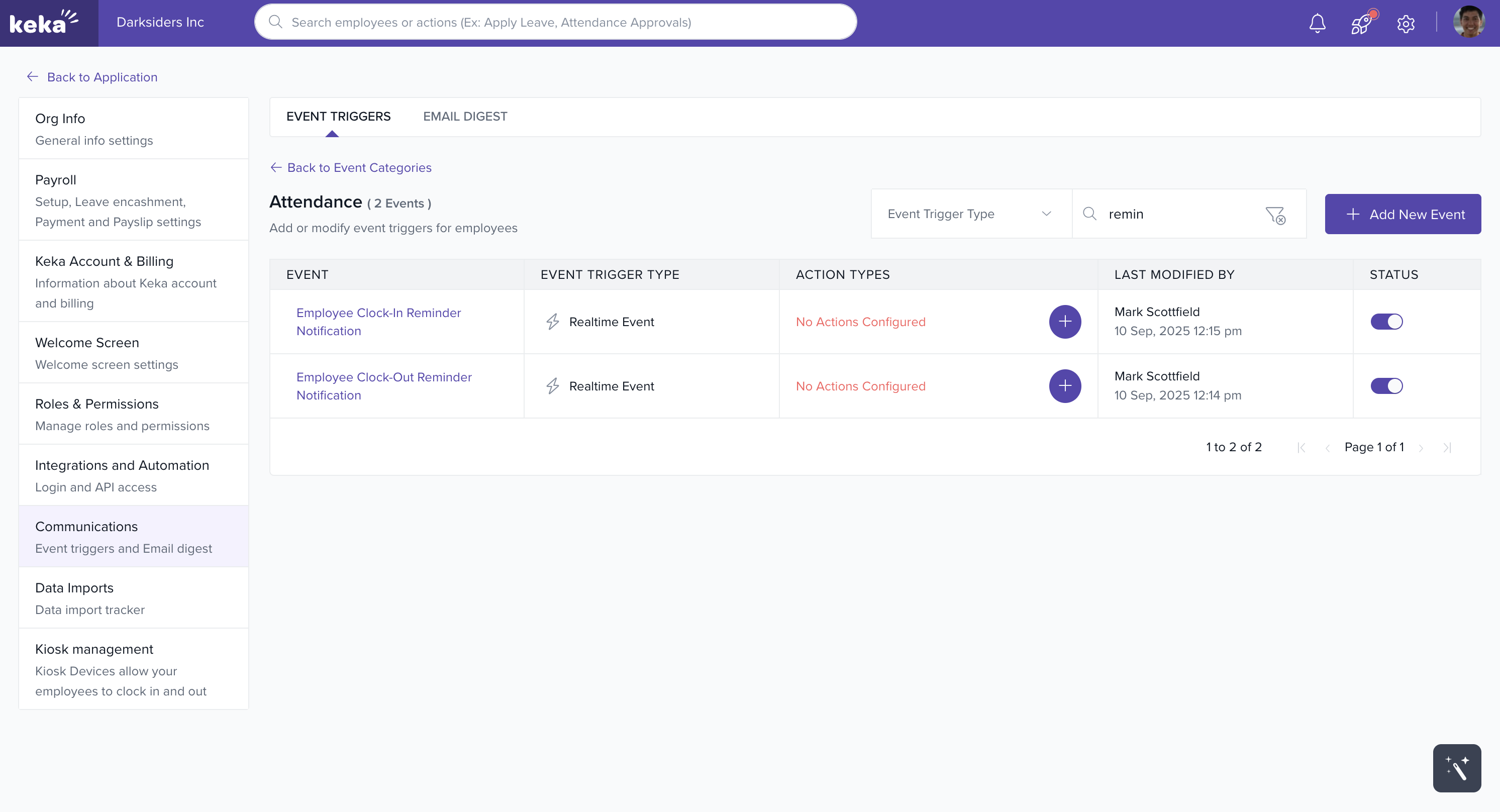
Employees receive push notifications before shift start/end to remind them to clock in/out. If they miss it, Keka sends an automatic follow-up.
Go to Global Settings → Communications → Event Triggers → Attendance.
Click Add New Event → select Employee Clock-In Reminder Notification and/or Employee Clock-Out Reminder Notification.
Click Add Action → Enable Push to Employee.
(Optional) Add filters (e.g., Employment Status = Working).
Prerequisites
Applies to regular shifts only (not supported for flexible or auto-assigned shifts)
Employee has an active penalisation policy
Options & Variants
Channels: Emails for penalties/leave; Push for clock-in/out.
Targeting: Use filters (Department, Location, Employment Status) to deliver reminders to the right groups.
Timing: For leave reminders, choose the lead time (e.g., 7, 14, 30 days).
Templates: Customize subject lines and body to match your policy tone.
Notes, Tips, Important
Tip: Start with a pilot (one department) to fine-tune timing and template tone before rolling out company-wide.
Important: Clock In/Out reminders work only for regular shifts and require an active penalisation policy on the employee.
Note: Penalty reminders depend on your penalisation buffers. Review buffer settings to align reminders with your policy.
Troubleshooting
Symptom: Employees aren’t getting penalty emails.
Cause: Missing penalisation policy or login not enabled.
Fix: Assign penalisation policy; ensure login enabled and user registered.
Symptom: No clock-in push received.
Cause: Employee on flexible/auto-assigned shift, or push action not added.
Fix: Verify regular shift assignment; confirm Enable Push to Employee is added in the event.
Symptom: Leave expiry reminders not firing.
Cause: Event not scheduled with timing (e.g., 7 days) or recipients not defined.
Fix: Edit event to set when and recipient scope.
Next Steps
Review penalisation buffers and shift types for alignment.
Standardize email/push templates with clear CTAs (Regularise, Apply Leave).
Monitor outcomes (reduced late punches, fewer tickets) and iterate filters/timing.
Comments
0 comments
Please sign in to leave a comment.