Introduction
Incidental leave is a vital leave type designed for unforeseen, urgent situations like medical or family emergencies. Keka HRMS provides flexibility for organizations to configure this leave type, ensuring employees can manage emergencies without worry.
In this guide, we’ll walk you through how to configure Incidental Leave in Keka, covering everything from accrual to approval processes.
Configuration
Setting up Incidental Leave Type
To configure incidental leave, follow these steps within Keka HRMS:
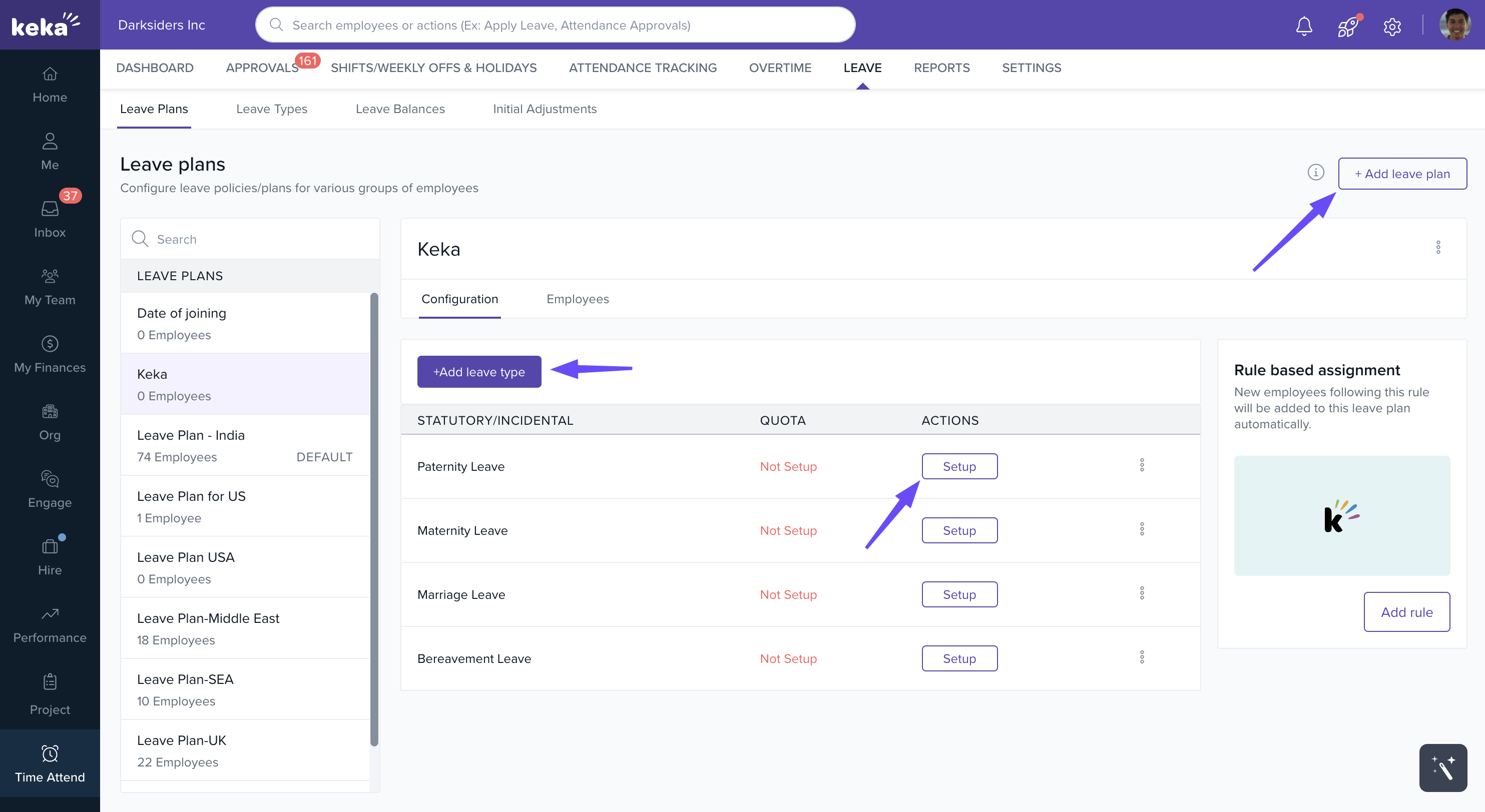
Go to Leave Management → Leave Plans → Add New Leave Plan.
Add leave types to the leave plan and Choose Incidental Leave as the leave type to configure.
The configuration involves several sections: Accrual, Leave Application, Approval Chain, Probation, and Notice Period.
Accrual
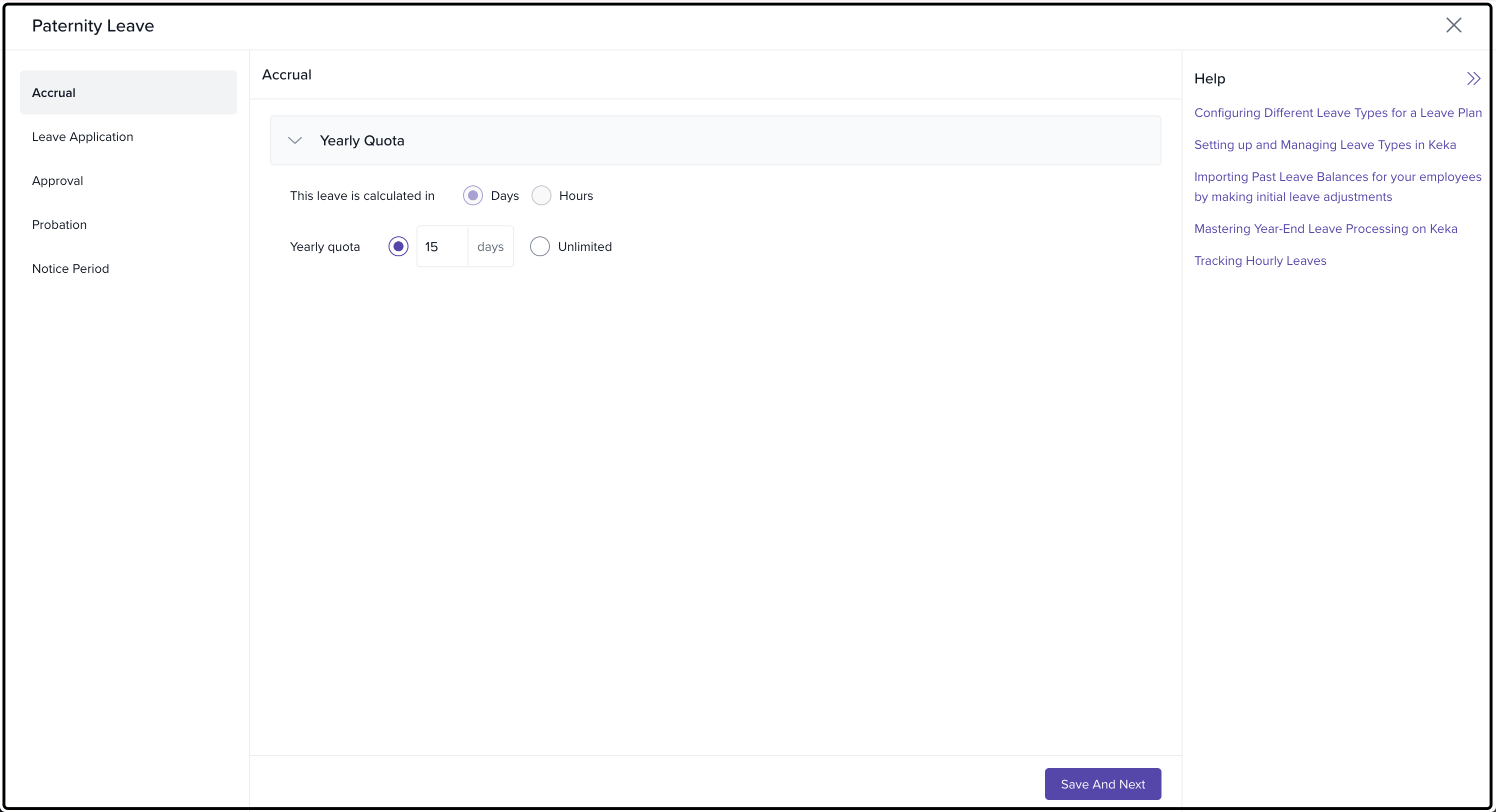
In this section, you’ll define how incidental leave accrues over time.
-
Yearly Quota:
Days or Hours: Choose whether to allocate leave in days or hours.
Unlimited: Alternatively, enable unlimited leave if your organization prefers this approach.
Click Save and Next to proceed.
Leave Application
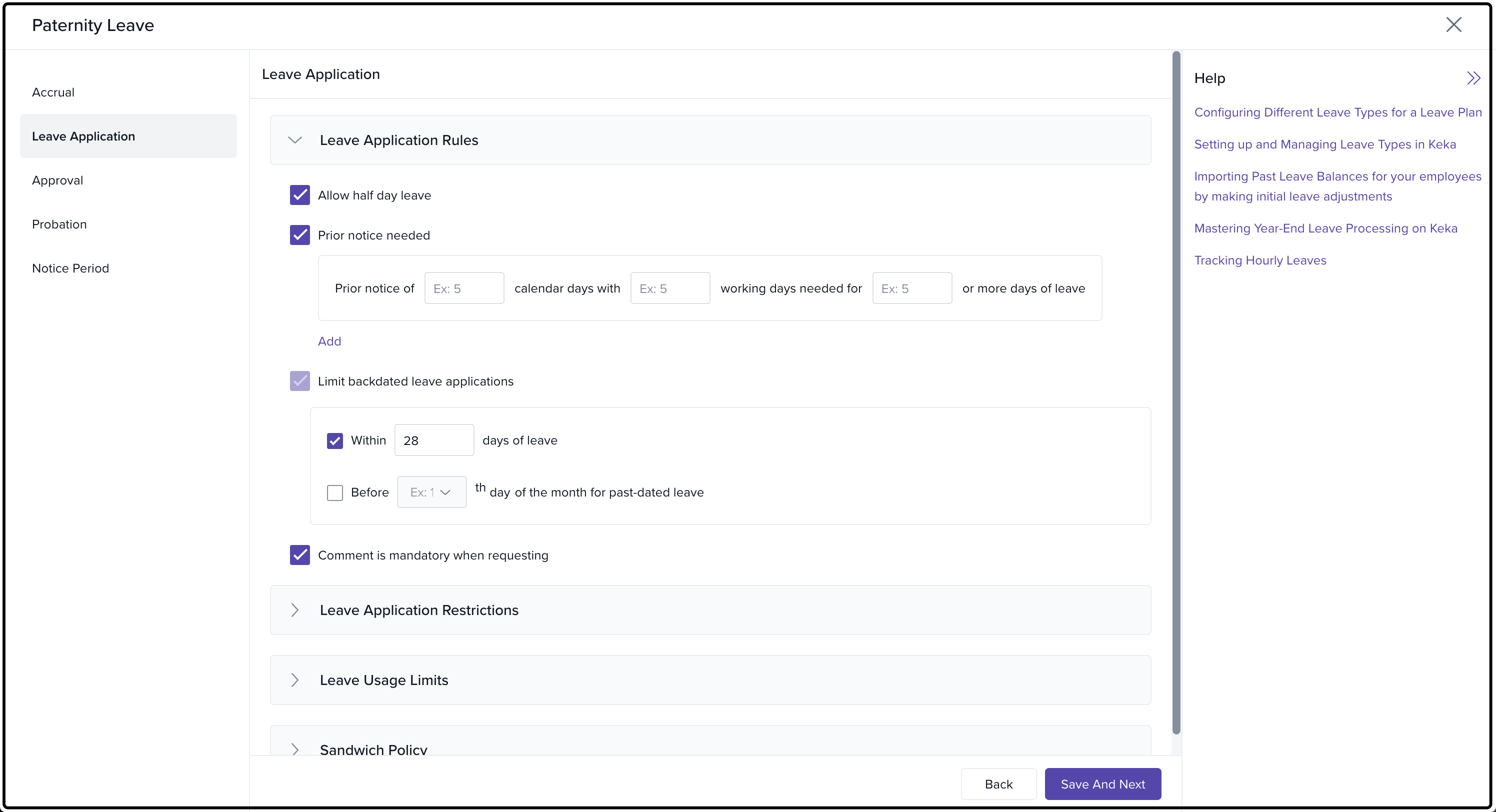
Here, you define the rules and restrictions for applying for incidental leave.
Leave Application Rules:
Half-Day Leave: Allow employees to apply for half-day leaves.
Prior Notice: Set the number of working days’ notice required before taking leave.
Backdated Leave: Restrict employees from applying for leave beyond a set number of days after the leave event.
Comment Required: Make comments mandatory when applying for leave.
Leave Application Restrictions:
Attachments: Require employees to provide documentation if the leave request exceeds a specified number of days.
Advance Applications: Limit the number of days before the leave start date that applications can be made.
Leave Combination Restrictions: Prevent this leave from being taken together with certain other leave types.
Manager Override: Set rules to prevent managers from bypassing these restrictions when applying on behalf of employees.
Leave Usage Limits:
Max Days per Month: Limit how many days of incidental leave can be taken in a given month.
Mandatory Gap: Set a minimum gap between two leave applications (e.g., at least 7 days apart).
Leave Frequency: Limit how often employees can take this leave, whether monthly, annually, or based on tenure.
Click Save and Next to continue.
Sandwich Policy:
Adjoining Weekly Offs: If the applied leave adjoins a weekly off, the weekly off is considered part of the leave.
Adjoining Holidays: If the applied leave adjoins a holiday, the holiday is considered part of the leave.
All Days Counted as Leave: All days falling on or between the leave duration are considered as part of the leave.
Leave Approval Chain
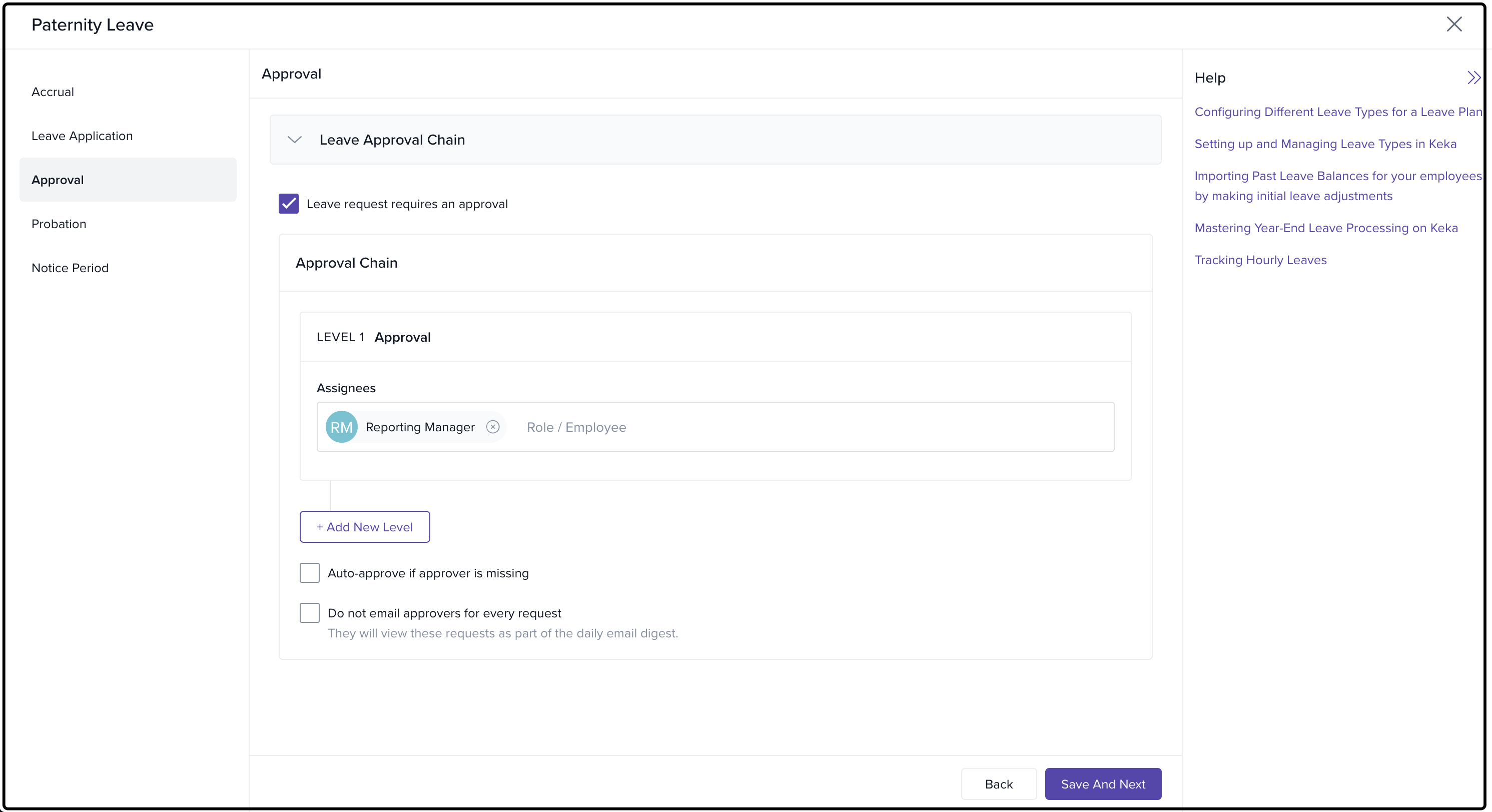
In this section, configure how leave requests are approved.
Set up an Approval Chain: Define multiple levels of approval for leave requests, assigning roles or individuals responsible for approving the leave.
Auto-Approval: Enable auto-approval if the approver is unavailable.
Email Digest: Prevent approvers from receiving email notifications for every leave request. Instead, they will receive a summary email digest.
Click Save and Next to continue.
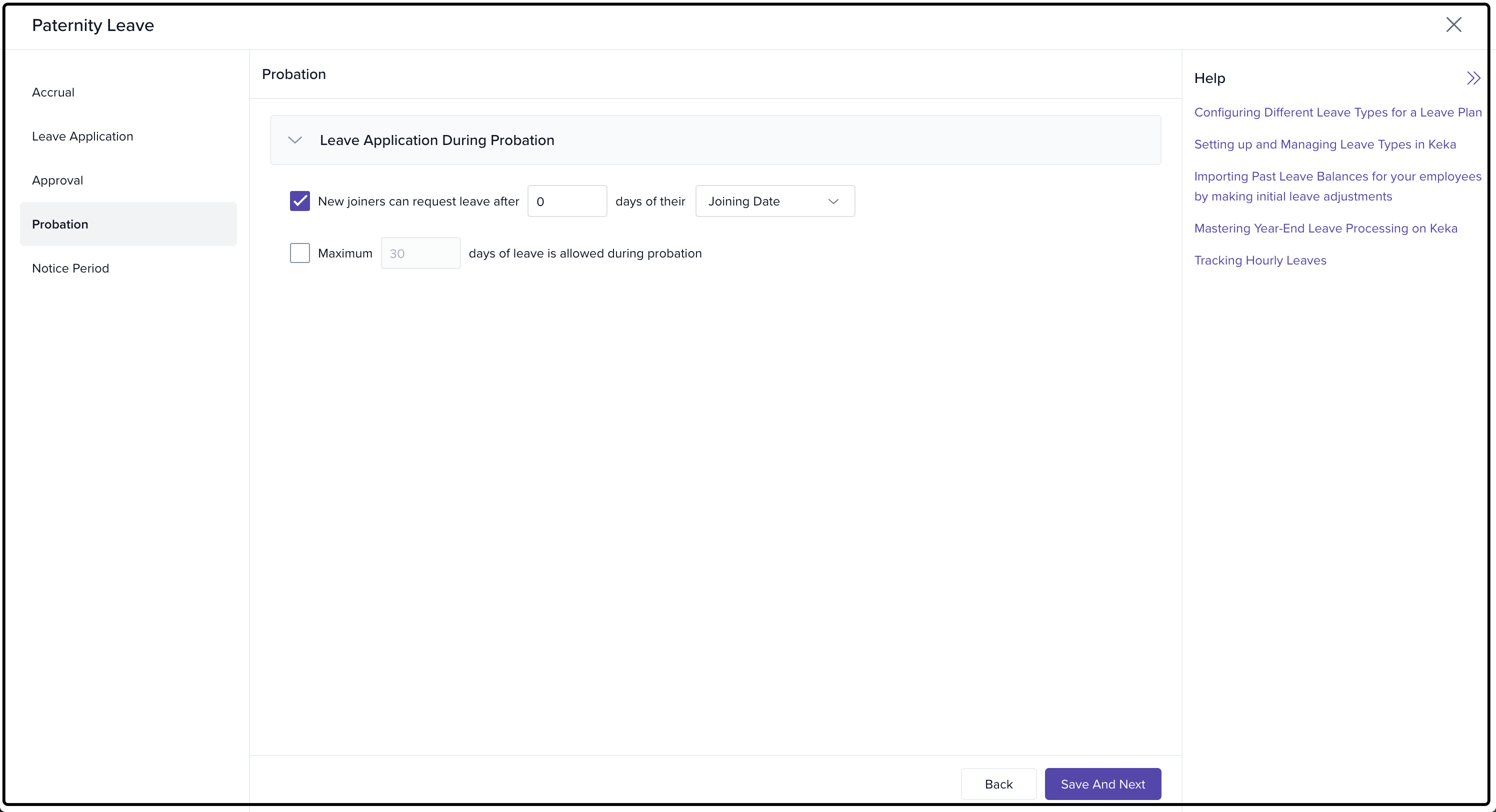
Probation
Configure the leave rules specifically for employees during their probation period.
-
Leave Application for Probation:
New joiners can request incidental leave after a specified number of days post-joining.
Set a maximum number of days of incidental leave allowed during probation.
Click Save and Next to continue.
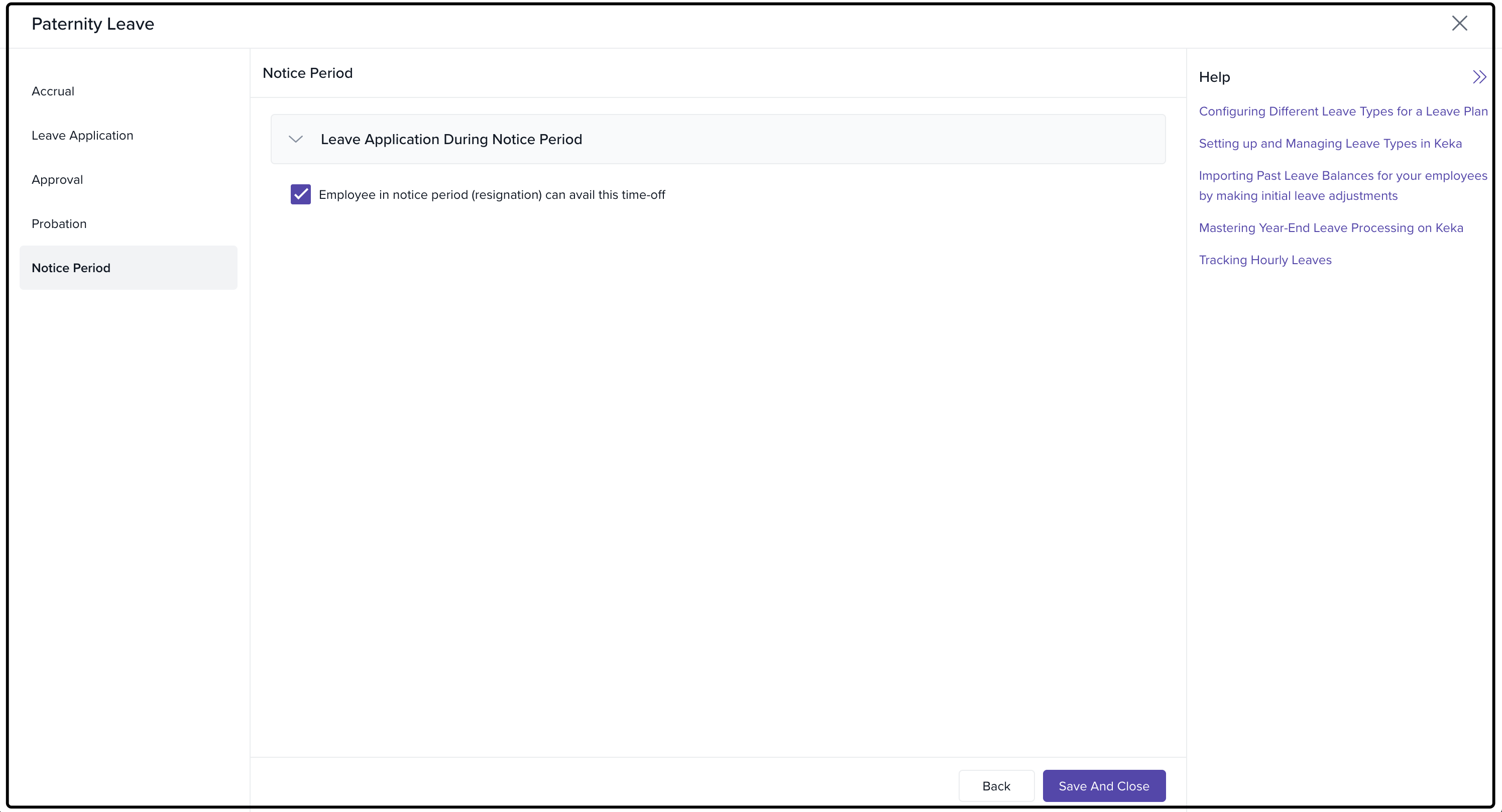
Notice Period
Here, configure whether employees can apply for incidental leave during their notice period (resignation).
Leave Application for Notice Period: Allow employees in their notice period to request this leave type.
Click Save and Close to finalize the setup.
Conclusion
By setting up Incidental Leave in Keka, you provide employees with the flexibility to manage urgent and unforeseen situations effectively. This configuration ensures that your leave policies are clear, structured, and aligned with your organization's needs.
If you need further assistance or have any questions, don’t hesitate to contact Keka support or check out our other helpful articles.
Comments
0 comments
Please sign in to leave a comment.