Introduction
Unpaid Leave is an essential leave type that allows employees to take time off beyond their paid leave entitlements without affecting their employment status. It ensures that employees can manage personal or family situations even after their paid leave balance has been exhausted.
In this guide, we’ll walk you through the setup process for Unpaid Leave in Keka HRMS, covering the Accrual, Leave Application, and Approval Chain configuration options.
Setting up Unpaid Leave Type
To configure Unpaid Leave, follow these steps:
Navigate to Leave Management → Leave Plans → Add Leave Type → Assign Leave Types to Keka → Choose required Leave types.
Choose Unpaid Leave as the leave type to configure.
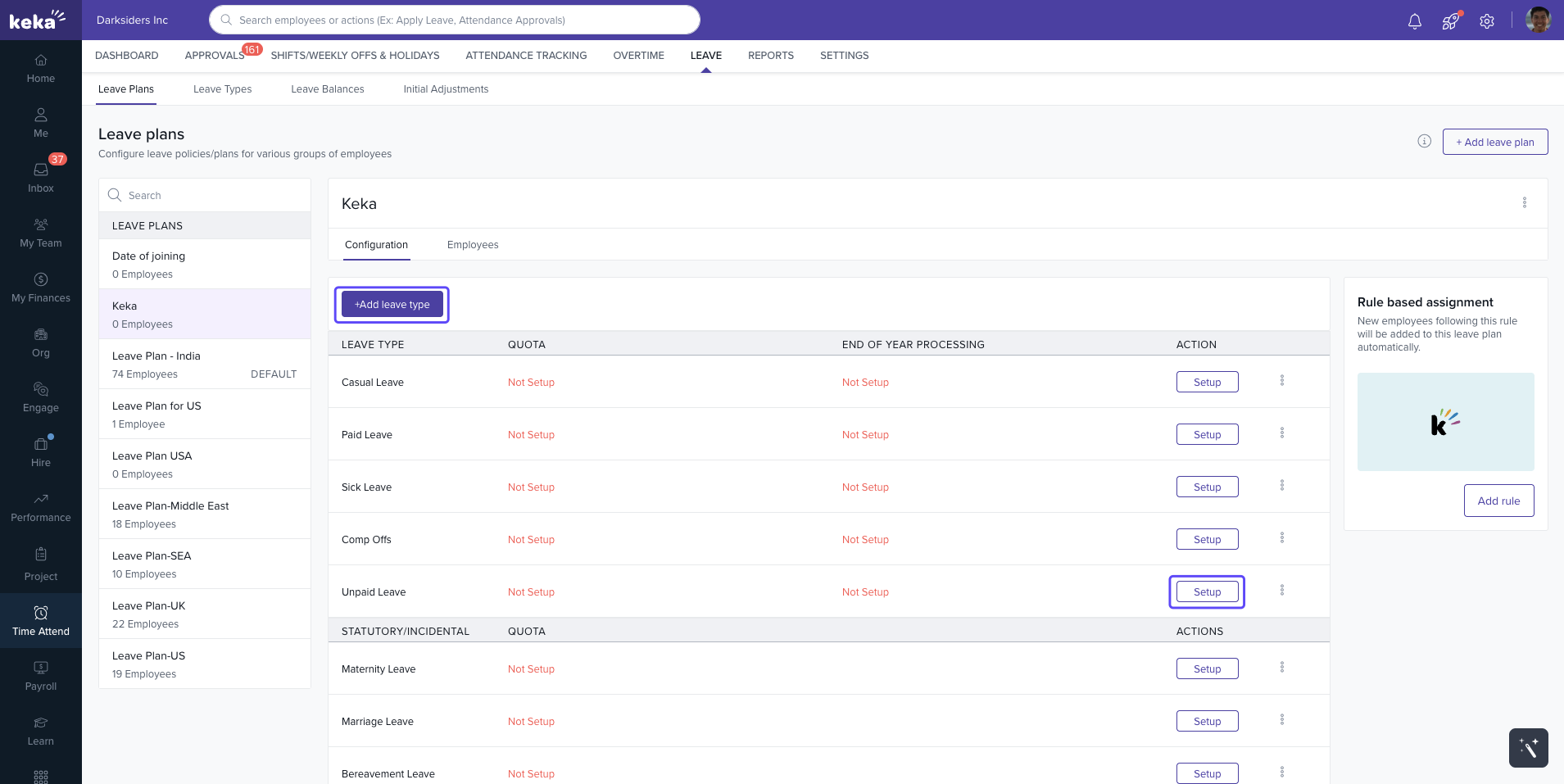
The configuration involves the following sections: Accrual, Leave Application, and Approval Chain.
1. Accrual Section
In the accrual section you will determine all the settings related to accrual of leave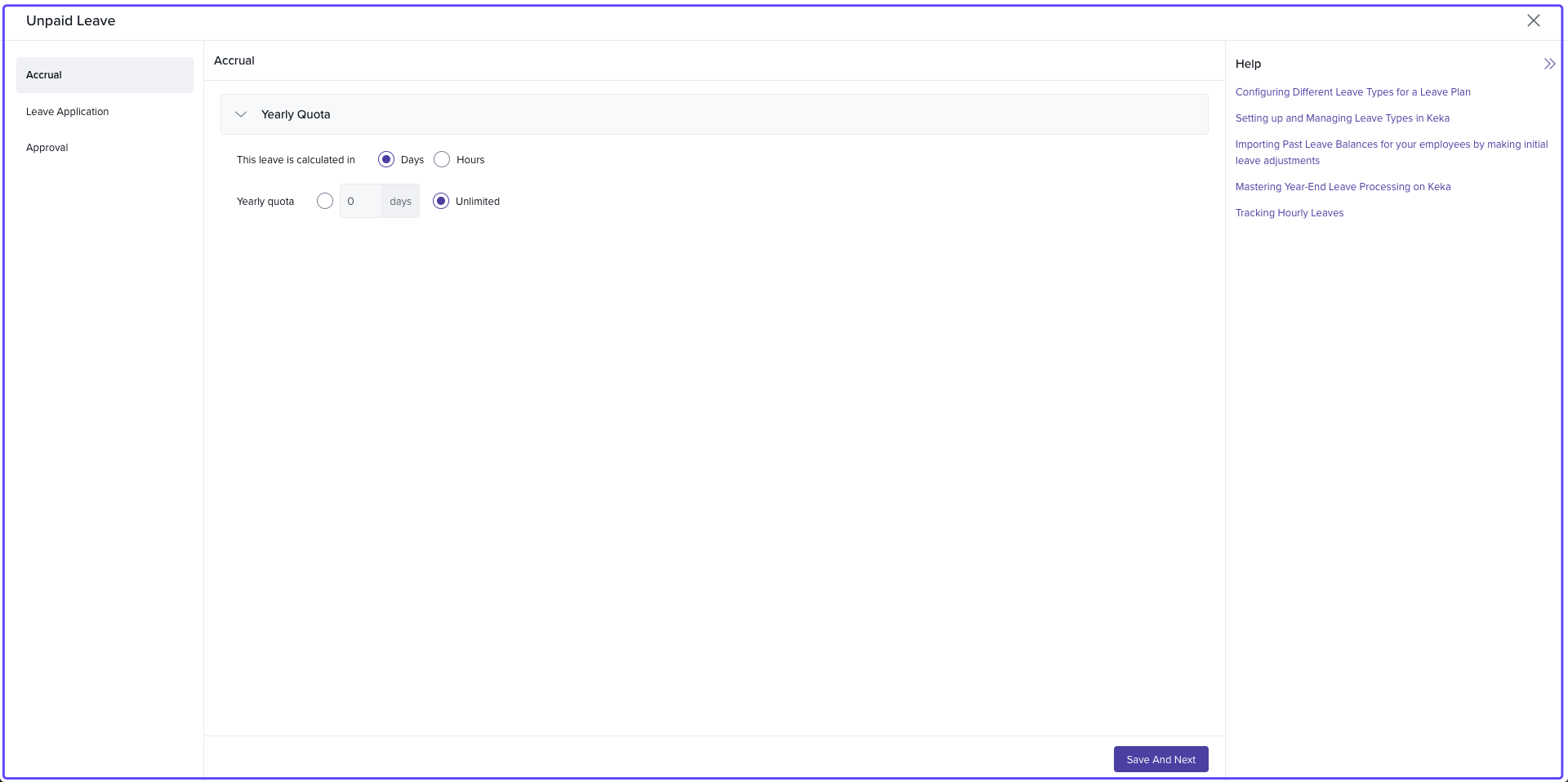
Leave Calculation: Choose whether you want to calculate unpaid leave in Days or Hours.
-
Yearly Quota:
For Days: Set a specific number of days or choose Unlimited leave.
For Hours: The yearly quota is adjusted to hours based on the selected option.
Click Save and Next to continue.
2. Leave Application Section
This section defines the rules and restrictions for applying for Unpaid Leave.
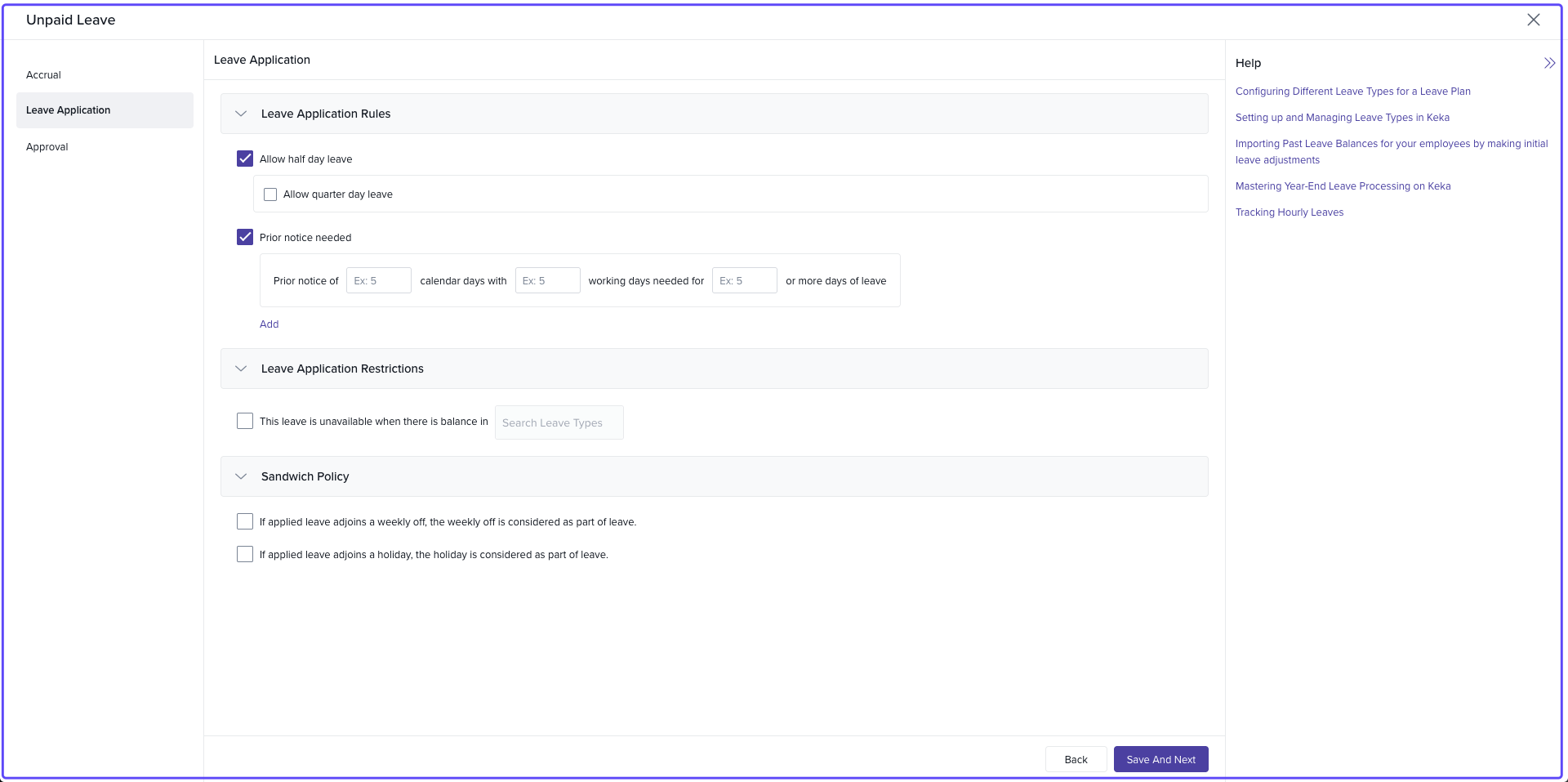
a) Leave Application Rules
Half-day Leave: Enable employees to apply for half-day unpaid leave.
Quarter-day Leave: Allow quarter-day leave if half-day leave is enabled.
-
Prior Notice: Set the number of working days’ notice required for leave requests.
You can specify different notice periods based on the leave duration (e.g., 5 working days' notice for 3 or more days of leave).
b) Leave Application Restrictions
Leave Availability: Restrict the availability of unpaid leave if there is a balance in other specified leave types (e.g., Paid Leave).
Combination with Other Leaves: Define whether unpaid leave can be used in combination with other leave types.
c) Sandwich Policy
This setting is similar to the Regular Leave type settings. You can apply the Sandwich Policy to Unpaid Leave if required.
For detailed instructions on configuring the Sandwich Policy, please refer to Regular Leave Sandwich Policy.
Click Save and Next to continue.
3. Approval Section
This section defines how Unpaid Leave requests are approved within your organization.
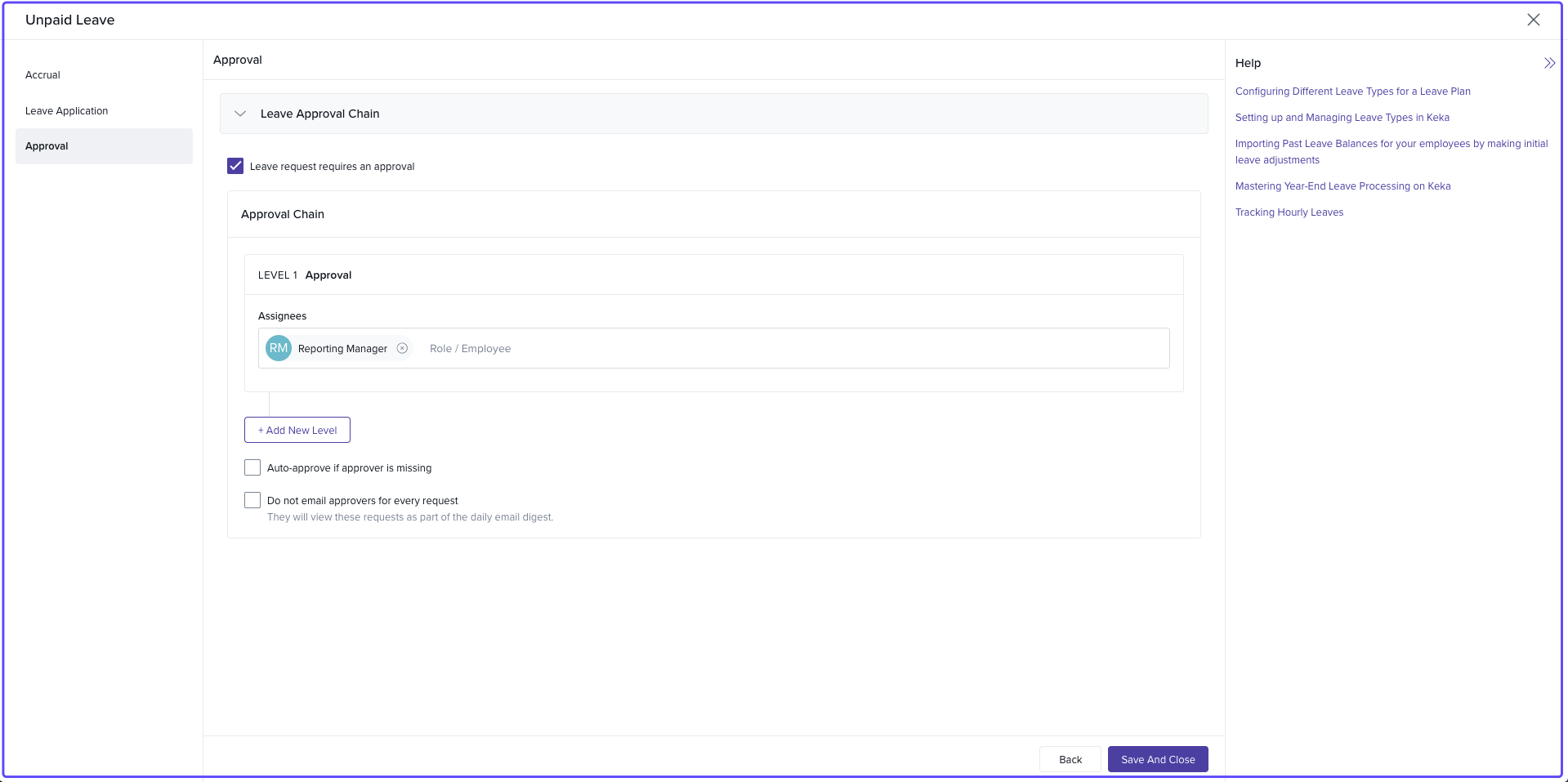
Approval Requirement: Enable this setting if you want leave requests to require approval before being granted.
Approval Chain: Define the levels of approval required for Unpaid Leave requests (e.g., Supervisor → HR → Manager).
Auto-Approval: Enable this if leave requests should be automatically approved when the approver is unavailable.
Email Notifications: Disable email notifications for each leave request to reduce email clutter. Instead, approvers will receive a summary email digest.
Click Save and Next to continue.
Conclusion
By configuring Unpaid Leave in Keka HRMS, your organization can effectively manage leave entitlements for employees who need time off beyond their paid leave balances. The customizable options for accrual, leave application rules, and approval workflows ensure that your leave policies align with your organization’s needs, offering employees the flexibility they require.
For further assistance or questions, don’t hesitate to contact Keka support or explore our other helpful articles.
Comments
0 comments
Please sign in to leave a comment.