Introduction
Keka allows employees to apply for leave in the upcoming calendar year if their leave type supports carry forward. This helps employees plan vacations or personal time off in advance while reducing manual adjustments for HR at year-end.
How It Works
With this setting enabled in a leave plan, employees can:
-
Use their carry-forward balance to request leave in the next calendar year.
-
Plan and schedule time off well ahead of the new year.
-
View their future balance based on the carry-forward rules configured in the leave plan.
How to Enable This Setting
This option is available only for leave types that allow carry forward.
To configure:
-
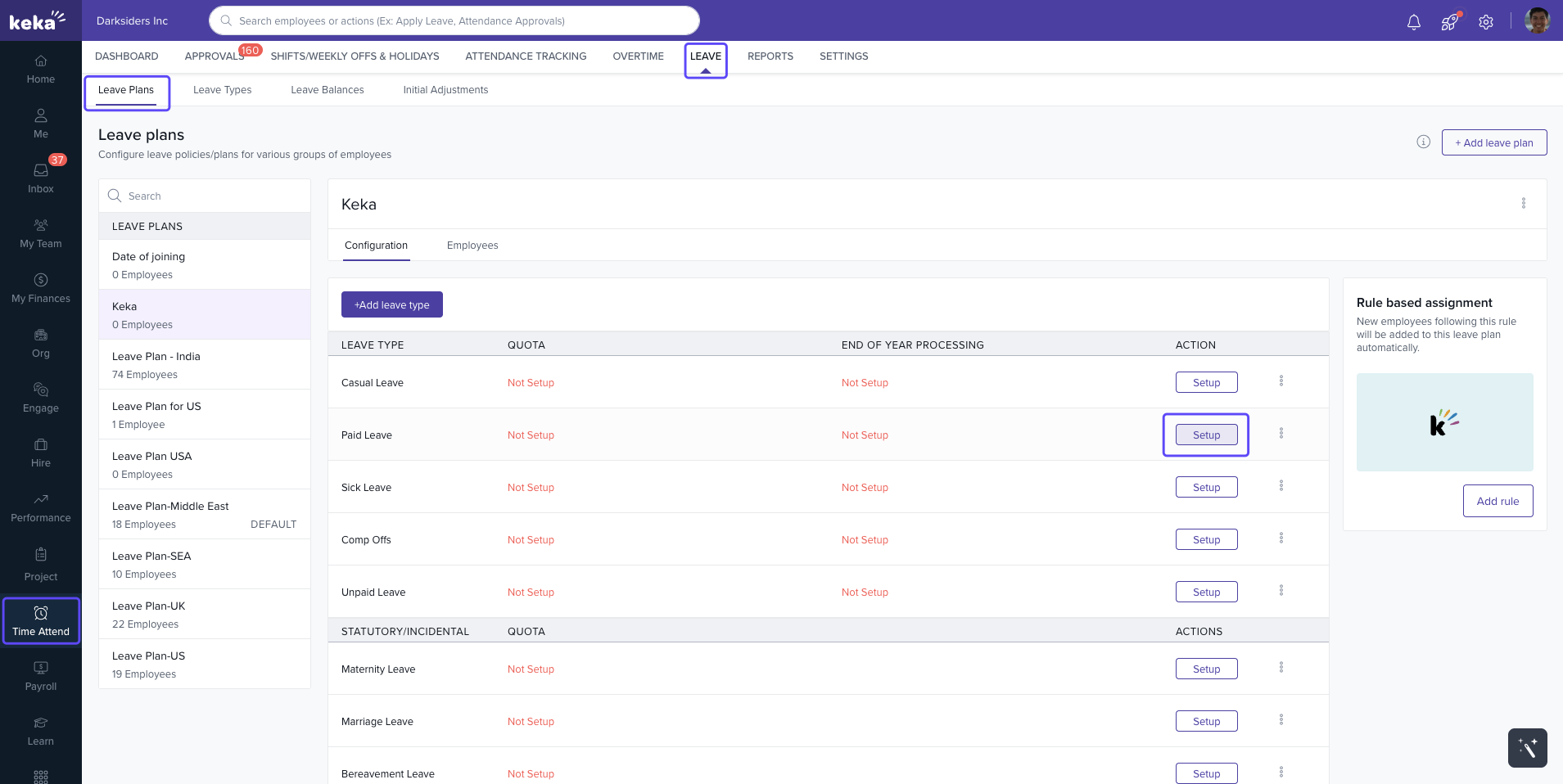
Go to Time & Attendance → Leave → Leave Plans.
-
Select the leave plan you want to update.
-
Open Configuration → Setup/Update.
-
Go to the Year-End Processing settings.
-
In the Carry Forward section, check the box Expiry date of any leave remains unchanged whether through previous carry forward or the expiry settings.
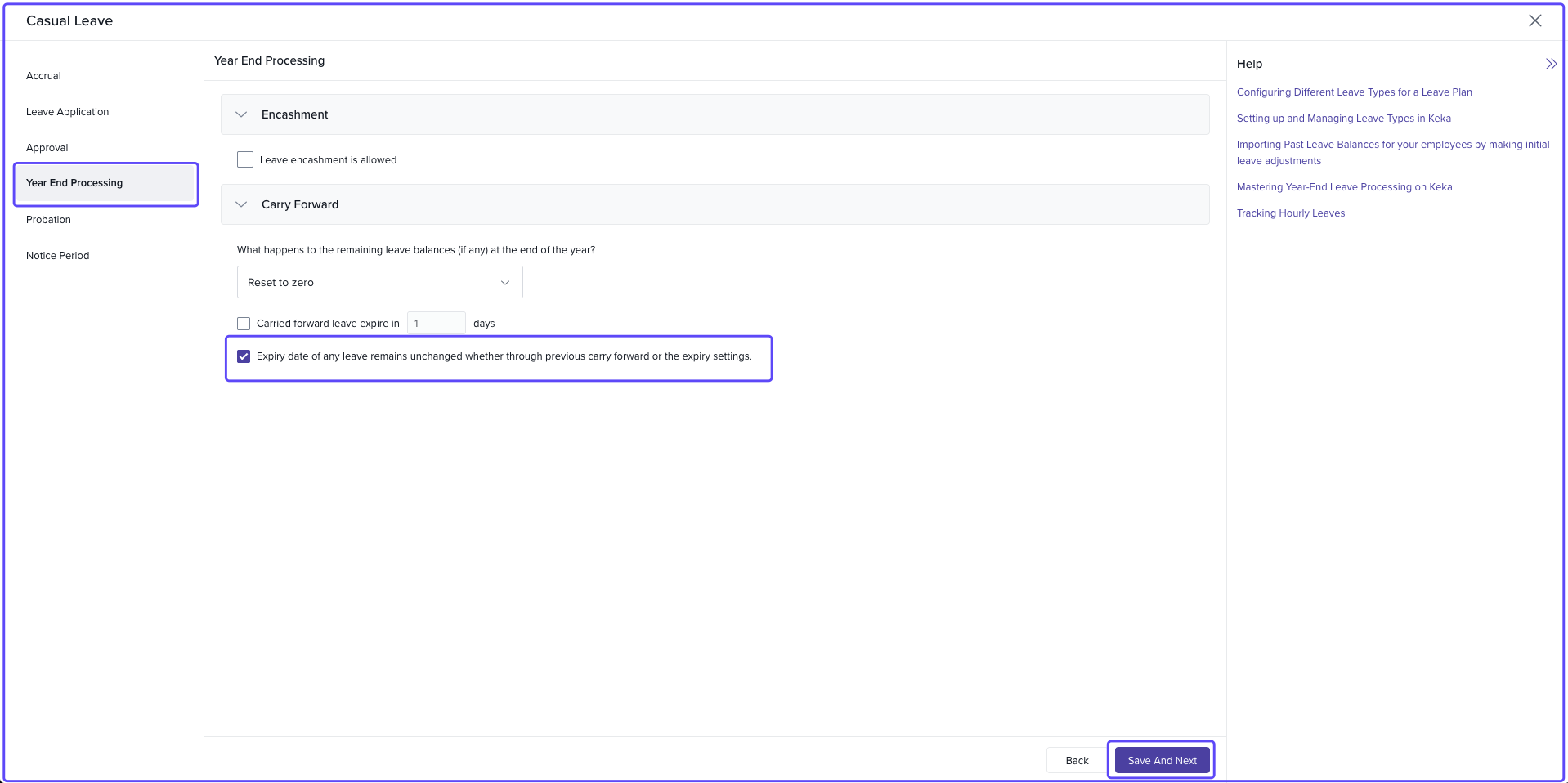
Once enabled, employees can apply for leave in the next year using their eligible carry-forward balance.
Important Notes
This setting applies only to leave types with carry forward enabled.
If a leave type is configured for balance reset or full encashment, employees cannot apply for next-year leave.
All next-year leave applications are adjusted against the carry-forward limit defined in the plan.
Next Steps
Allowing next-year leave applications ensures smoother year-end processing and gives employees clarity about their upcoming leave balance.
Need help? Visit Keka Support.
Comments
0 comments
Please sign in to leave a comment.