Introduction
The Pay Stub Configuration feature—designed to give payroll administrators greater control over how pay stubs and earning statements are structured, branded, and delivered. This enhancement helps ensure compliance, clarity, and customization at every step of payroll communication.
The Pay Stub Configuration feature allows admins to define and manage the layout, content, and delivery of pay stubs for both employees and contractors. You can tailor templates, mask sensitive data, customize section names, and even automate secure delivery via email.
This setup supports a clean, professional pay stub experience—aligned with both your organizational preferences and regulatory requirements.
Setting Up Pay Stub Configuration
Go to the Payroll tab on the Keka homepage.
Under the Payroll section, click Settings.
Select Pay Stub from the configuration options.
Choose the Legal Entity you want to configure.
Each entity can maintain its own pay stub layout for flexibility across locations or business units.
Worker-Type Specific Templates
Keka offers separate templates for different worker types to reflect accurate and relevant compensation details:
Employees: Pay Stubs
Contractors: Earning Statements
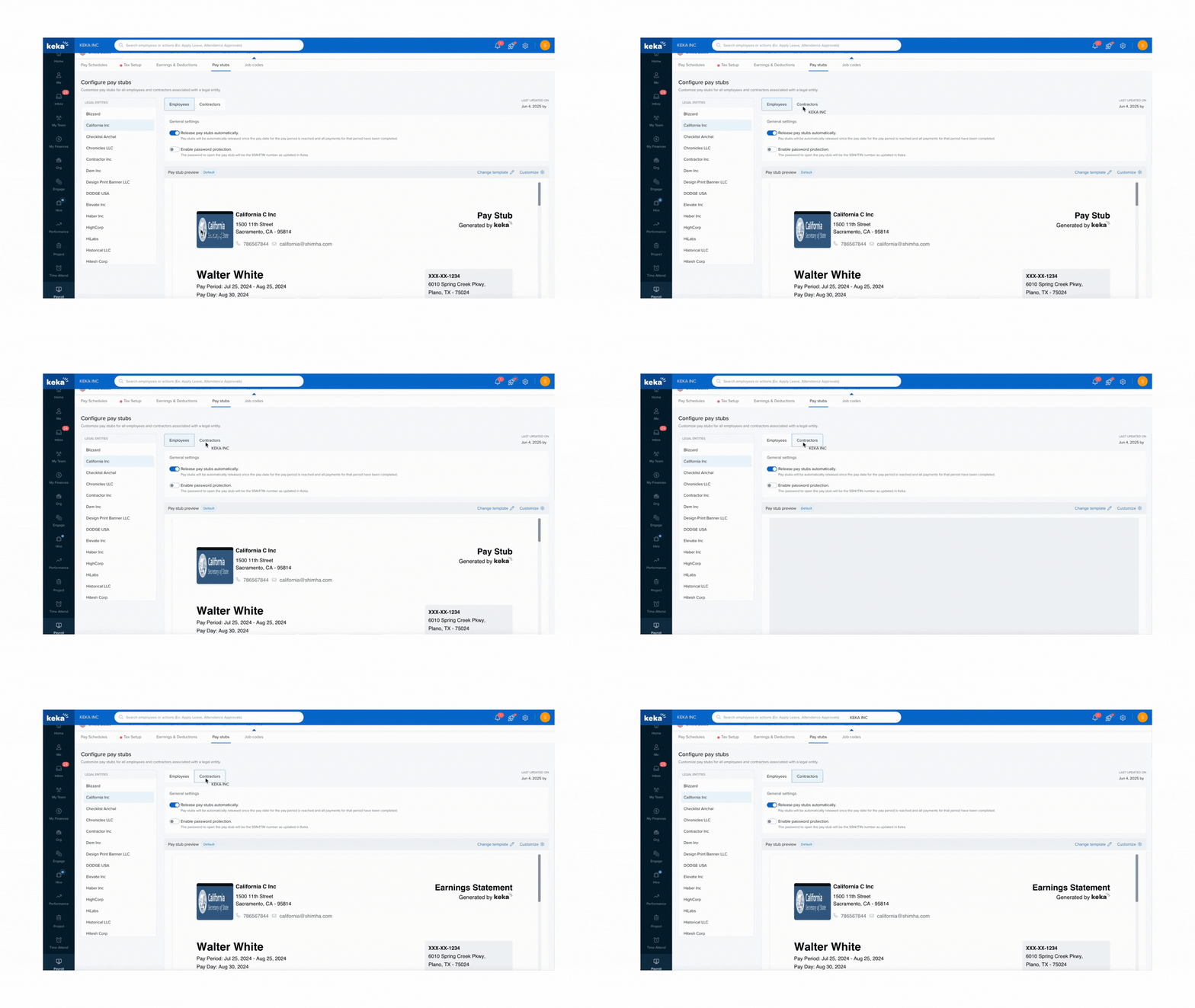
Full Template Customization and Secure Delivery
Click Customize to define which sections appear on the pay stub or earning statement.
Available sections:
Earnings
Taxes
Benefits
Deductions
Reimbursements
Time Off
YTD (Year-To-Date) Summaries
2. In General Settings, configure how pay stubs are generated and sent:
Enable automated email delivery of pay stubs as secure PDF attachments.
Turn on password protection to enhance confidentiality.
Use the hold, release, or resend options to manage delivery timing and corrections.
Update: Time-Off Section in Pay Stubs
Keka now allows you to display employee leave balances directly in pay stubs for US payroll.These updates help:
- Improve compliance readiness
- Provide clear and complete payroll visibility to employees
- Reduces dependency on checking leave balances outside pay stubs
Comments
0 comments
Please sign in to leave a comment.