Organizations that operate in industries such as healthcare, hospitality, or manufacturing often pay employees based on the number of units produced or services delivered, rather than fixed hours worked. With Keka’s US Payroll module, users can now define compensation based on per-piece or per-unit rates. This enables payroll processing directly linked to employee productivity.
This guide explains how to configure, input, and process piece-based payroll in Keka Payroll.
Adding piece rate compensation
While adding or revising compensation for employees or contractors, users can define the pay structure based on a per piece or per unit rate.
To define piece-based compensation:
-
Go to
Payroll >> Employees >> Compensation. -
Click Add Compensation or select Edit for an existing record.
-
Under Compensation Type, choose Piece-based.
-
Enter the Rate per Unit.
-
Save the compensation details.

Inputting pieces before payroll
Before payroll is processed, users must input the number of pieces/units worked during the payroll cycle. This can be done manually or by importing data.
Steps to enter or import unit details:
-
Go to
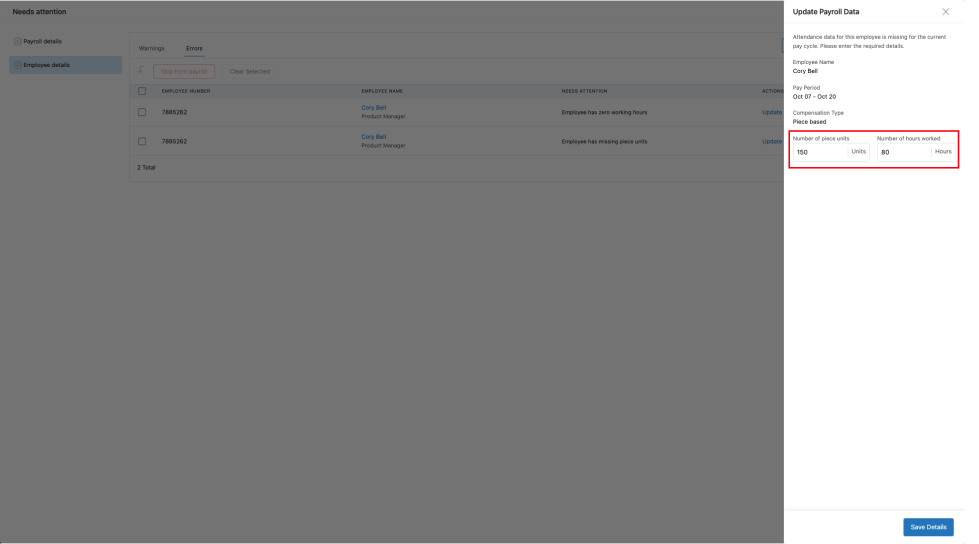
Payroll >> Run Payroll >> Needs Attention. -
Click on the employee row to enter:
-
Number of pieces/units
-
Hours worked (optional, if not synced from workforce or attendance)
-
-
Alternatively, click Import to bulk upload unit data via spreadsheet.
Payroll calculation
Gross pay is calculated using the following formula:
Gross Pay = Number of Units × Rate per Unit
This amount reflects in the employee’s total gross pay during payroll processing. If hours are also entered, they will be used for additional calculations such as overtime.
Weighted overtime support
When employees are paid per piece, Keka calculates overtime using a weighted average rate, also known as the Regular Rate of Pay.
Regular Rate of Pay = Total Piece Pay / Total Hours Worked
This ensures compliance with FLSA regulations and provides fair overtime wages.
Pay stub and payroll reports
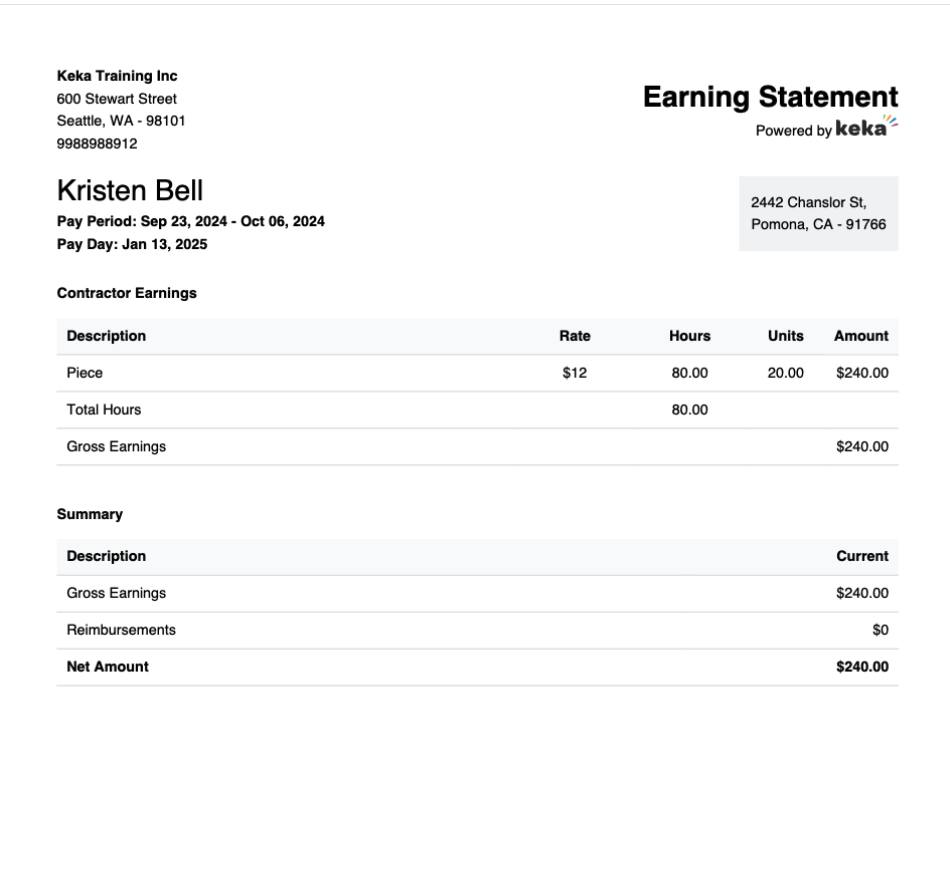
Employees can view the following details in their pay stubs:
-
Number of pieces/units
-
Rate per unit
-
Total pay from pieces
-
Hours worked (if applicable)
Privileged users can also access:
-
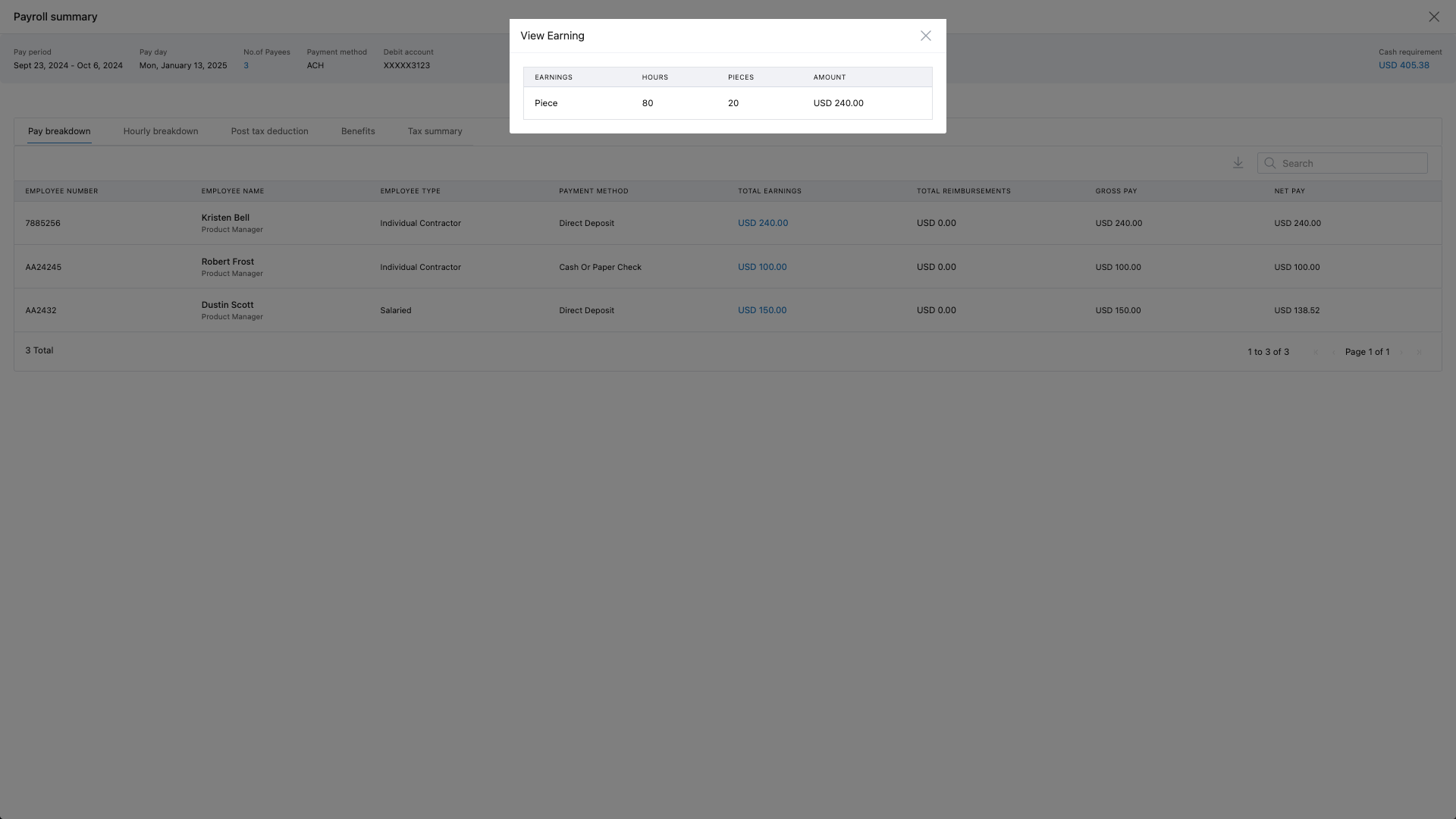
Payroll summary reports
-
Payroll journal reports
-
Breakdown of units and pay in report exports
Important note
Any manual overrides of hours made in the Needs Attention section are used only for payroll calculation. These do not sync back to the Attendance module. Attendance will continue to show actual captured working hours from attendance devices or logs.
Comments
0 comments
Please sign in to leave a comment.