Introduction
This article shows you how admins can quickly access important tax documents (W‑2, W‑9, 1099‑NEC, etc.) in Keka’s US Payroll. It explains what’s available, how these updates help you, and steps to retrieve the docs.
You’ll learn how to:
-
Find employee & contractor tax forms in one place
-
Reduce manual work and errors
-
Keep compliant with tax/reporting requirements
Why This Matters
As an admin, you are responsible for meeting critical compliance and reporting requirements. This update helps you:
-
Ensure timely and accurate distribution of tax forms.
-
Reduce manual errors and administrative overhead.
-
Maintain audit-readiness with centralized access to documents.
-
Provide transparency and ease for employees and contractors during tax filing periods
Accessing Tax Documents
Admins :
-
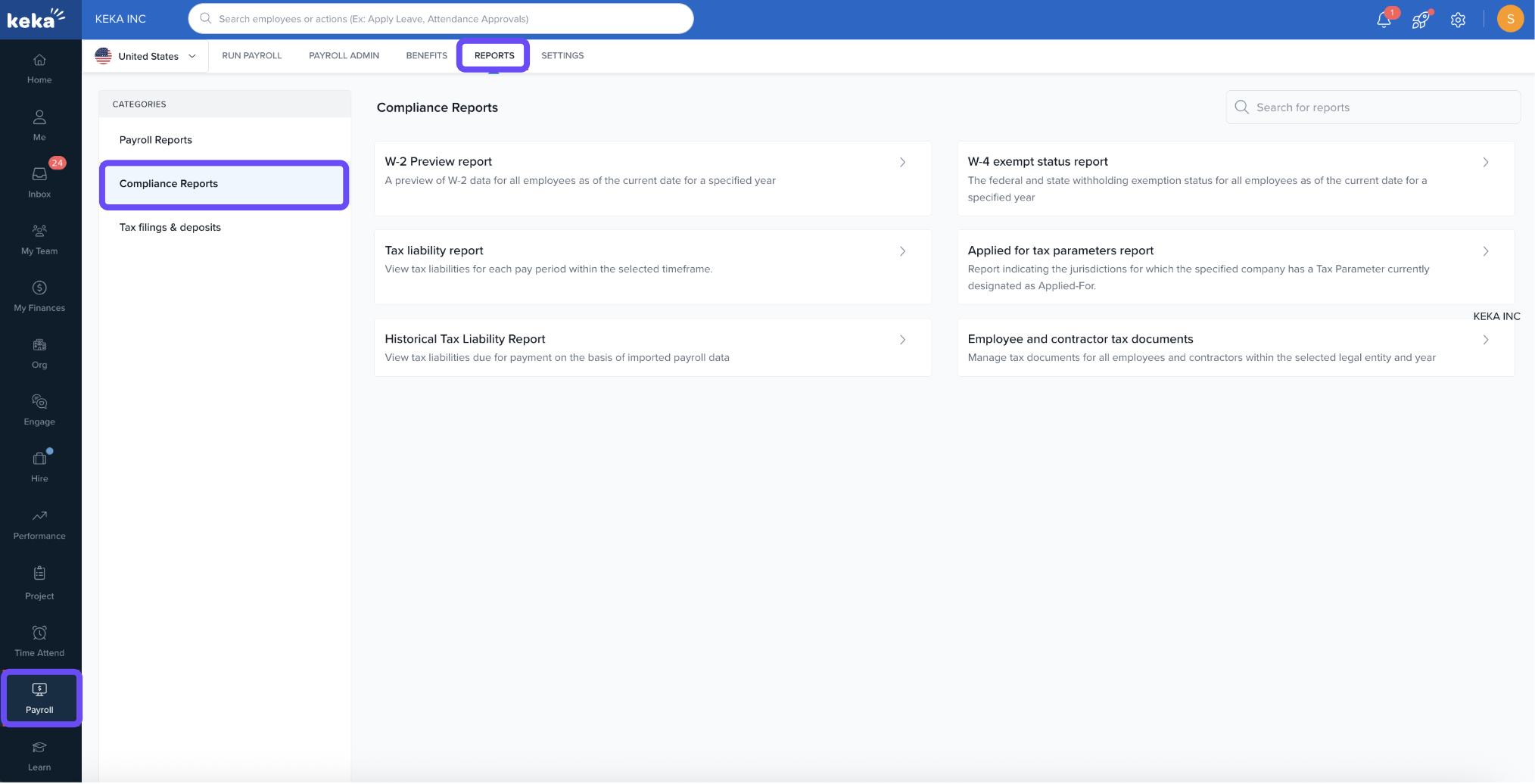
Navigate to the Payroll tab.
-
Click Reports.
-
Select Compliance Reports from the Reports section.
- Select employee and contractor tax documents under compliance reports
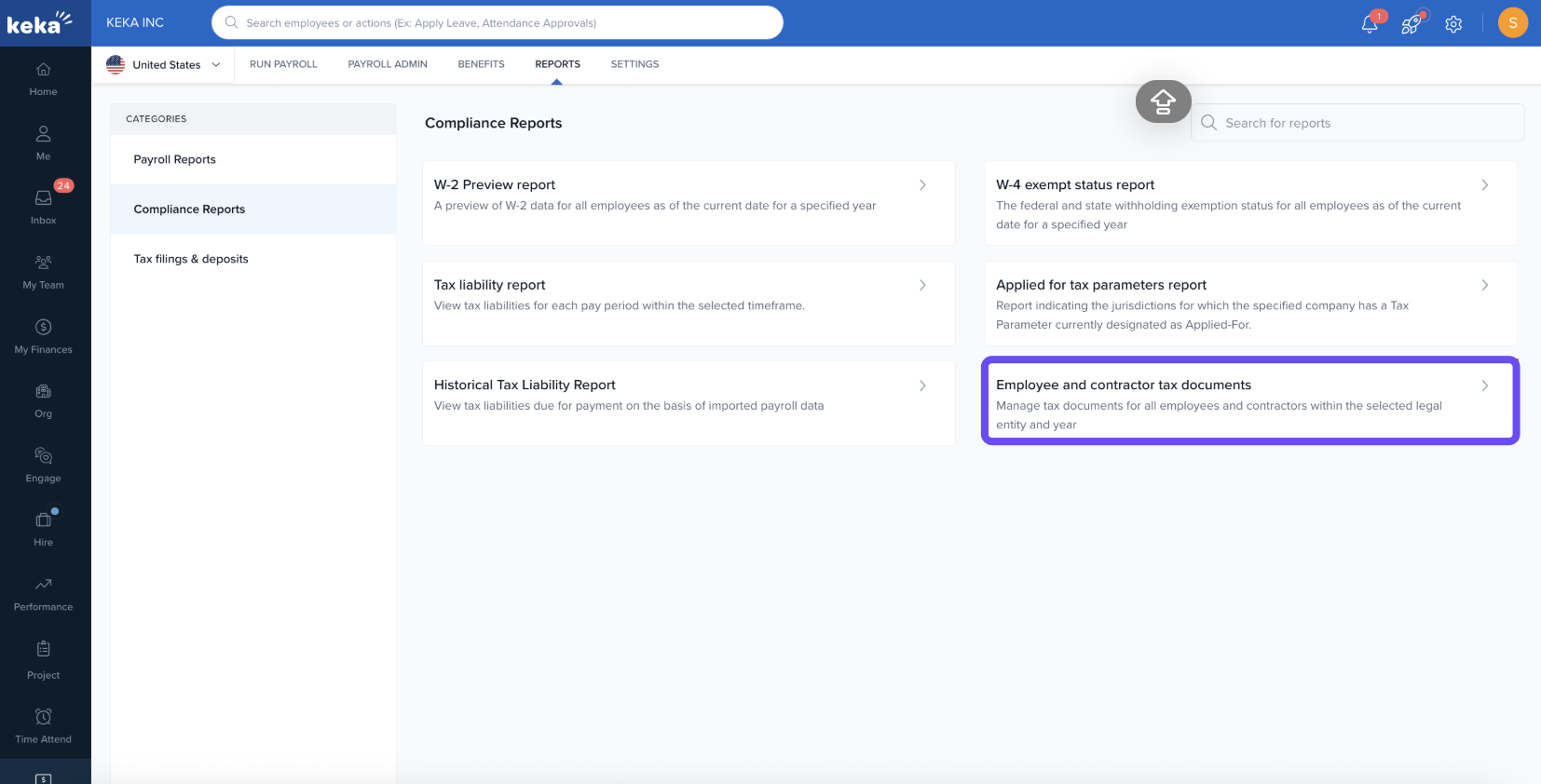
This update simplifies tax season by ensuring timely access to all necessary documents.
If you're interested in learning how employees and contractors can view their tax documents, click here to explore the employee and contractor access guide.
Hope this article was helpful!
Comments
0 comments
Please sign in to leave a comment.