Overview
Keka's Role Change Versioning feature brings enhanced accuracy to project revenue tracking by preserving historical data related to employee roles and billing rates. This feature addresses a common challenge in financial reporting, where changes in roles or rates over time could previously result in misleading revenue figures. By maintaining historical records, organizations can now gain a clearer understanding of project finances, ensuring more precise financial analysis and reporting.
Who Can Do This?
- Project Managers with manage team permission
- Client managers
- PSA Admins
- Global Admins
- Users with edit permissions for team allocations in projects
Pre-requisites
- The employee must be already assigned to the project
- User should have access to “Edit Billing Details” and “View Allocation History”
How the Feature Works
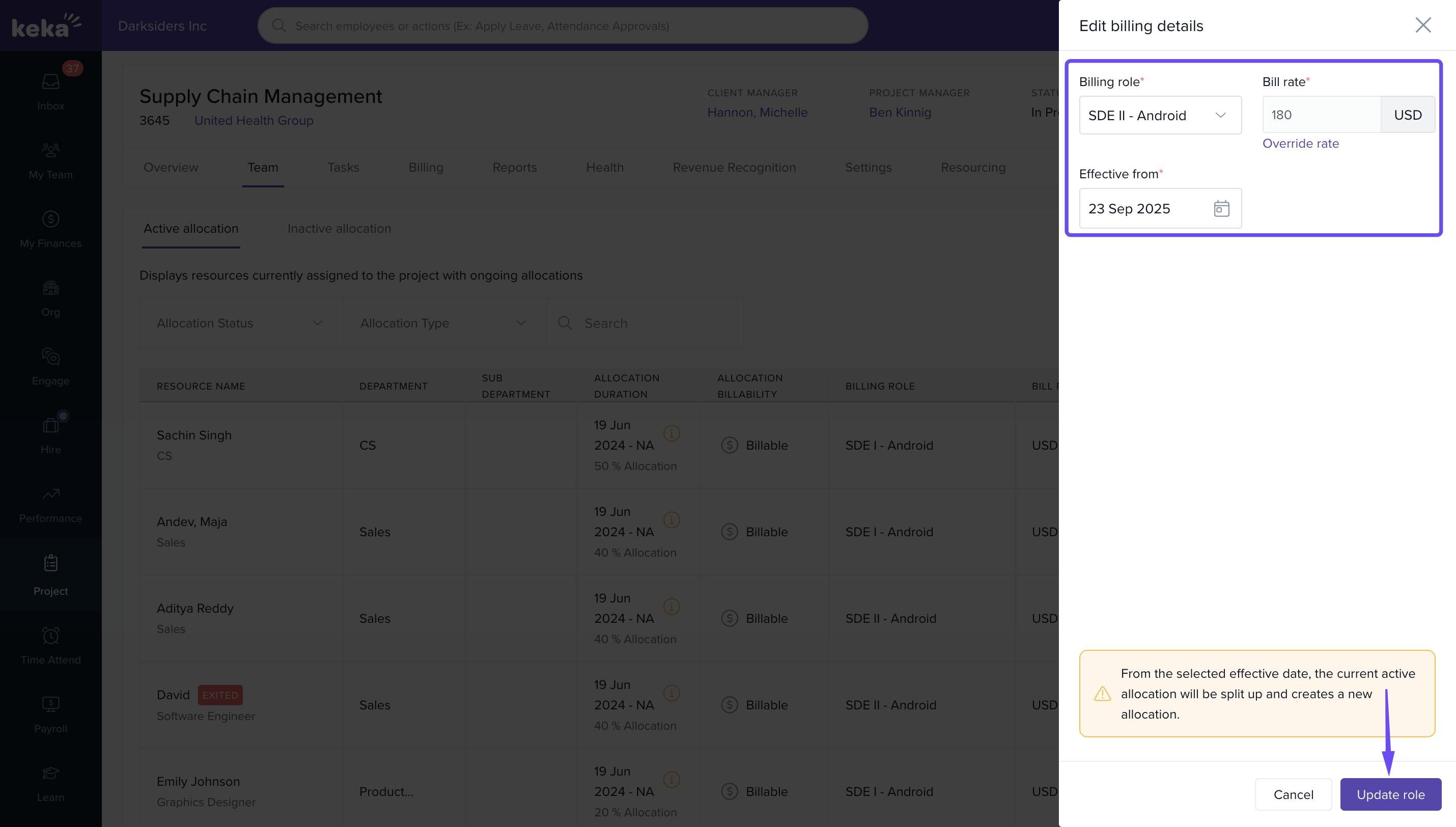
- Change Role and Rate: Modify the team member’s billing role and rate with a specified “Effective From” date
- Preserve Historical Data: Keka retains all previous role and cost versions for each project resource
- Accurate Calculations: Revenue, billing amounts, and margin calculations automatically consider role changes across time
- Enhanced Visibility: Role and rate history can be viewed for each employee within a project
Benefits
- Accurate Revenue Calculation: Ensures billing aligns with correct historical billing rates and roles
- Improved Financial Analysis: Enables true reflection of margins and profitability across billing cycles
- Enhanced Decision Making: Reduces revenue distortion for projects spanning multiple rate changes
- Enhanced Transparency: Keeps a trackable audit of all role and rate changes over time
Navigating to the Project
- Go to the Projects tab
- Click on the desired Project Name
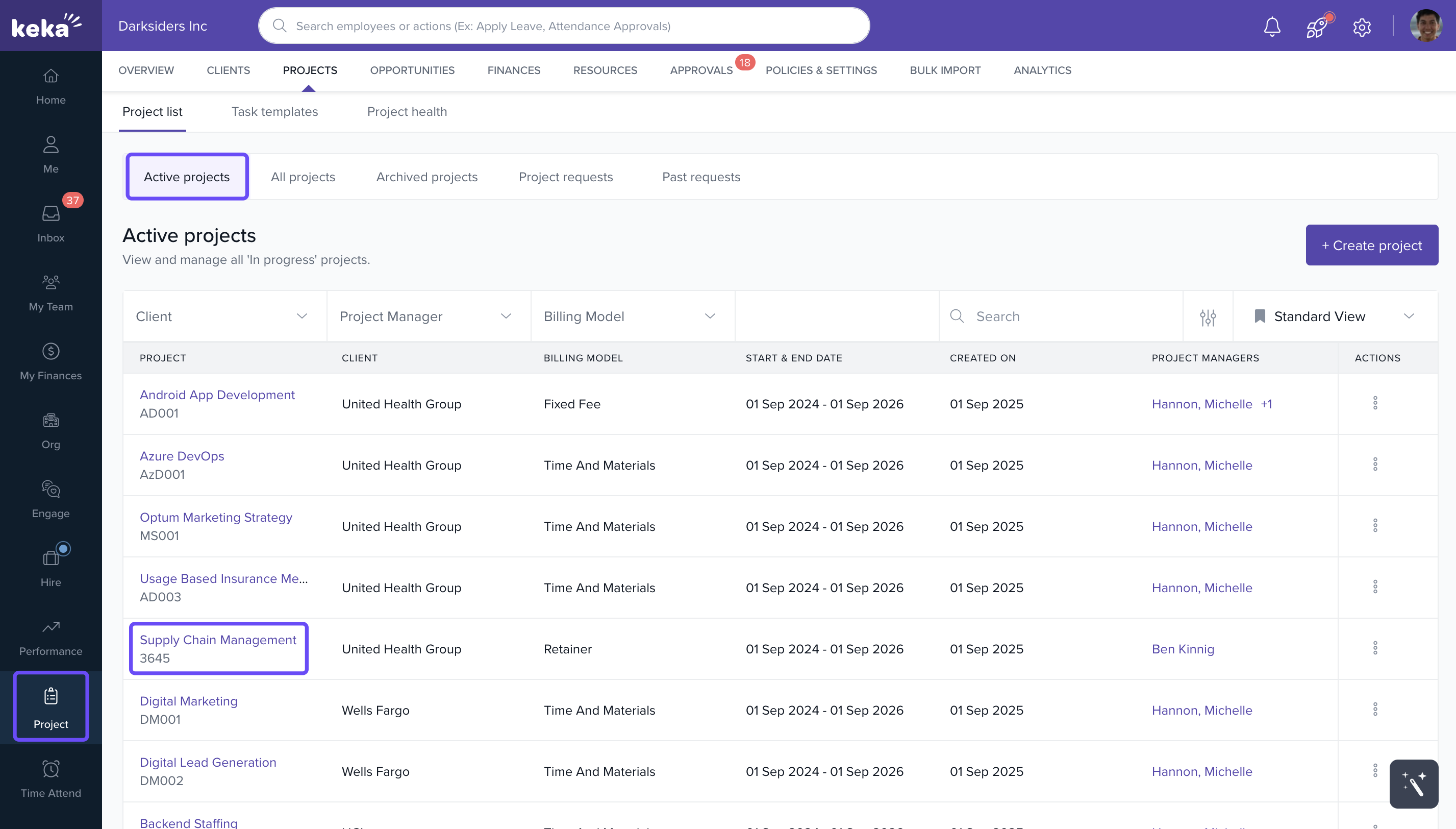
- Open the Team tab to view all assigned resources
Editing Role and Rate with Versioning
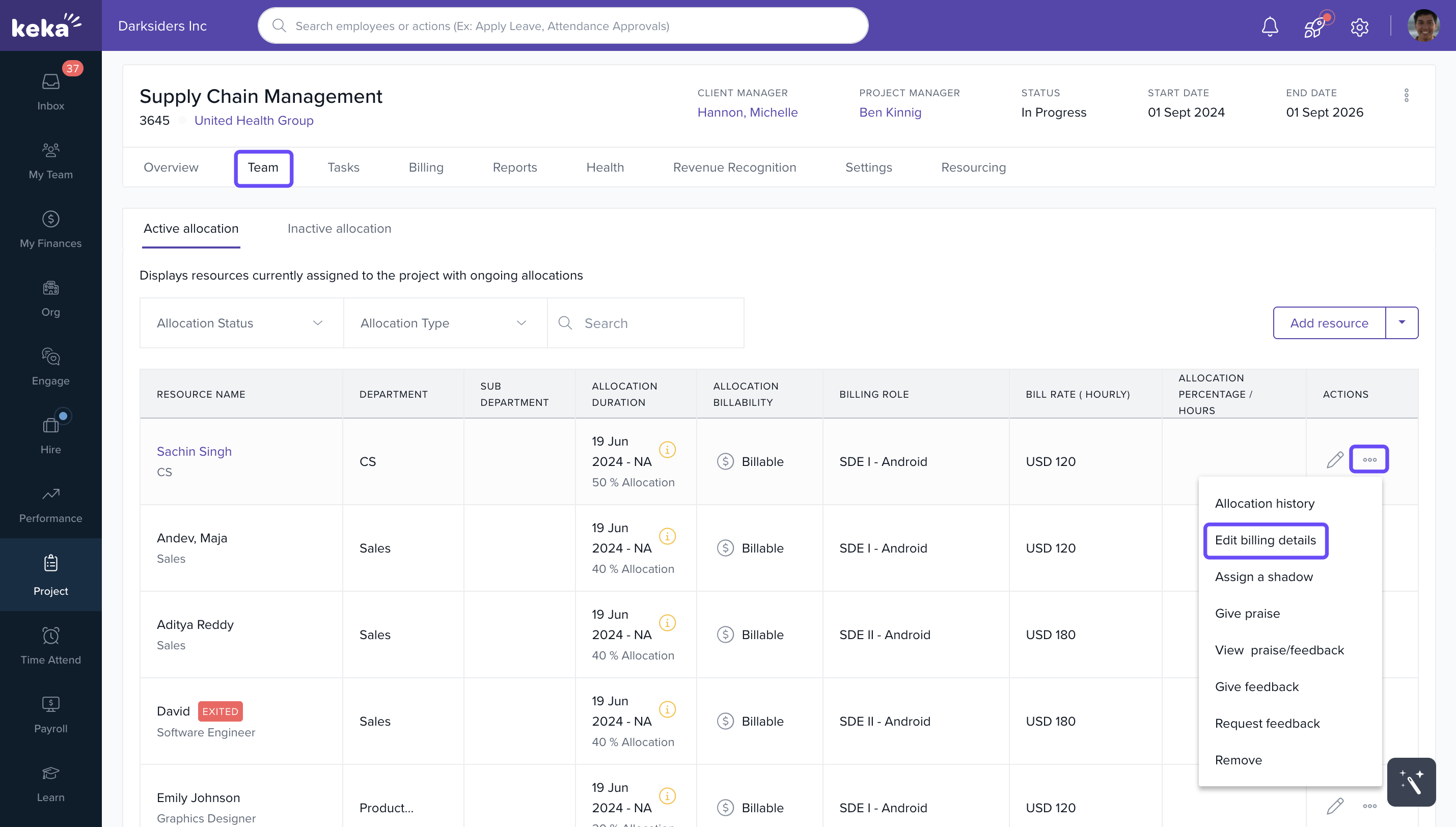
- Locate the employee whose role/rate needs to be changed
- Click on the three-dot menu beside the employee name
- Select Edit Billing Details
- Update the new billing role and/or rate
- Enter the Effective From date
- Click Save to apply the changes
Viewing Allocation History
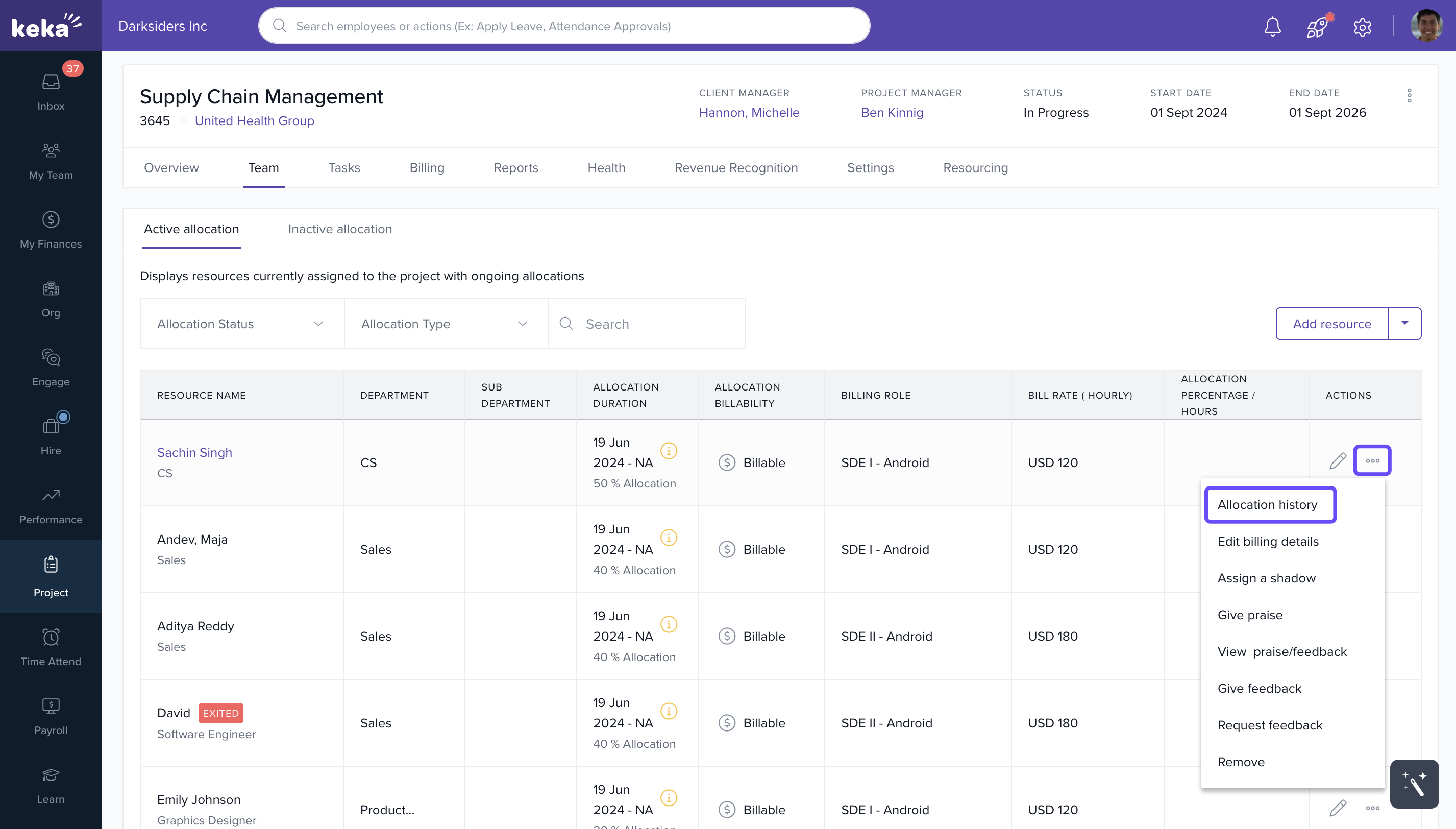
- Click the three-dot menu again
- Select View Allocation History
- A timeline of past and current roles and rates will be displayed
FAQs
Q: Will changing a role retroactively affect invoiced revenue?
A: No. Previously invoiced amounts will remain unaffected. Only future billing is impacted based on the effective date.
Q: Can I delete a previous billing version?
A: No. For audit and financial accuracy, past versions are preserved and not editable.
Q: Will the role change affect project utilization reports?
A: Yes. Reports will reflect data aligned to the role and billing rate applicable at that point in time.
Q: Can I add multiple future changes in advance?
A: No. Each role/rate change must be made at the time it becomes relevant.
Comments
0 comments
Please sign in to leave a comment.