Overview
The Project List page in Keka PSA offers a centralized view of all your projects—active, archived, or completed—allowing administrators and project managers to track progress, update details, or manage project statuses efficiently. With intuitive filters and easy-to-access action controls, this page is essential for overseeing your project landscape at a glance.
Who Can Do This
- PSA Admins
- Client managers
- Project Managers
- Global Admins
Pre-requisites
- View all projects privilege
- Active subscription to Keka PSA
- At least one project configured in the system
Step by Step Instructions
Go to the Project List page
- Navigate to Projects >> Project List from the left navigation pane.
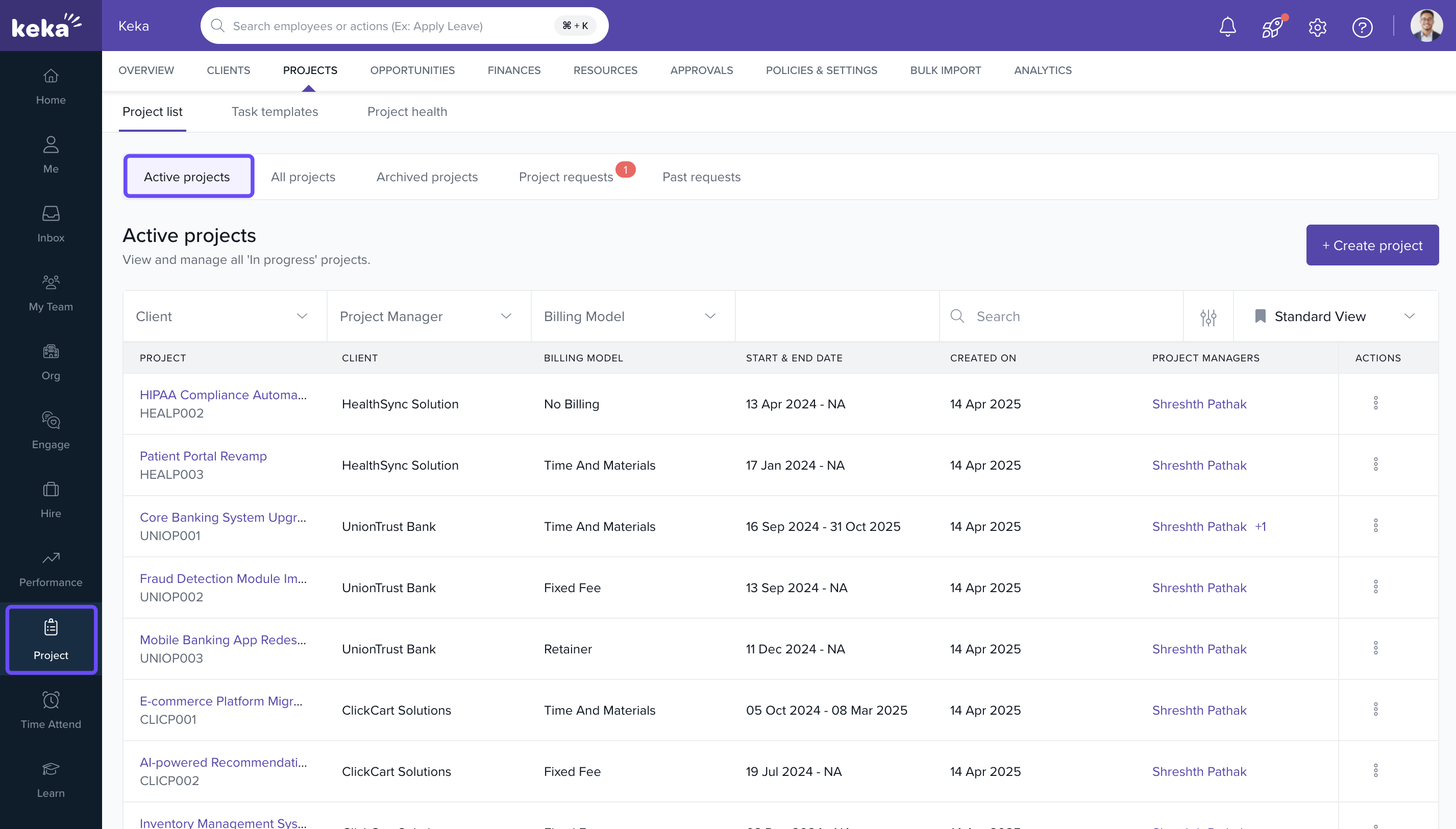
- You’ll land on the Active Projects tab by default.
View active projects
- The Active Projects tab shows all ongoing projects.
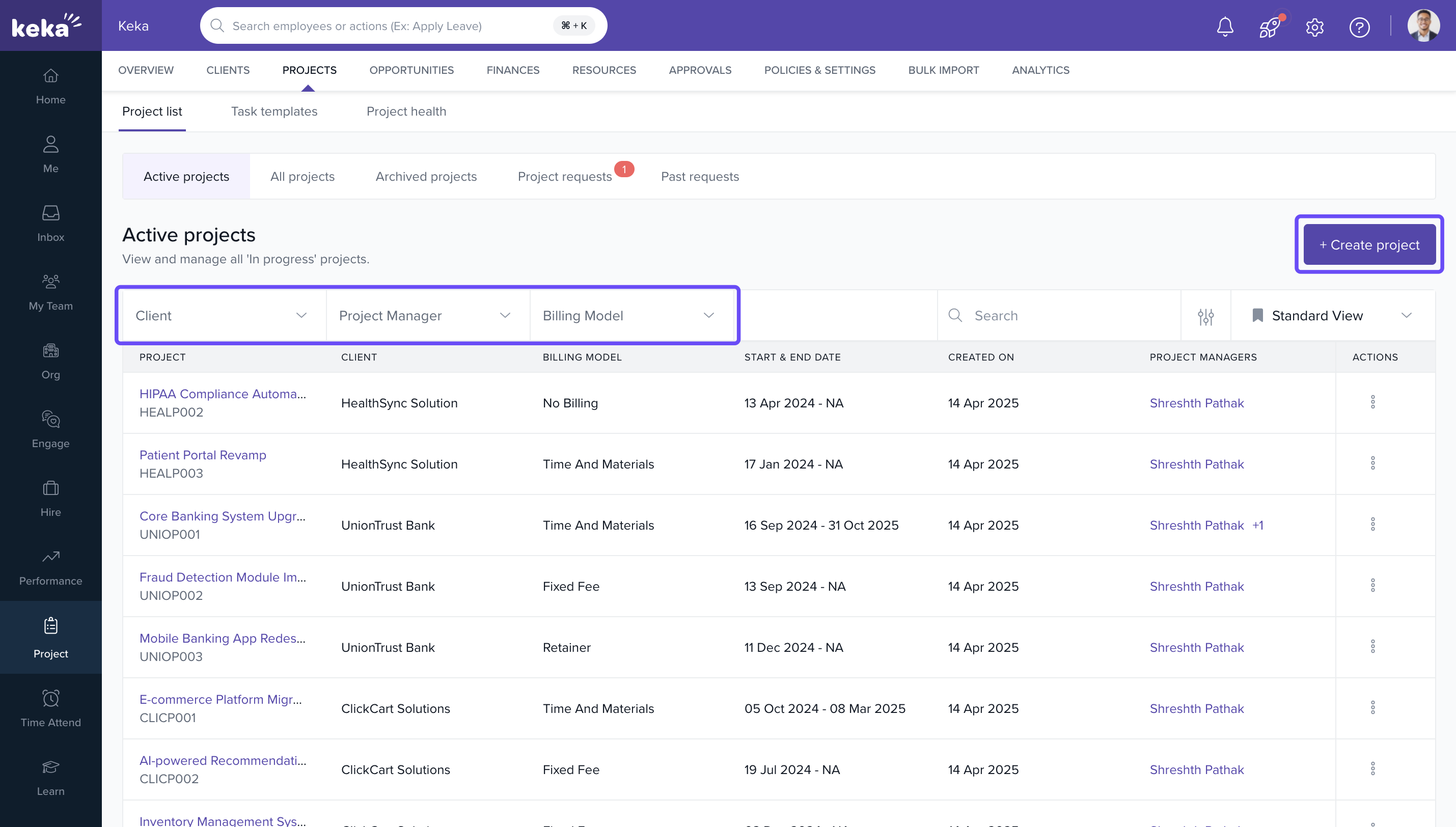
- Use filters at the top to sort by Client, Project Type, or other available criteria.
- To create a new project, click on +Create Project at the top-right corner.
Use the Actions menu
-
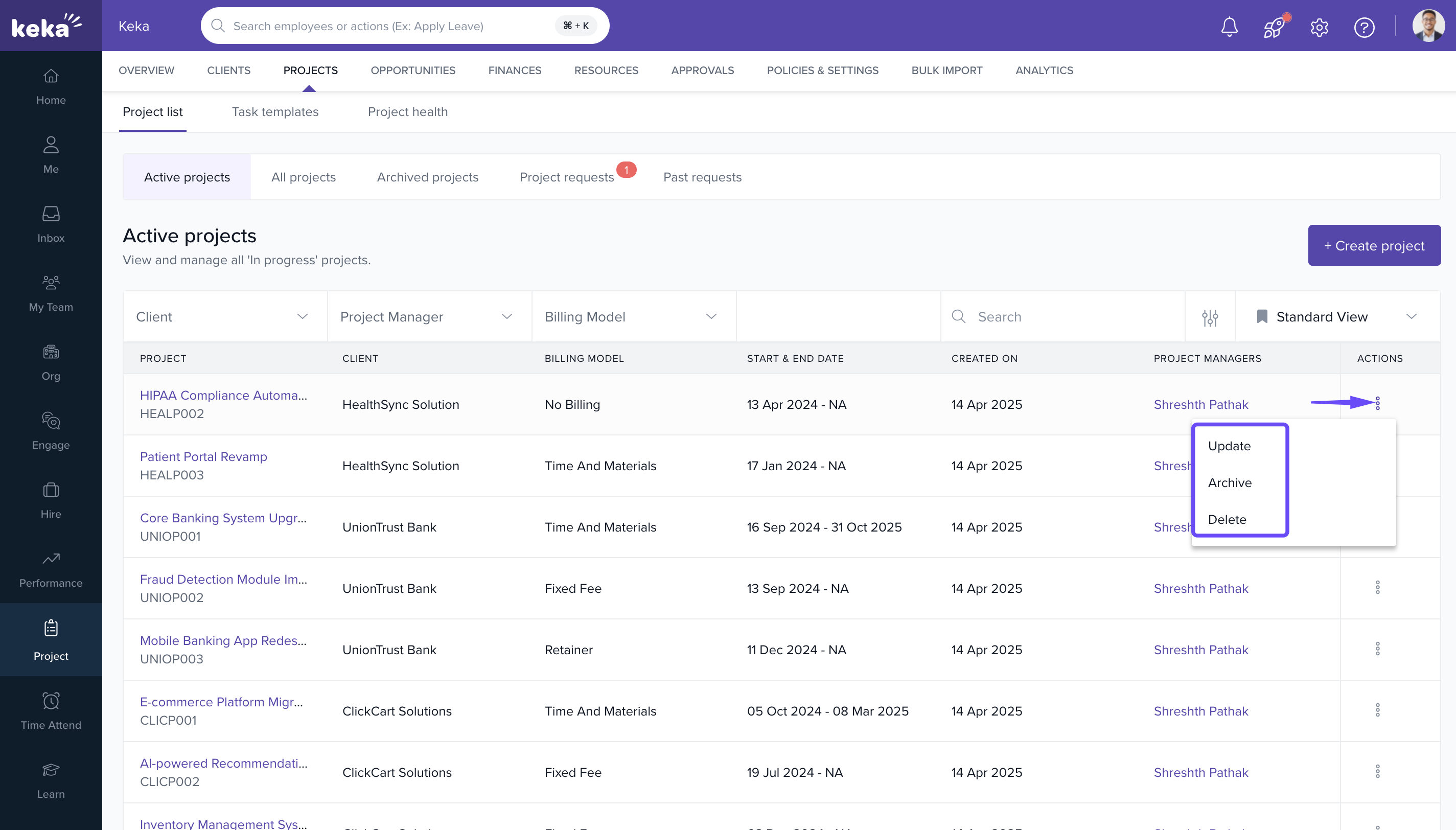
Click on the three dots (...) under the Actions column of a project.
- Update – Edit project details such as name, client, dates, etc.
- Archive – Move the project to the Archived Projects tab.
- Delete – Permanently remove the project from the system.
Switch to the All Projects tab
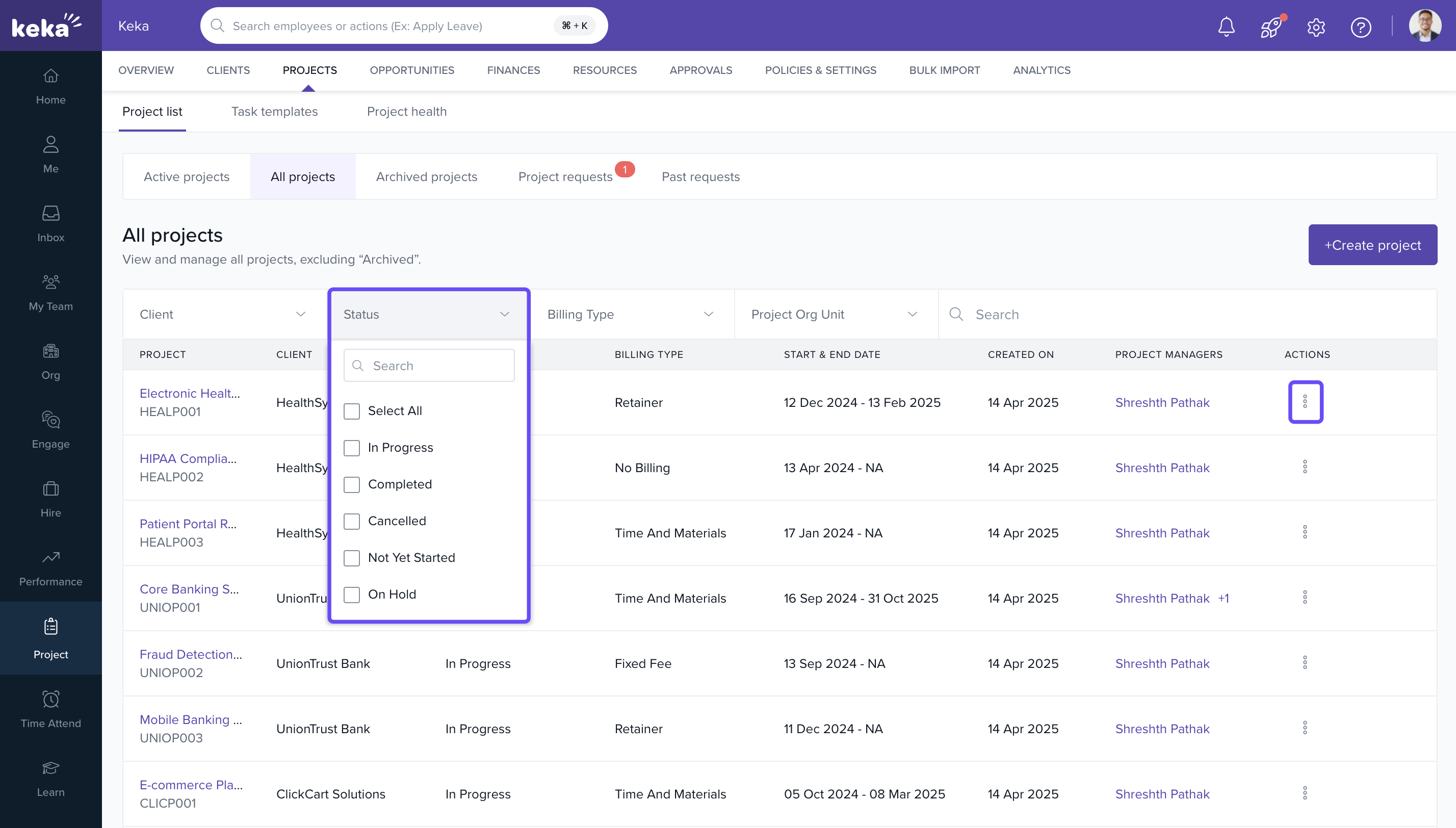
- Click on the All Projects tab to view every project in the system.
- This includes projects with statuses like:
- Completed
- On Hold
- Cancelled
- Not Yet Started
-
You can manage these projects using the same Actions menu:
- Update, Archive, or Delete as needed.
Access archived projects
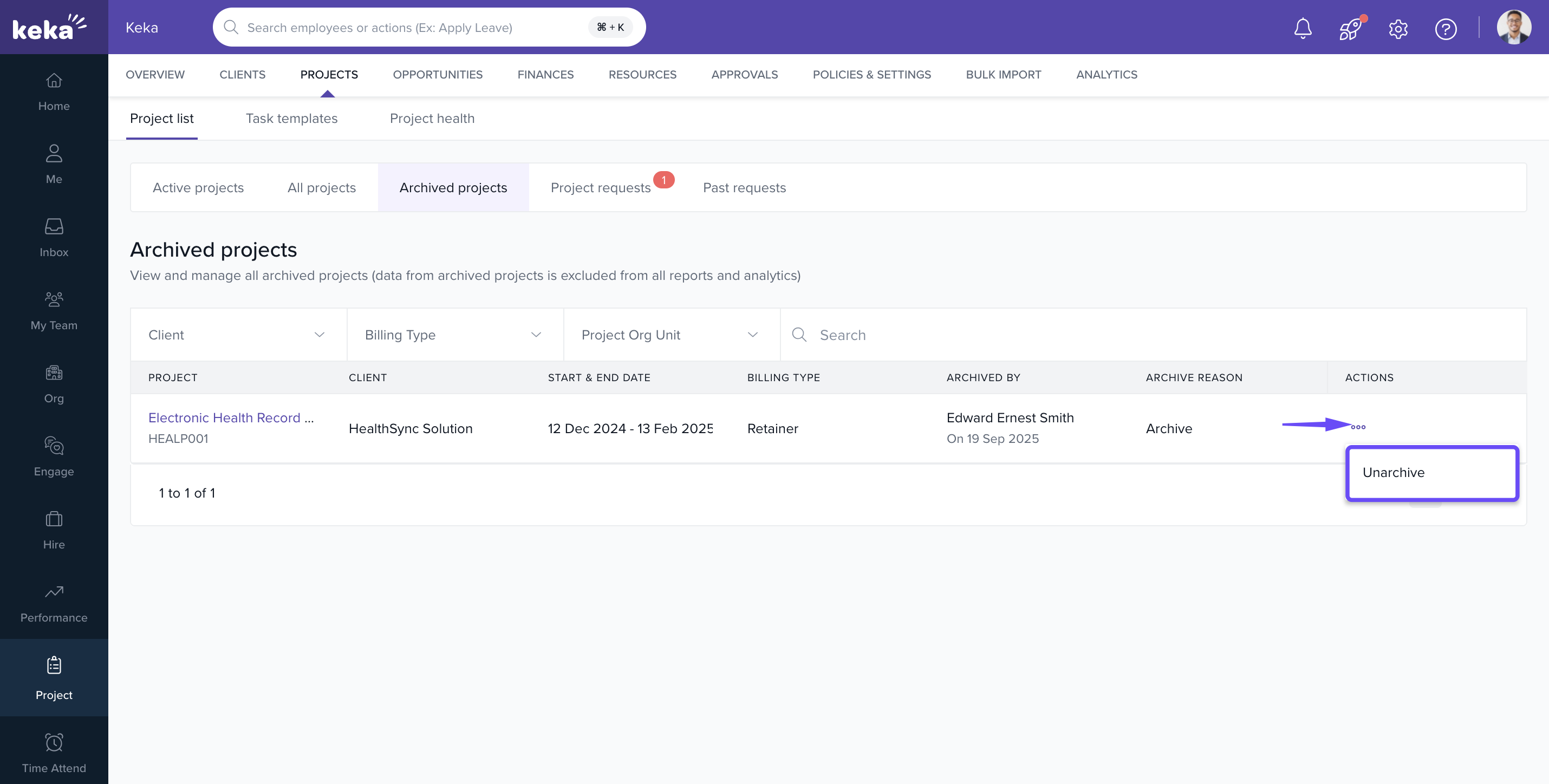
- Navigate to the Archived Projects tab to view historical projects.
- This section is useful for reporting or reviewing project history.
-
Click on the three dots in the Actions column to:
- Unarchive – Move the project back to the All Projects list.
How It Connects with Other Modules
| Module | Integration Details |
|---|---|
| Project Setup | Create and access new or existing projects from this view. |
| Billing & Timesheets | View progress and manage projects relevant to billing cycles. |
| Client Management | Projects are directly linked to client profiles. |
FAQs
Q: Can I permanently delete a project?
A: Yes, use the Delete option from the Actions menu. Be cautious—this action cannot be undone.
Q: Can I restore an archived project?
A: Yes, use the Unarchive option from the Archived Projects tab.
Q: Can I filter by project status?
A: Yes, filters at the top of each tab allow sorting by project type, client, and other attributes.
Troubleshooting
Project not found?
- Ensure you are in the correct tab (Active, All, or Archived).
- Use the search bar or filters to locate it.
Archive or Delete options not visible?
- Check if you have the necessary permissions assigned under Roles and Permissions.
Unable to create a new project?
- Confirm that you have access rights to the client or project creation module.
Comments
0 comments
Please sign in to leave a comment.