Overview
Keka PSA offers a rich set of project-specific reports that help managers analyze performance, optimize resource allocation, and make informed decisions. These reports provide insights into work hours, task completion, expenses, profitability, and more, making it easier to identify trends and take corrective actions where necessary.
Who can do this?
- PSA Admins
- Project Managers
- Global Admins with project access
Pre-requisites
- Access to the Projects module
- At least one project with assigned resources and logged hours
- Project should have billable/non-billable tasks configured (for time tracking)
Step-by-step instructions
Navigate to the Projects section
- Go to Projects >> Project List from the left navigation menu.
- Use the Active Projects tab or switch to All Projects to locate any project.
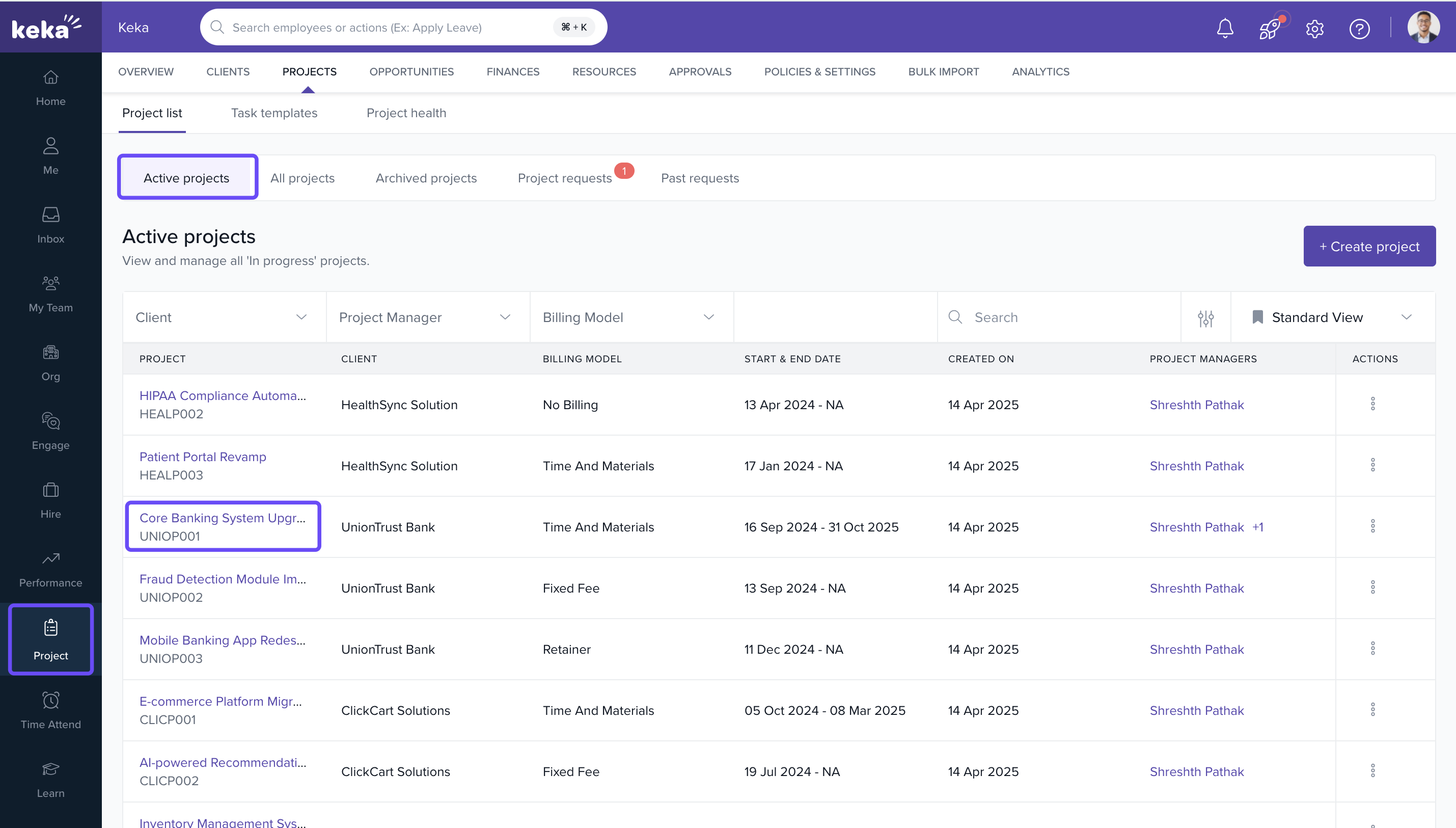
- Click on the project name to open its details page.
Access the Reports tab
Inside the project, click on the Reports tab to view all available reports.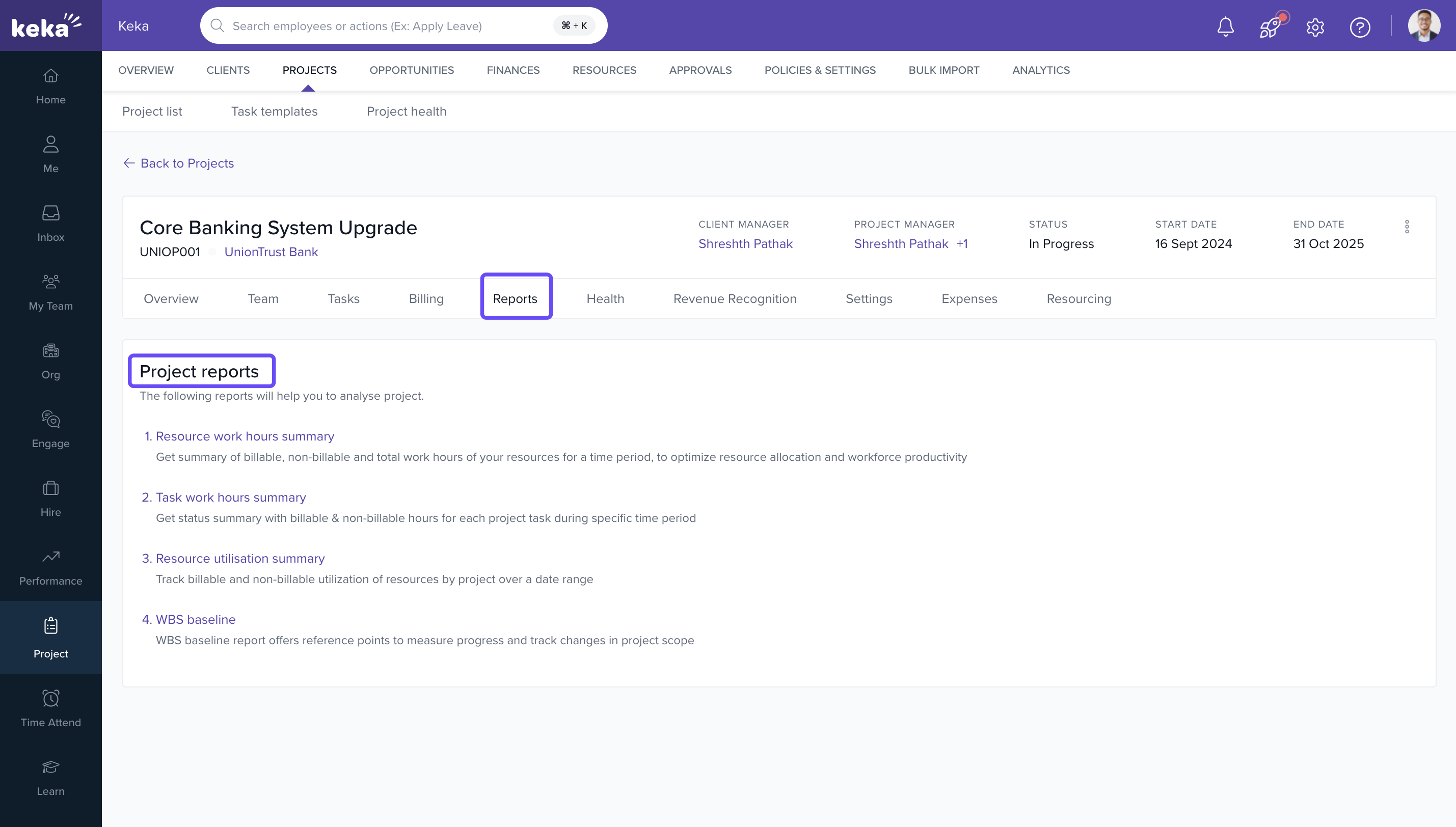
Key reports available in Keka PSA
-
Resource Work Hours Report
Shows the total billable and non-billable hours logged by each resource.
Helps evaluate team utilization and identify underused or overworked employees. -
Task Work Hours Report
Provides a breakdown of hours spent on each task within the project.
Useful for tracking progress and detecting bottlenecks. -
Resource Utilization Summary
Tracks billable and non-billable utilization of resources by project over a date range. -
WBS Baseline
Offers reference points to measure progress and track changes in project scope.
Additional Reports
- Financial Reports – Monitor billing, cost, and profit margins
- Expense Reports – Review project-related reimbursements and receipts
- Timeline Reports – Analyze task and phase completion over time
- Profitability Reports – Evaluate the project's financial performance
How it connects with other modules
| Module | Integration Details |
|---|---|
| Timesheets | Data from employee time logs fuels work hour reports. |
| Billing | Report data helps validate invoices and financial summaries. |
| Resources | Helps track utilization and effectiveness of allocations. |
FAQs
Q: Can I export these reports?
A: Yes, most reports include export options in Excel or PDF formats.
Q: Are these reports real-time?
A: Reports are updated daily based on logged data from timesheets and project updates.
Q: Can I access reports for archived projects?
A: Yes, reports are accessible as long as the project data remains in the system.
Q: Will data of all time entries be present?
A: Most of the reports will show data for only approved time entries
Q: Will data of relieved employees be also shown?
A: Yes, for the selected date range
Troubleshooting
Reports not showing up?
- Ensure the project has tasks, resources, and logged hours.
- Check access permissions under Roles and Permissions.
Missing data in reports?
- Confirm timesheets have been submitted and approved.
- Make sure expenses and task progress have been updated.
Comments
0 comments
Please sign in to leave a comment.