Overview
Efficient tracking of project health is key to proactive project management. In Keka PSA, you can update the health status of projects. This ensures real-time visibility into project progress and helps teams take timely corrective actions. Additionally, reminders can be sent to project managers to prompt updates, supporting transparency and accountability.
Who can do this?
- Global Admins
- PSA Admins
- Client Managers
- Project Managers
- Project Admins with access to health update permissions
Pre-requisites
- Projects must be created and available in the Projects list.
- Project health parameters should be enabled.
- Questions should be added from Policies and Settings>> Project>> Health
- Users must have View and manage project health permissions.
- User must have PSA Advance plan subscription
Step-by-step instructions
For individual project health updates
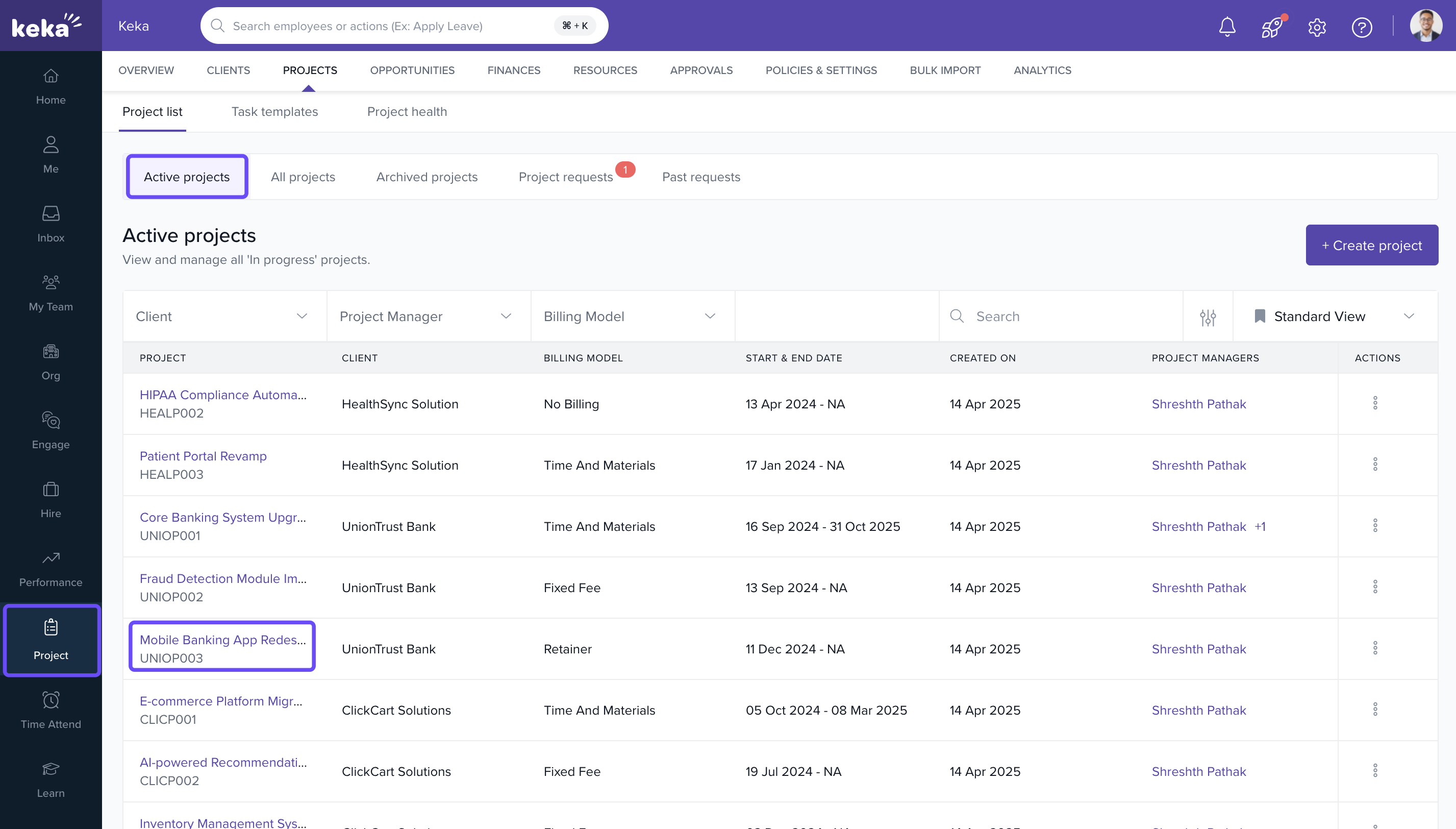
- Go to Projects >> All Projects.
- Locate the project you want to update and click on the project name.
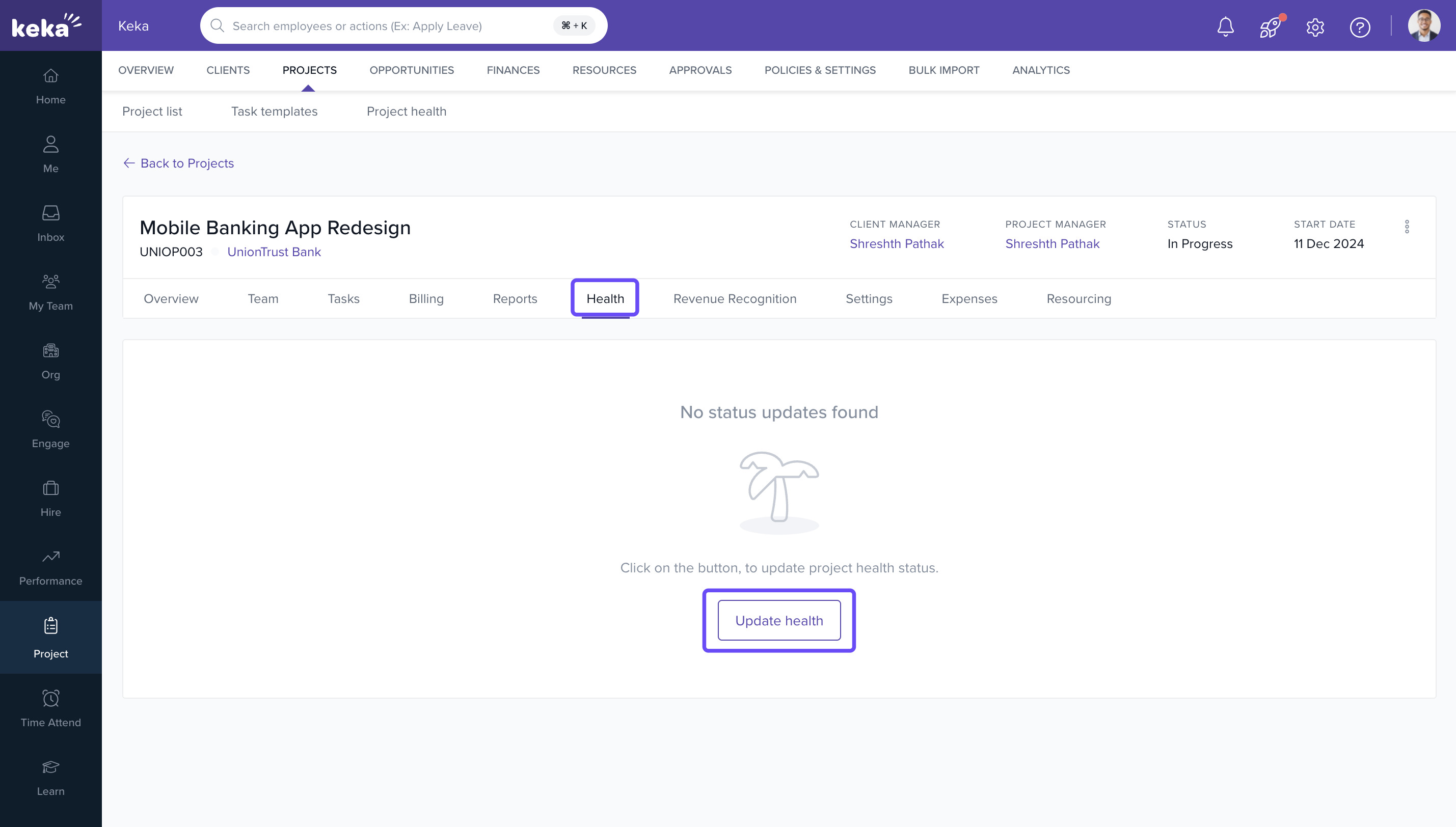
- In the project detail page, find the Health section.
- Click on Update Health.
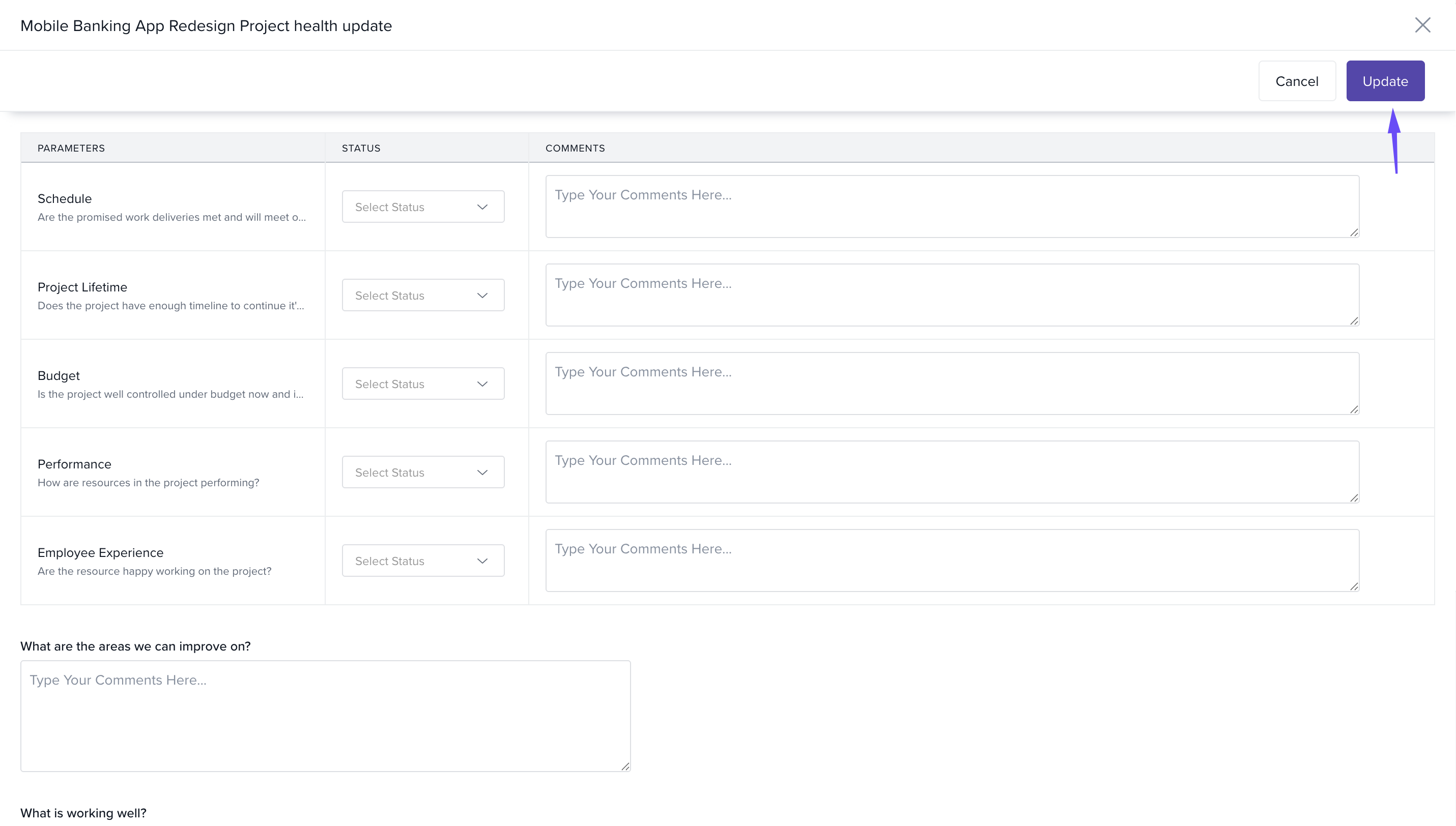
- In the pop-up window:
- Update the status of relevant health indicators
- Add comments for additional context or explanation
-
Click on Update to save the changes.
Reminder for multiple projects
- Go to Projects >> Project Health.
- Use the date filter to select a specific timeframe.
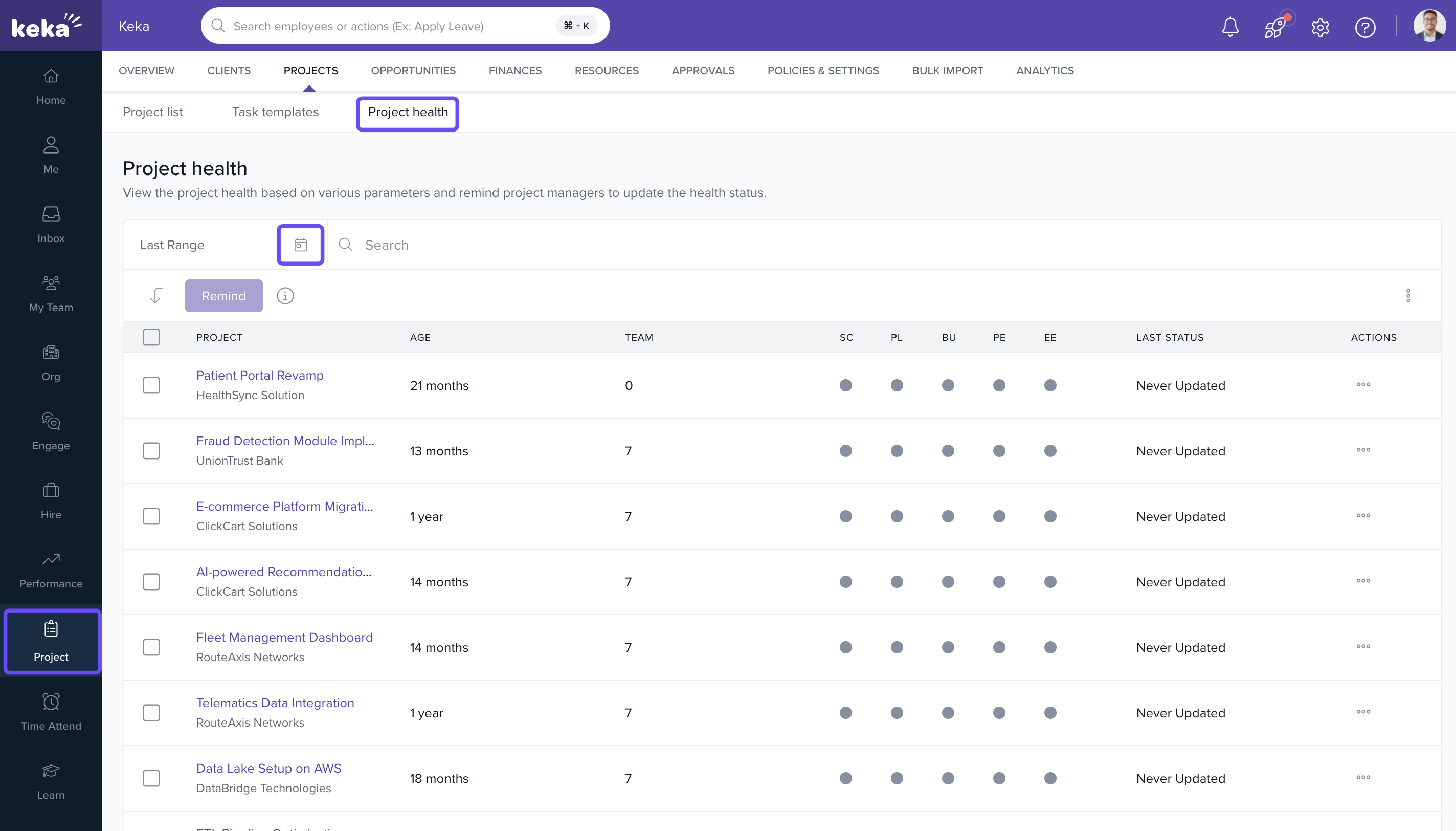
- From the filtered list, select multiple projects.
- Click on the Remind button to notify project managers for selected projects.
- To send individual reminders, use the three dots in the Actions column for that project and choose Remind.
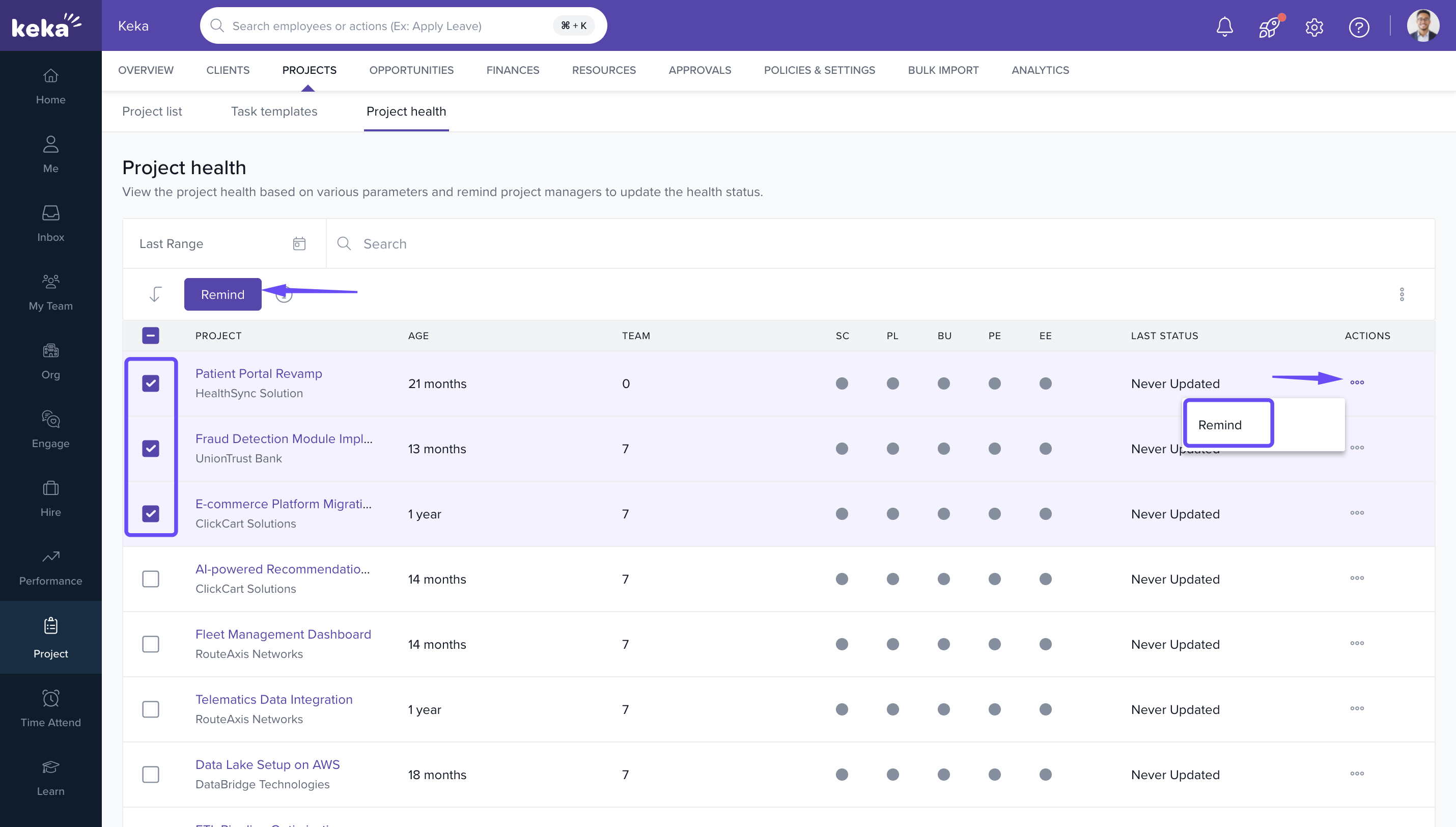
Note: Bulk reminders are helpful for nudging managers about overdue or missing health status updates.
How it connects with other modules
|
Module |
Integration Details |
|
Projects |
Health tracking supports timely escalations and performance monitoring. |
|
Notifications |
Reminder emails are triggered through the configured notification settings. |
|
Dashboards |
Project health data feeds into visual status indicators and alerts. |
FAQs
Q: What parameters are included in project health?
A: Typical parameters include timelines, budget, quality, and team feedback—but may vary by configuration.
Q: Can I schedule recurring reminders for health updates?
A: Reminder frequency can be set from Policies and Settings>> Project>> Health.
Q: Who receives the reminder emails?
A: The assigned project manager or managers linked to the project.
Q: Can project health updates be automated?
A: No, updates are manual to ensure human review of performance indicators.
Troubleshooting
Unable to update health status?
- Check if you have edit permissions for that project.
Reminder option not visible?
- Confirm your role includes reminder privileges, or reach out to an admin.
Project not showing in health tab?
- Ensure the project has been activated and has health tracking enabled.
Comments
0 comments
Please sign in to leave a comment.