Introduction
You can now configure leave expiry in Keka to align with your organization’s leave cycle. Instead of only setting expiry as a fixed number of days from the credit date, you can expire leave balances at the end of a month, quarter, or year. This gives more control and flexibility, especially for companies with dynamic accrual schedules.
This guide walks you through how to enable and configure these leave expiry settings in your leave plan.
How to Configure
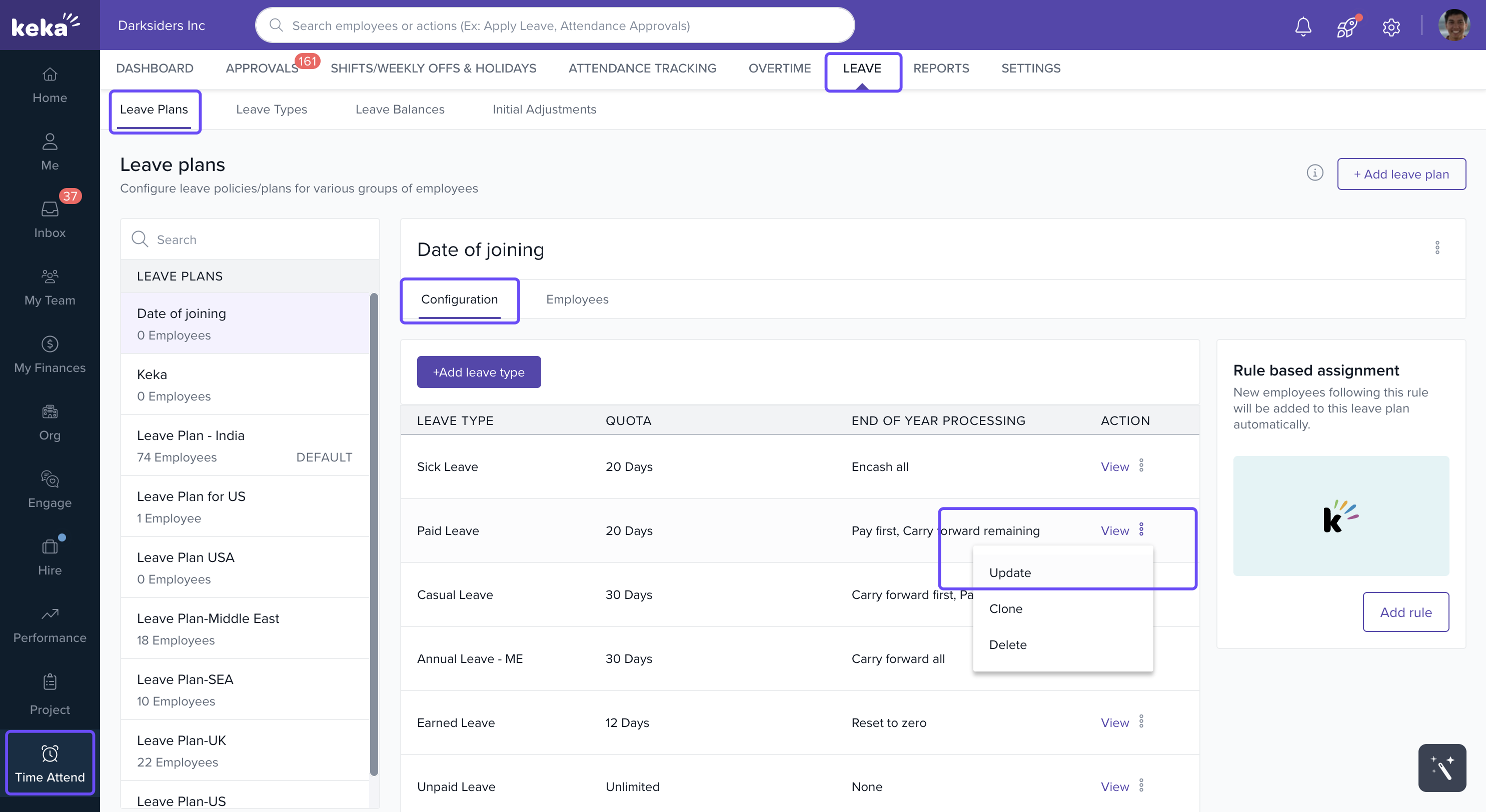
Go to the Time and Attendance section in your Keka admin panel.
Click the Leave tab.
Navigate to Leave Plans.
Select the leave plan you want to modify.
-
In the Configuration section, click Setup or Update.
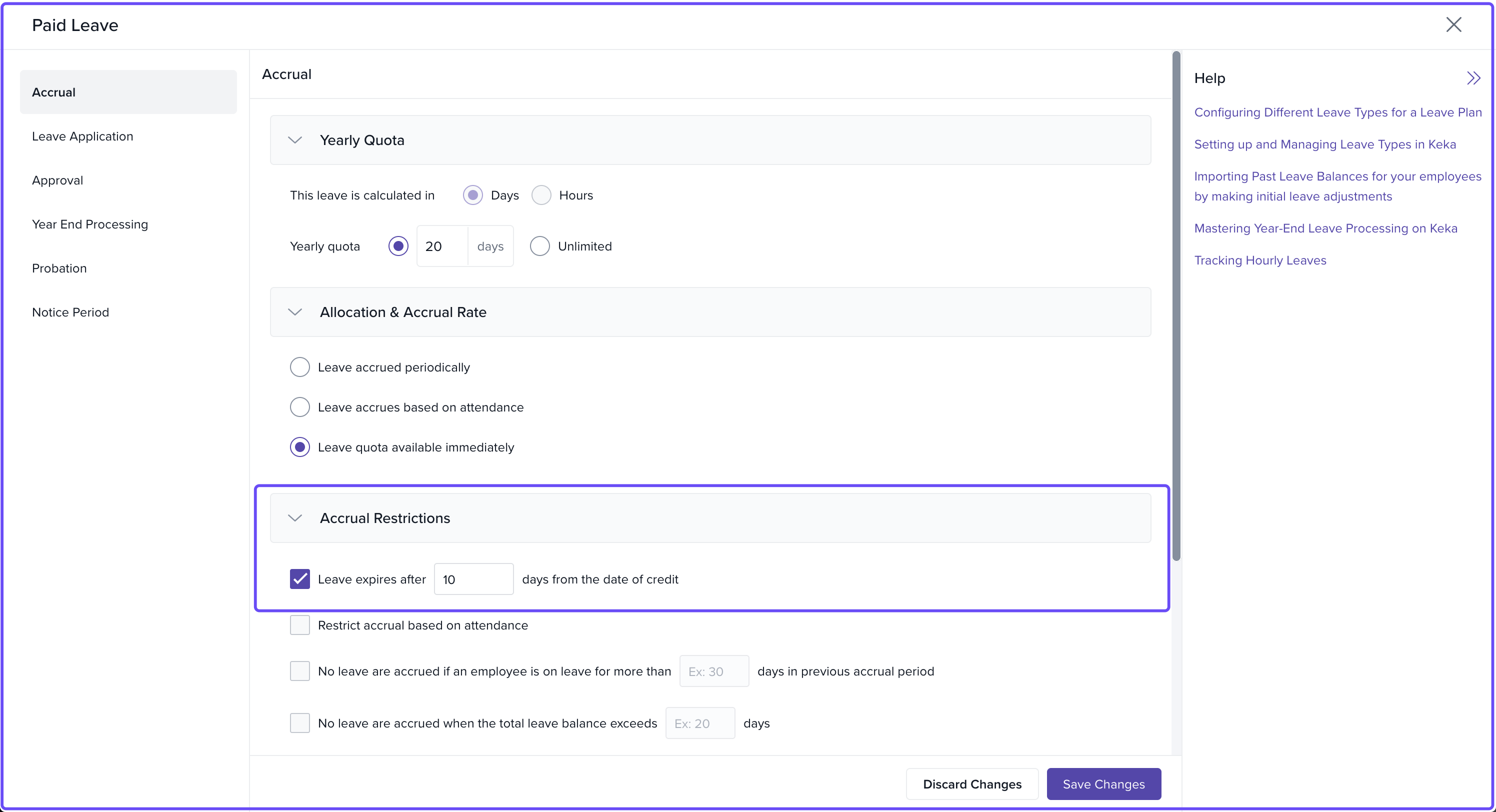
In the Accrual section, find Accrual Restrictions.
-
Check Leave expires after X days from the date of credit
This feature is especially useful if your organization has mid-month joiners or leave cycles that don’t follow a fixed pattern. It minimizes manual adjustments and ensures policy consistency.
Comments
0 comments
Please sign in to leave a comment.