The InstaVeritas integration with Keka HR allows you to streamline employee background verification (BGV) and make the onboarding process more efficient. By connecting InstaVeritas with Keka, you can manage BGV requests and reports seamlessly.
This guide walks you through the step-by-step process of setting up the integration.
Steps to Integrate InstaVeritas with Keka
1. Install InstaVeritas App in Keka
Go to the Apps tab in the left navigation bar of Keka.
In the search bar, type InstaVeritas.
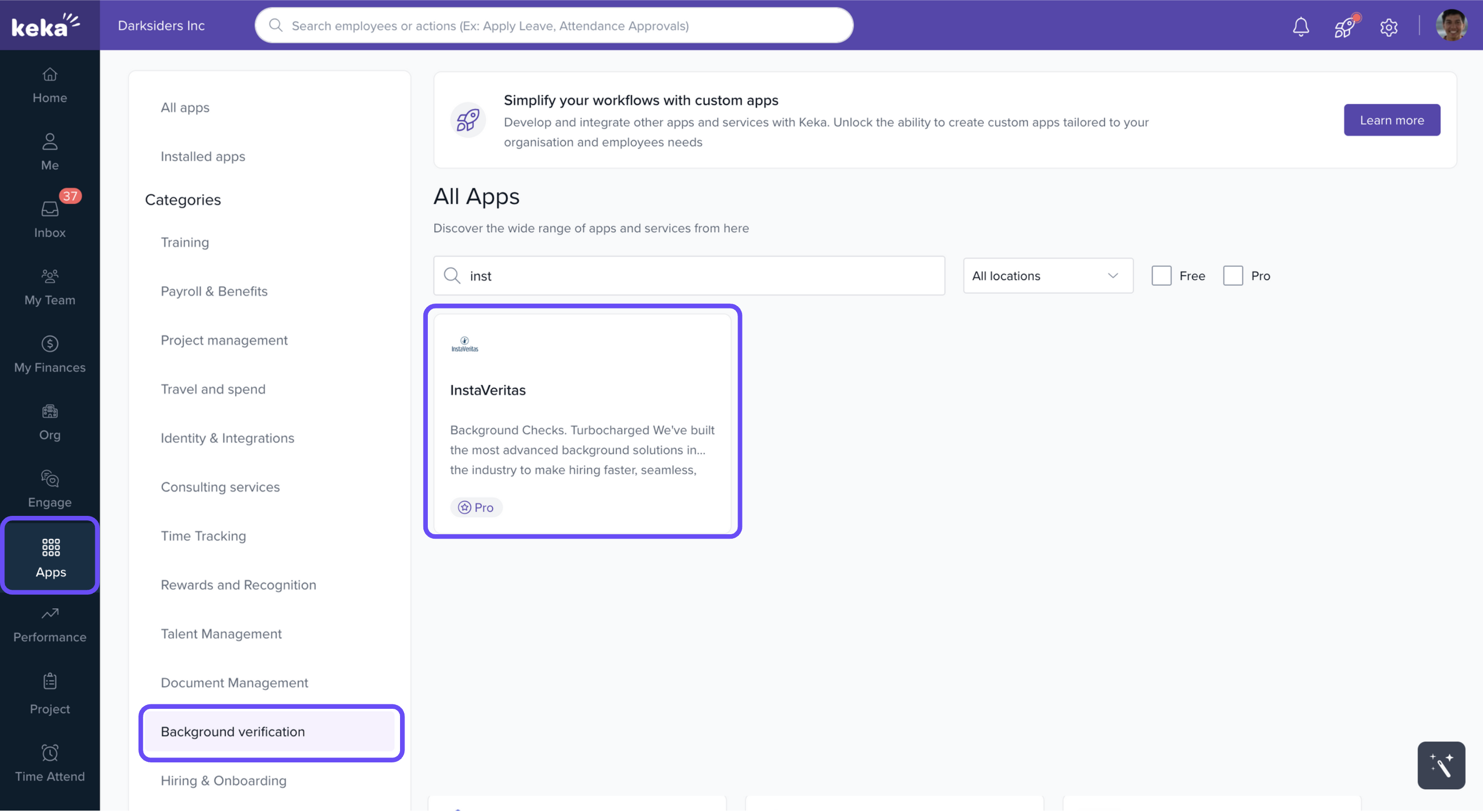
Once you find the app, click Install.
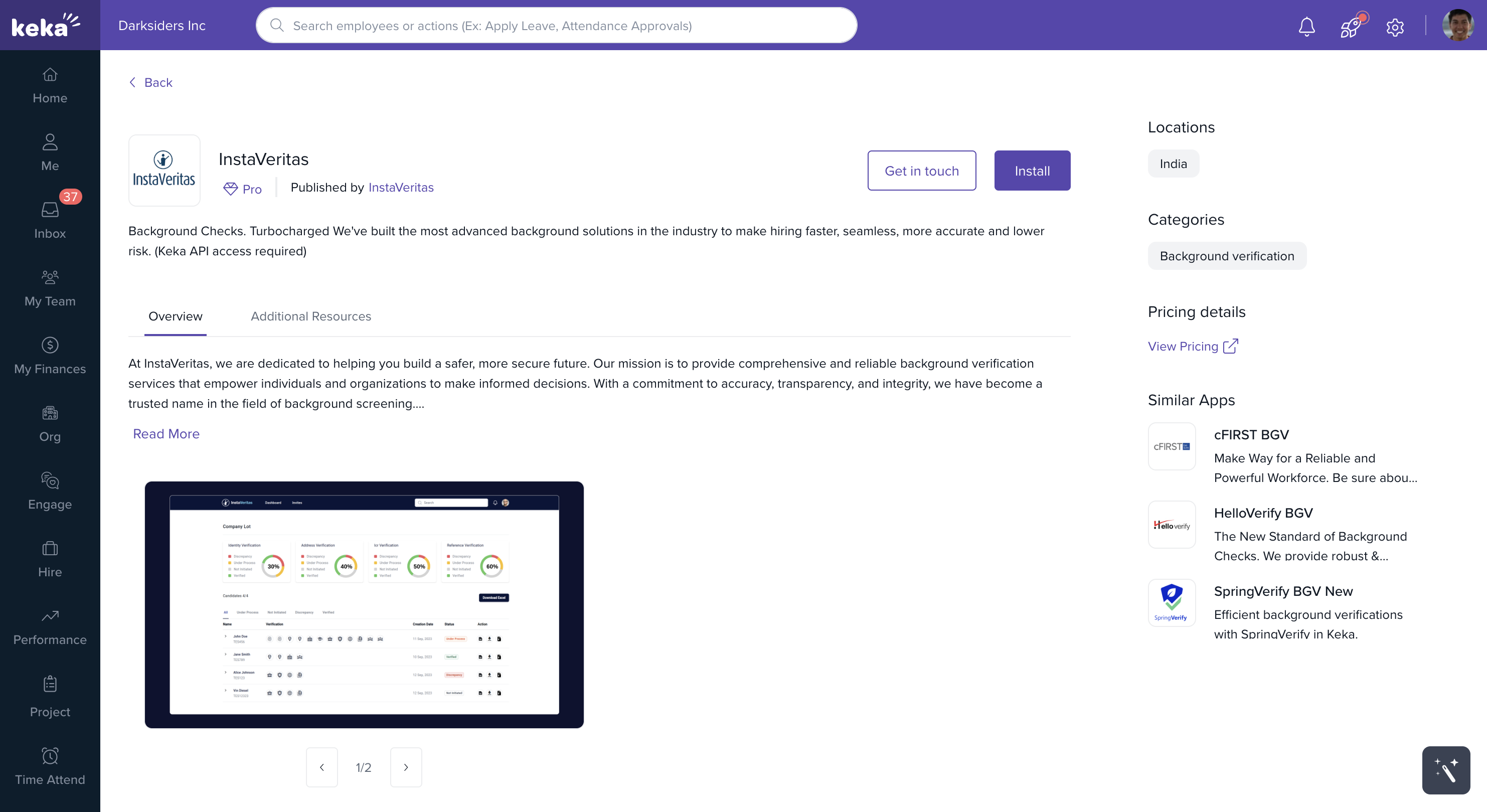
2. Access API Settings
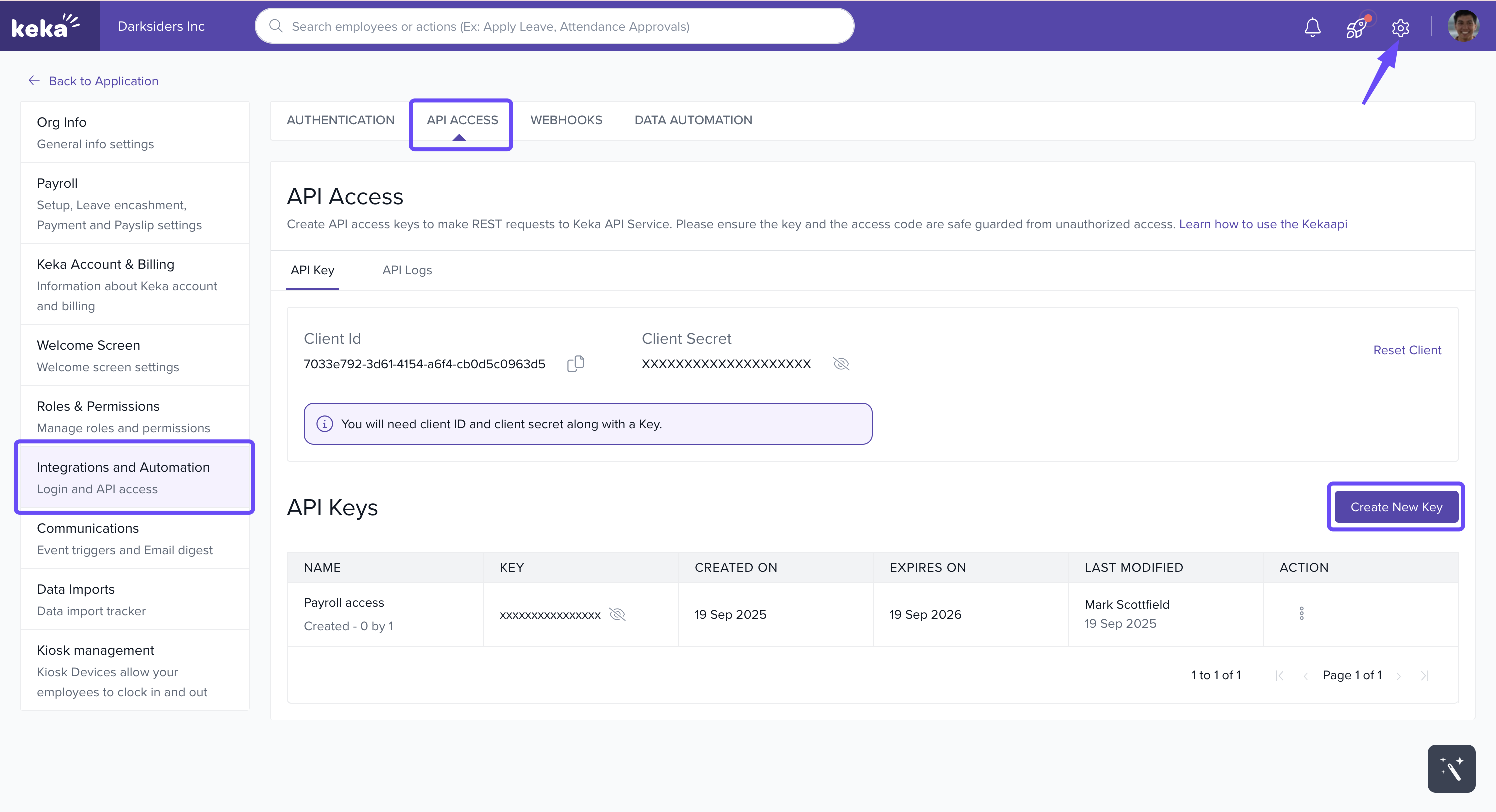
After installation, click the Global Settings button in the top-right corner.
Navigate to Integrations and Automations.
Select the API Access tab.
3. Create an API Key
In the API Key section, click Create Key.
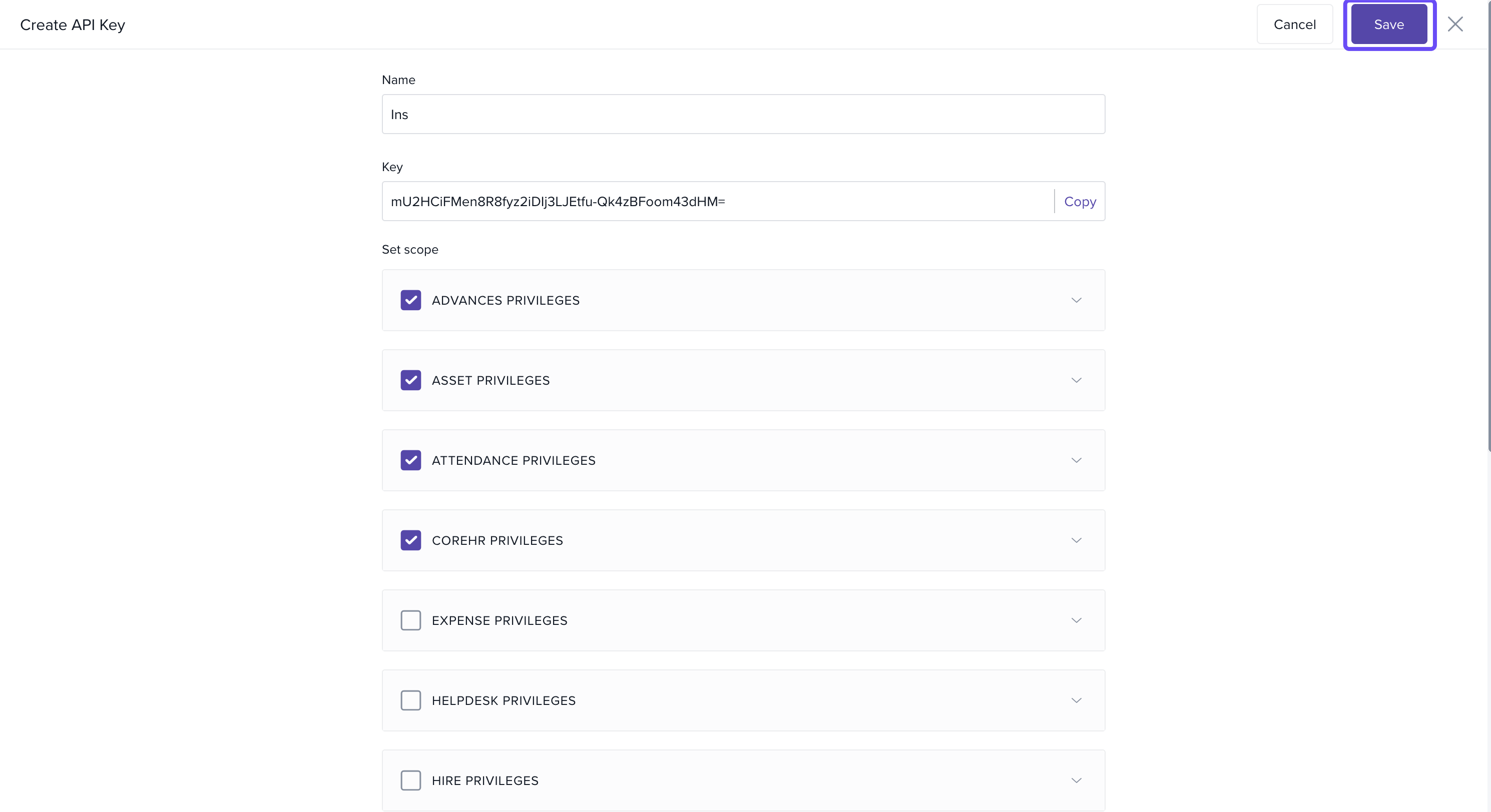
Give your key a name (e.g., BGV API Key or InstaVeritas Key).
4. Set Scope for the API Key
Under Set Scope, expand the Core HR Privileges category.
Select the following checkboxes:
BGVRequest Read
BGVReport Write
5. Copy and Save API Key
Click Copy to copy the generated API key.
Click Save to confirm your changes.
6. Complete Integration in InstaVeritas
Paste the copied API key into the InstaVeritas portal to complete the integration setup.
Conclusion
Once configured, Keka and InstaVeritas will work together to manage background verification efficiently, ensuring a smoother and more reliable onboarding process.
Comments
0 comments
Please sign in to leave a comment.