Introduction
The OnGrid integration with Keka HR helps organizations streamline employee background verification (BGV) and make onboarding faster and more reliable.
With OnGrid as your background verification partner, you can verify candidate details efficiently and ensure smoother employee onboarding.
Note: The OnGrid integration is available only for users with the Keka API add-on enabled.
Why Background Verification with OnGrid?
When a new employee joins, companies often use a background verification partner to check and confirm the accuracy of the information provided. This ensures:
Trust and reliability in hiring decisions.
Compliance with company policies and legal standards.
A seamless onboarding experience for both HR and employees.
Integration of OnGrid
1. Access OnGrid App in Keka
In Keka, go to the Apps tab from the left navigation menu.
Scroll down and locate OnGrid.
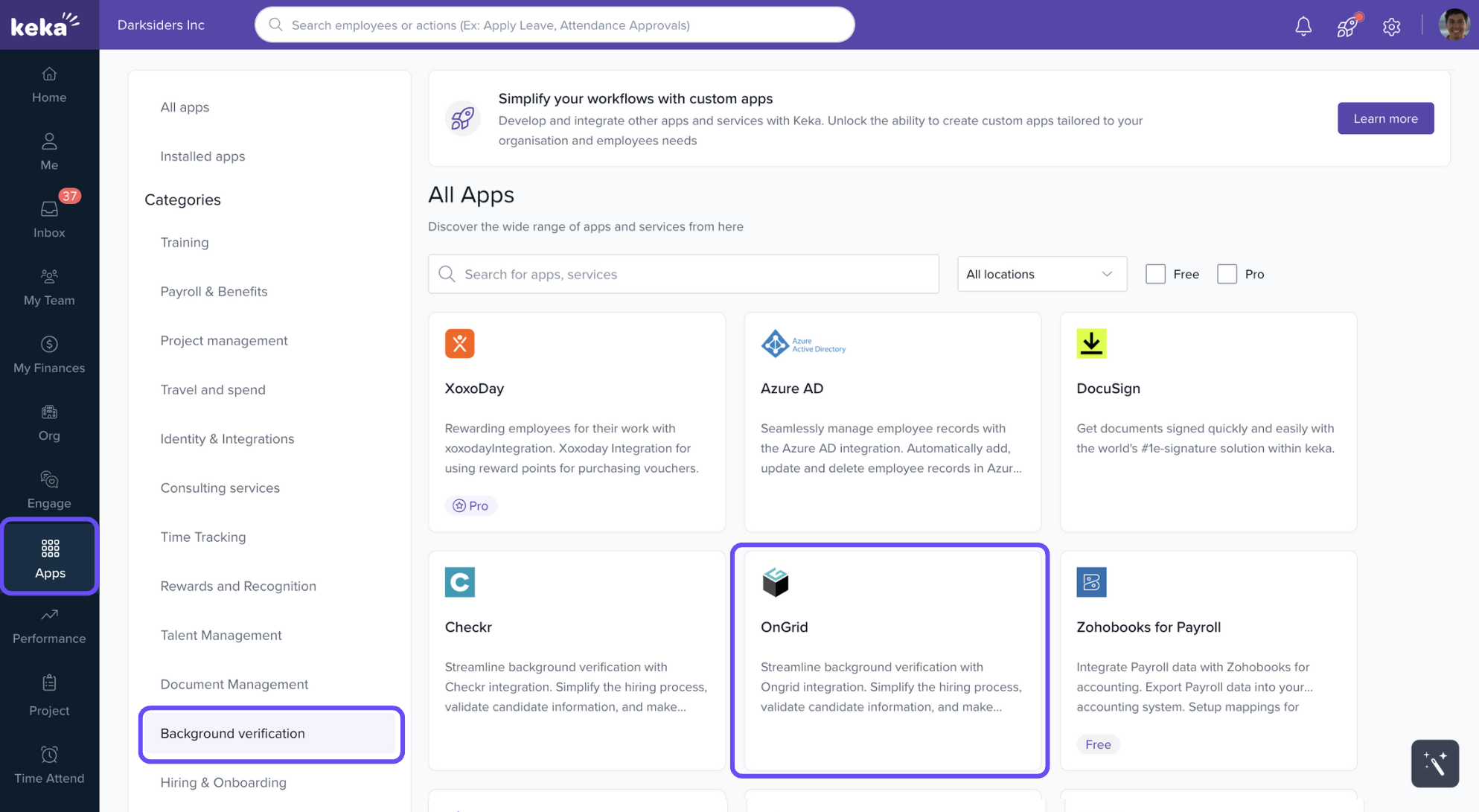
Click Configure.
2. Select Integration Option
On the OnGrid Integration screen, you’ll see two options:
Contact: If you are not yet using OnGrid services, click Contact to share your details. The OnGrid team will get in touch to help you get started.
Connect: If you already use OnGrid services, click Connect.
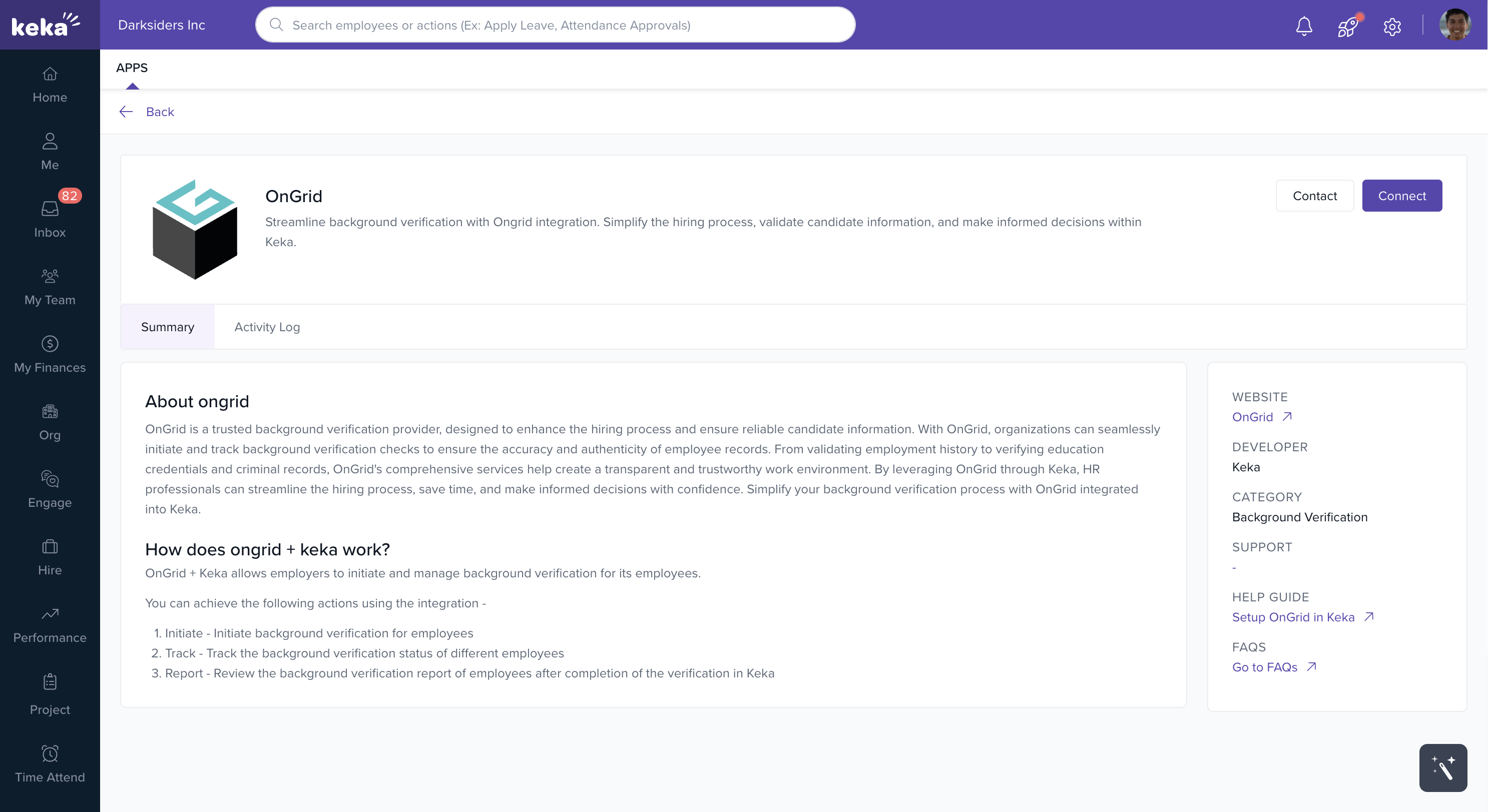
3. Enter Credentials from OnGrid
If you select Connect, you’ll need to enter the following details provided by the OnGrid team:
Client ID
Client Secret
Community ID
Entering these credentials will establish a secure integration between Keka and OnGrid.
How to Get Client ID, Client Secret & Community ID
When you purchase OnGrid services, the OnGrid team provides you with a pre-go-live checklist.
Complete and return the checklist with the required details.
Once verified, OnGrid will share your Client ID, Client Secret, and Community ID via email.
Copy these details into Keka to complete the integration.
Conclusion
With OnGrid integrated into Keka, your organization can:
Automate and streamline employee background verification.
Ensure accurate and verified employee data.
Deliver a smoother, more secure onboarding experience.
Comments
0 comments
Please sign in to leave a comment.