Steps to Integrate Keka with SpringVerify:
Install SpringVerify App:
Navigate to the Apps tab in Keka, search for SpringVerify BGV open it, and click install.
Grant permissions by clicking Allow when prompted to enable the BGV integration.
Log in to the SpringVerify portal if you aren't logged in already.
Configure API Access:
In Global Settings, under Integrations and Automations, go to the API Access tab.
Create an API Key, selecting the appropriate permissions for BGVRequest Read and BGVReport Write.
Set Scope, Copy the API Key and save your settings.
Connect Keka with SpringVerify:
Locate the Keka card in SpringVerify and click Connect.
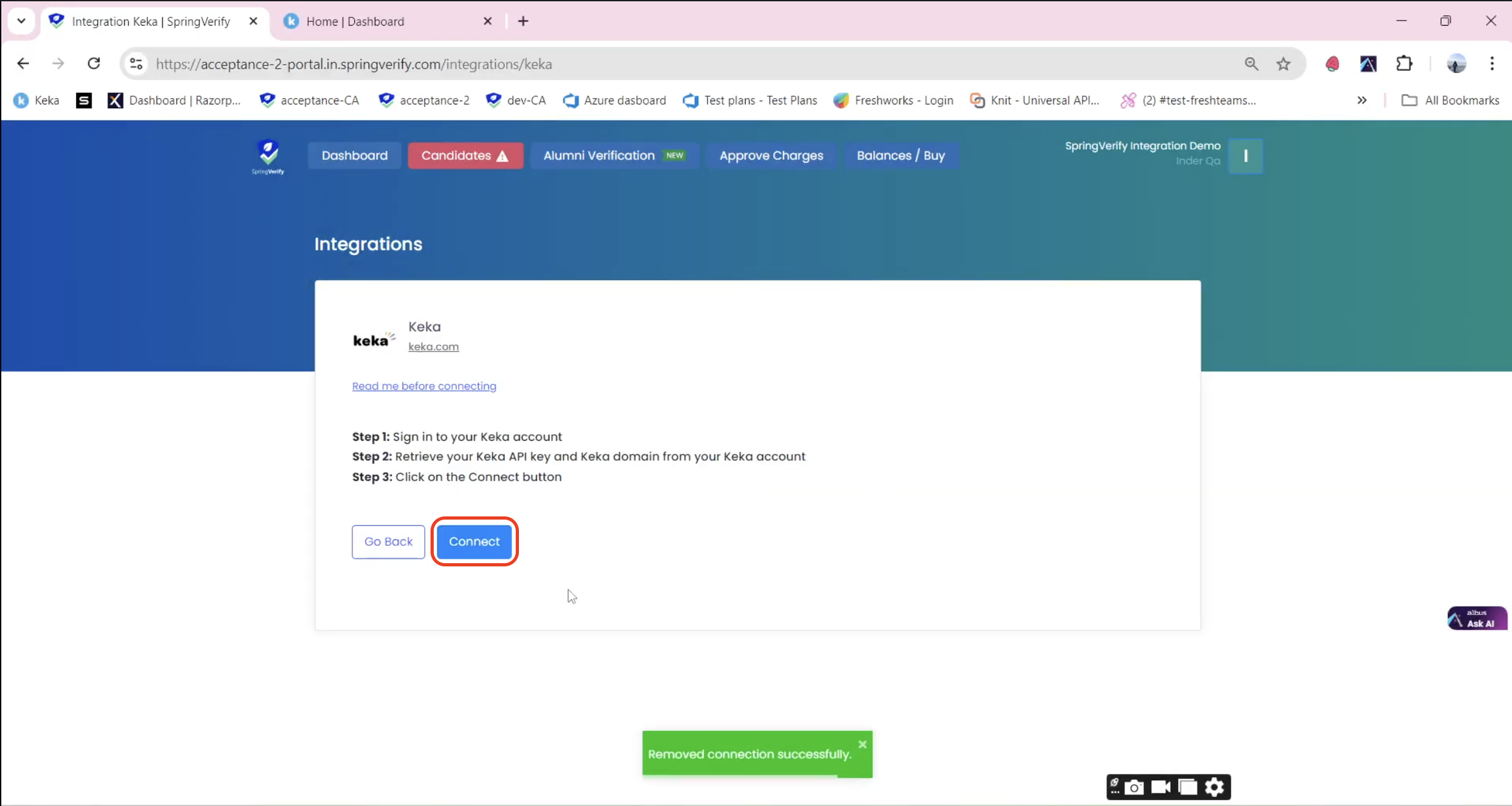
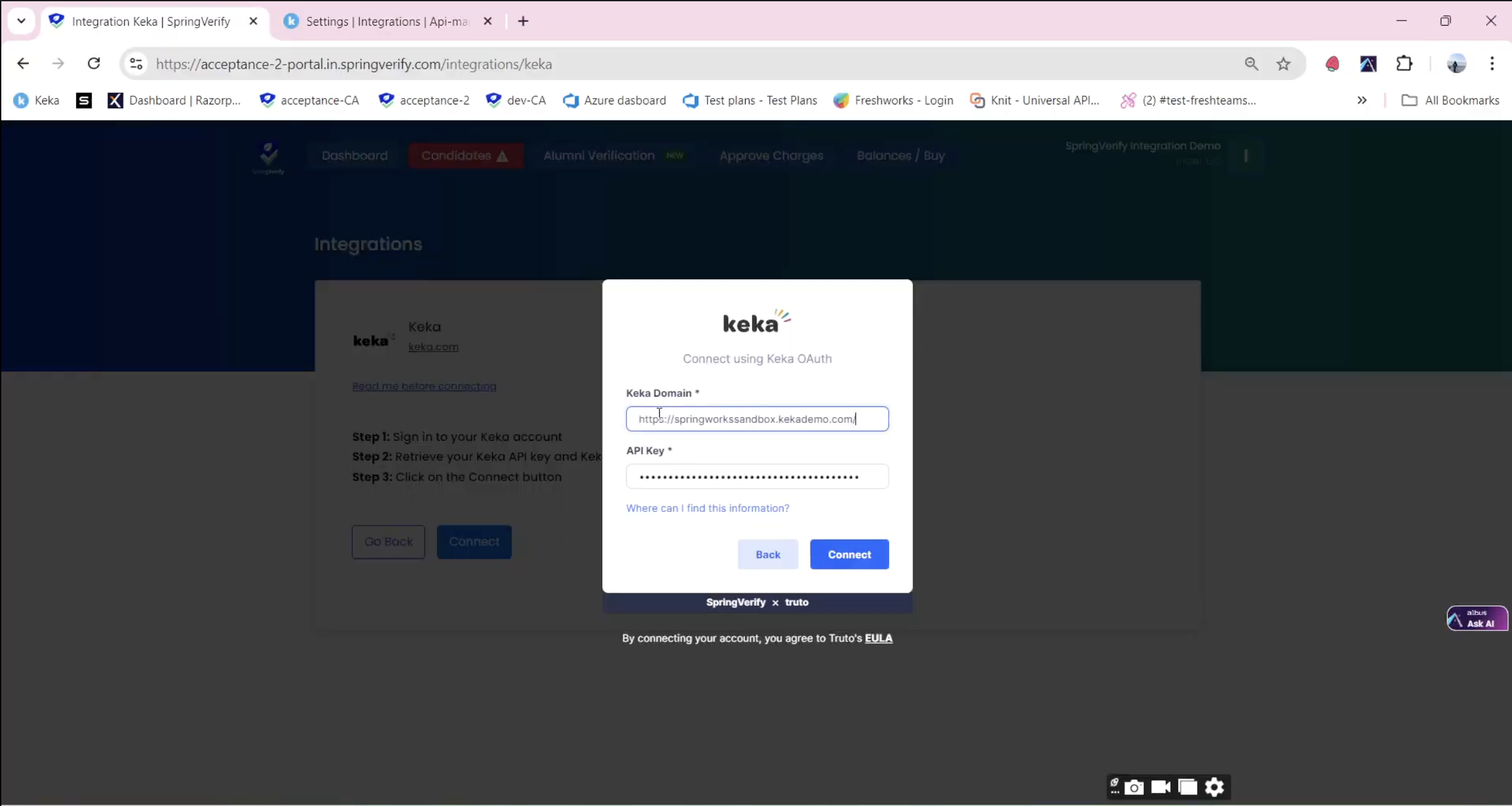
Enter your Keka subdomain and API Key to link the two systems and click connect.
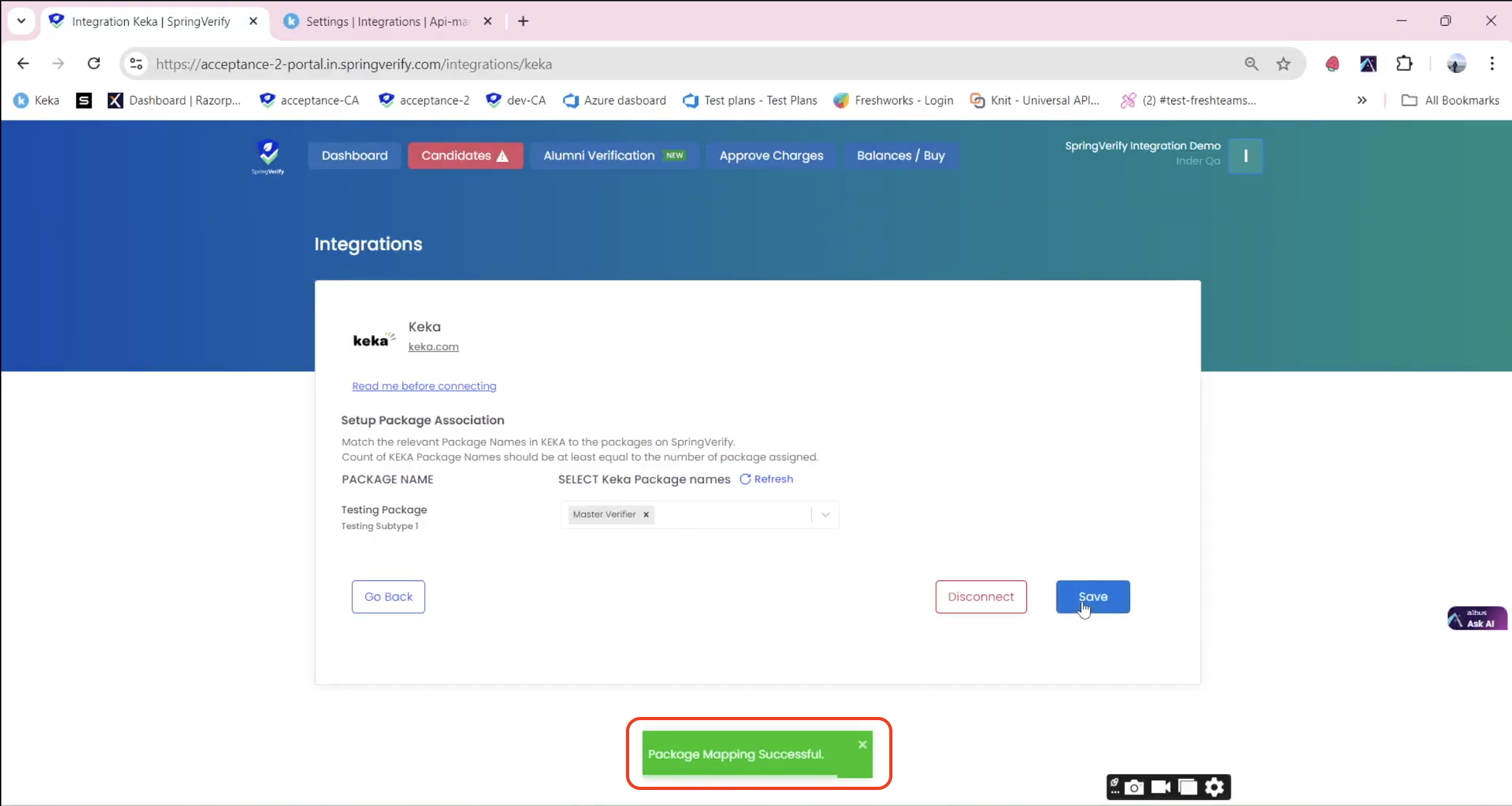
After confirming the integration, choose the relevant packages for your organization.
A confirmation message will appear, stating “Package Mapping Successful.”
Comments
0 comments
Please sign in to leave a comment.