Introduction
JumpCloud Single Sign-On (SSO) integration with Keka HR provides employees with a secure, seamless way to log in using their JumpCloud credentials. This step-by-step guide will help you set up the integration, configure your JumpCloud app, and enable SSO in Keka.
Step 1: Log in to the JumpCloud Admin Portal
- Open JumpCloud Admin Portal.
- Enter your admin credentials to sign in.
Step 2: Configure the OIDC Connector for SSO
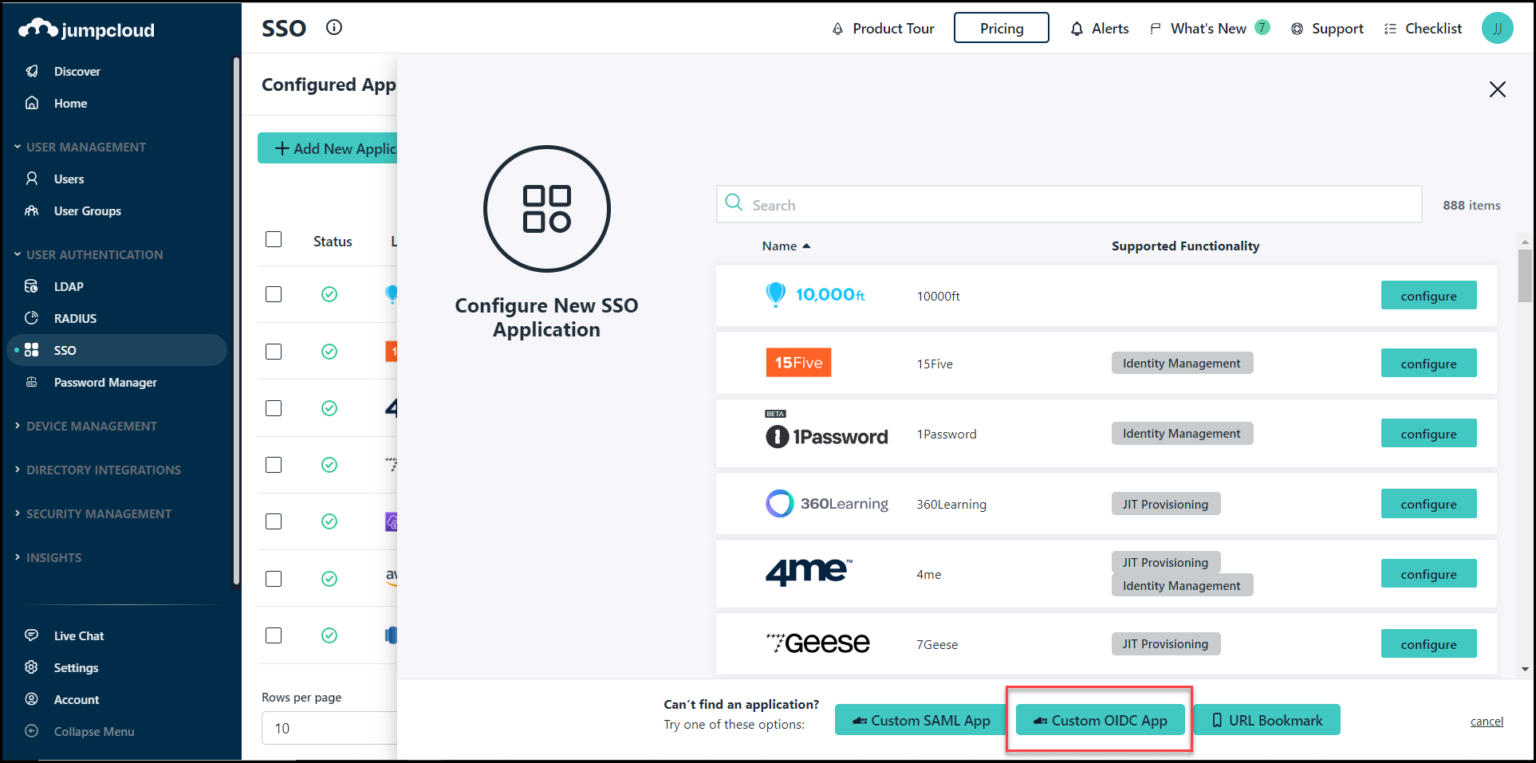
In JumpCloud, go to User Authentication > SSO.
Click + Add New Application.
Select Custom OIDC App.
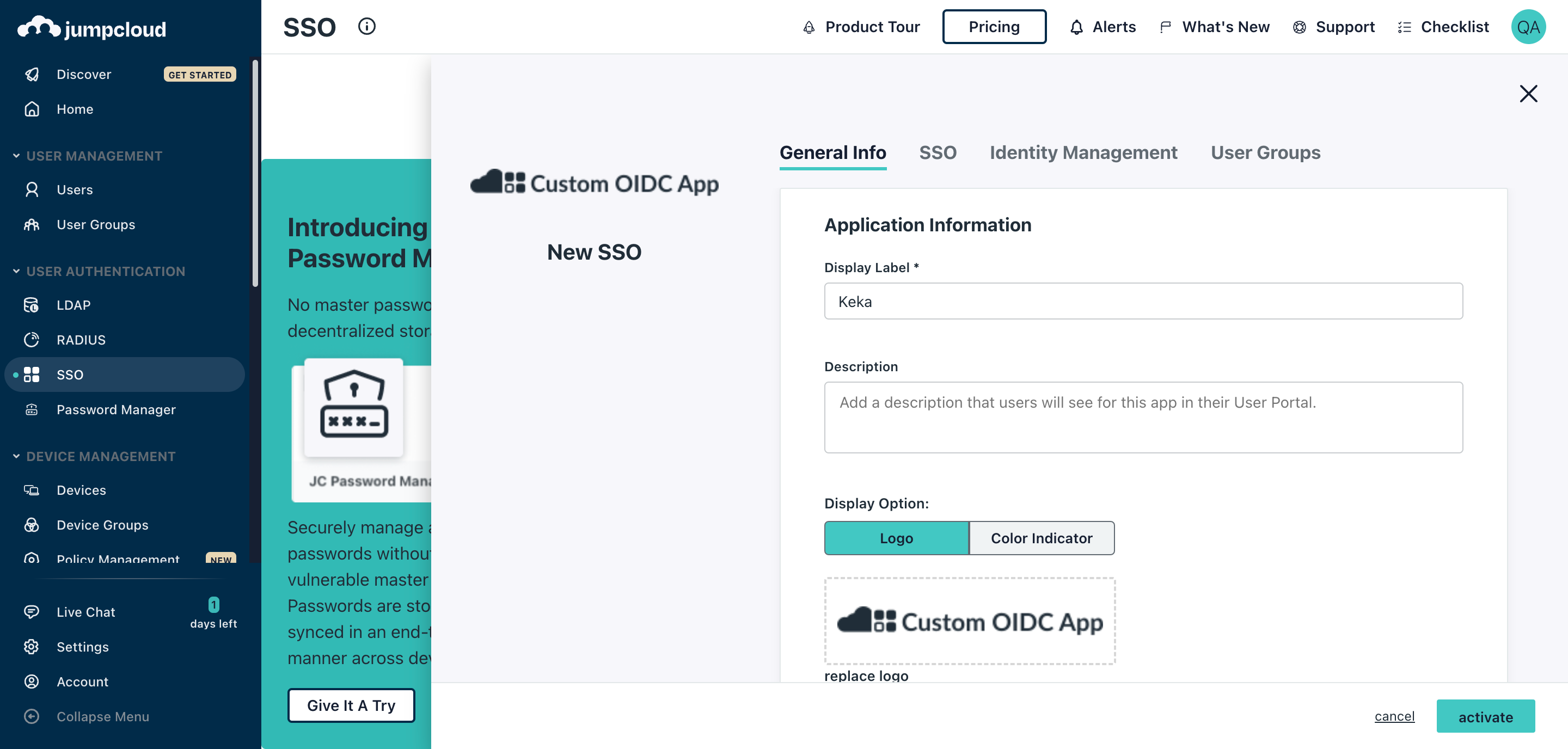
- In the Display Label field, enter Keka.
- Open the SSO tab to access the OpenID Connect Configuration window.
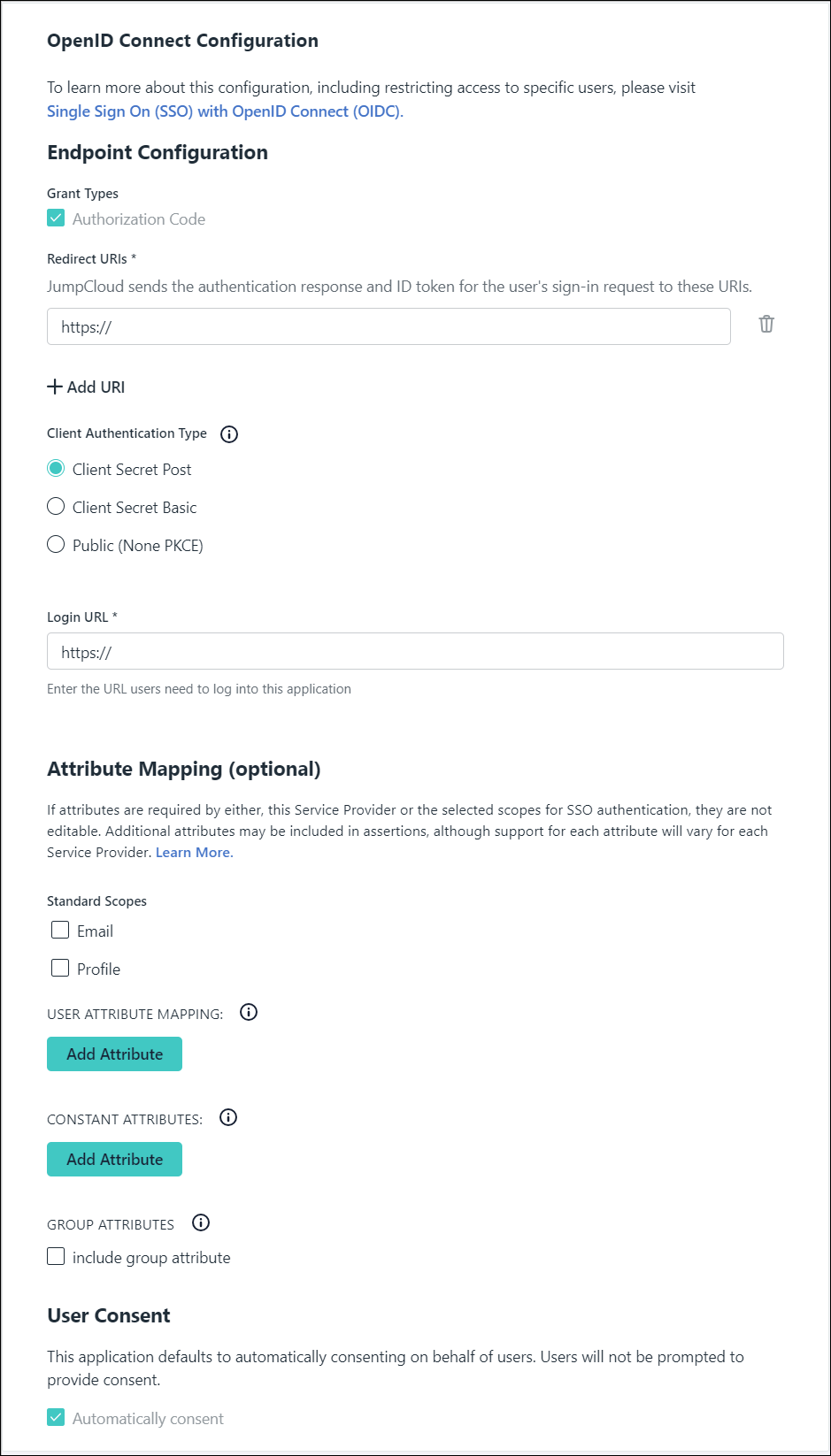
Step 5: Endpoint Configuration
- Grant Types are pre-checked and cannot be changed.
- Enter the Redirect URL provided by Keka (see Step 12 for where to find it).
- For Client Authentication Type, choose Client Secret POST.
1. Enter the following Login URL - https://app.keka.com
1. Under Standard Scopes select "Email"
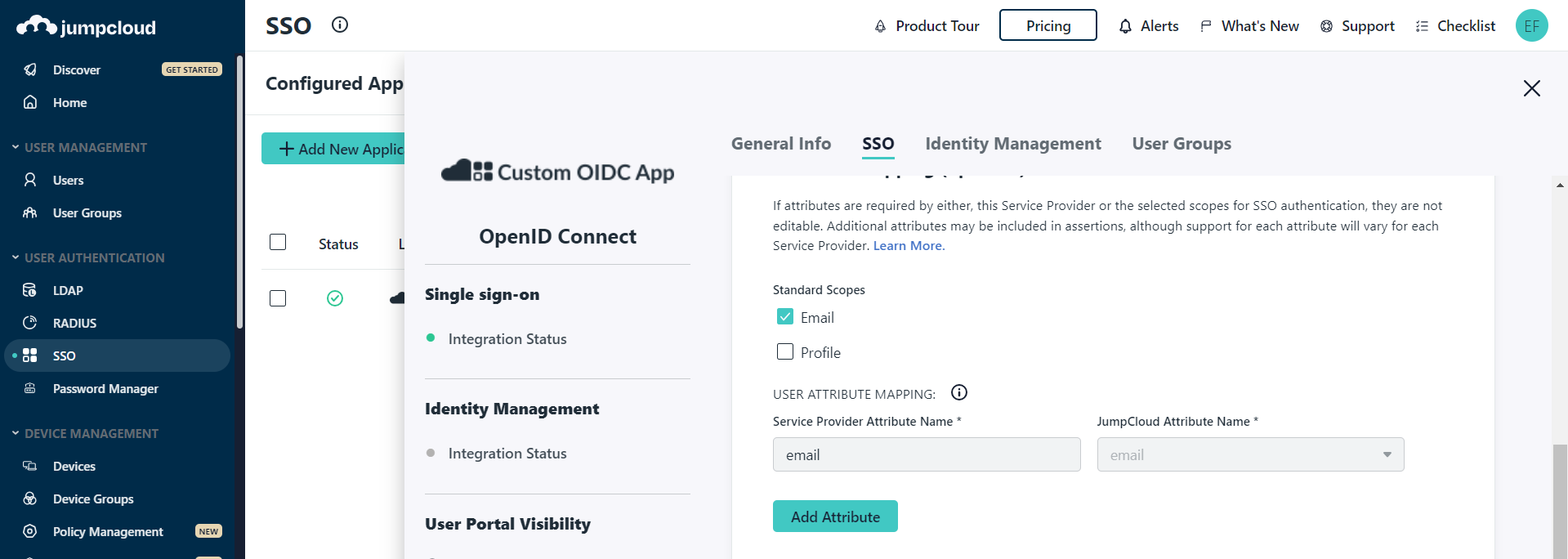
1. By default, Automatically consent is enabled.
Add employees or groups who will access Keka via JumpCloud SSO.
Click Activate to enable the application.
Step 11: Client Secret (For non-public clients)
- If the app is not public, JumpCloud generates a Client ID and Client Secret.
- Copy these and store them securely in a password manager.
Important: They disappear once you close the window.
-
Click Got It to finish.
Step 12: Login to Keka as a Privileged User
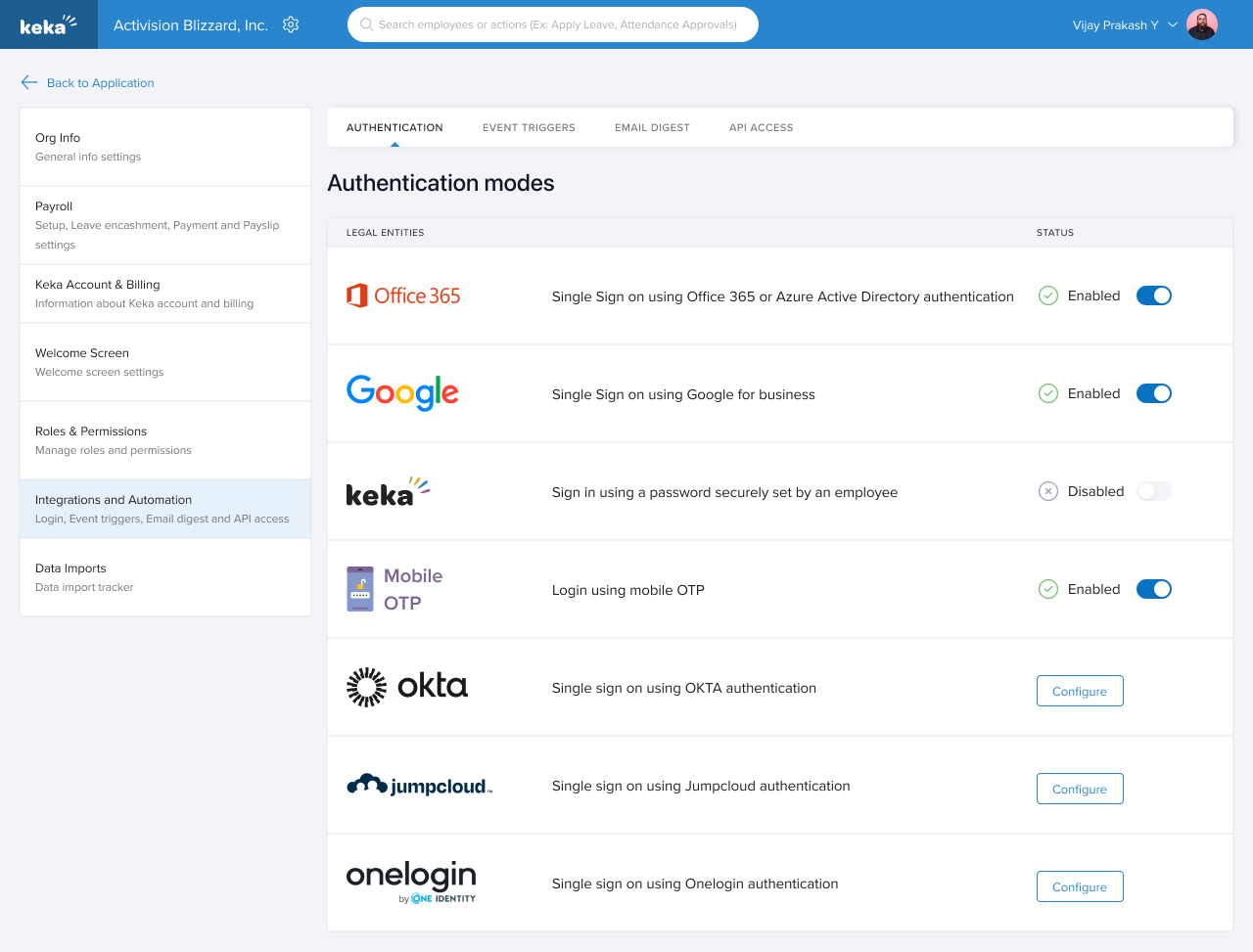
In Keka, go to Settings > Integrations & Automation > Authentication.
Locate the JumpCloud card and click Configure.
Step 13: Configuration in Keka
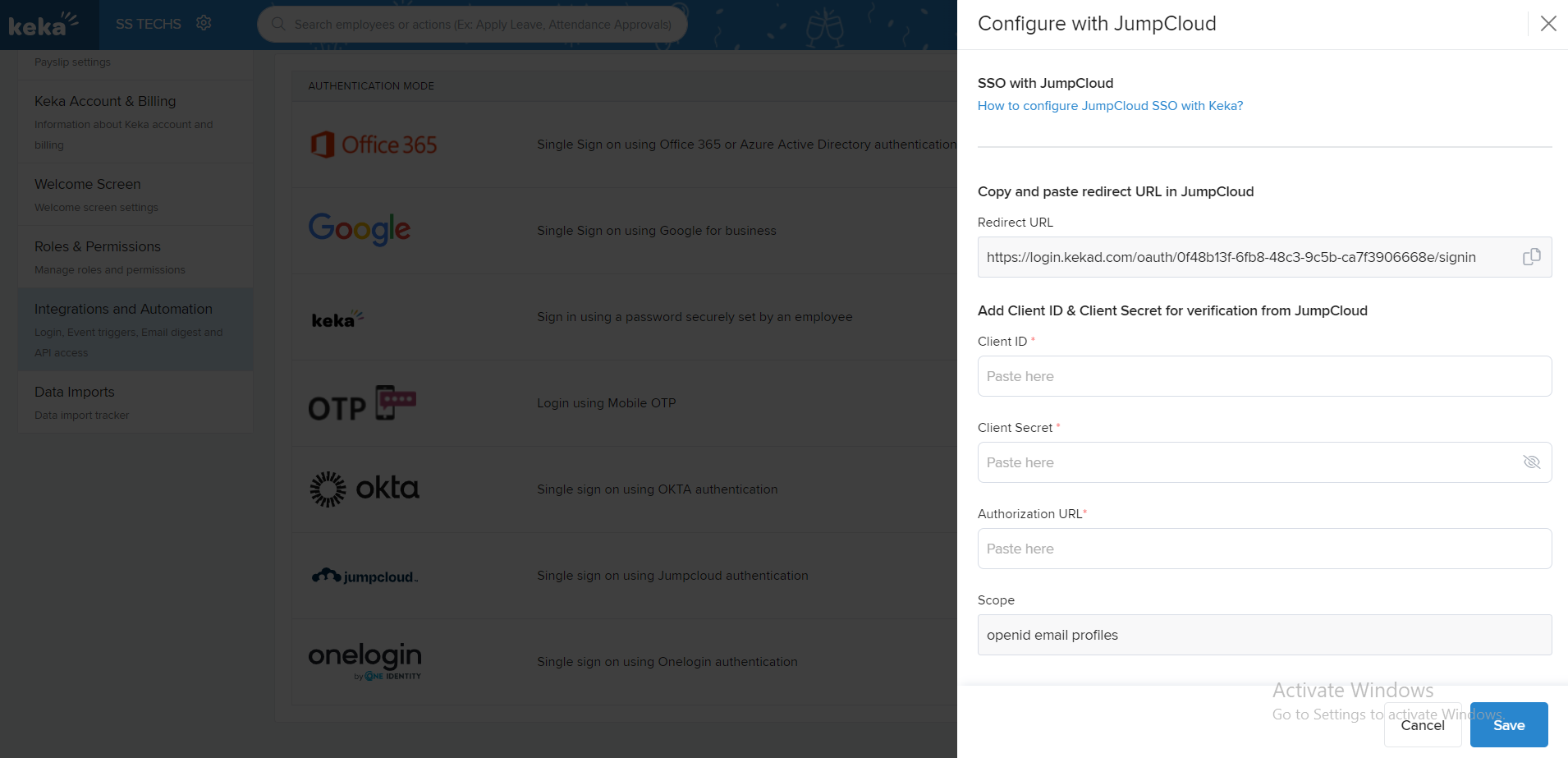
- In the configuration form, copy the Redirect URL (needed in JumpCloud).
- Enter the following details:
- Client ID (from JumpCloud)
- Client Secret (from JumpCloud)
-
Authorization URL:
https://oauth.id.jumpcloud.com - Click Save.
JumpCloud SSO is now enabled in Keka. Employees can use their JumpCloud credentials to authenticate and log in to the platform securely.
By following these simple steps, you can easily set up JumpCloud SSO for Keka.
We hope this guide helps you to setup JumpCloud SSO.
Comments
0 comments
Please sign in to leave a comment.