Overview
Keka PSA's Charges Creation feature allows project managers and finance teams to create billable charges prior to invoice generation. This ensures billing accuracy, improves client transparency, and aligns invoice items with actual services rendered. Charges can be reviewed, tracked, and approved before being converted into invoices, reducing errors and enabling financial clarity.
Who Can Do This?
- Project Managers
- Finance Managers
- Client Managers
- PSA Admins
- Users with billing access in projects
Pre-requisites
- The project must have active billable work logged
- Billing model and client agreement should be set up correctly
- The user must have permission to create or manage charges
Step-by-Step Instructions
Access the Charges Creation Page
- Navigate to the Projects tab
- Click on the desired Project Name
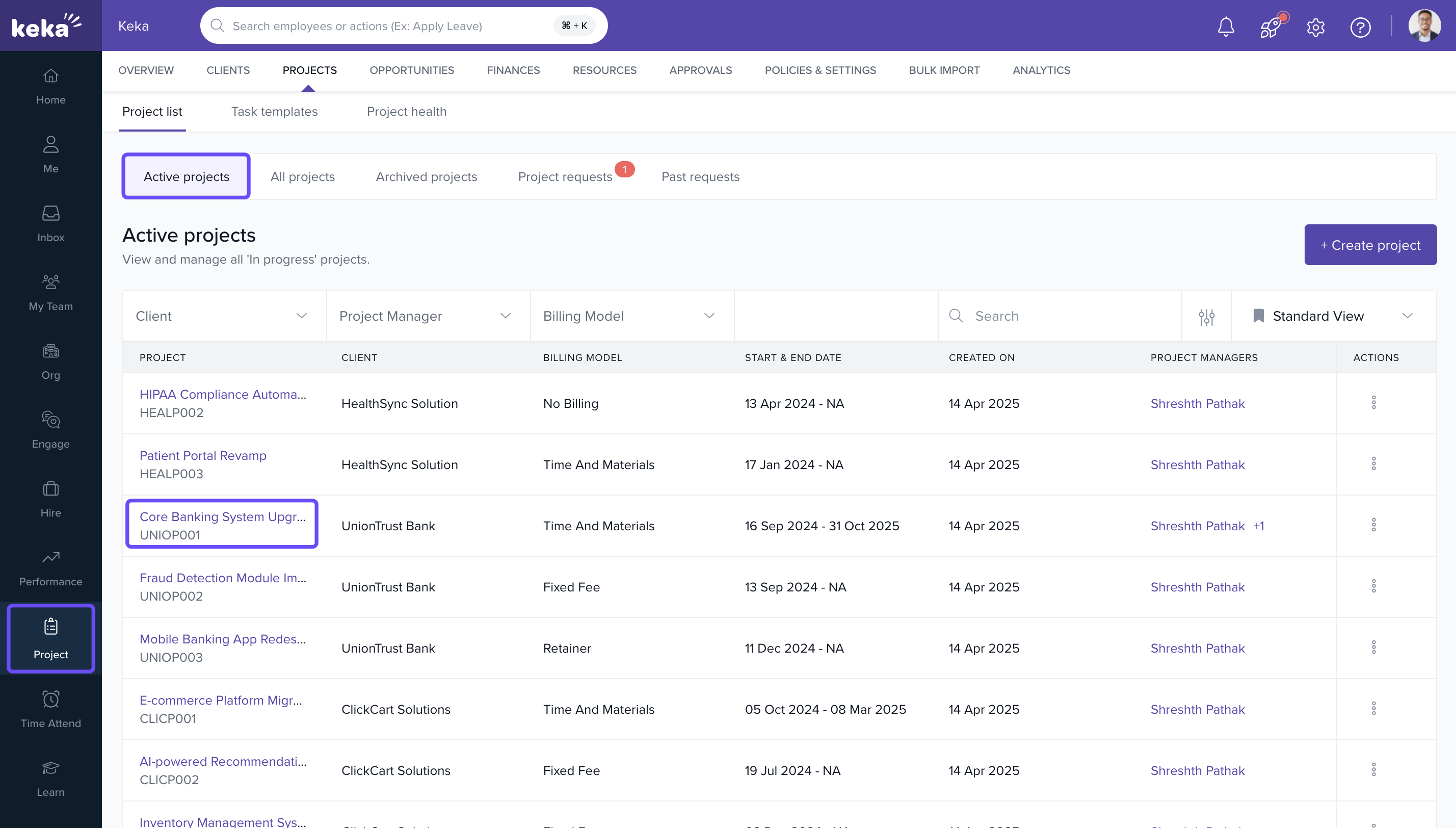
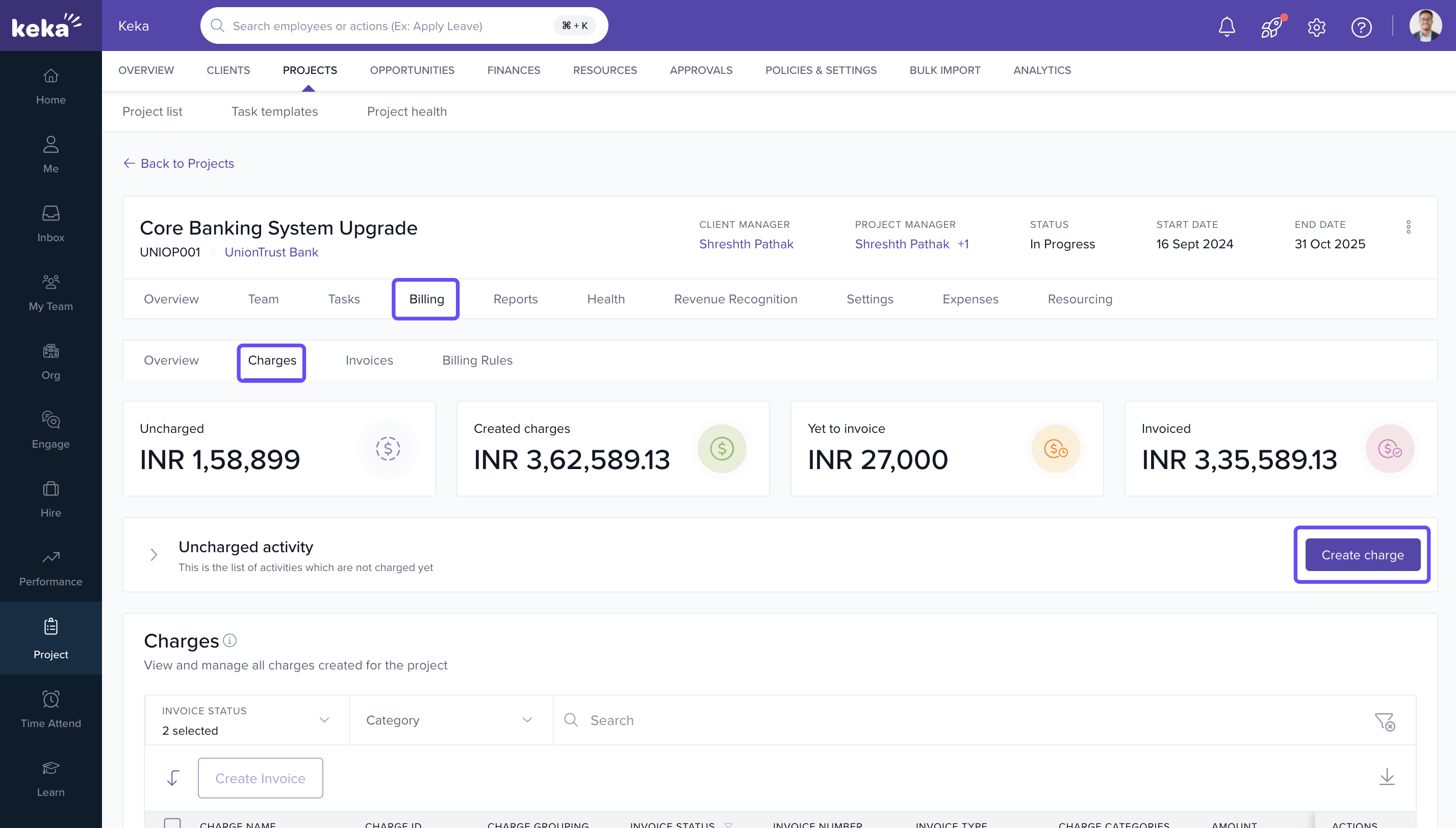
- Go to the Billing tab within the project
- Click on Charges
- Select Create Charge
Select Chargeable Items
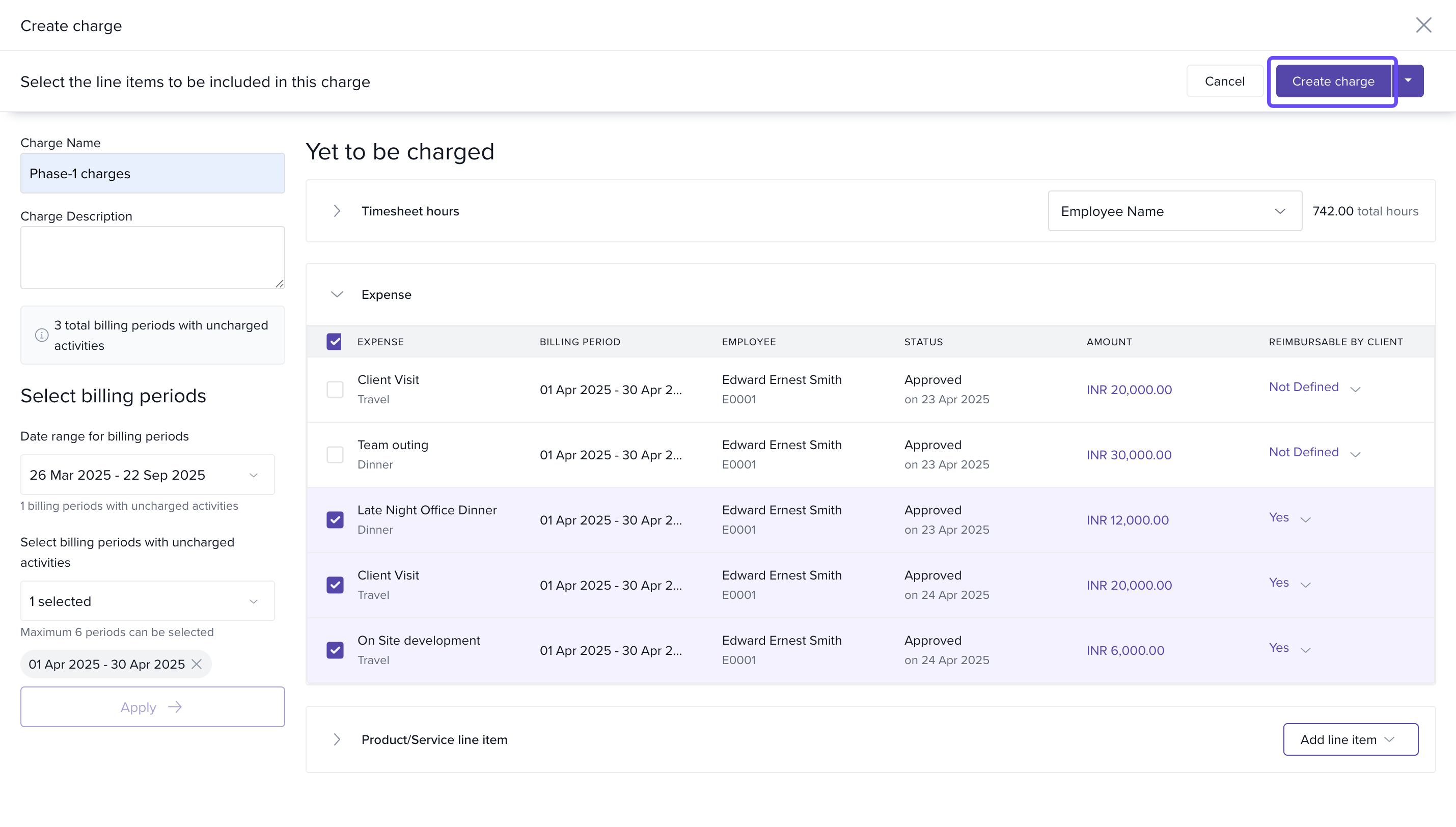
- On the Create Charge page, enter a title in the Charge Name field
- Select relevant billable items from the list (hours, milestones, expenses, etc.)
- After reviewing the selected items, click Create on the top right
Review and Generate Charges
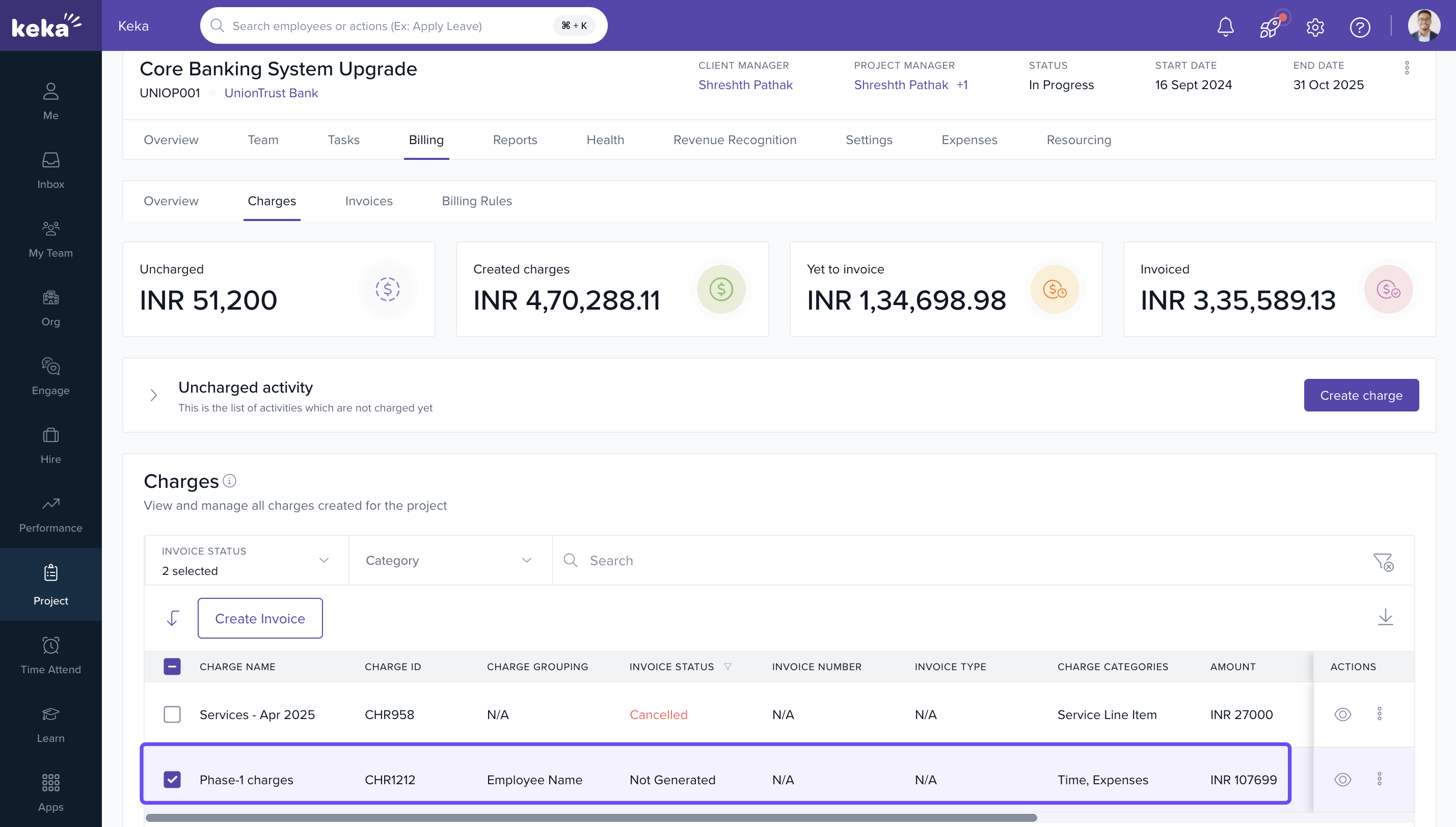
- Review charge details in the grid
- Confirm and save the record
- The charges are now available for invoice generation
Visibility and Control
- Charges Grid: Lists all charges created under the project for easy tracking and approval
- Invoice Generation: Select the charges and click Generate Invoice directly from the Charges screen
- Finance Oversight: Finance users can navigate to Finances > Charges, review all items by name, and finalize billing using the Create Invoice button
FAQs
Q: Can I edit a charge after it's created?
A: No. Once a charge is created, it cannot be edited. You must delete and re-create it if changes are needed.
Q: Are charges linked to specific billing models?
A: Yes. The available chargeable items depend on your project’s billing model (T&M, milestone, retainer).
Q: Who can approve charges?
A: Approvals can be handled by users with the required project or finance permissions.
Q: Can I create multiple charges before generating an invoice?
A: Yes. You can accumulate charges and generate a single invoice once ready.
Comments
0 comments
Please sign in to leave a comment.