Introduction
The Tax Filing section in Keka helps you manage all tax-related information for each pay group and legal entity in your organization. This is essential for staying compliant with federal and state tax laws and ensuring smooth payroll processing.
Initial Setup During Pay Group Configuration
When you're setting up a new pay group, you’ll reach the step to Submit Tax and Filing Information. Enter the relevant tax data here for your legal entity.
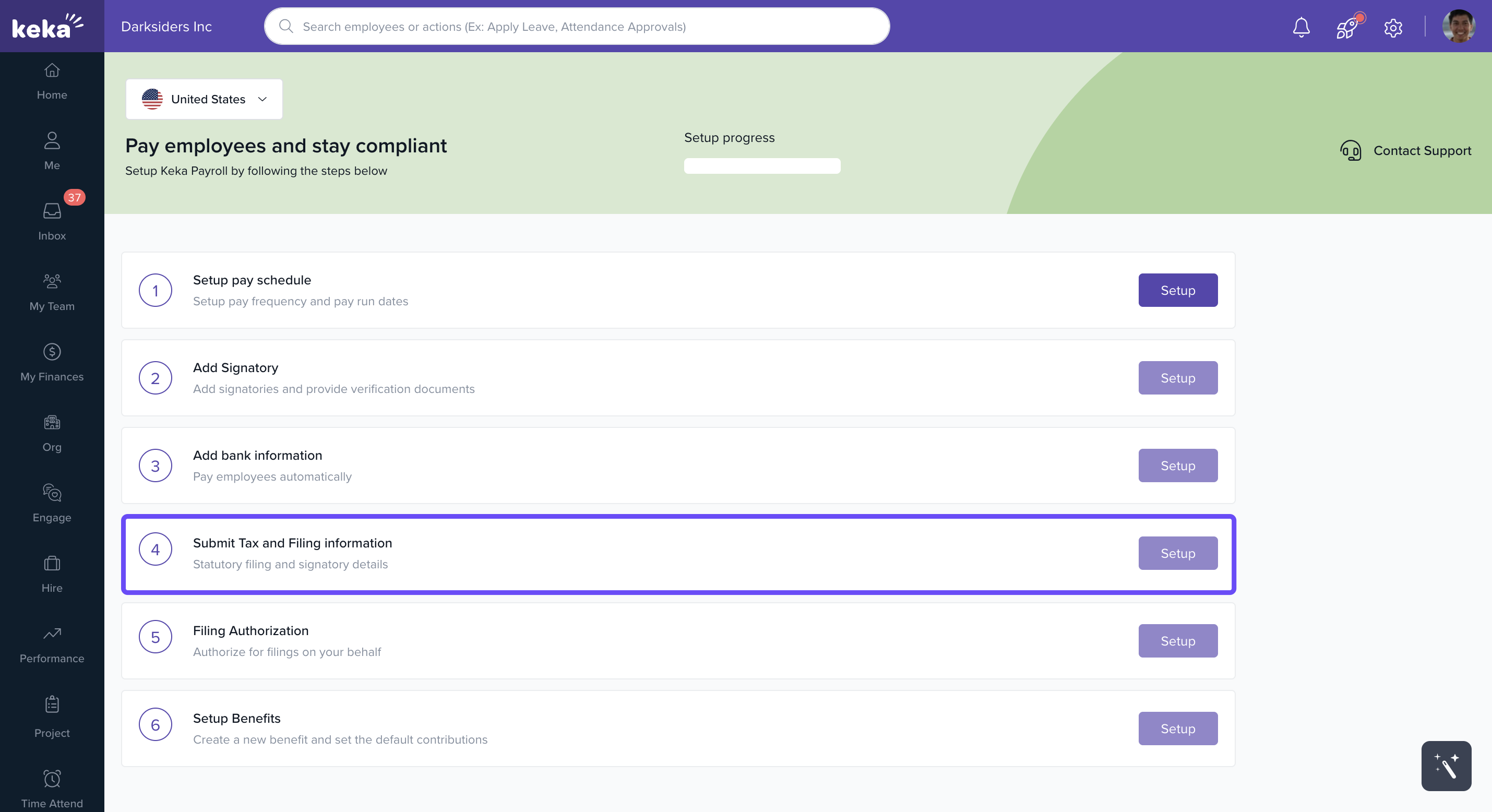
Accessing Tax Filing Section
To manage tax filing details later:
Go to the Payroll section.
Click Settings.
Select the Tax Filing tab.
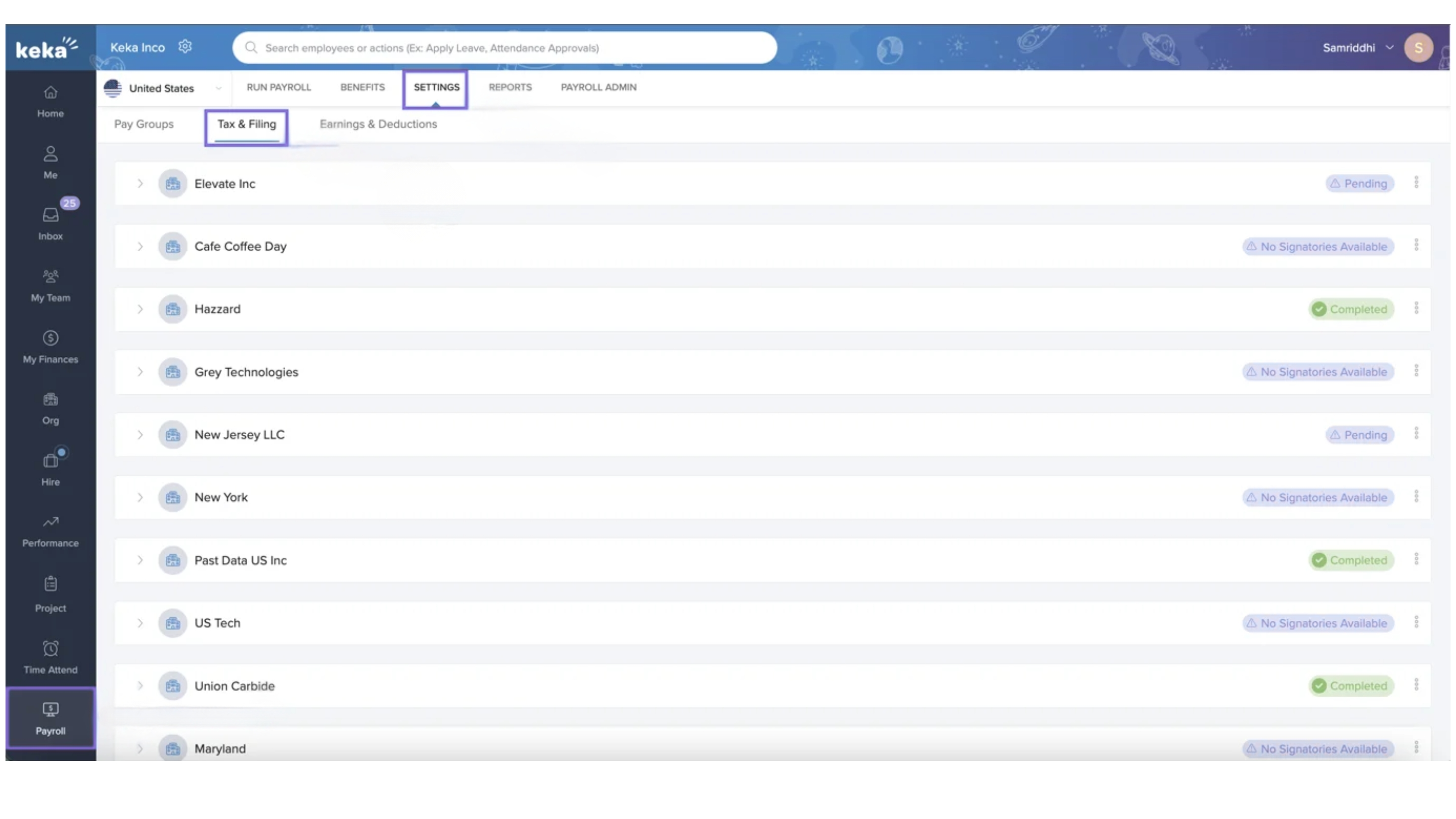
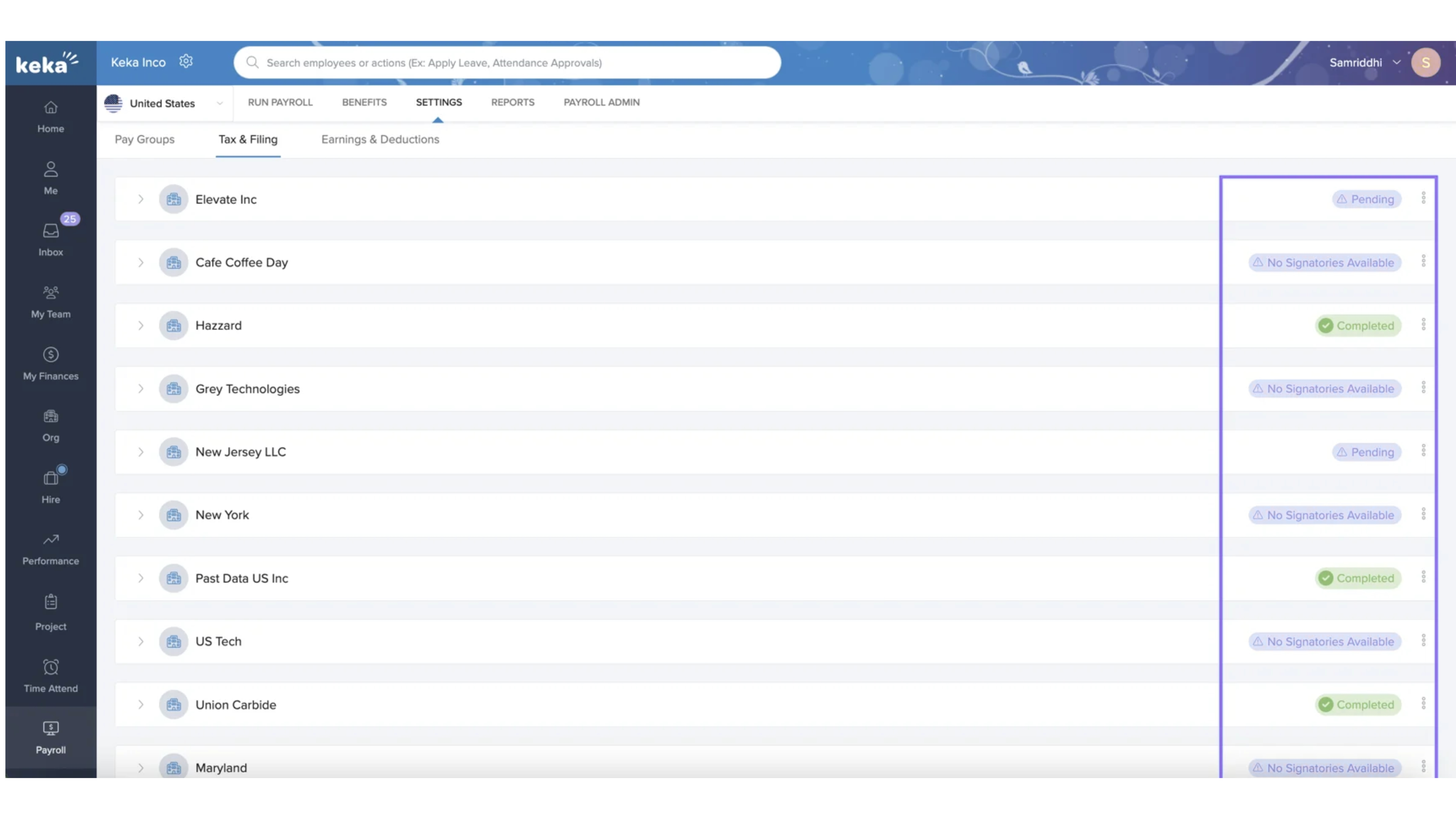
- Each legal entity has its own section here. Expand the section to view and manage its tax setup and filing status.

Important: If you add a new location and assign an employee to it, you must complete the tax setup for that location before running payroll.
Viewing and Updating Tax Setup
After expanding a legal entity, you'll see the current tax setup status and whether filing authorization is complete.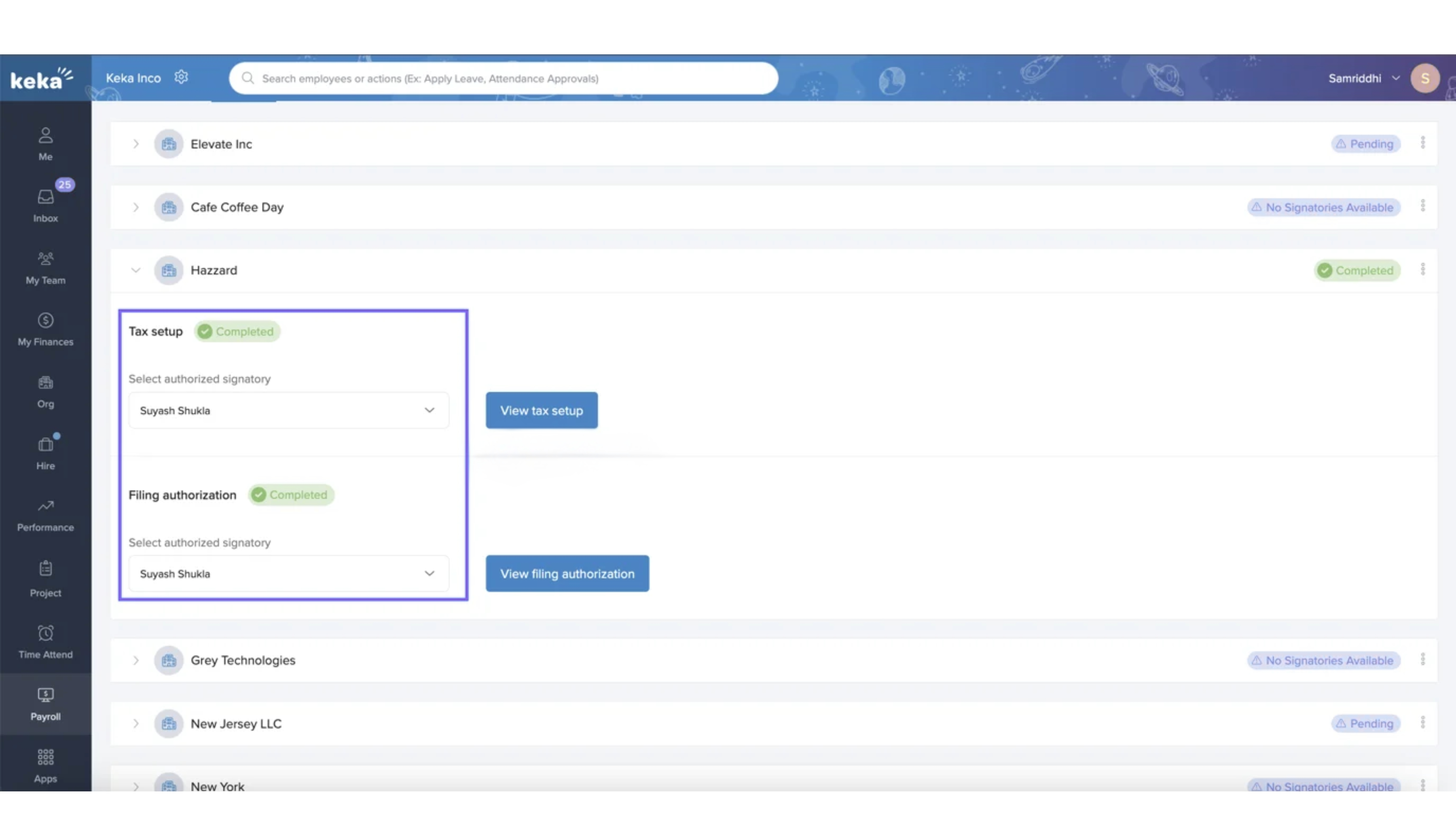
If any information is missing or pending (for example, forms not yet released by government agencies), the system will indicate what’s missing.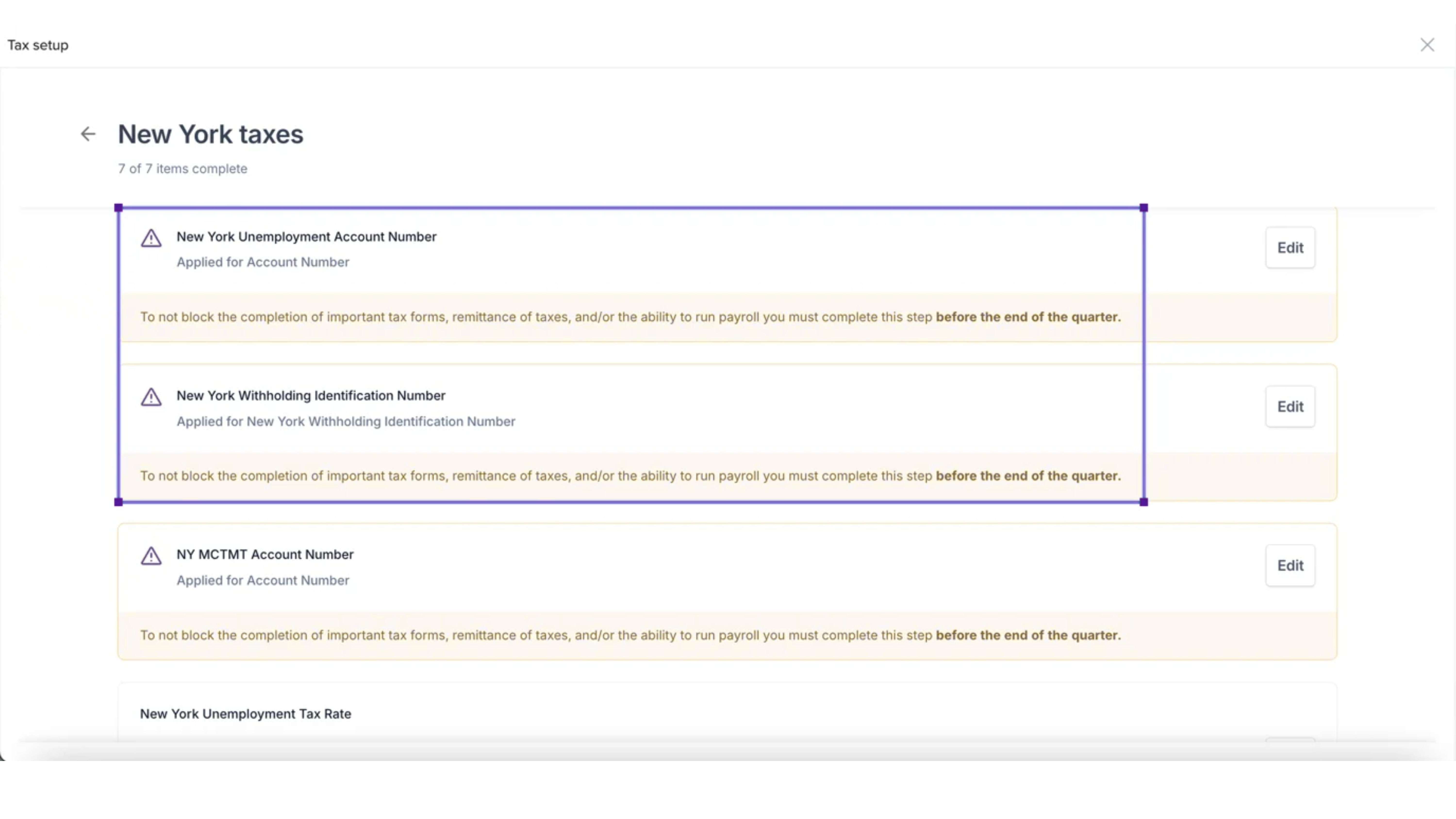
Tip: Complete all pending updates as soon as possible—ideally before the end of the quarter—to ensure accurate tax withholdings.
Completing Tax Setup
If the tax setup is incomplete:
Click View Tax Setup.
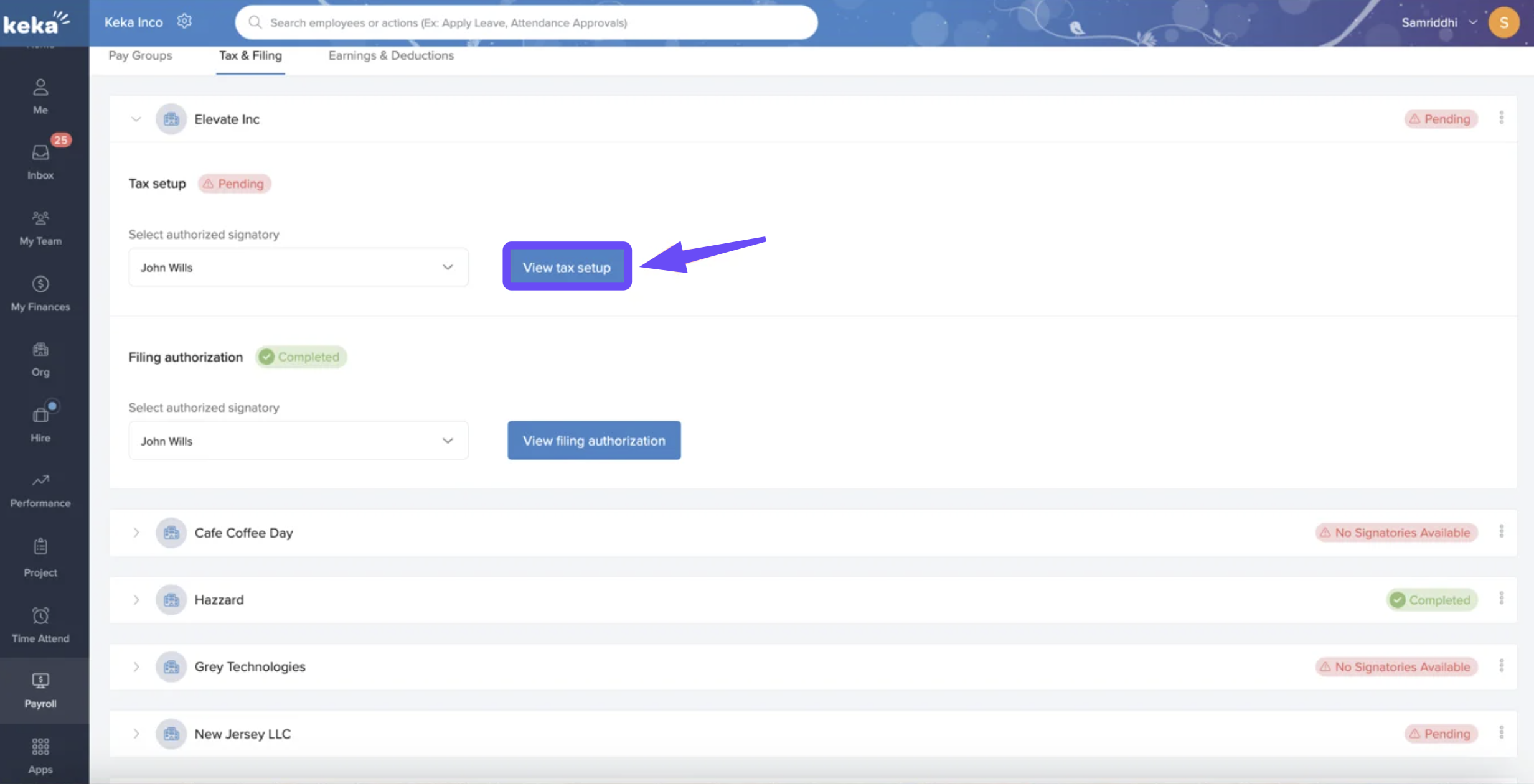
Review the required state and federal tax details.
Click Edit to update any section.
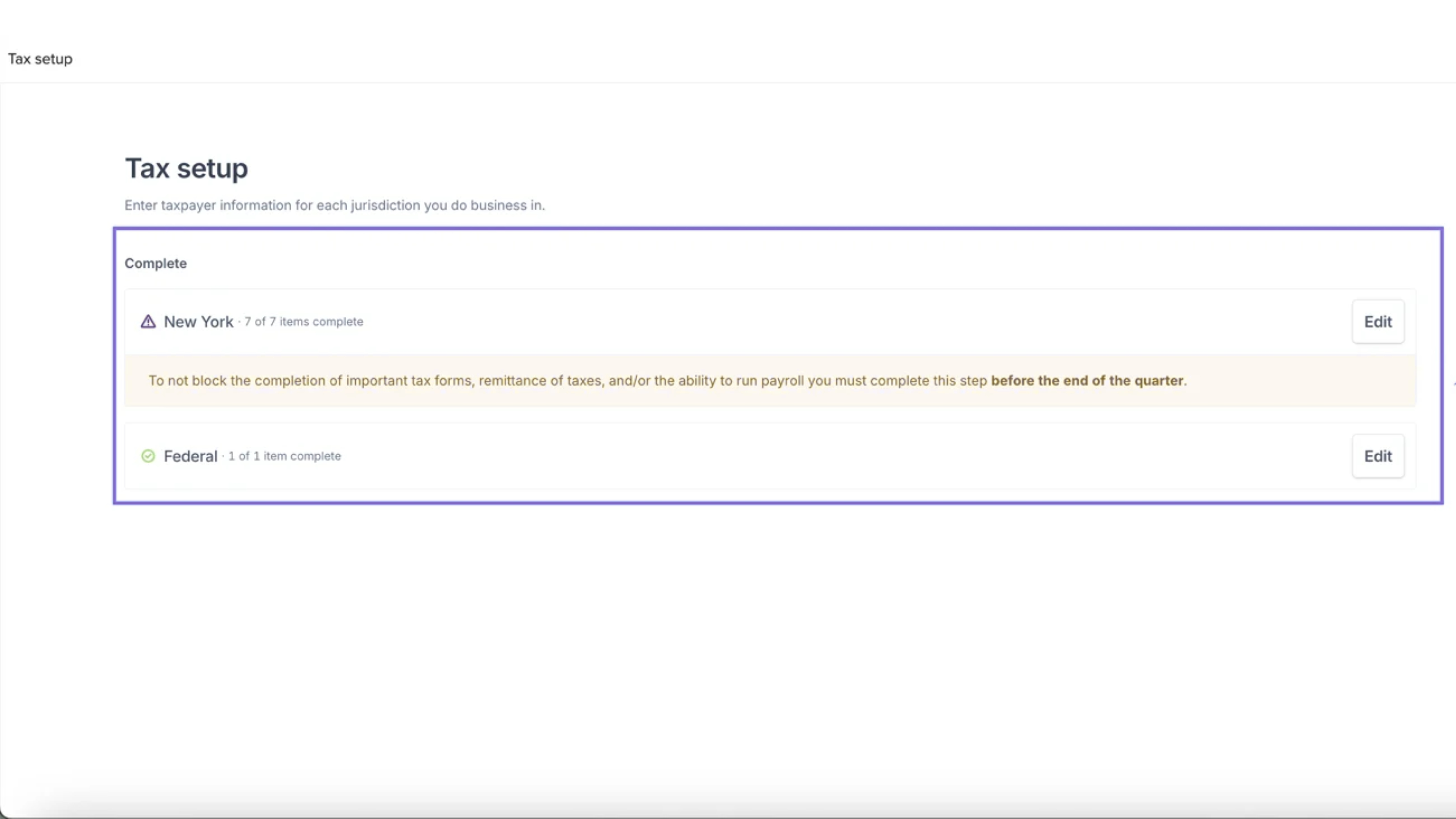
You may need to:
Enter or confirm account numbers
Upload supporting documents
Fill out required forms
After entering all necessary info, click Save. The status will update to Completed..gif?width=688&height=387&name=download%20(5).gif)
Authorizing Tax Filing
Once tax setup is complete, you’ll need to authorize filing:
Click to View Filing Authorization.
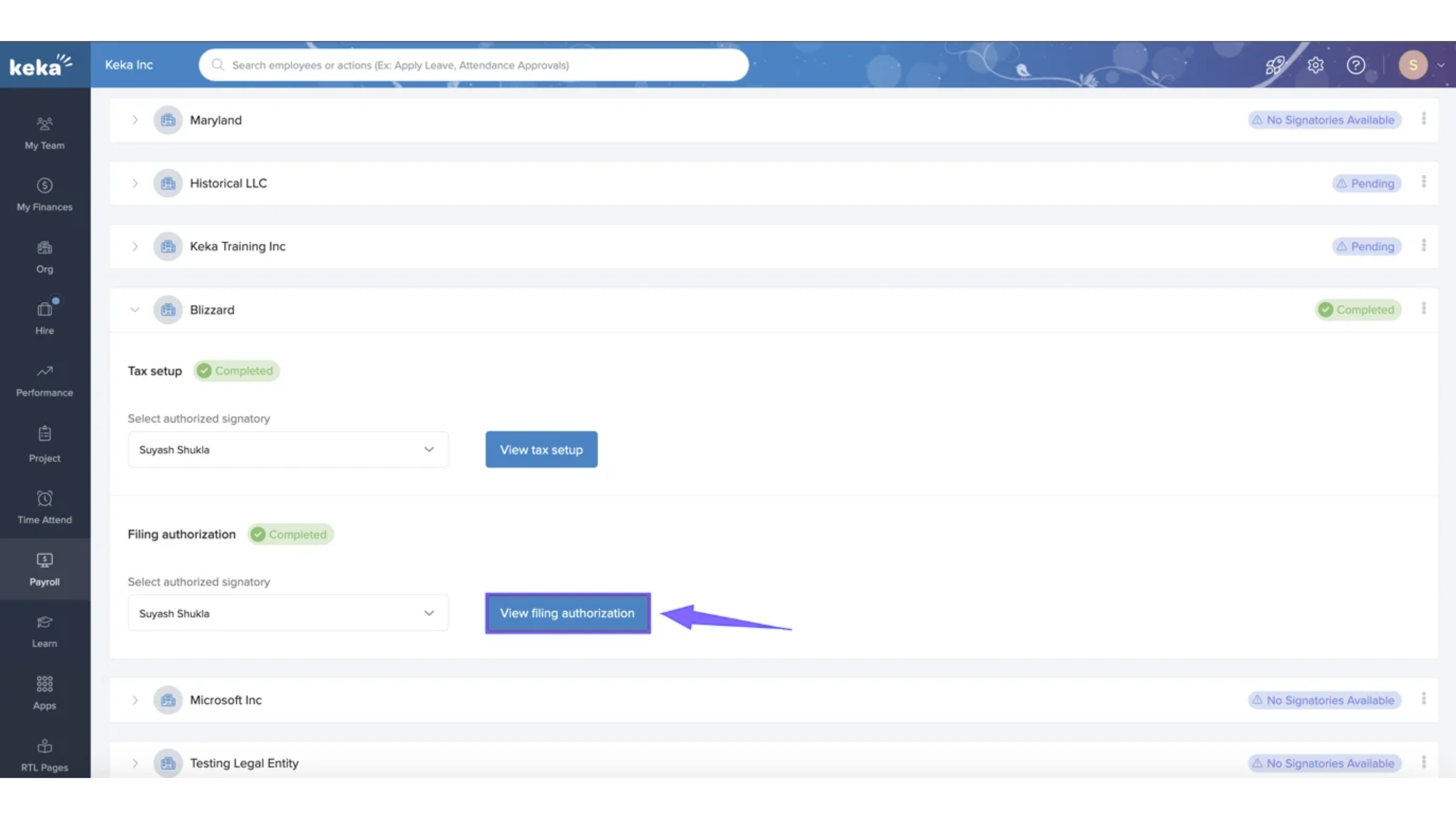
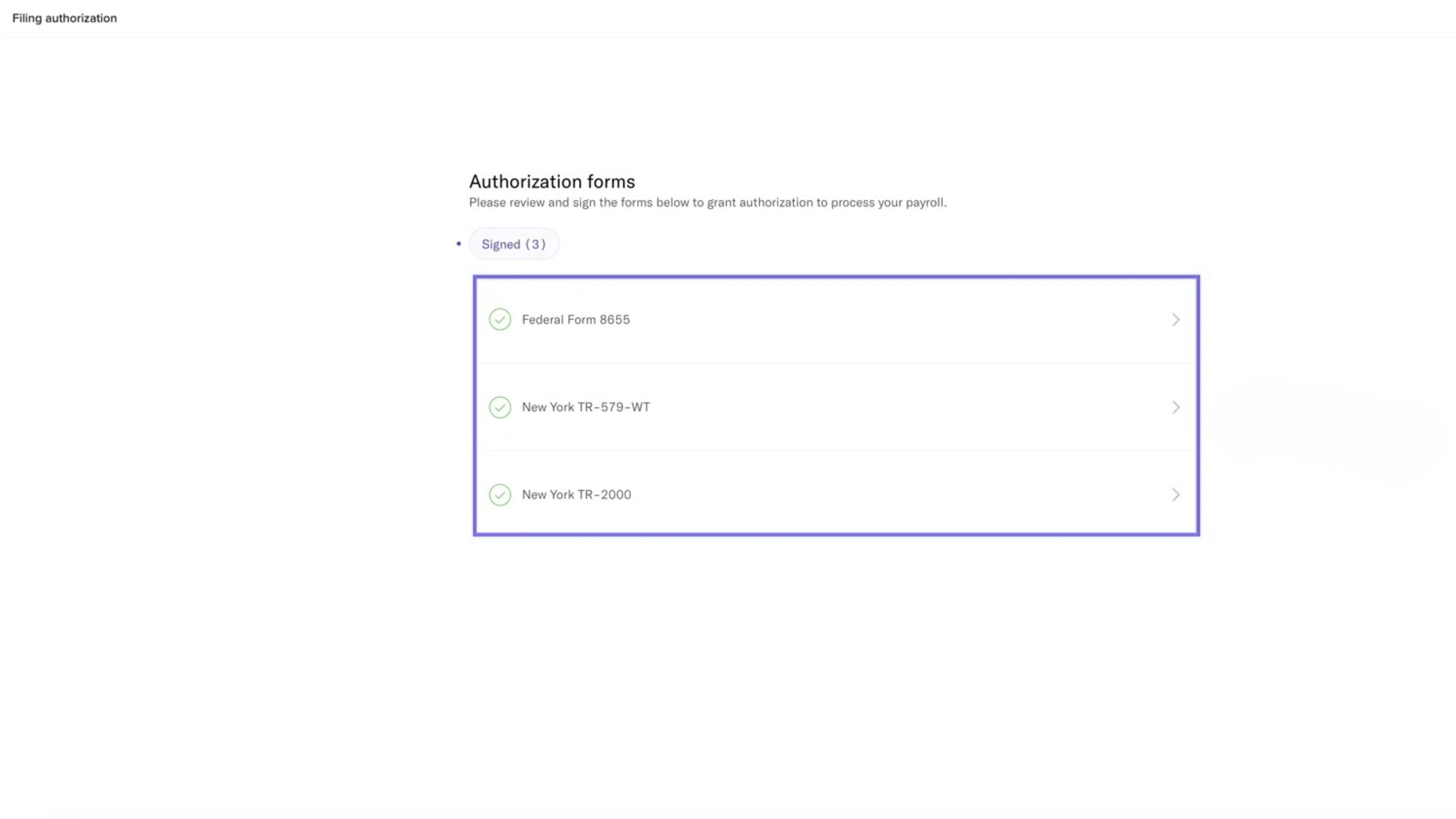
You’ll see a list of forms that need to be signed, based on your added locations.
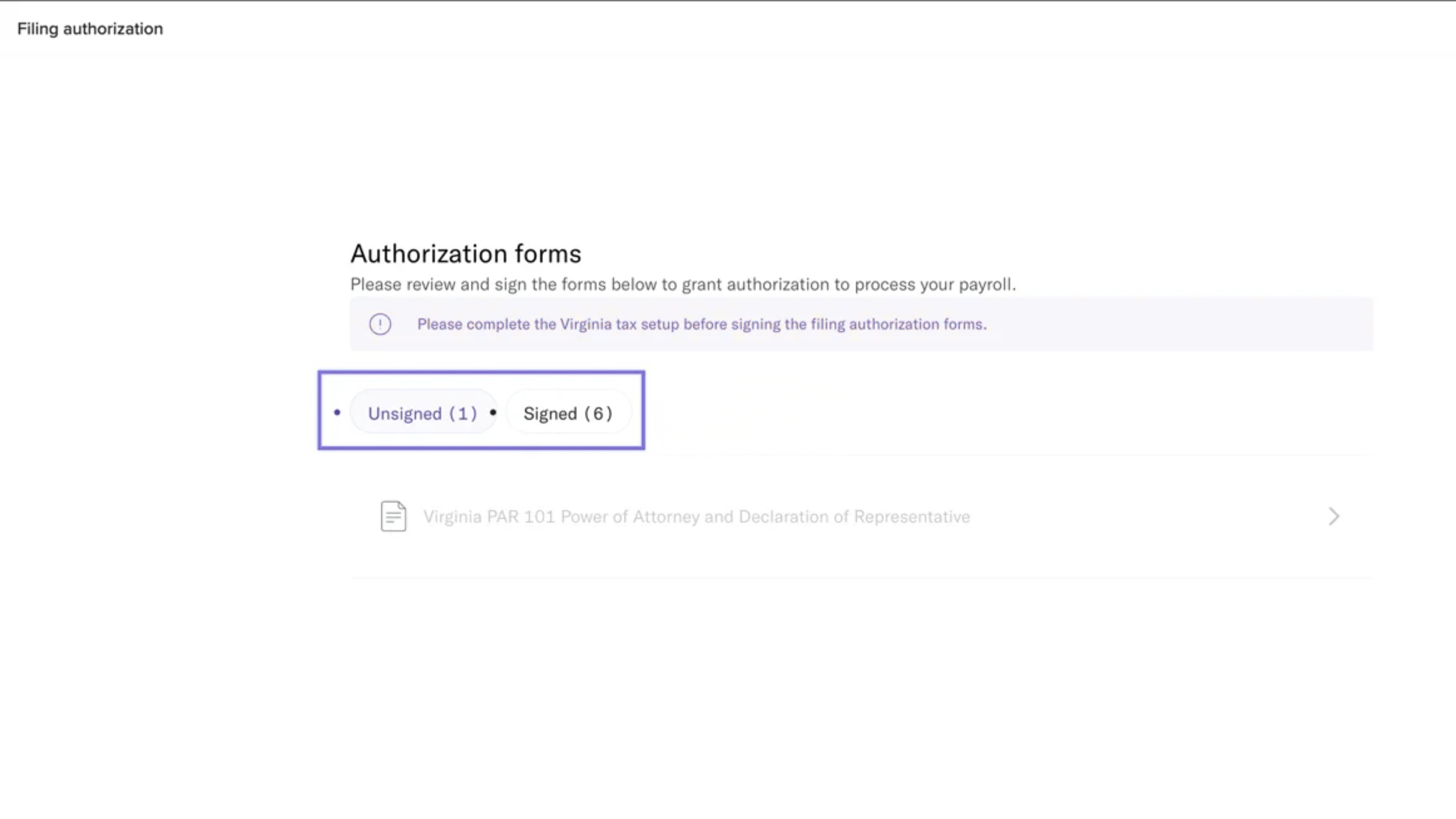
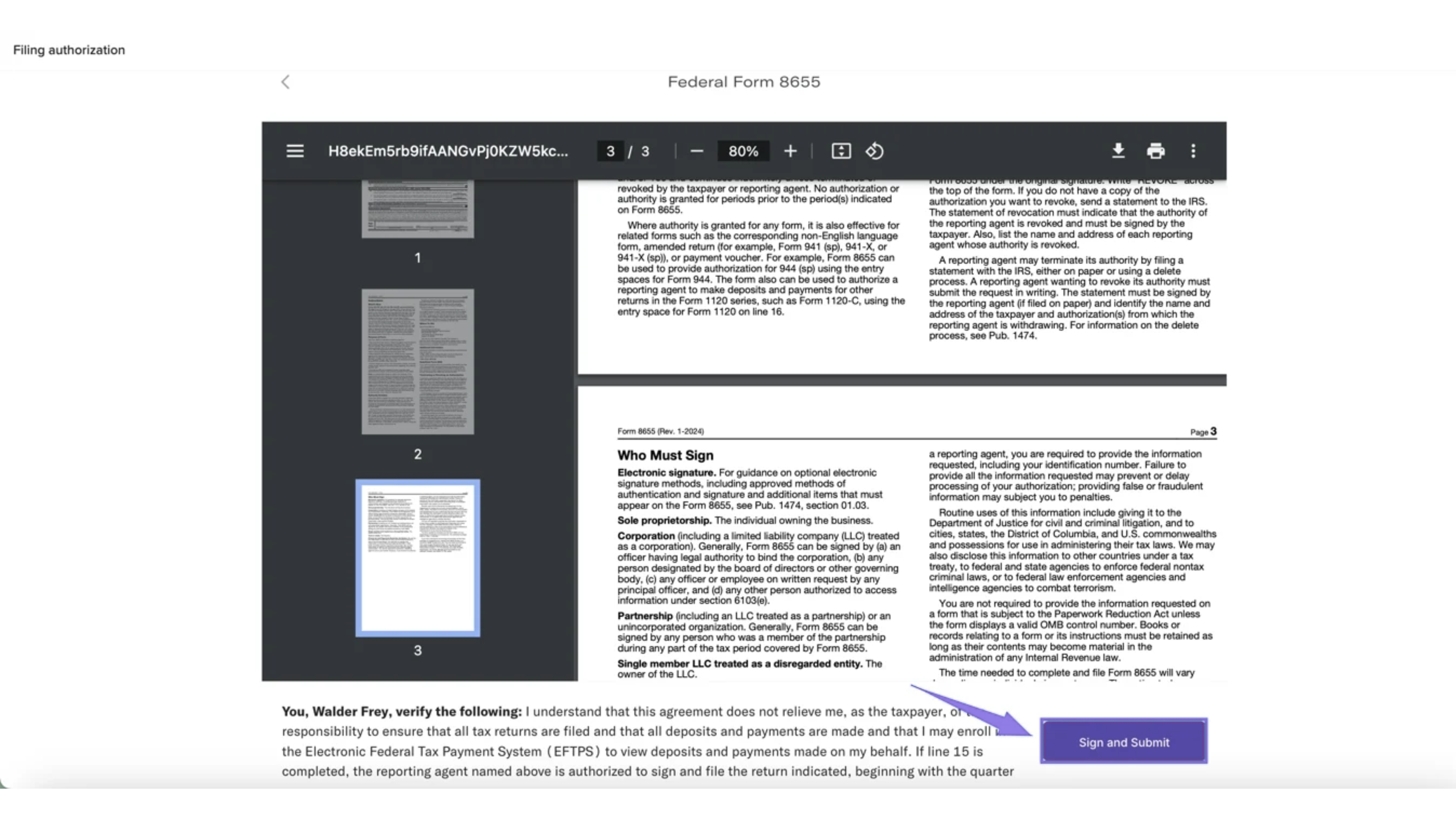
Select a form to sign.
On the signing page, click Sign and Submit. You’ll be asked to confirm agreement with the information provided.
After signing, you’ll see a list of all signed forms.
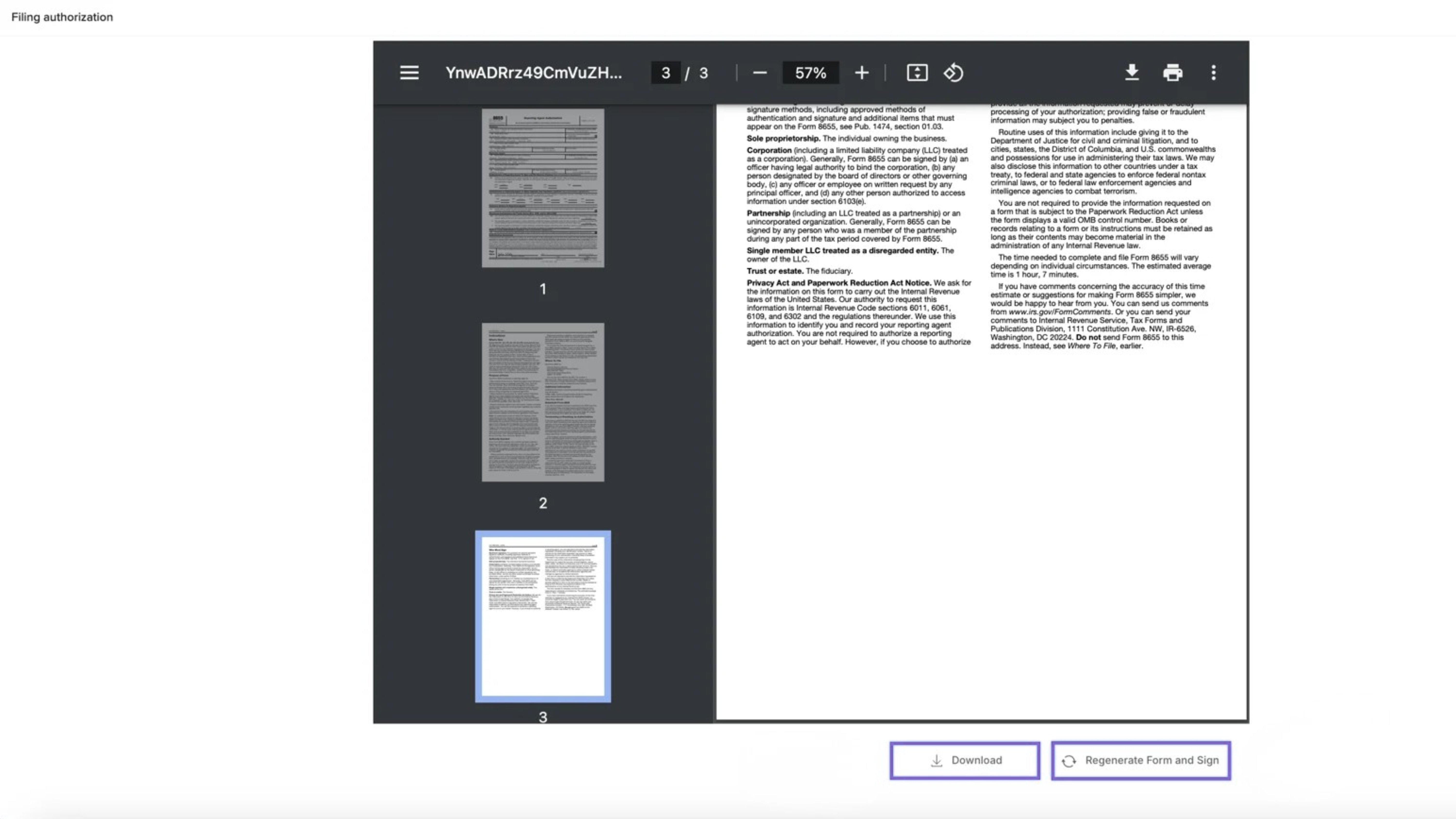
You can:
Download signed forms for your records
Regenerate and re-sign a form if needed
Ongoing Management
- You can revisit this section anytime to update tax details for any legal entity. This is crucial for maintaining compliance and ensuring smooth payroll processing.
- The Tax Filing section provides a clear view of the status for each entity, helping you track which entities have completed their tax setup and which ones still require attention.
Comments
0 comments
Please sign in to leave a comment.