Overview
The new Retainer Billing Model in Keka PSA automates invoicing by billing clients a fixed amount on a regular schedule. This eliminates the dependency on timesheets or milestones, streamlining payroll processing and improving consistency in billing. With automatic invoice entries and the flexibility to adjust billing details before finalization, the system ensures both control and convenience.
Who can do this?
- PSA Admins
- Project Managers with billing rights
- Finance Teams involved in invoicing
Pre-requisites
- Subscription to PSA Advanced Plan or higher
- A new project with billing enabled
- Custom fields configured during project setup
- Retainer billing model selected at project creation
Creating a new project with Retainer billing
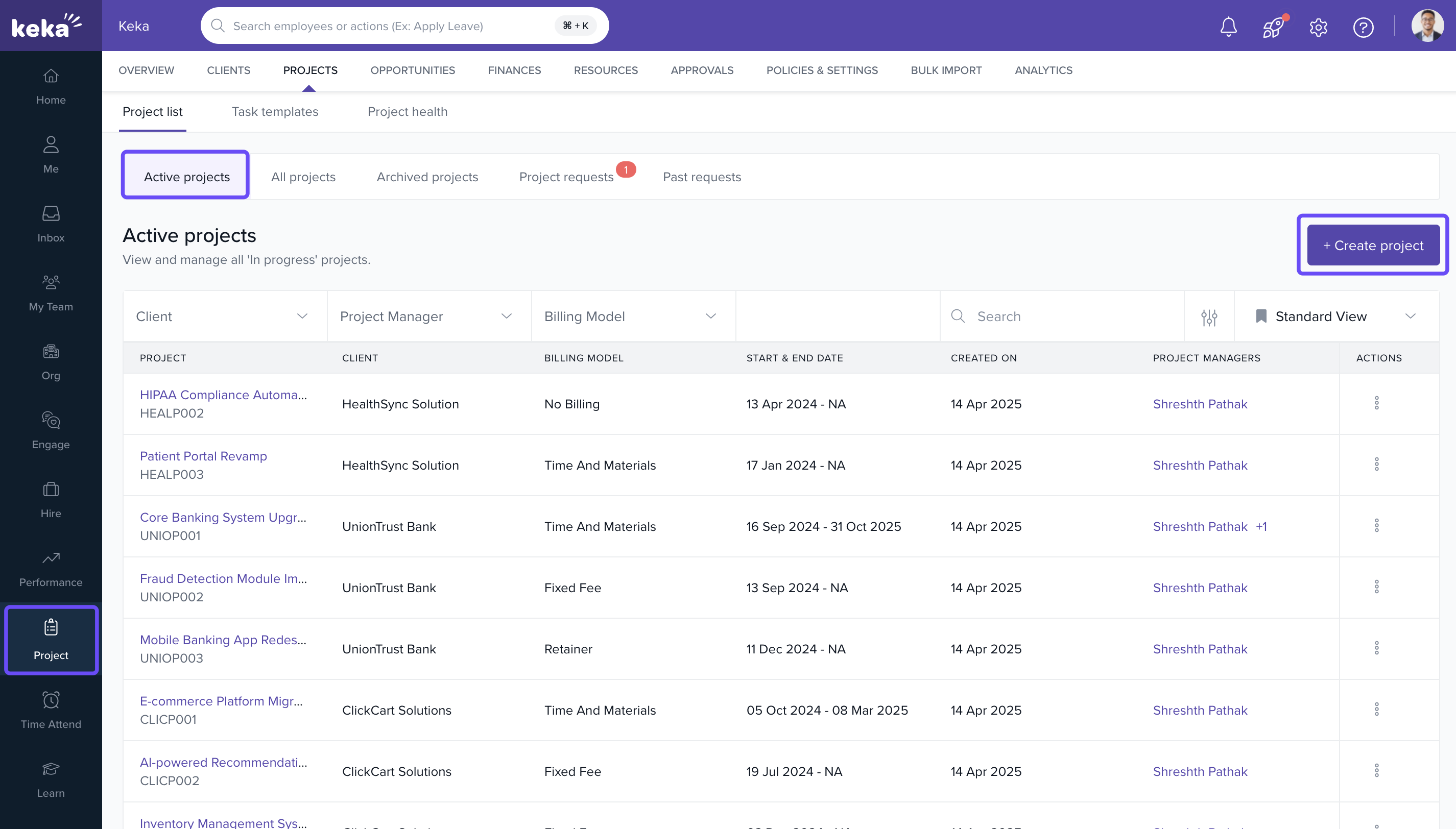
- Navigate to Projects >> Project List
- Click +Create Project under the Active Projects tab
-
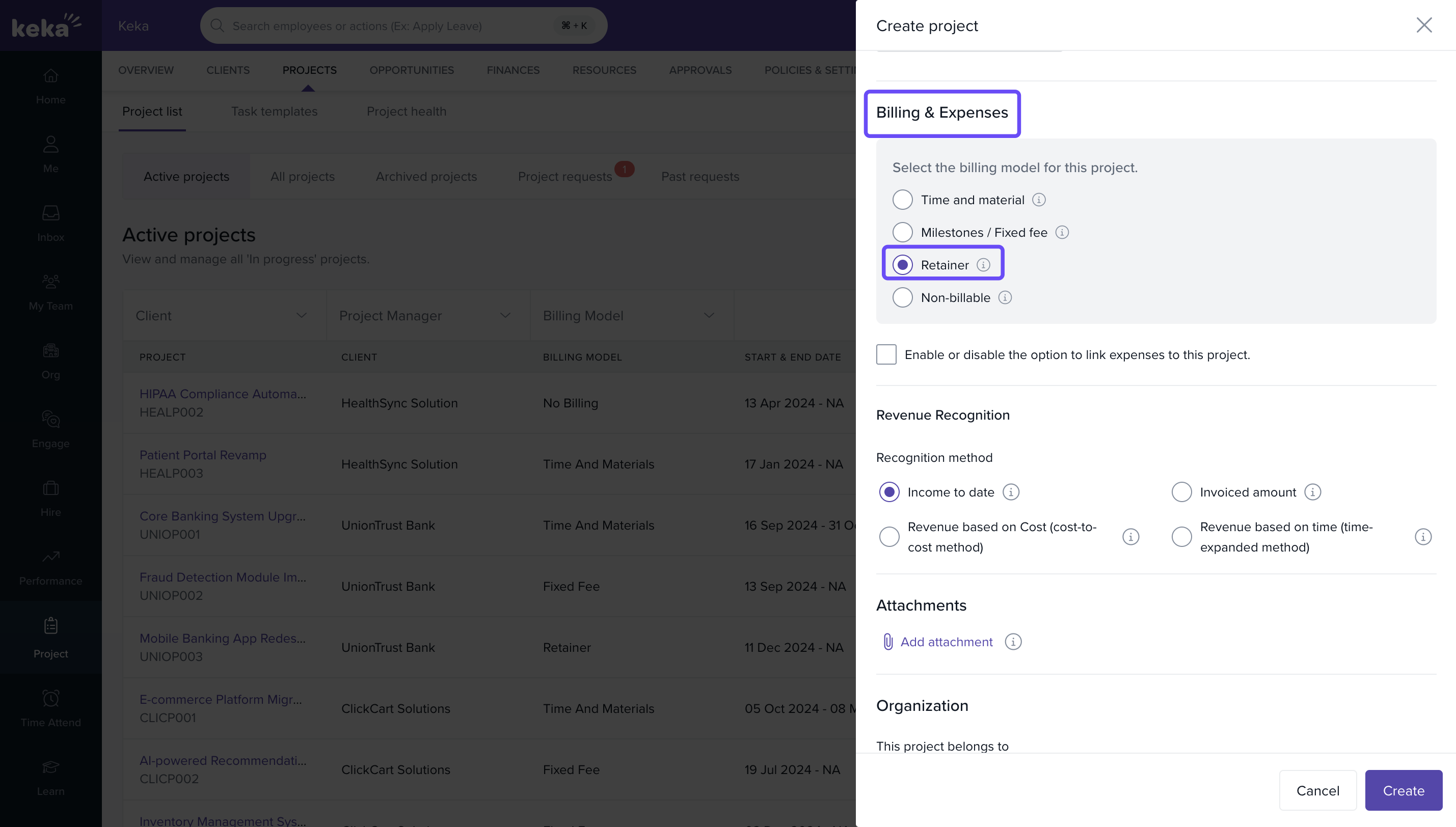
In the Billing & Expenses section:
- Toggle Billing to ON
- Choose Retainer as the billing model
- Complete any required custom fields and click Create
- For full guidance, see: Configuring your new project
Configuring retainer billing details
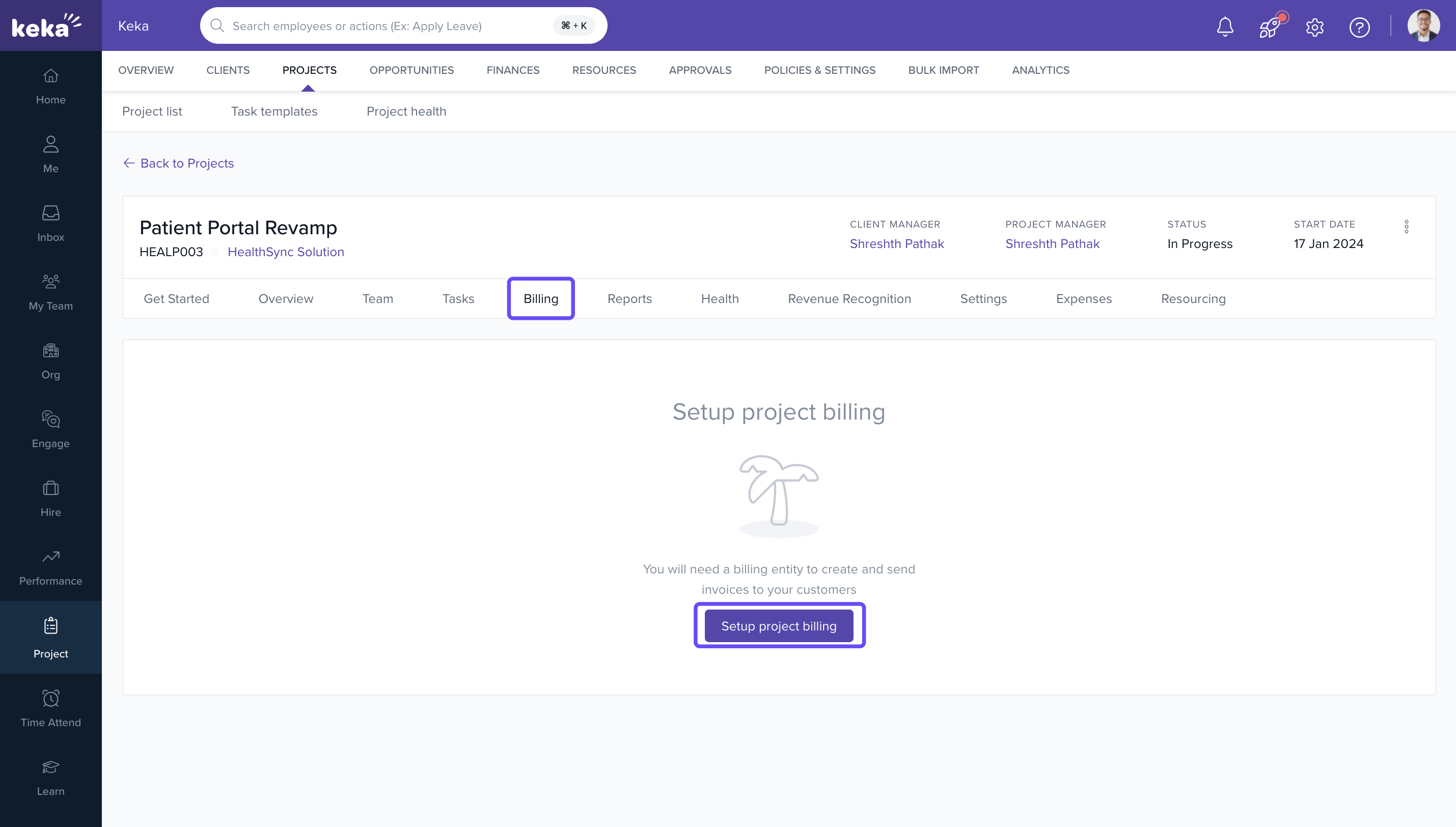
- Open the newly created project
- Navigate to Billing >> Setup Project Billing
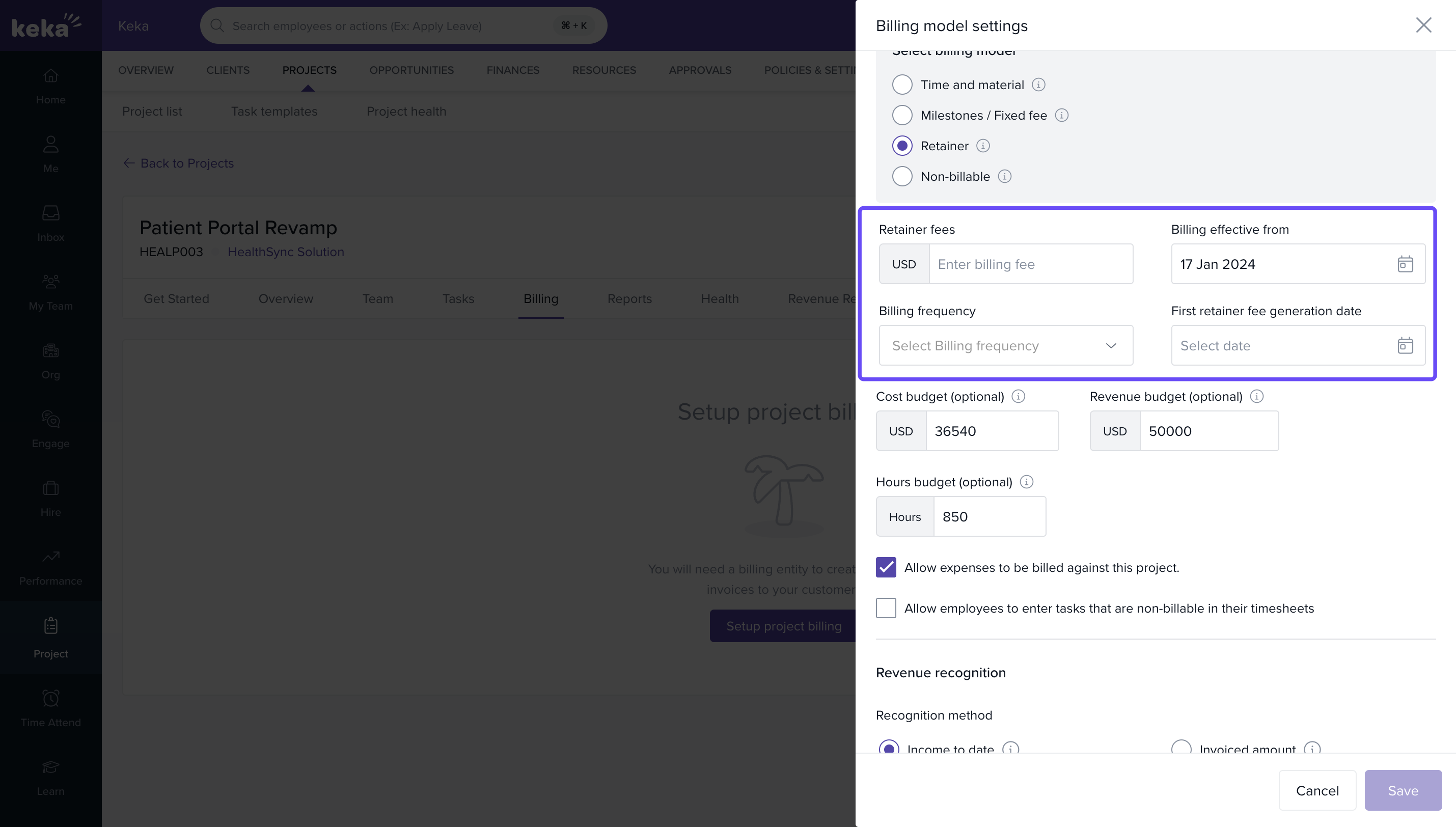
- Fill in the following:
- Retainer Fees: Fixed charge per billing period
- Billing Effective From: Start date of retainer cycle
- First Invoice Date: When the first invoice should be created
- Billing Frequency: Daily, Weekly, Bi-weekly, or Monthly
-
Note: On the invoice date, a retainer fee entry will be auto-generated in Unbilled Activity under Billing.
Generating invoices automatically
- On each invoice date:
- The system creates an entry for the retainer fee, similar to time-and-material entries
- Any linked project expenses will also appear for invoicing
- To finalize the invoice:
- Select the retainer fee entries
- Optionally adjust:
- Description
- Rate
- Add comments
- Click Continue, then Generate Invoice
- The retainer fees will appear clearly on the invoice, providing full transparency.
How it connects with other modules
| Module | Integration Details |
|---|---|
| Invoicing | Automates invoice entries on fixed billing cycles. |
| Expenses | Any project-linked expenses are included in invoices. |
| Payroll | Indirectly supports payroll consistency through automation. |
FAQs
Q: Can I use this with milestone or time-based billing?
A: No, Retainer must be selected at the time of project creation and cannot be switched later.
Q: Are retainer fees visible before invoicing?
A: Yes, they appear in Unbilled Activity from the first invoice date onward.
Q: Can the billing frequency be changed later?
A: Billing frequency can be edited via Billing Settings, but affects future invoices only.
Troubleshooting
Retainer invoices not generating?
- Verify the First Invoice Date and Billing Effective From values
- Confirm your plan supports Retainer billing
Retainer model not visible during project creation?
- Ensure your account is on PSA Advanced Plan or higher
Expenses missing from invoices?
- Confirm they are linked to the project and have been approved
Comments
0 comments
Please sign in to leave a comment.