Overview
The Retainer Billing Model in Keka PSA allows project managers to establish a predictable and streamlined invoicing cycle. Instead of tracking hours or task milestones, clients are billed a fixed amount at regular intervals. This model is ideal for long-term service contracts and promotes steady cash flow, increased efficiency, and enhanced client satisfaction.
Who can do this?
- PSA Admins
- Client managers
- Project Managers with billing configuration rights
Pre-requisites
- Must be subscribed to the PSA proPlan or higher
- Client must already be added to Keka PSA
- Project should be set up with basic details like manager, timeline, and code
Step by Step instructions
Create a new project
- Navigate to Projects >> Project List
- Click on +Create Project under the Active Projects tab
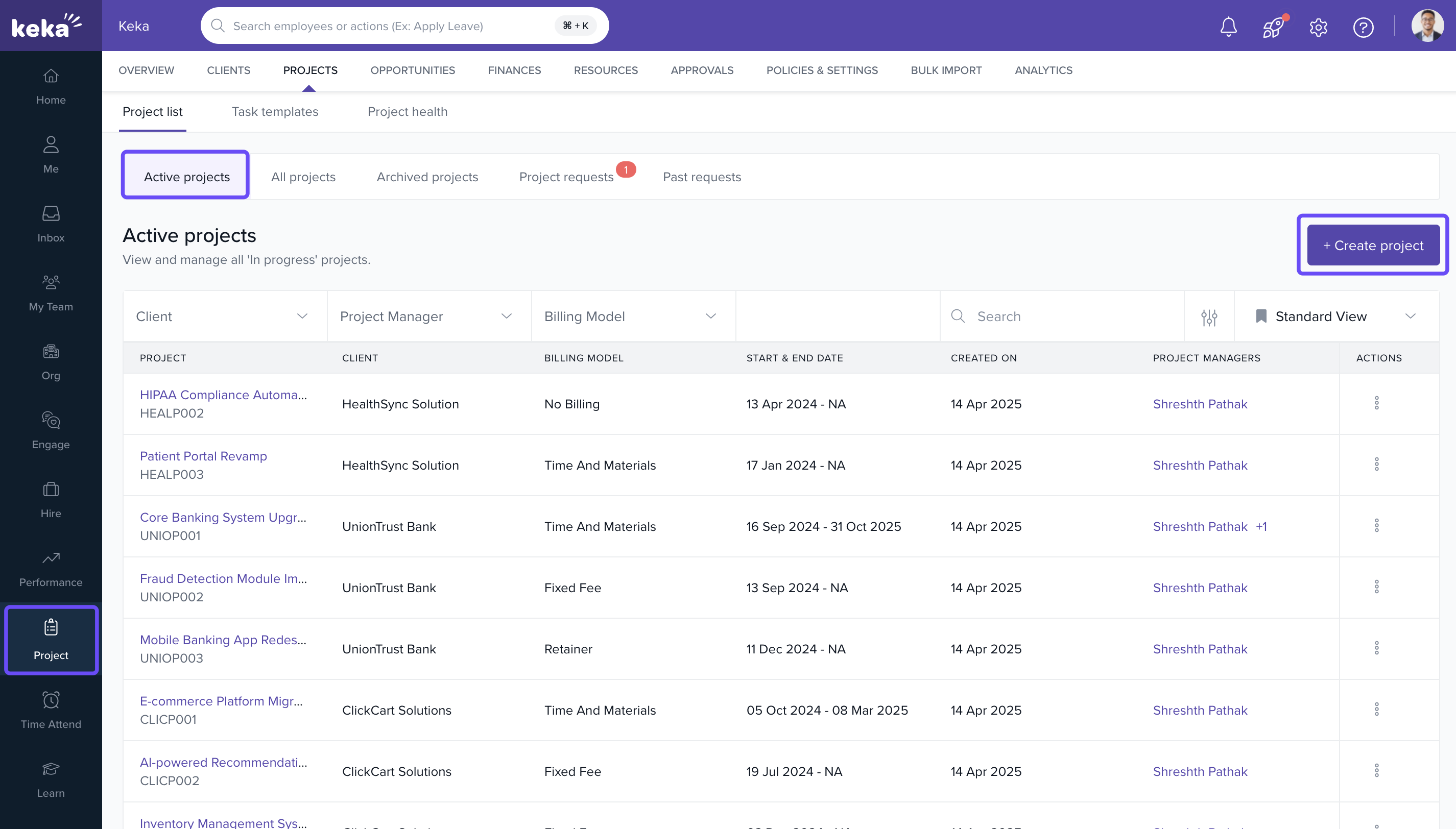
Select Retainer billing option
In the Billing & Expenses section of the Create Project screen Select the Retainer billing model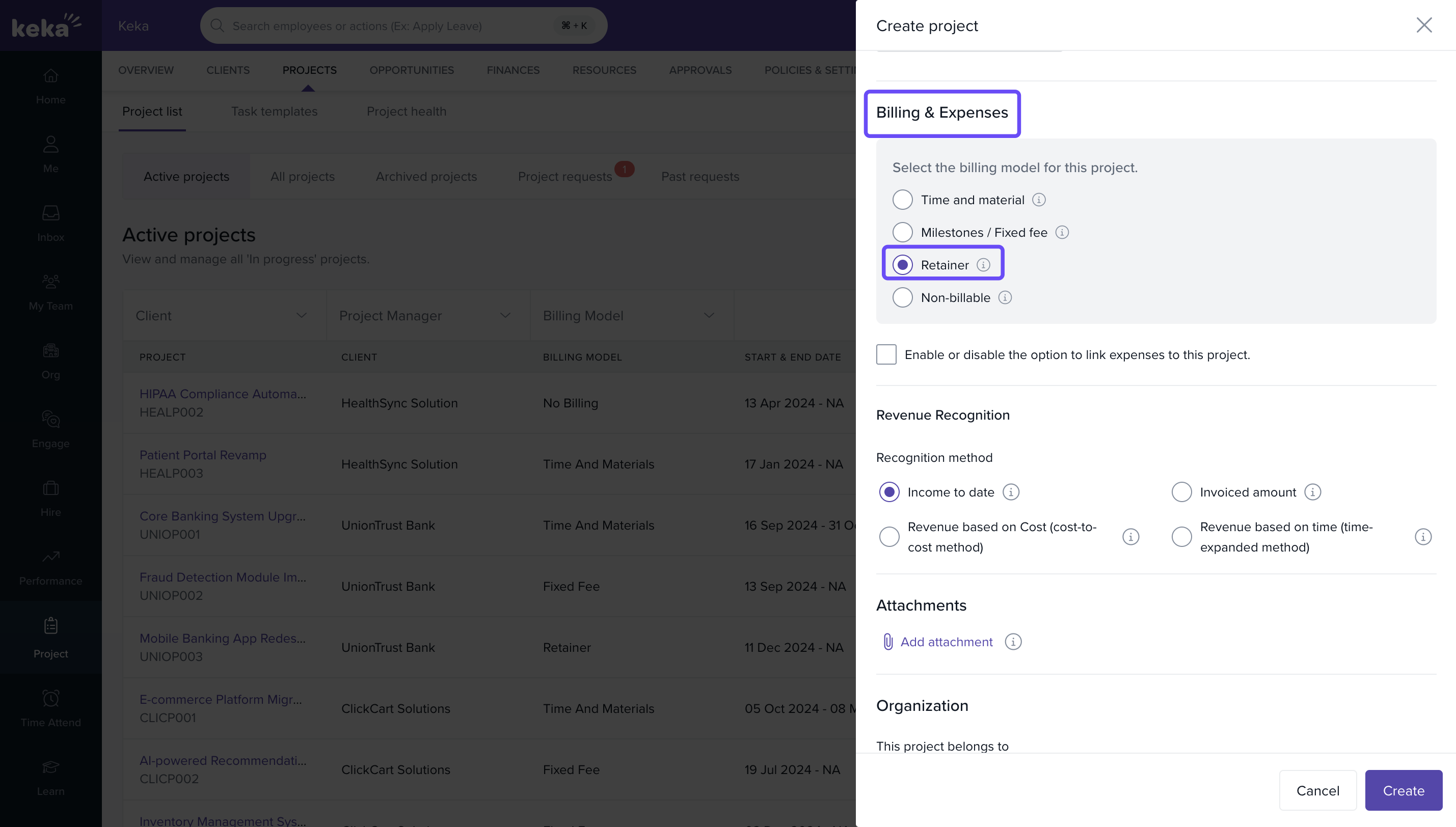
Note: This step ensures the project is set up with recurring fixed invoicing, regardless of logged hours.
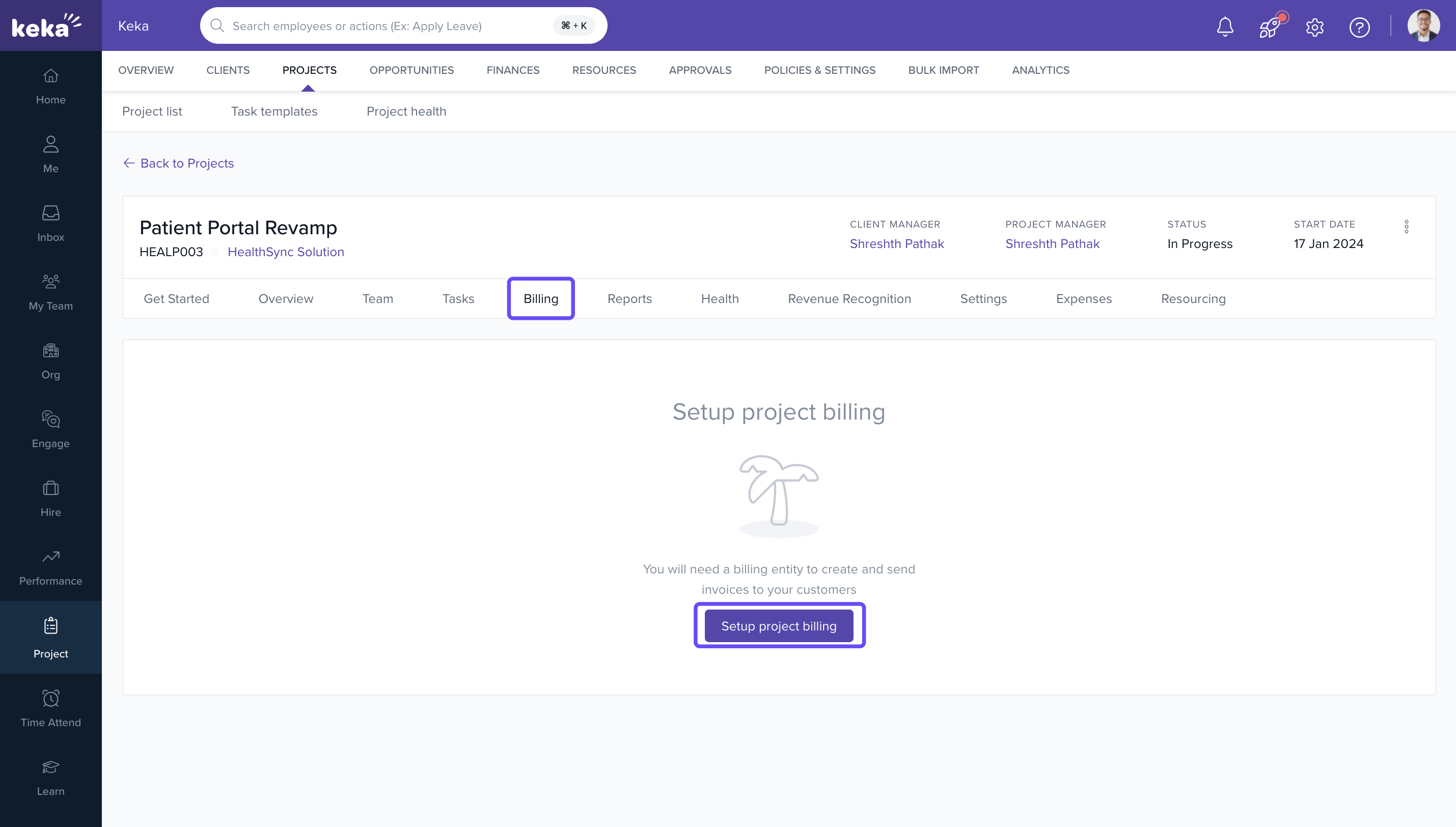
Access the project and open billing settings
- Go to the Project List and click on the newly created project
- Navigate to the Billing tab
- Click on Billing Settings
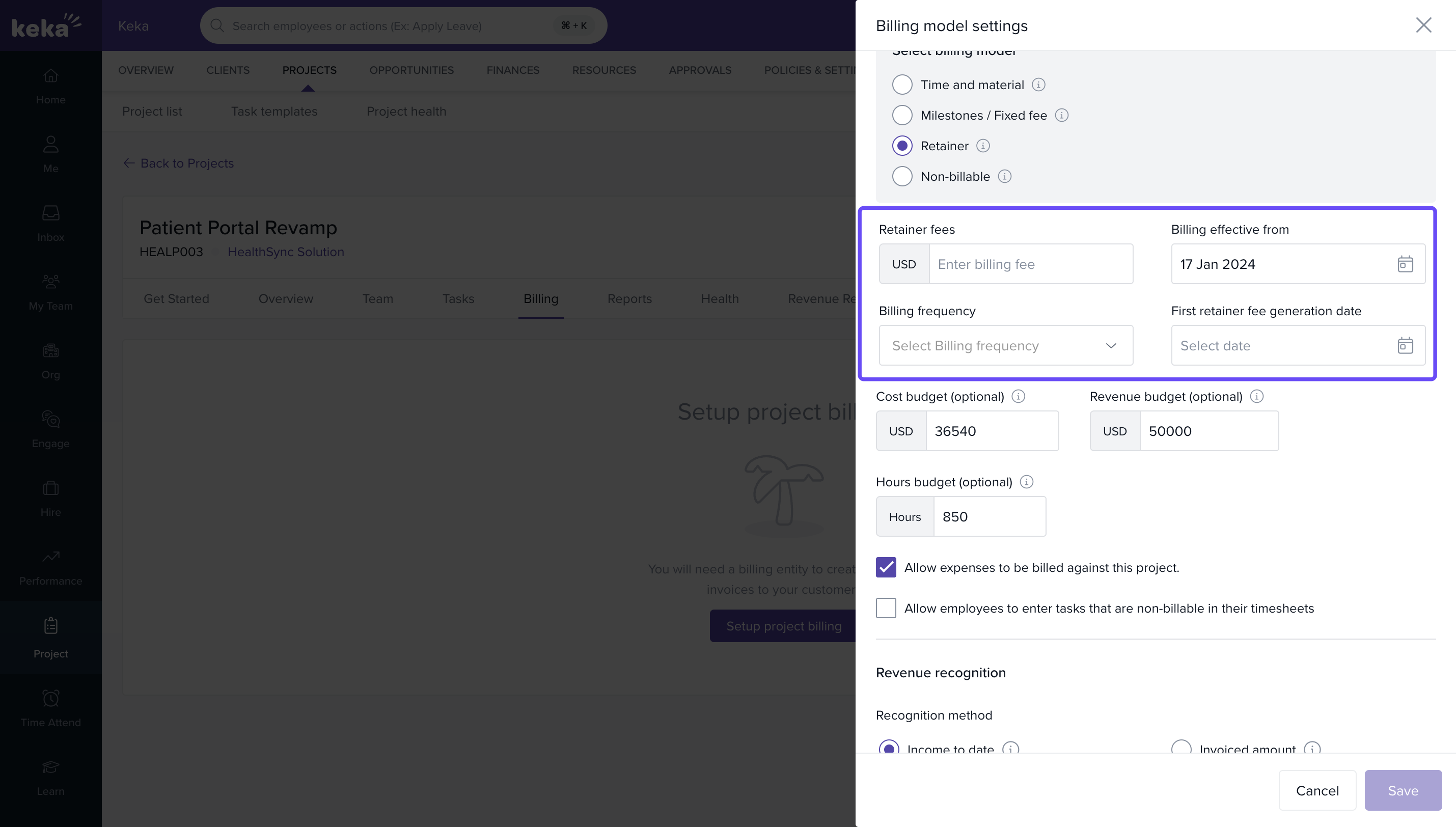
Update billing model settings
In the Update Billing Model Settings screen:
- Specify details such as retainer amount, billing frequency (e.g., monthly), and invoice start date
- Save the changes to apply the retainer model
Verify the billing summary
- Go to the Billing >> Summary tab in the project
- Review the retainer billing configuration for accuracy and ensure it reflects the intended terms
How it connects with other modules
| Module | Integration Details |
|---|---|
| Finance | Retainer invoices sync with financial reports and receivables. |
| Timesheets | Not required for retainer billing but can still be used for performance tracking. |
| Invoicing | Generates fixed recurring invoices independent of timesheet entries. |
FAQs
Q: Can I switch a project from Time-Based to Retainer Billing?
A: No, the billing model must be selected during project creation and can be changed as long as invoices or charges do not exist
Q: Does the Retainer model require tracking task hours?
A: No, it eliminates the need for hourly or milestone-based tracking for billing purposes.
Q: What happens if my PSA plan doesn't support Retainer Billing?
A: The ability to select retainer is available in base plan as well, invoicing will be accessible only for pro and higher plans
Q: Can I change the retainer settings after saving them?
A: Settings can be changes as long as no invoices or charges are generated.
Troubleshooting
Retainer option not visible during project creation?
- Check if your Keka account is on the PSA Advanced Plan or above.
Billing summary not updating?
- Recheck if billing settings were saved properly in the Billing Settings section.
Invoicing not generating correctly?
- Ensure a valid start date and amount are configured in the retainer setup.
Comments
0 comments
Please sign in to leave a comment.