Introduction
Keka now supports uneven leave accruals, giving organizations greater control over how leave is distributed throughout the year. This is especially helpful for industries like retail, hospitality, or agriculture, where workforce needs vary by season.
With this feature, you can set different leave accrual rates for each period—monthly, quarterly, or custom—based on your operational requirements. You can even set zero accruals for certain months.
Configuration
-
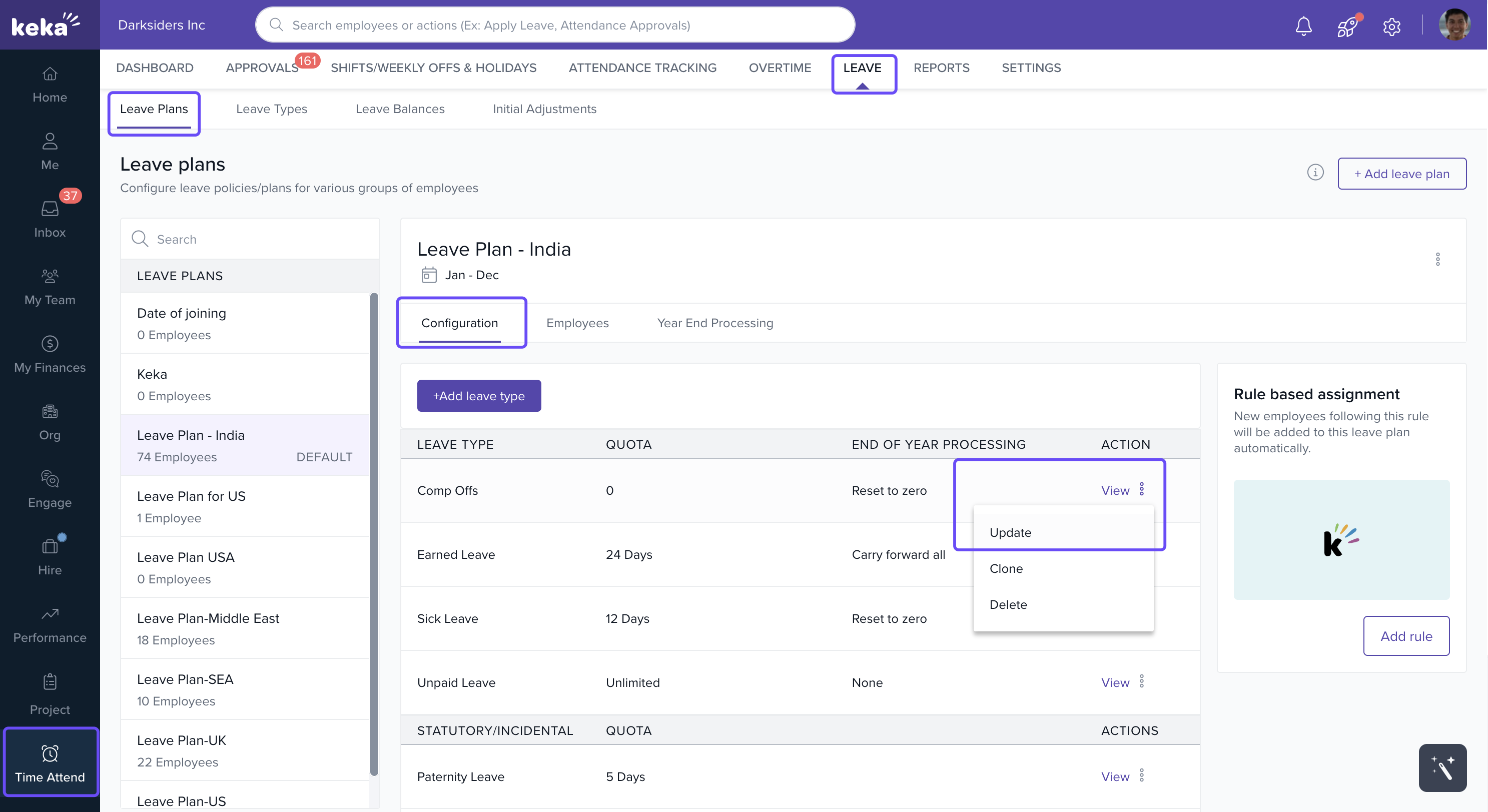
Go to the Time and Attendance section.
-
Click the Leave tab.
-
Select Leave Plans and choose the specific leave type you want to modify and click Setup/Update.
-
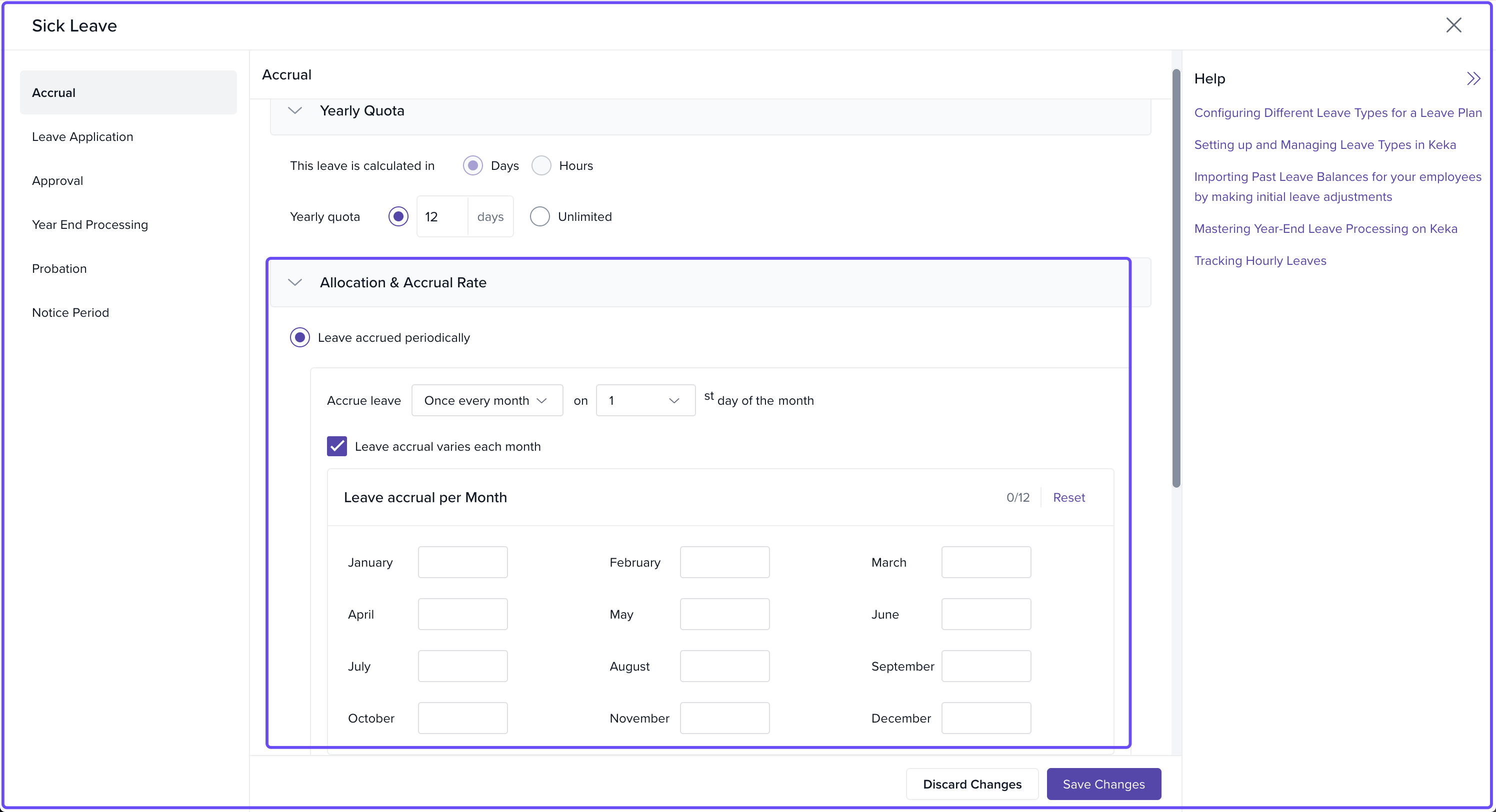
In the leave plan Settings, scroll to the Accrual section.
-
Under Yearly Quota, select Leave is calculated in Days and enter the annual quota.
-
In the Allocation & Accrual Rate section:
-
Choose Leave accrued periodically
-
Check the box for Leave accrual varies each month
-
-
A table will appear based on your chosen frequency (e.g., 12 boxes for monthly accrual).
-
Enter the number of leave days to accrue in each box. You can leave any month at zero.
-
Click Save changes to apply the configuration.
Options & Variants
-
Accrual frequency: You can choose how often leave accrues—monthly, quarterly, etc.
-
Flexible entries: Assign different values to each period. Set zero accrual for months where no leave should be credited.
Important
Incompatible Settings: Uneven accruals cannot be used with:
Proration on joining (complete setting)
Proration on exit (date range is removed)
Tenure-based accruals
Leave Calendar Start Date: Uneven accrual does not work if your leave calendar starts from the employee’s joining date.
Potential Anomaly: In rare cases, accrued leave may exceed the prorated quota.
Example: If the annual quota is 12 days and all of it is accrued in September (with 0 accrual in other months), an employee who joins in August might still get 12 days in September, even though their prorated quota is only 8. This can cause a temporary mismatch.
Comments
0 comments
Please sign in to leave a comment.