Punctuality reports in Keka provide detailed insights into employee attendance patterns. They highlight late arrivals, early departures, and overtime trends so managers can address issues proactively and improve workforce efficiency.
These reports make it easier to track attendance, identify patterns, and ensure employees maintain timely performance.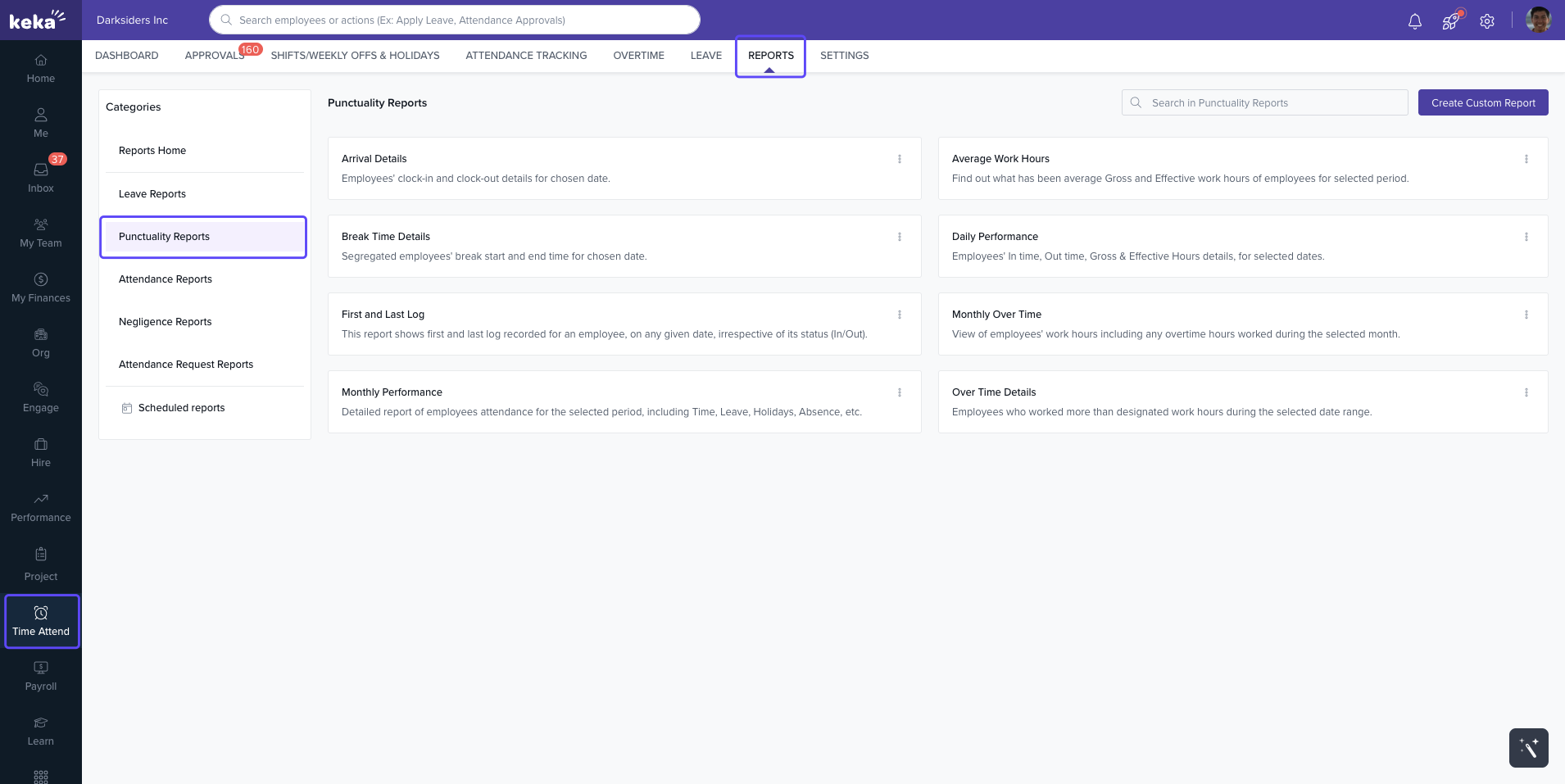
Types of Punctuality Reports
Here are the different punctuality reports you can generate in Keka:
Arrival Details
Shows employee clock-in and clock-out times for a chosen date.
Break Time Details
Displays start and end times of breaks for each employee on a given date.
Average Work Hours
Calculates average gross and effective work hours for employees over a selected period.
Daily Performance
Provides day-wise attendance details, including In Time, Out Time, Gross Hours, and Effective Hours.
Monthly Performance
Offers a month-wise attendance report, covering Time, Leave, Holidays, and Absences.
Over Time Details
Lists employees who worked beyond designated hours on a daily basis.
Monthly Over Time
Summarizes overtime worked by employees over the selected month.
First and Last Log
Shows the first and last log recorded for an employee on any date, regardless of whether it was an In or Out log.
Biometric Attendance Logs (Support Login Required)
Displays biometric device access logs for employees.
Device Attendance Sync Logs (Support Login Required)
Shows synced attendance records between devices and the system.
Comments
0 comments
Please sign in to leave a comment.