Overview
Keka PSA's Shadow Resource feature lets project managers assign a junior resource to assist a senior team member. This ensures better task distribution and allows senior resources to focus on critical work, enhancing productivity and project outcomes.
Who Can Do This?
Pre-requisites
- The shadow resource must already be added to the project team
- You must have edit access to the Team tab within the project
- The primary resource must be assigned to the project
Step-by-Step Instructions
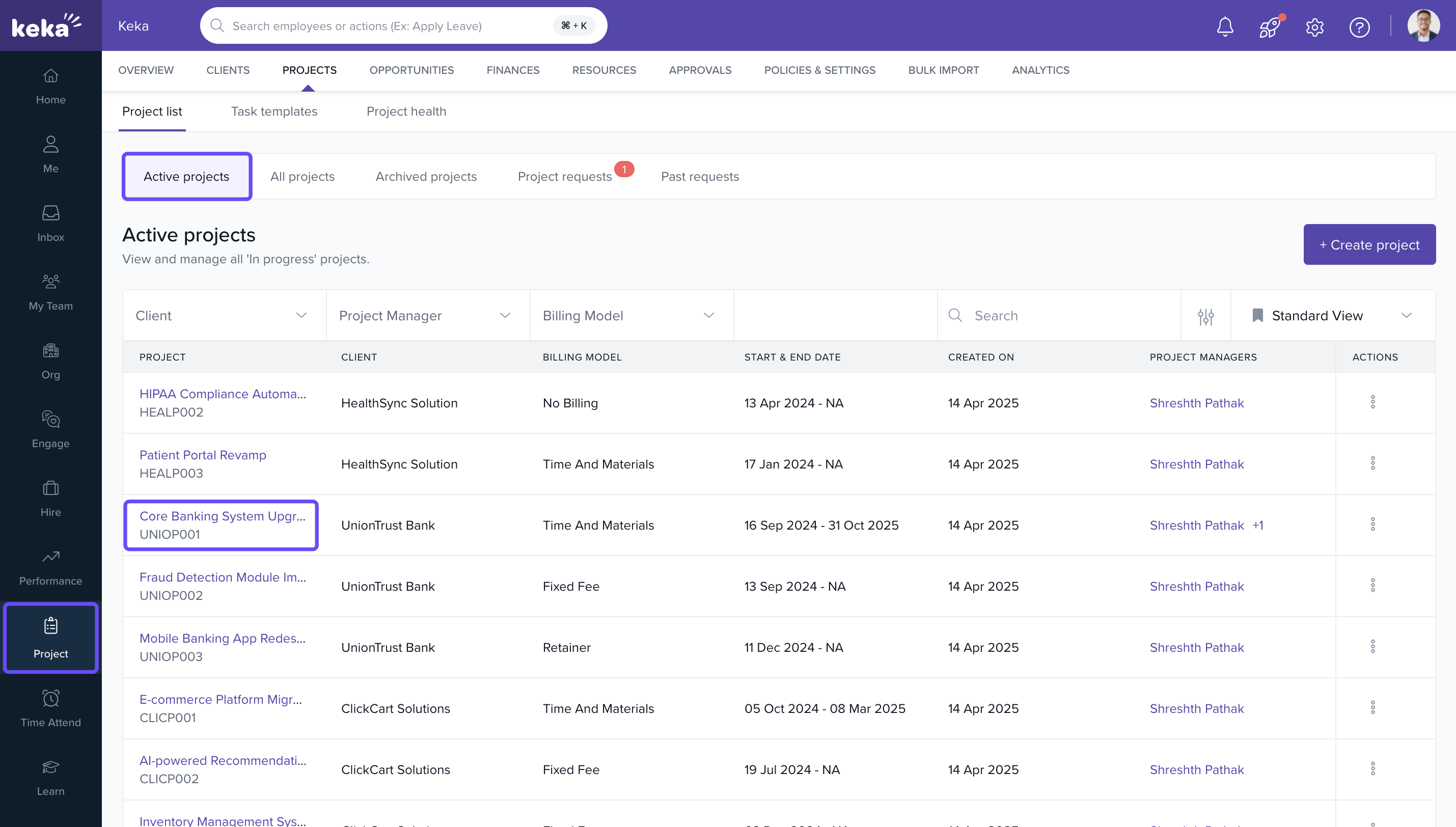
Navigate to the Project
- Log in to the Keka portal
- Go to the Projects tab from the left navigation pane
- Ensure you are under the Project List and select a project from the Active Projects section
- Click on the desired Project Name
Assign a Shadow Resource
- Go to the Team tab of the selected project
- Find the team member you want to assign a shadow to
- Click on the three-dot menu under the Actions column
- Select Assign a Shadow from the dropdown
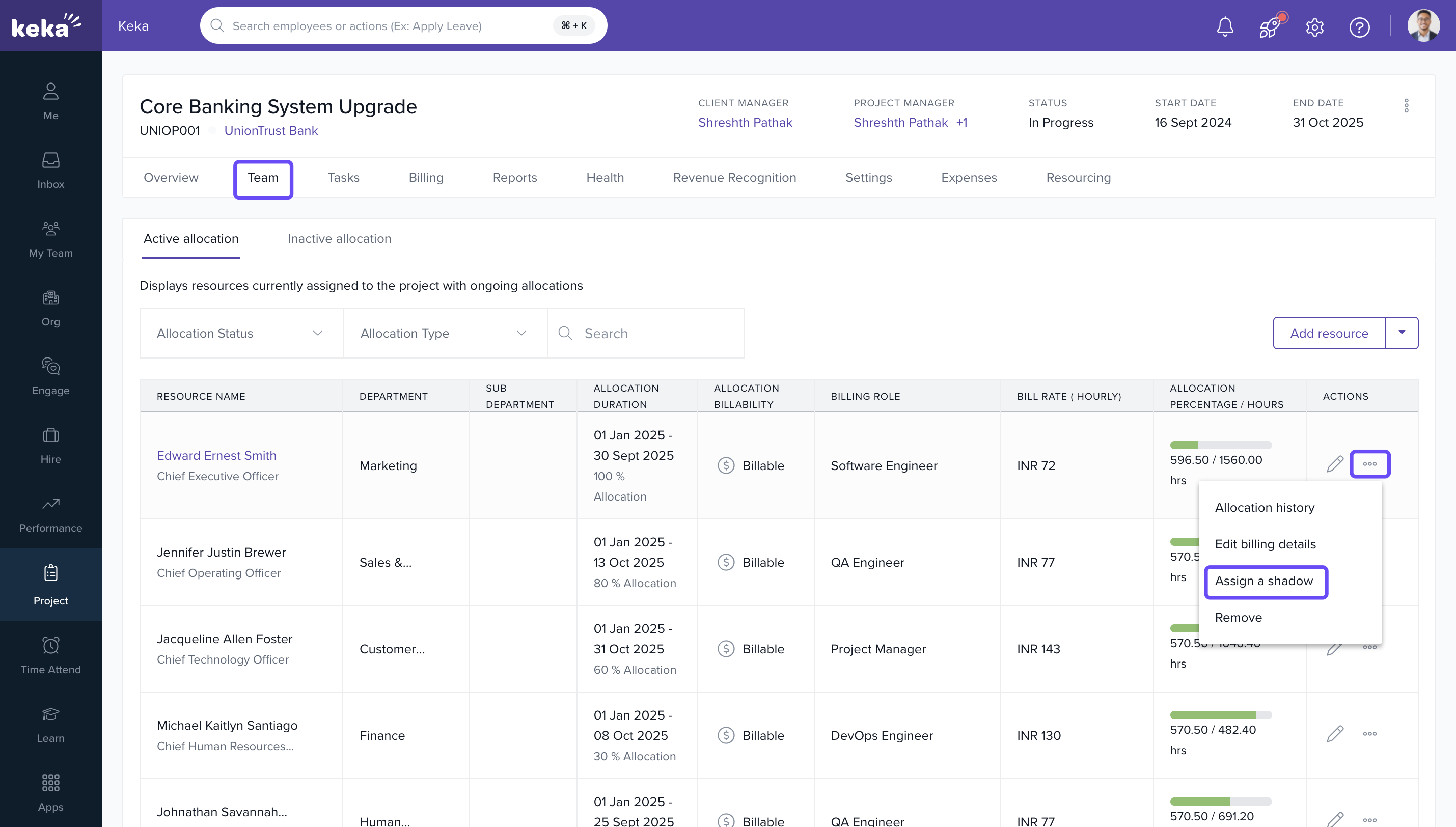
Note: You can only assign a shadow to a team member if the shadow resource has already been added to the project team.
Select and Confirm Shadow Assignment
- Enter the maximum billing hours
- In the Assign Shadow Resource window, select a resource from the dropdown
- Click Assign
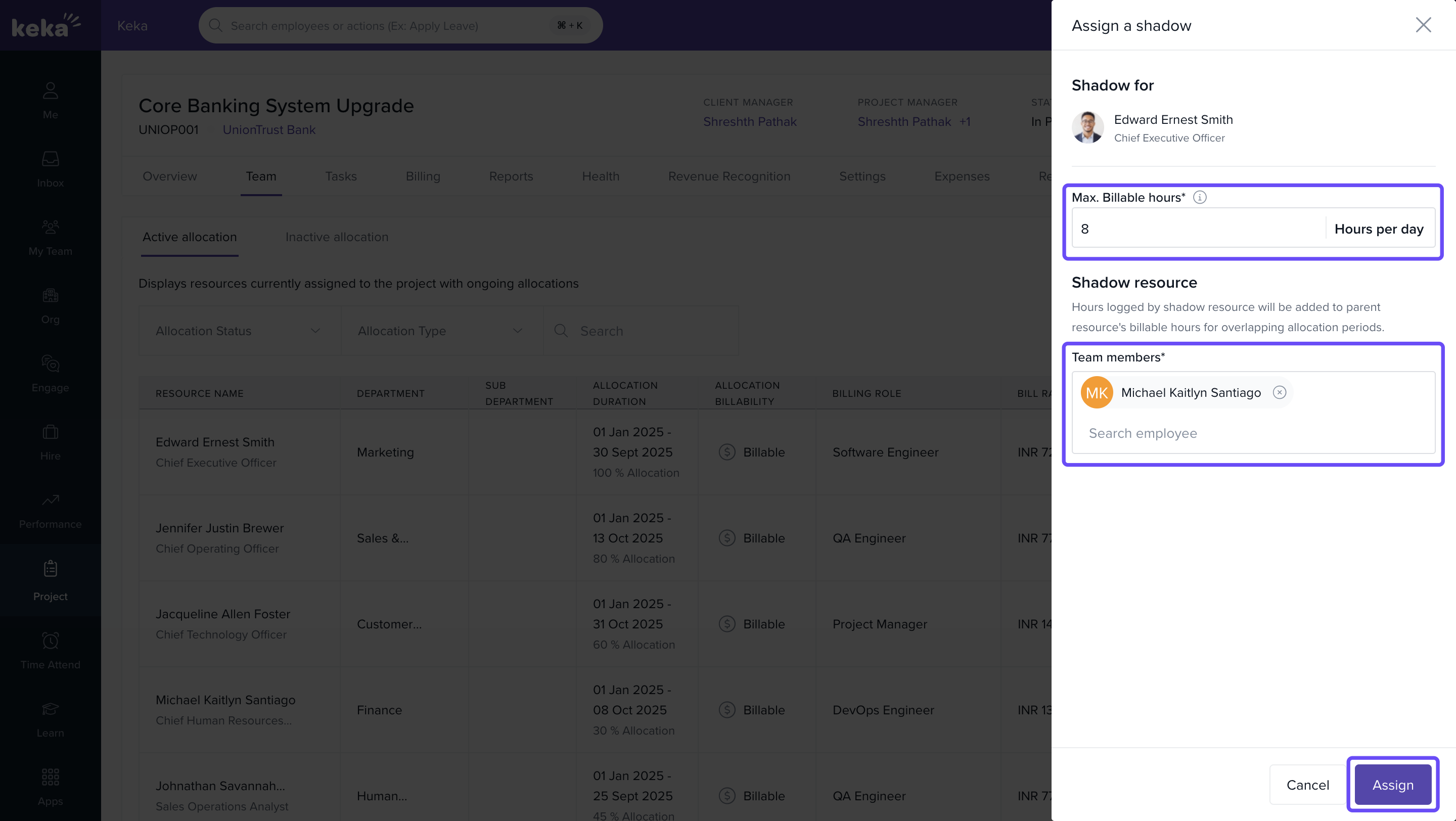
- In the confirmation popup, click Yes, Proceed

Billing and Invoicing for Shadow Resources
- Shadow resources inherit the billing rate of the primary resource
- Their billable hours are tracked in timesheets and appear under the primary resource during invoice generation
- You can identify which primary resource was supported by a shadow during invoice creation
Important Notes
- A shadow resource can only support one primary resource at a time
- To reassign them to another resource, you must first unassign them
- Shadow assignments can be removed anytime
- If billable hours logged by a shadow resource are already invoiced, they remain unchanged
- Un-invoiced hours will be excluded once the shadow is removed
- You cannot delete a shadow resource without first unassigning their shadow role
- You cannot delete a resource currently assigned a shadow unless the shadow is first removed
FAQs
Q: Can I assign multiple shadows to the same resource?
A: No. Each primary resource can have only one shadow at a time.
Q: Will the shadow’s billable time reflect their own billing rate?
A: No. The system uses the billing rate of the primary resource.
Q: What if the shadow logs time on a different project?
A: That time will follow the standard billing setup for that project and won’t be linked as shadow support.
Q: Can I track which entries came from the shadow resource?
A: Yes. Timesheet and invoice views allow visibility of shadow support details and you can use the reports for the same.
Comments
0 comments
Please sign in to leave a comment.