No, Keka does not provide an option to disable or hide the entire Employee Timeline. However, you can control who can view timeline events by configuring visibility settings. Navigate to Org > Employees > Settings > Timeline, click Change Visibility,
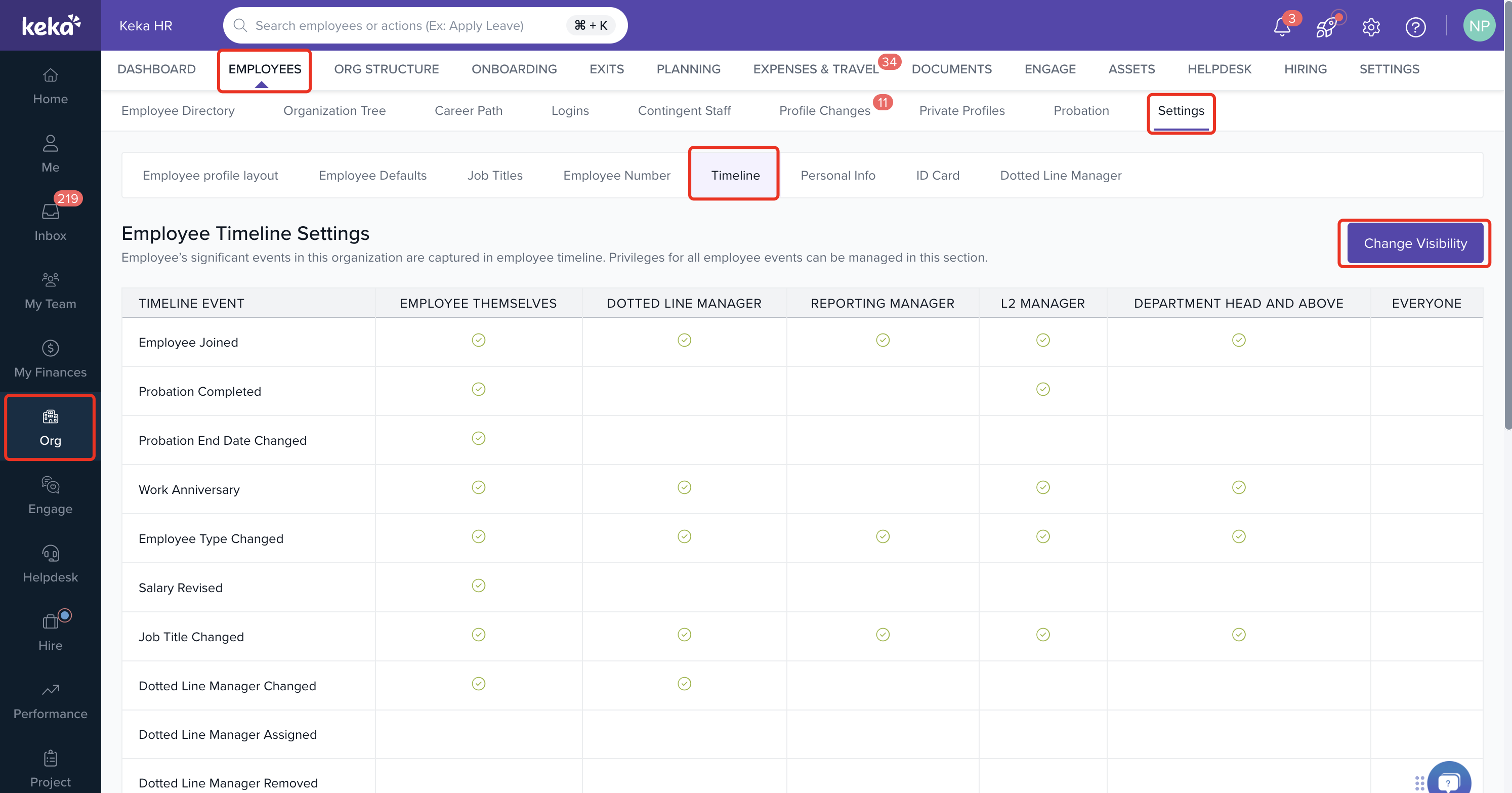
In the next window, choose the users or roles that should have access to each timeline event. Finally click Save Visiblity Settings.
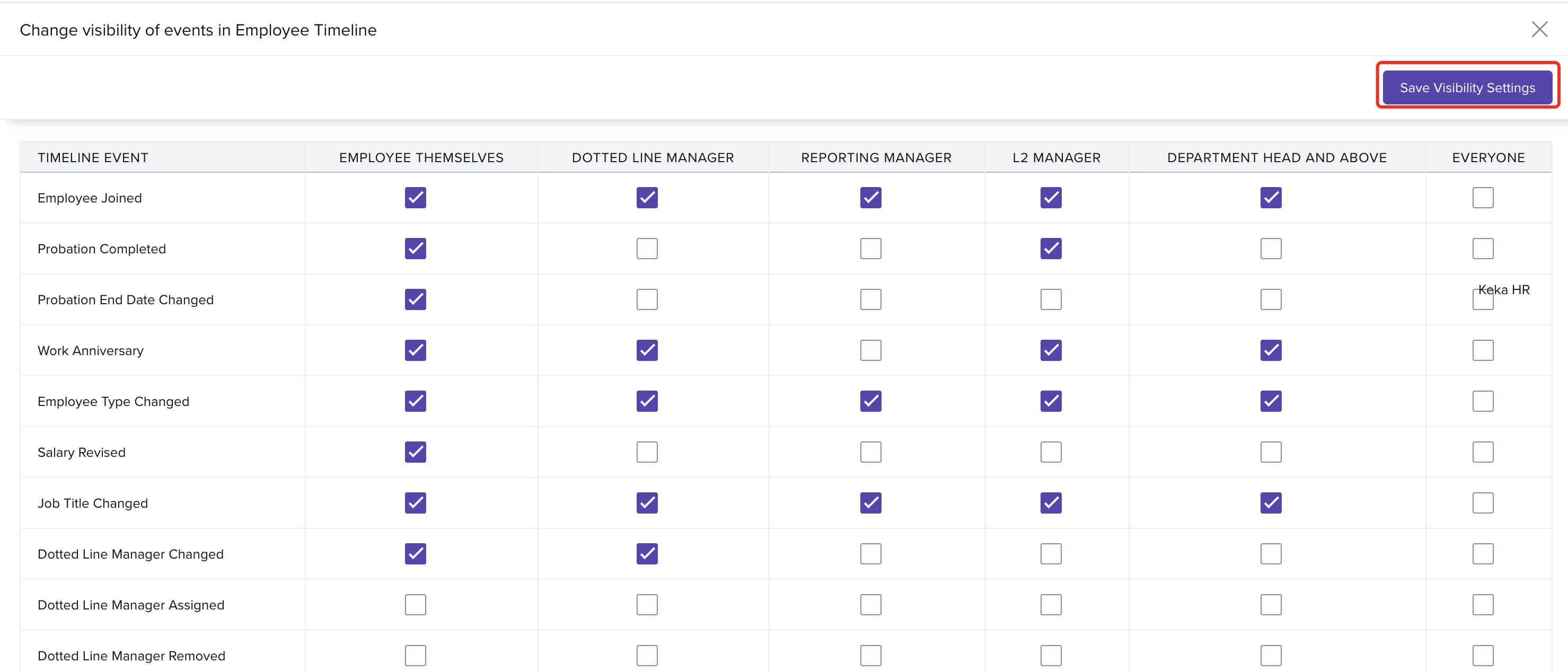
This allows you to restrict the visibility of timeline information without disabling the Timeline completely.
Comments
0 comments
Please sign in to leave a comment.