You can now capture Action Items and a Meeting Summary directly within your 1:1 meetings—helping everyone stay aligned and accountable after the conversation.
What’s New?
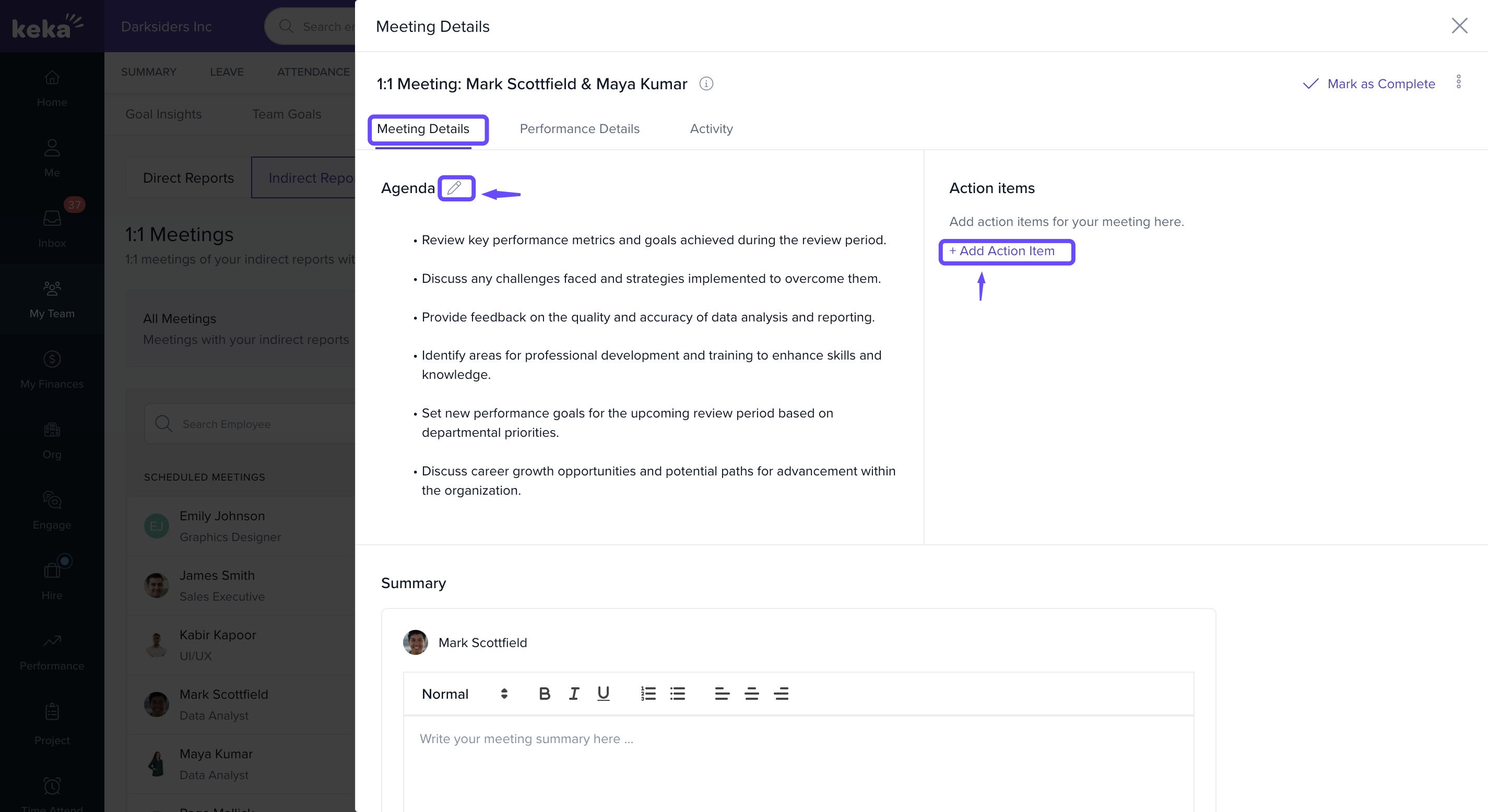
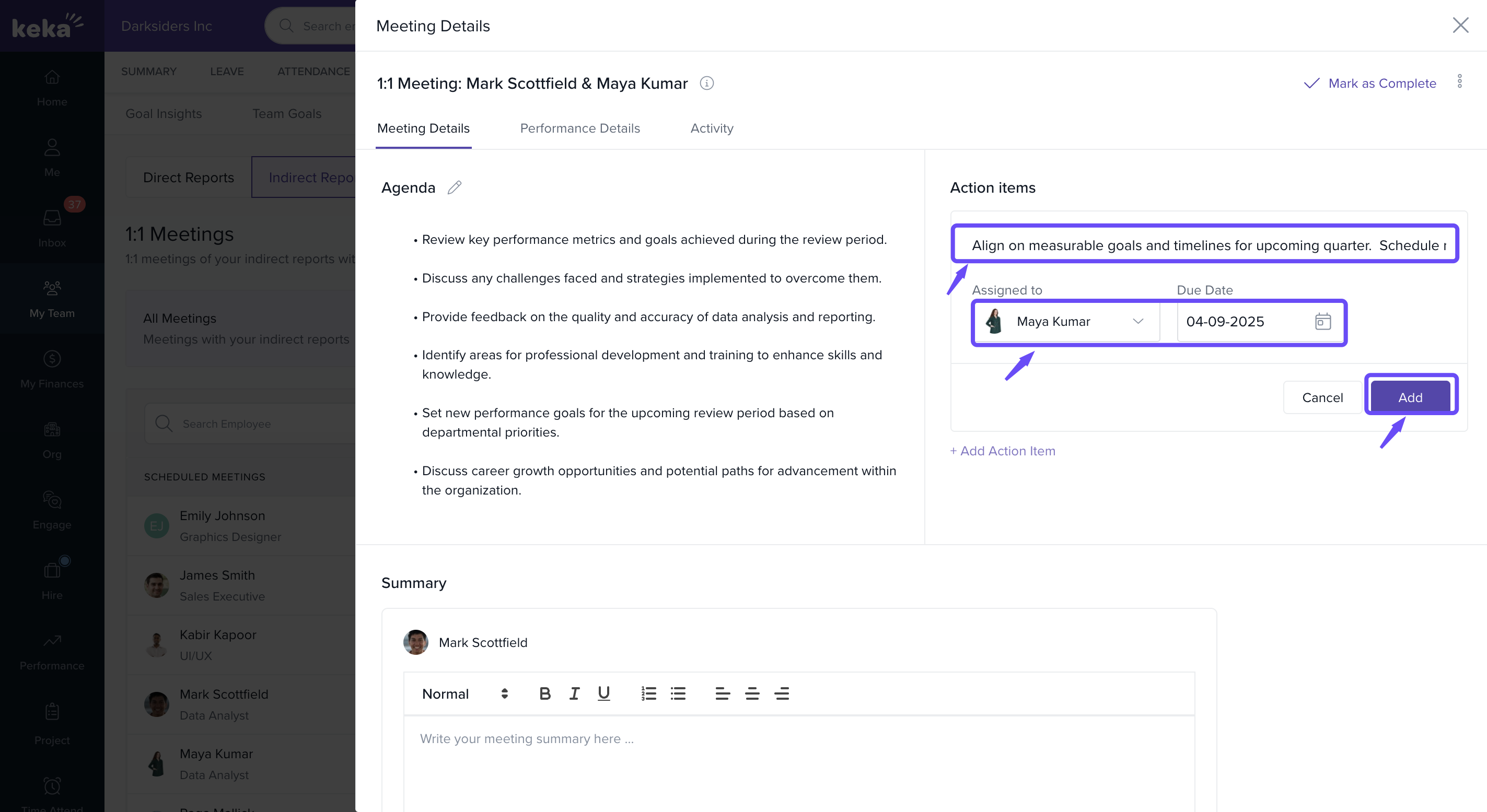
Action Items: Add tasks or follow-ups discussed during the meeting, assign them to participants, and track progress over time.
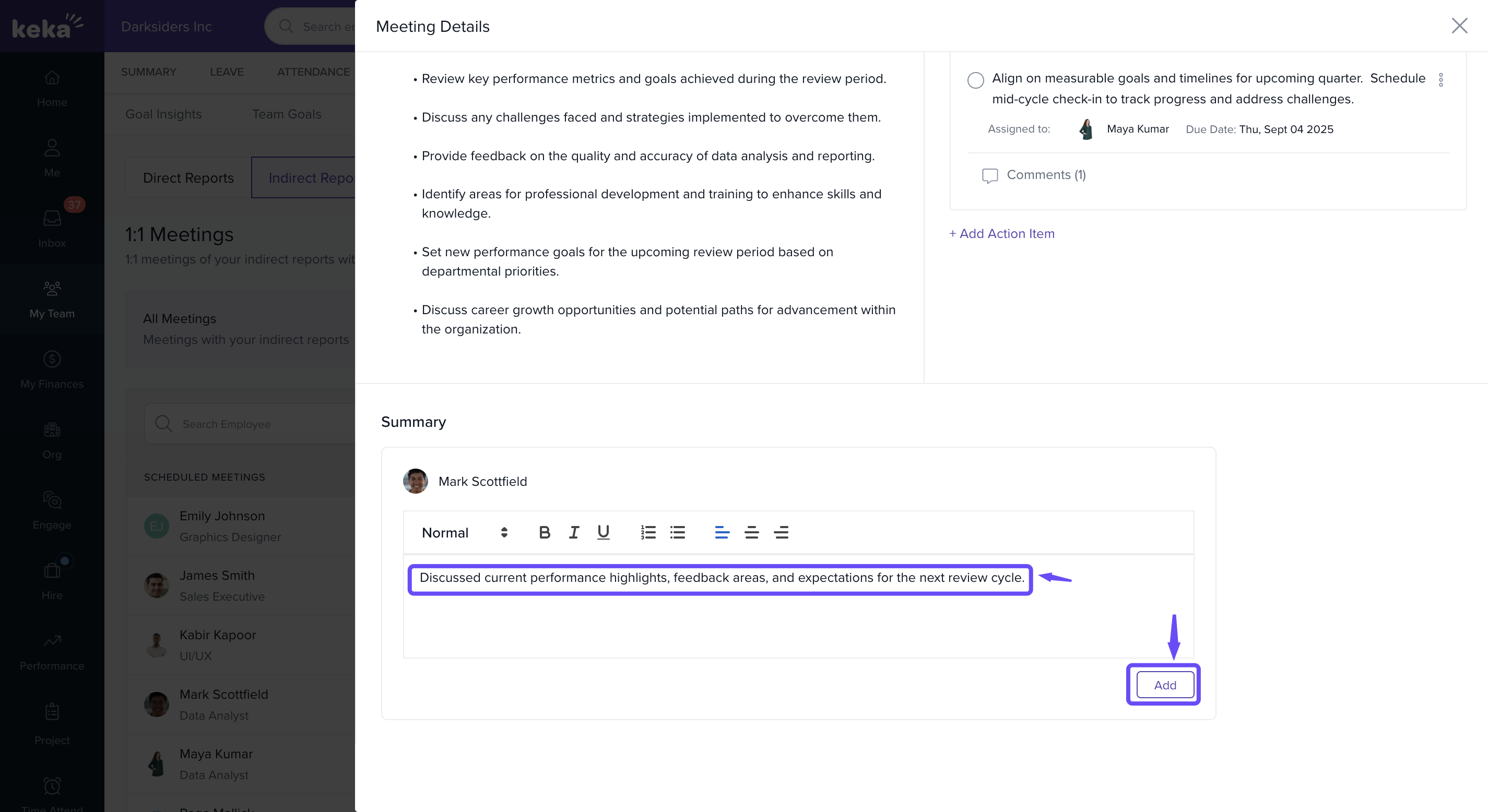
Meeting Summary: Record a brief overview of key discussion points and decisions taken.
Where to Find It?
While scheduling or after completing a 1:1 meeting:
-
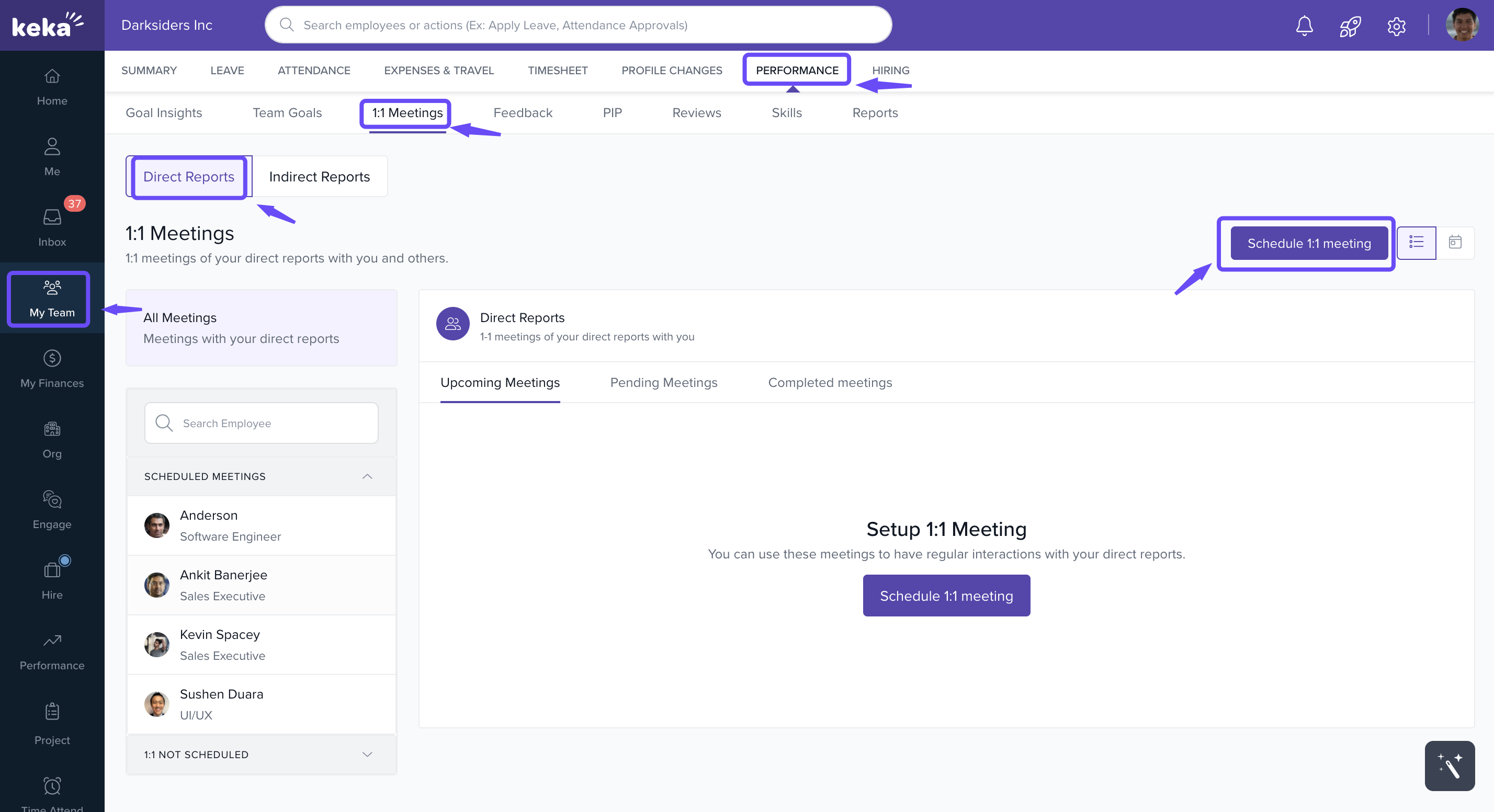
Go to 1:1 Meetings → Open the scheduled meeting.
-
Scroll to the new Meeting Summary and Action Items sections.
- Add the necessary action items, assign them to the appropriate participants, and set a due date. Click Add to save each item.
Why This Matters
This update makes it easier to:
Keep track of commitments from 1:1 discussions.
Provide context for future meetings.
Strengthen accountability and clarity between managers and team members.
Start using this feature in your next 1:1 to turn great conversations into meaningful actions!
Read the full help article here to learn how to set 1:1 Meeting as a Manager in Keka.
Read the full help article here to learn how to set 1:1 Meeting as an Employee in Keka.
Comments
0 comments
Please sign in to leave a comment.