What’s New?
Set smarter goals instantly with AI-powered suggestions customised for roles, departments, and timeframes.
We’ve made goal setting smarter in the Performance Module! With the new Generate Goals Using AI feature, you can now automatically create measurable goals based on role, department, and timeframe.
This means less manual drafting, more accuracy, and stronger alignment between individual goals and organisational priorities.
AI-Powered Goal Suggestions
Generate role- and department-specific goals with one click.
Eliminate manual effort in brainstorming and drafting objectives.
Editable Goal Templates
Customise AI-suggested goals before publishing.
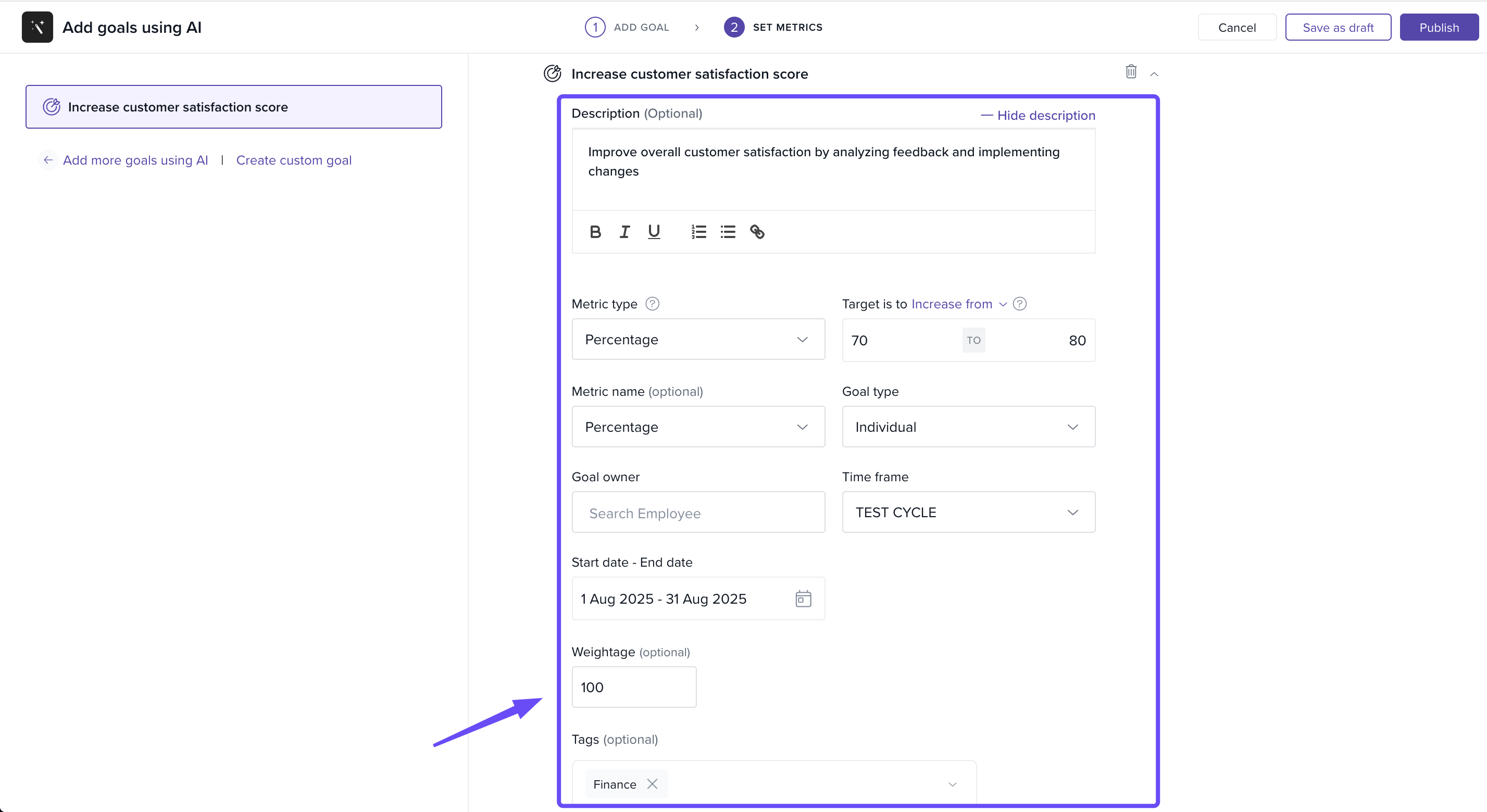
Add details like description, metrics, and tags for clarity.
Quick Add & Publish Flow
Select from the generated list and assign goals instantly.
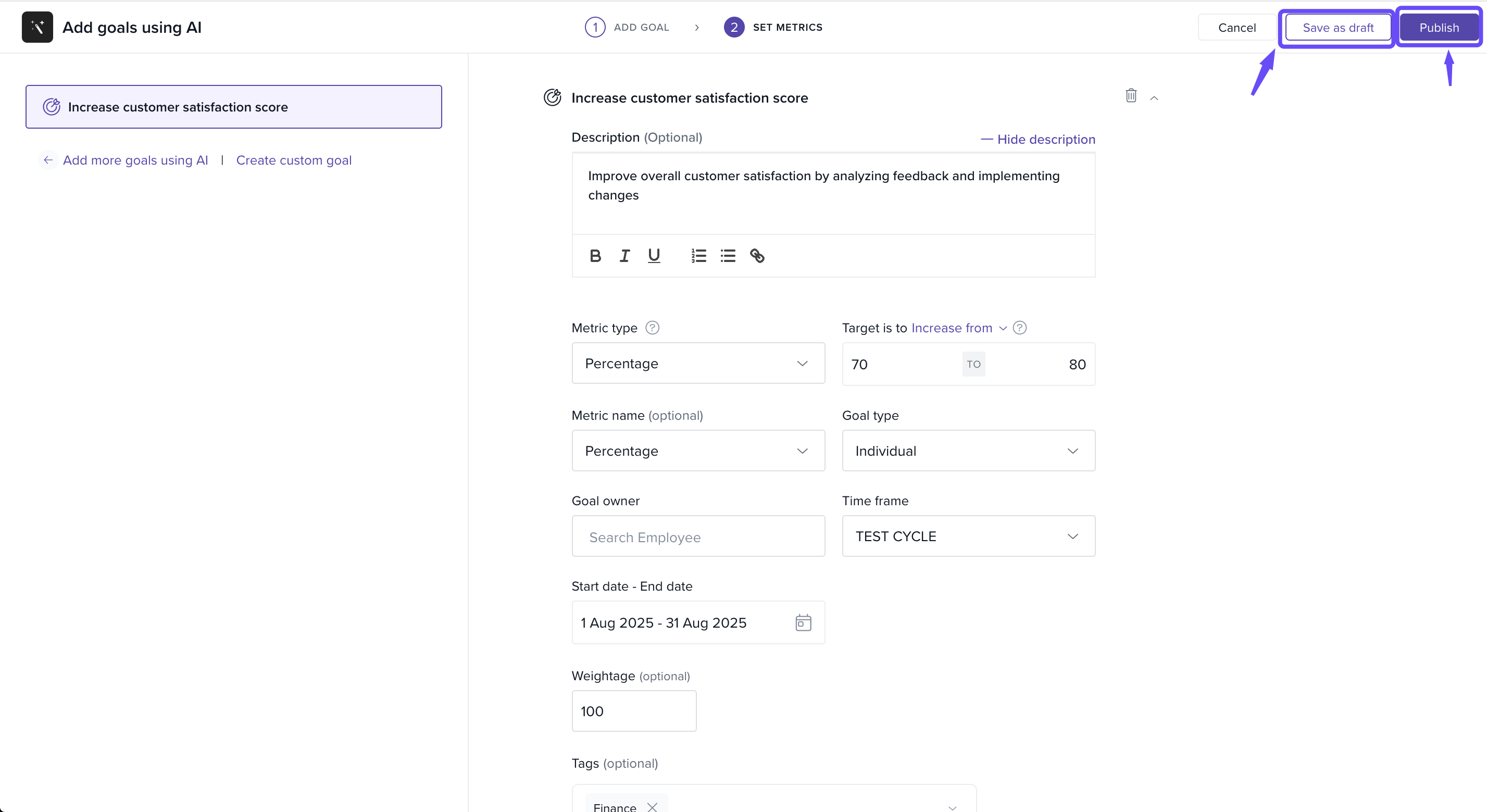
Save goals as a draft or publish directly.
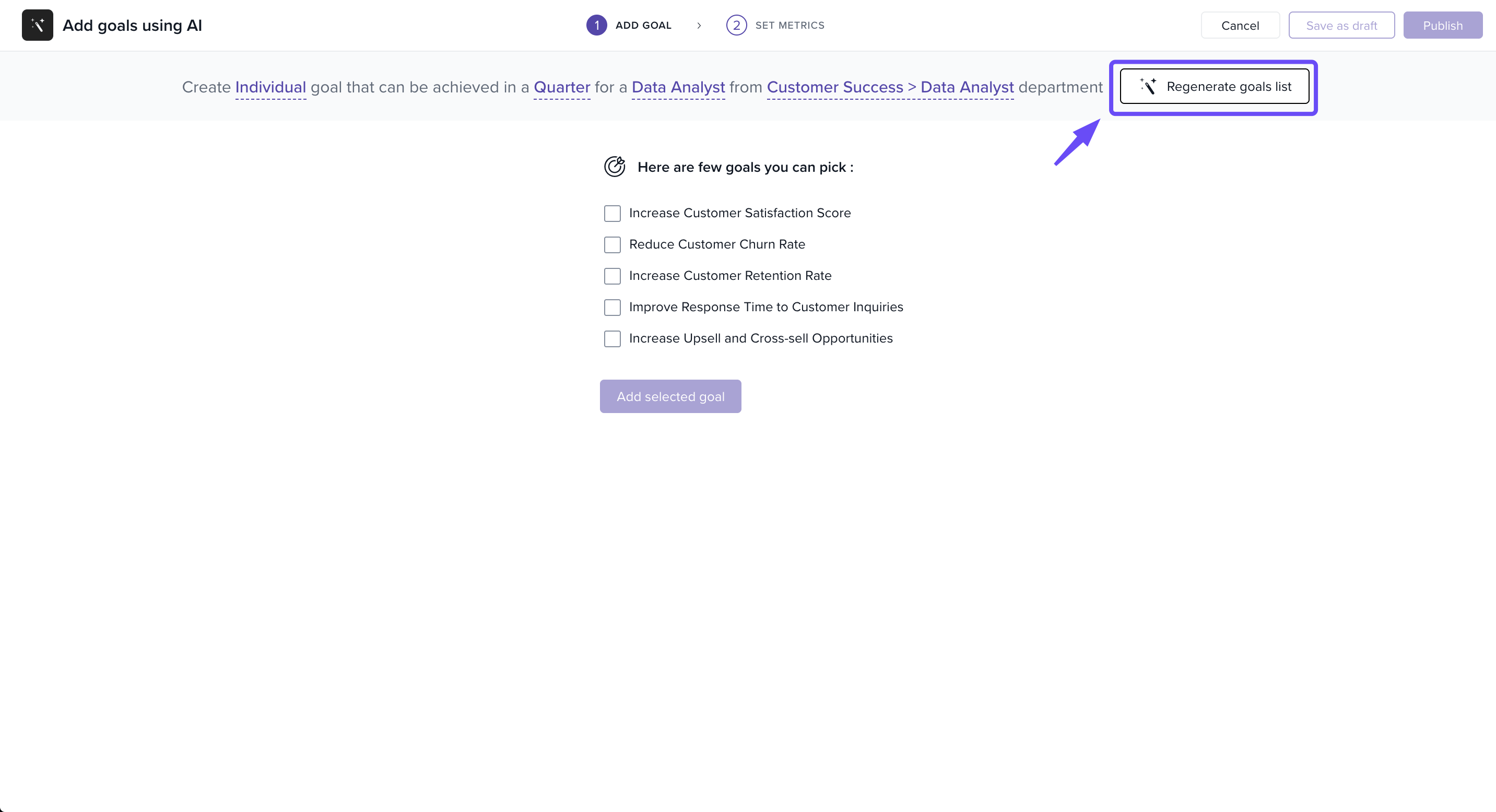
Regenerate Suggestions Anytime
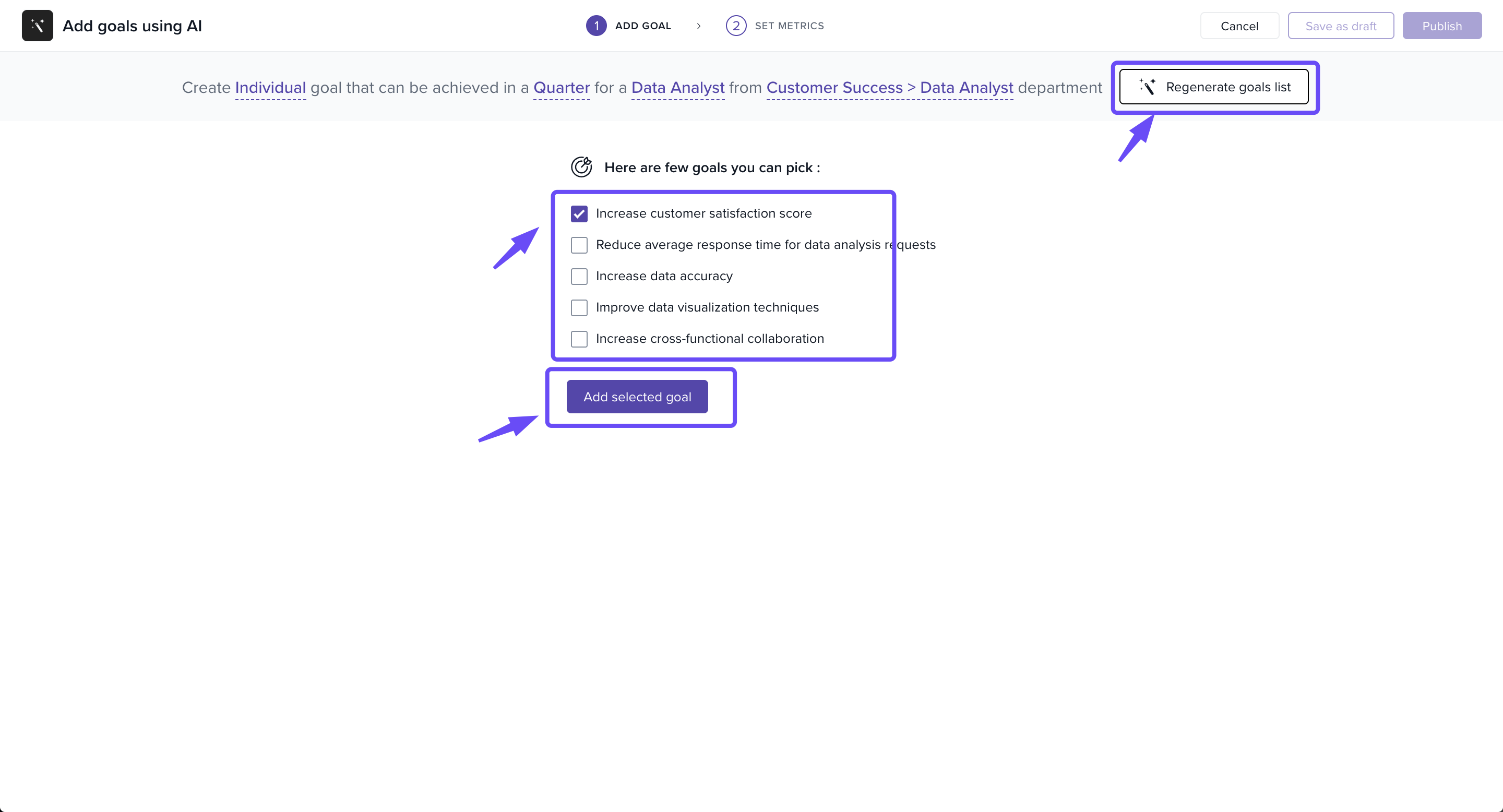
Want different options? Use the Regenerate goals list button.
Get a fresh set of recommendations tailored to your selections.
How It Works
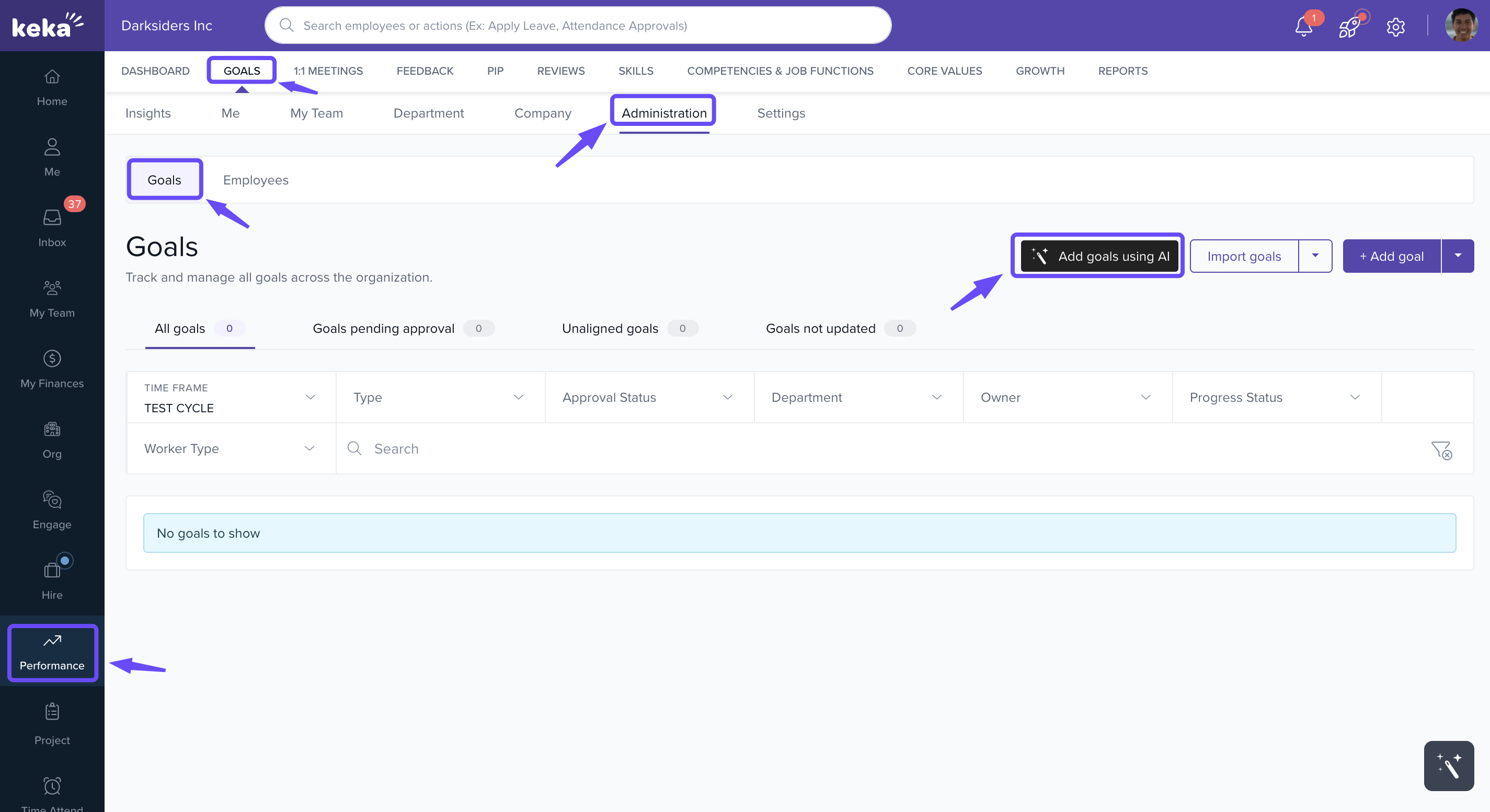
Go to Performance > Goals > Administration.
-
Click Add goals using AI.
-
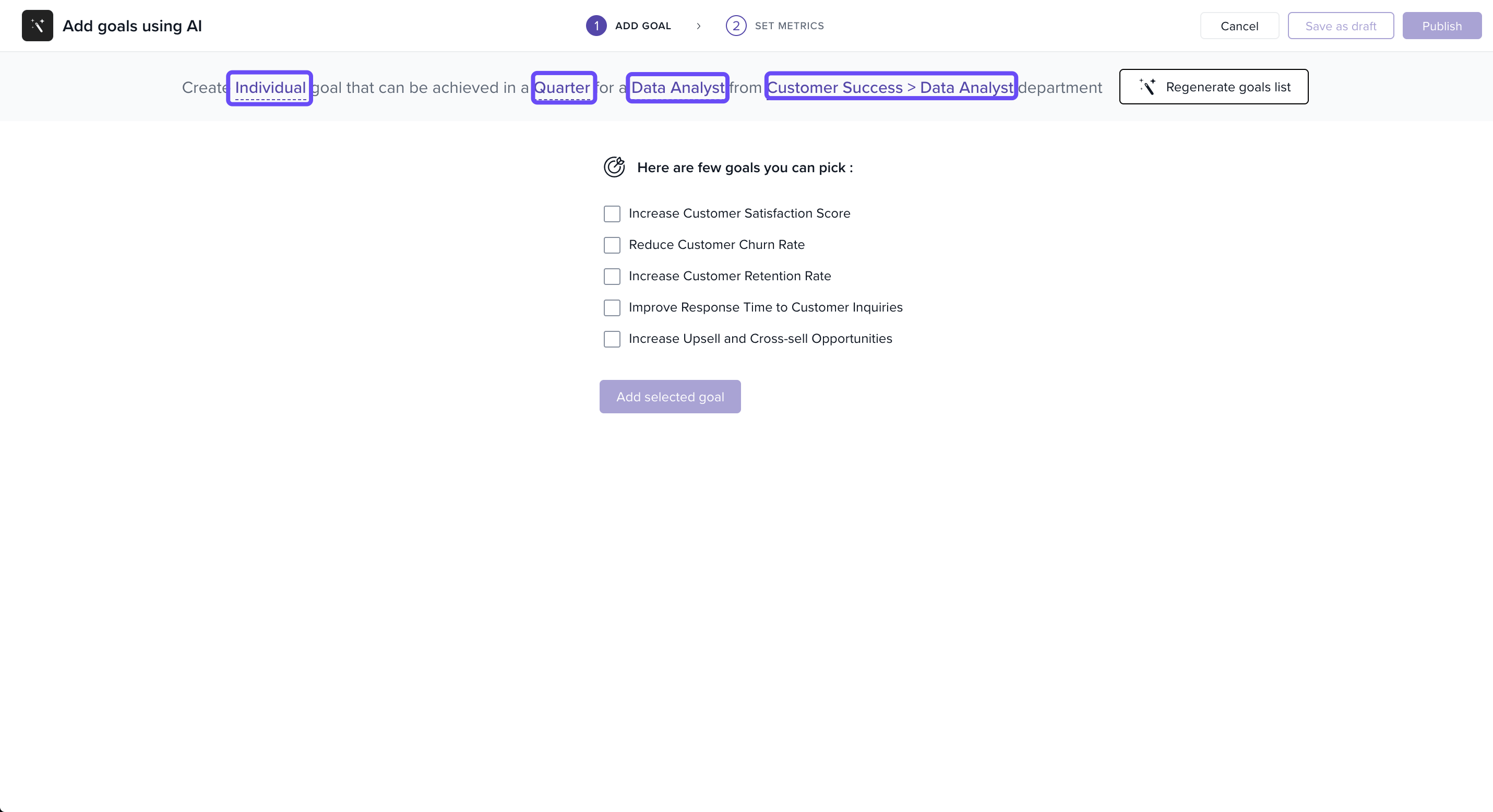
Select the type of goal, timeframe, role, and department.
-
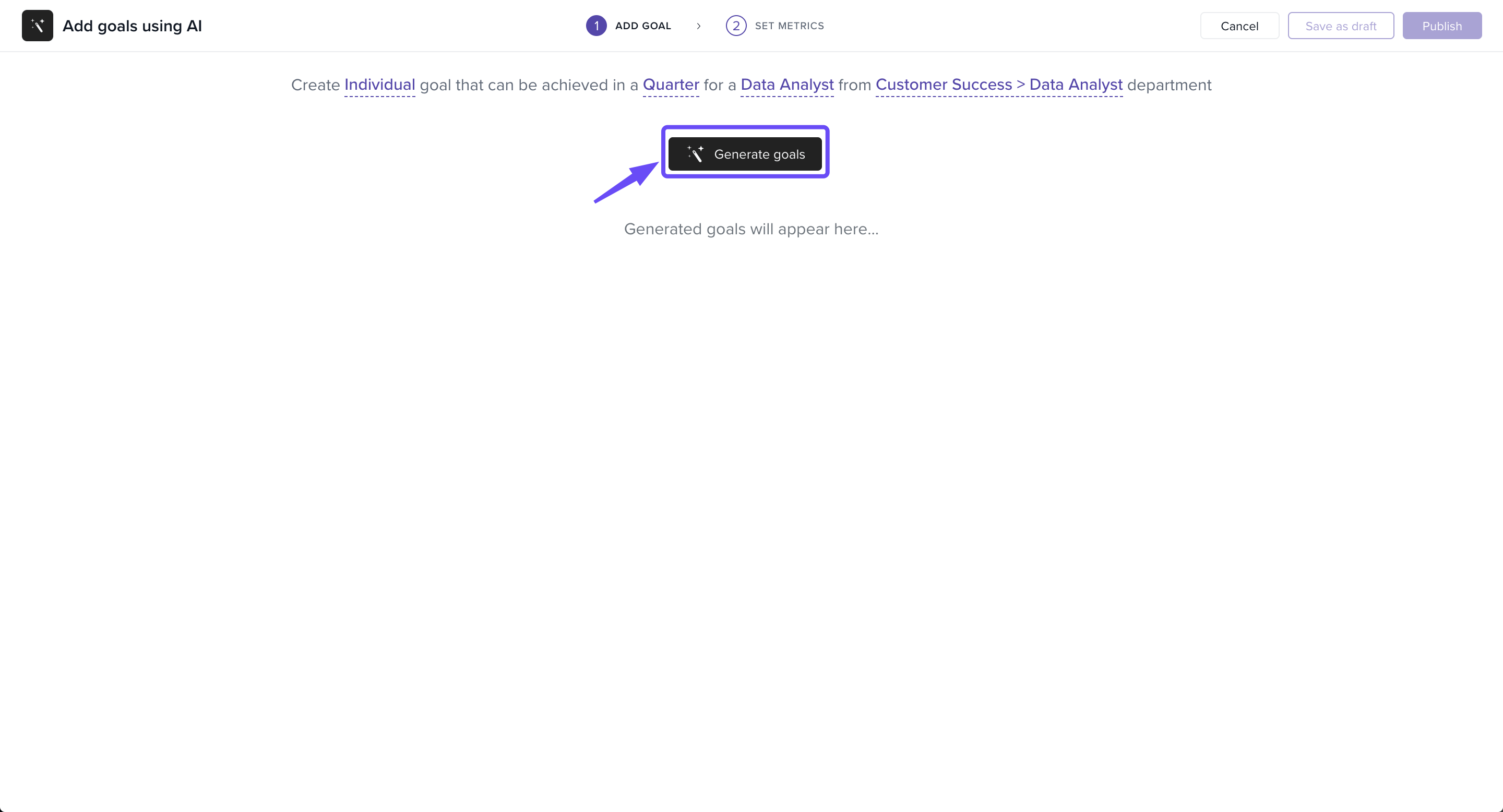
Click Generate goals to view AI suggestions.
-
Pick the goals you want and click Add selected goal.
-
Define metrics, targets, owners, and dates.
-
Publish the goal or save it as a draft.
Why It Matters
With AI-generated goals, organisations can:
Save time and reduce manual work.
Ensure goals are relevant and measurable.
Maintain consistency and alignment across teams.
Get Started with AI Goals
The new Generate Goals Using AI feature is now available! Here’s what you can do:
Generate Smart Goals: Instantly create goals for roles and departments.
Customise & Publish: Edit, refine, and assign goals quickly.
Regenerate Anytime: Refresh suggestions until you find the best fit.
Set Metrics & Weightages: Define targets, assign owners, and track progress.
Save as Draft: Work on goals at your own pace.
Read the full help article here to learn how to set it up.
Comments
0 comments
Please sign in to leave a comment.