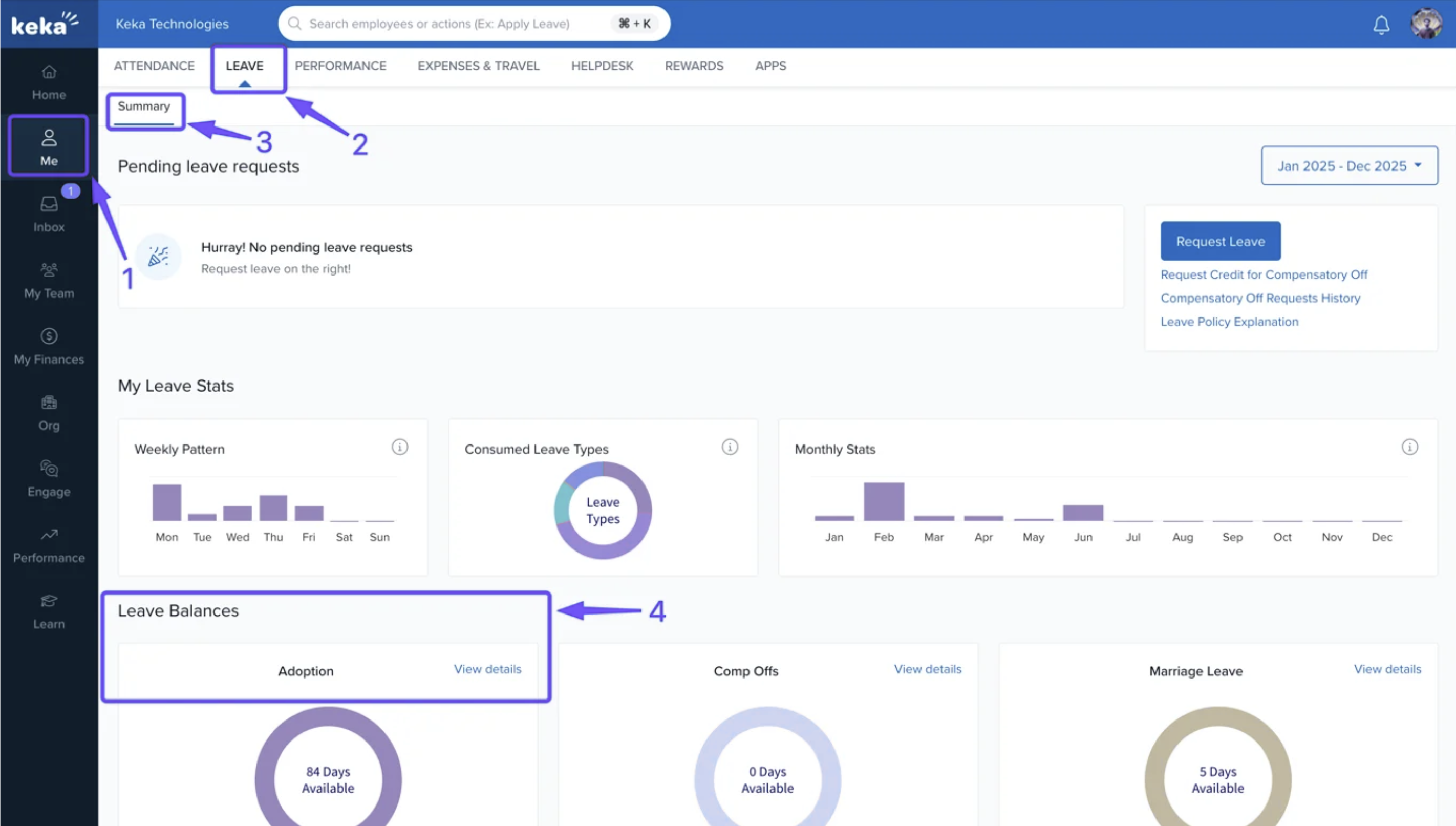
To check your Leave balance, go to the Me section on your Keka profile and navigate to Leave tab, You will be landed on the summary page. Here under Leave Balances section click on View details for any of the leave type.
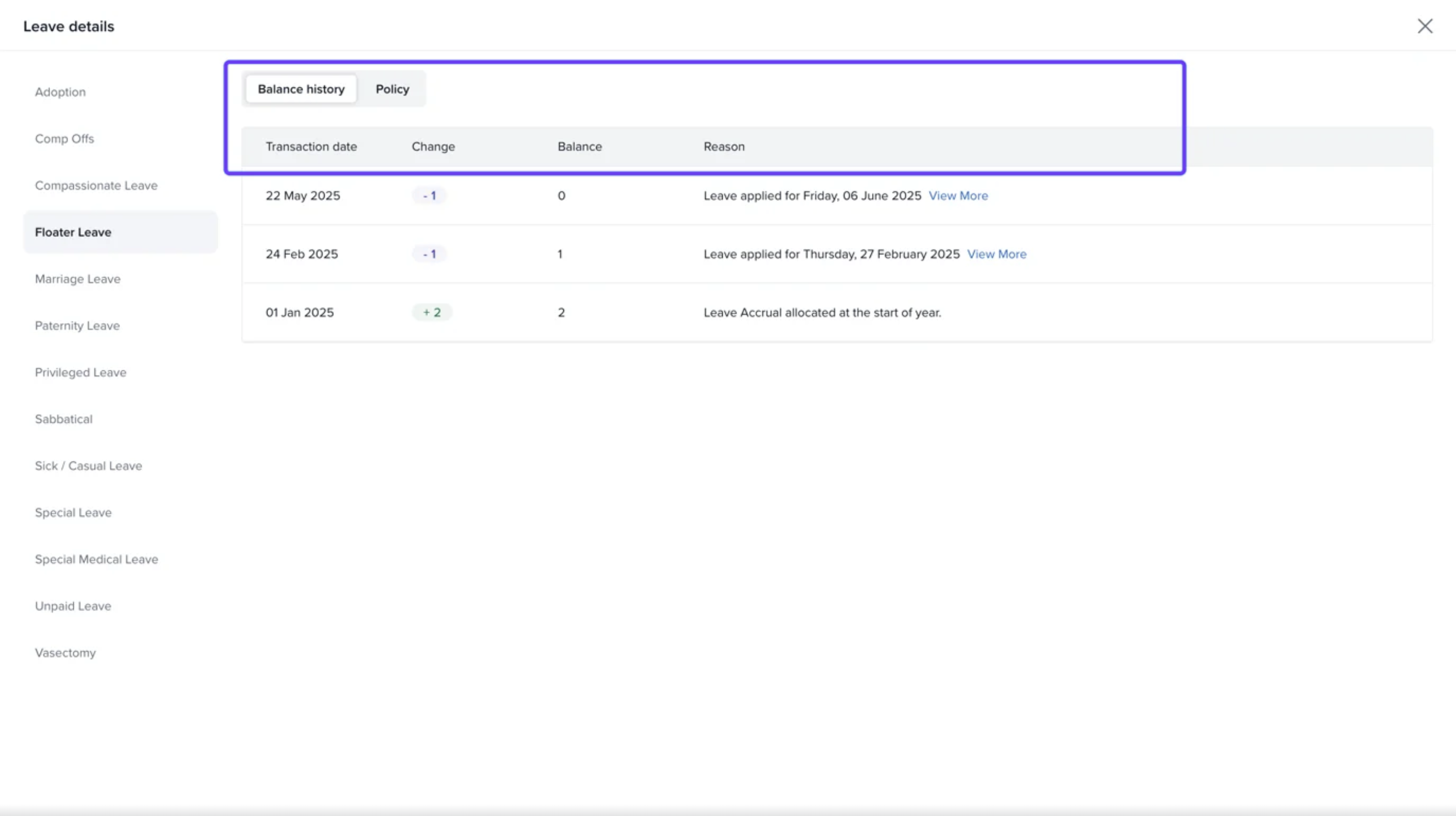
In the Leave details page click on the leave type and you can see the Balance history along with Transaction date, Change, Balance etc.
Please let us know if you find this article helpful.
Comments
0 comments
Please sign in to leave a comment.