Introduction
Use Keka to view balances, apply for leave (full or partial days), track requests, raise Comp-Off credits, and read your Leave Policy Explanation. Access everything from Me → Leave.
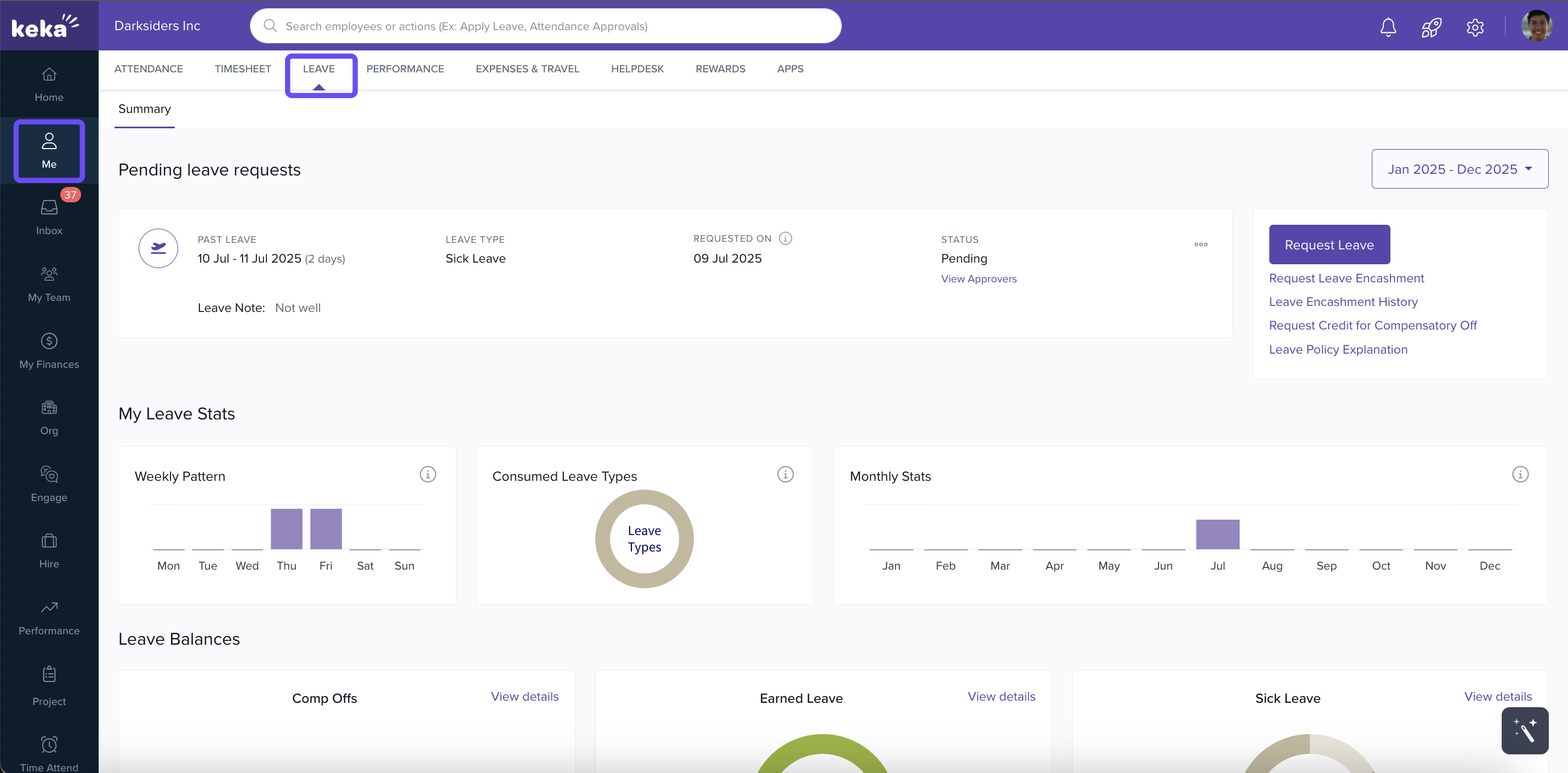
TABLE OF CONTENTS
- Applying for a leave
- Viewing your leave requests
- How to request credit for compensatory off
- Leave policy explanation
Applying for a leave
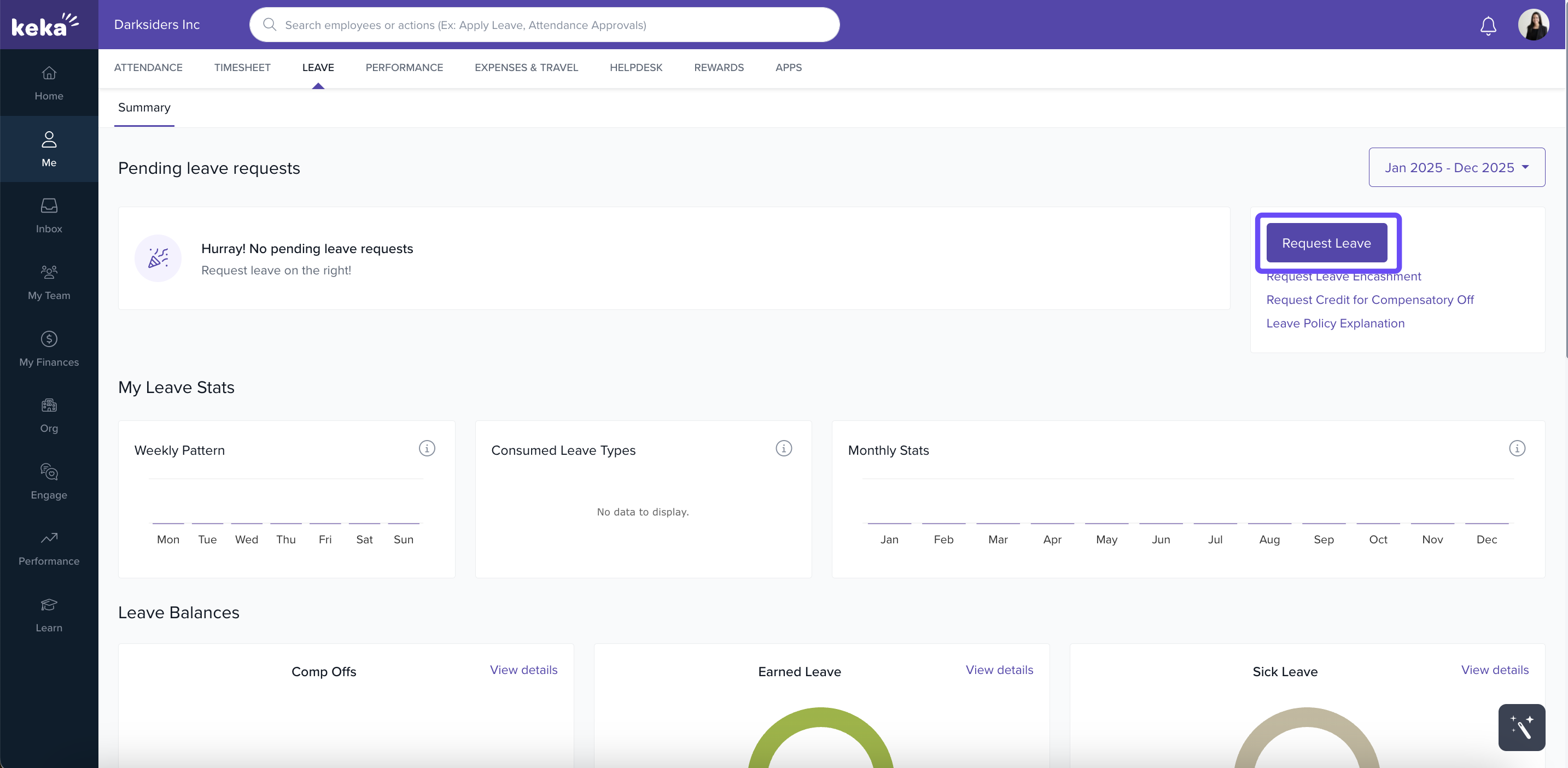
Go to Me → Leave → Summary and click Request Leave.
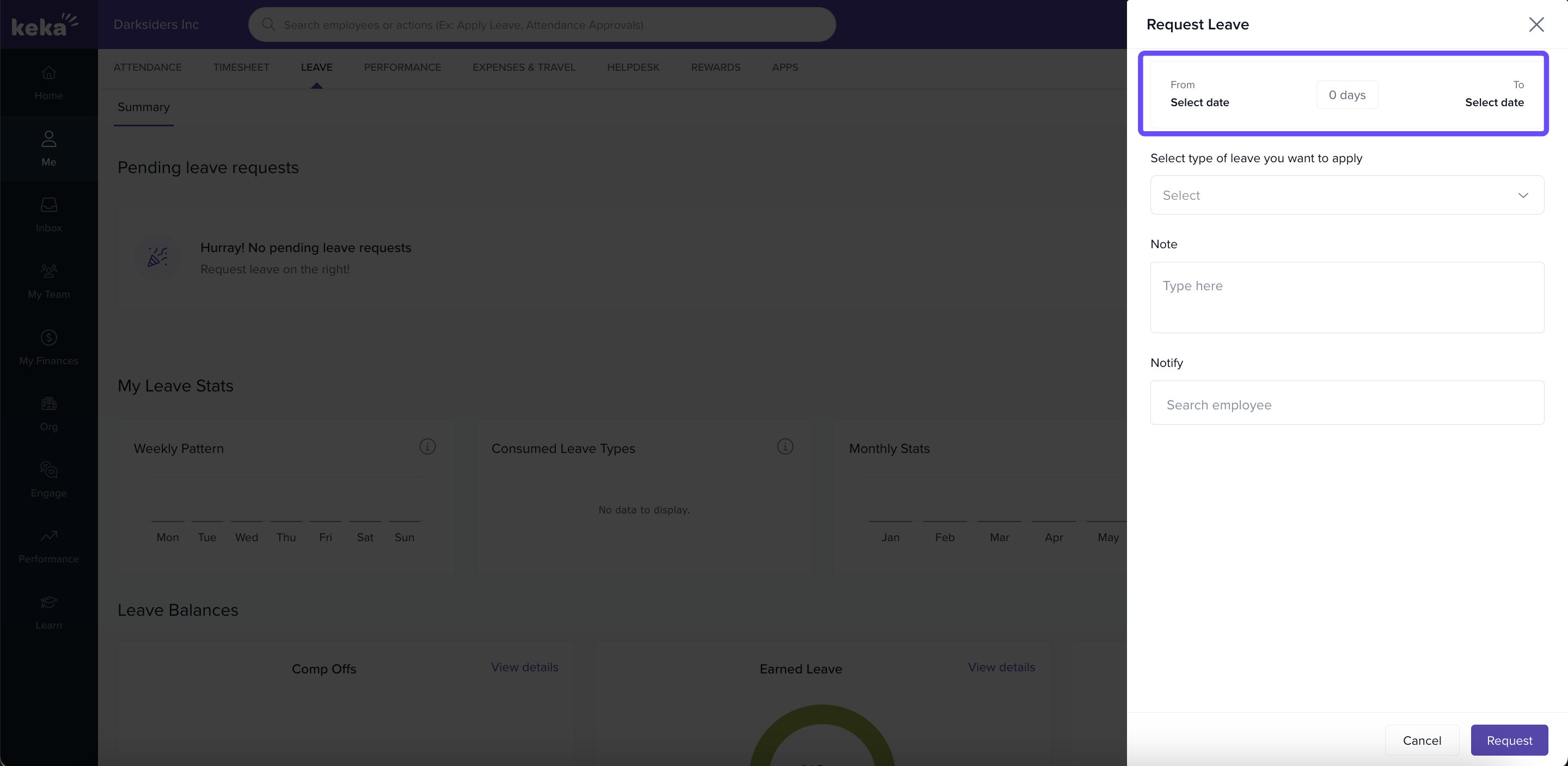
In Leave Request, click Select Date, choose From and To.
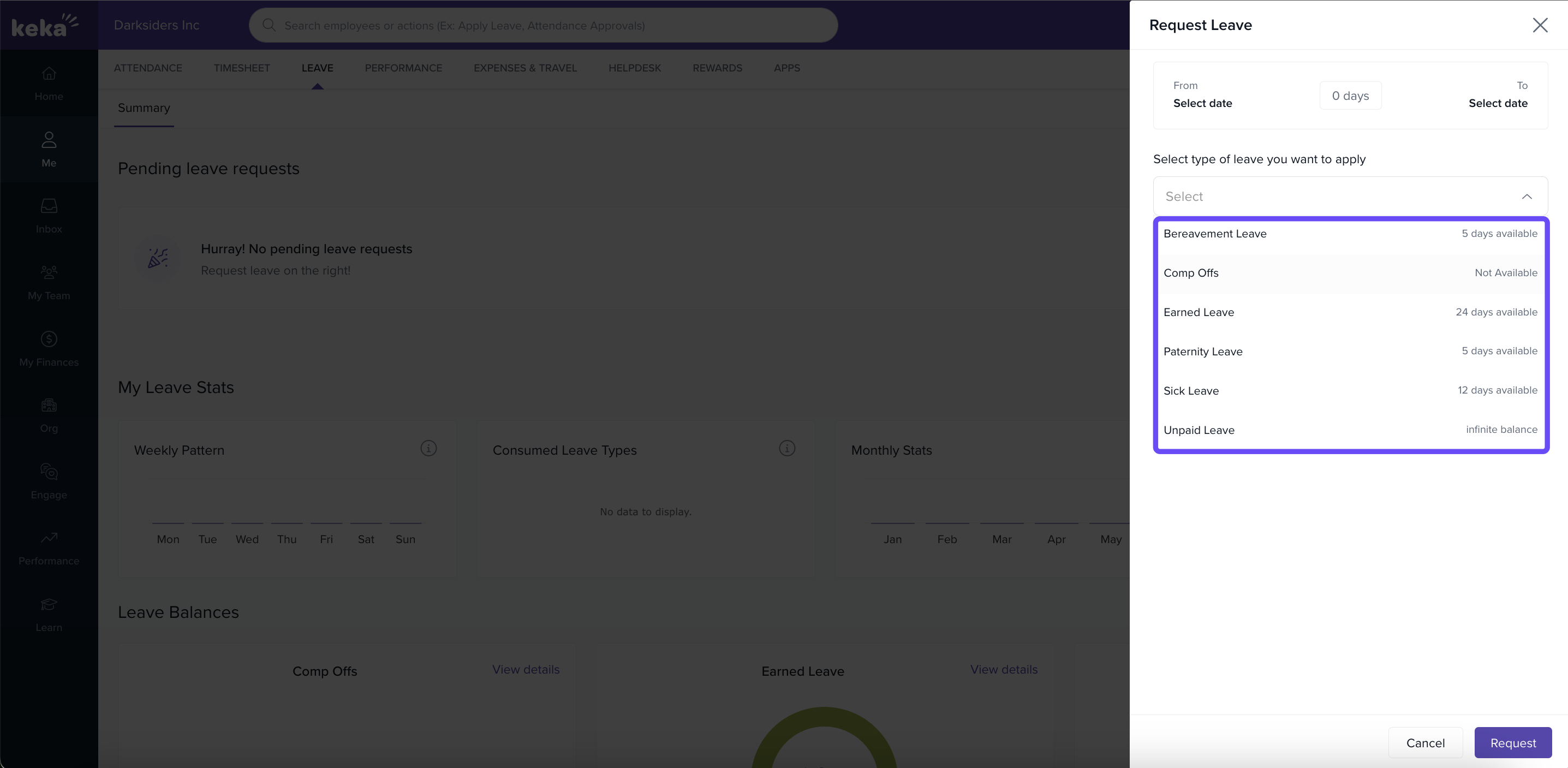
Pick a Leave Type available in your org.
Choose Full days or Custom (1st/2nd half on start/end dates).
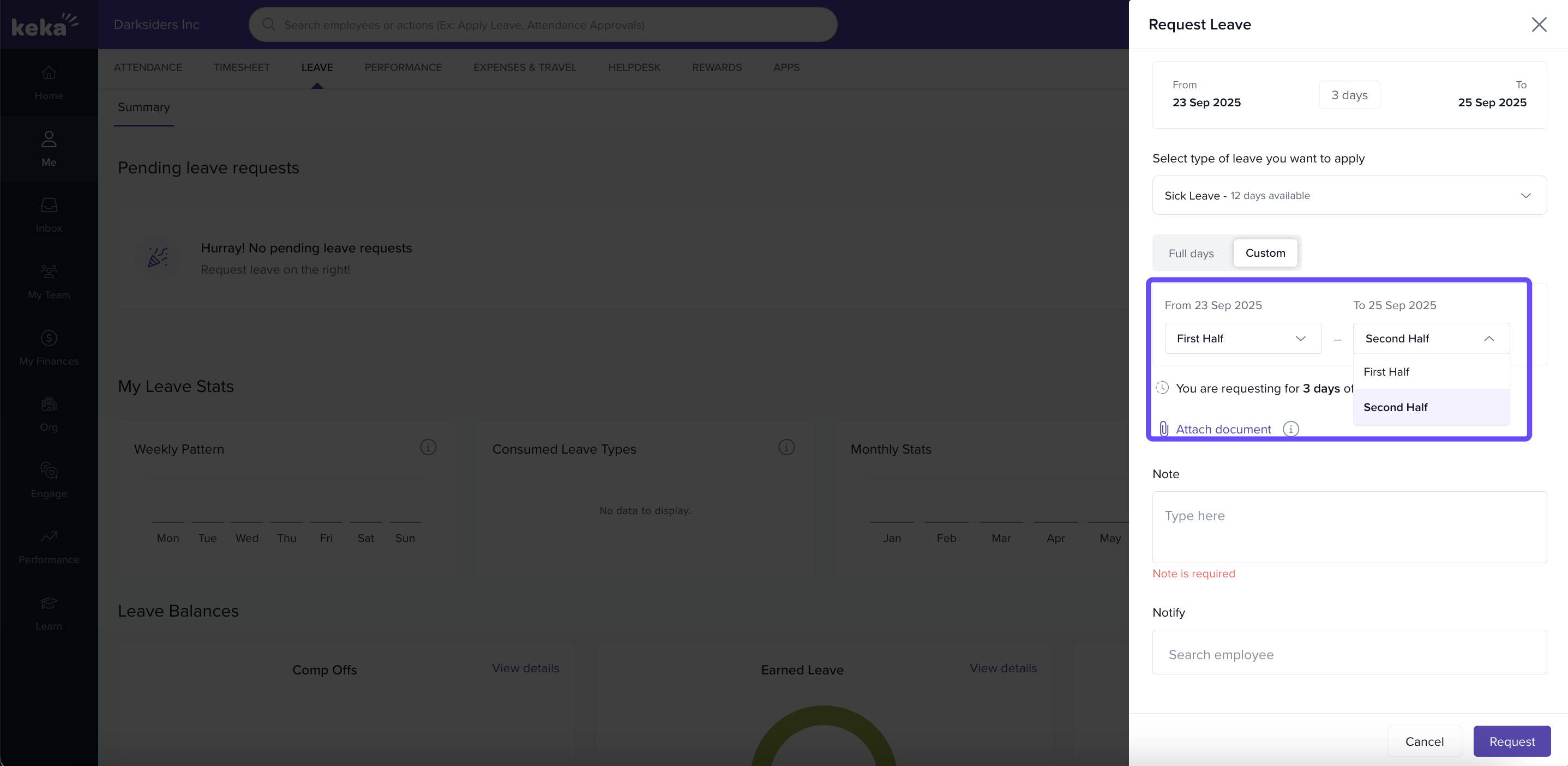
Add a Note (Mandatory) and optionally Notify colleagues.
Click Request (or Cancel to discard).
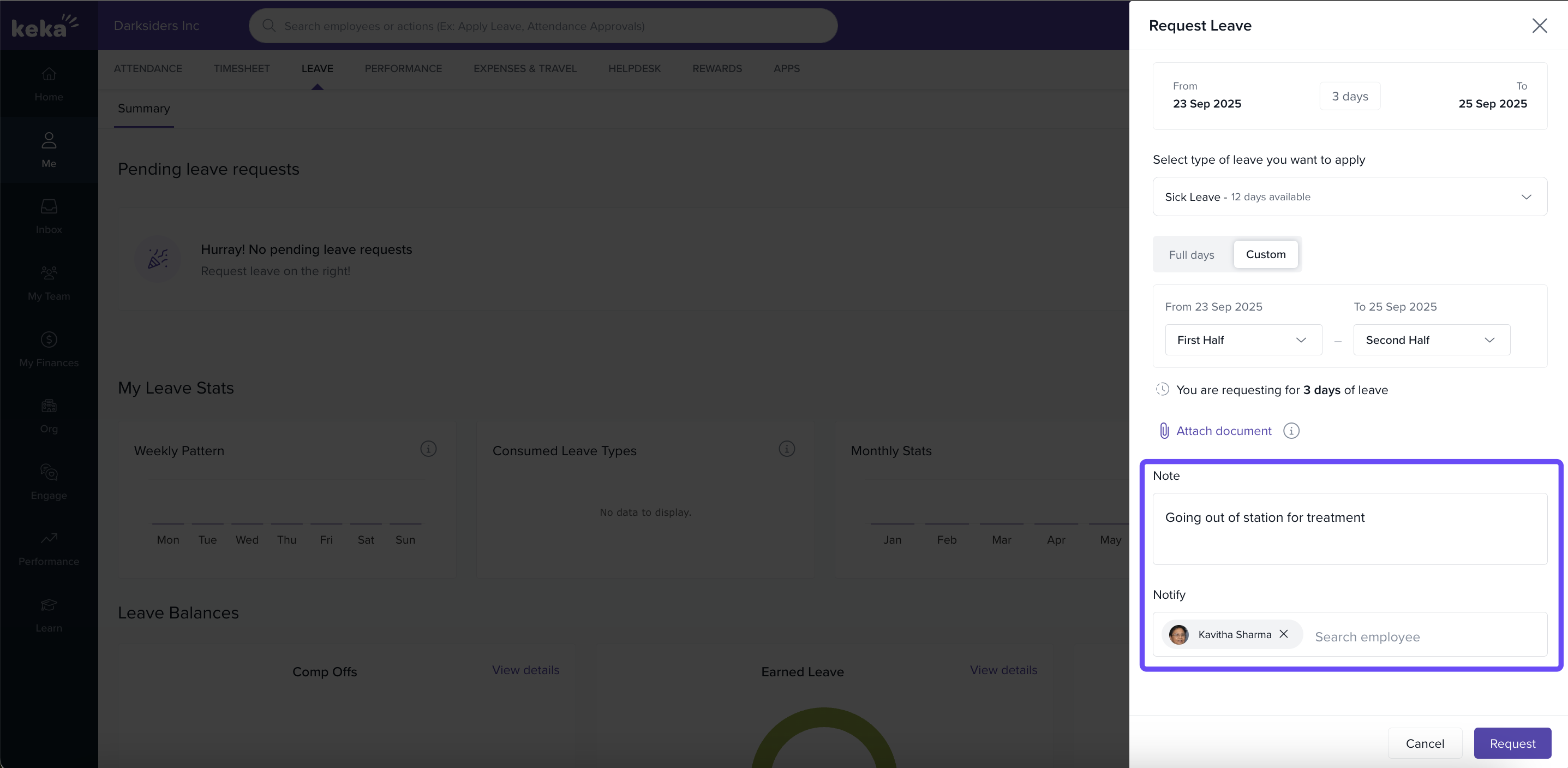
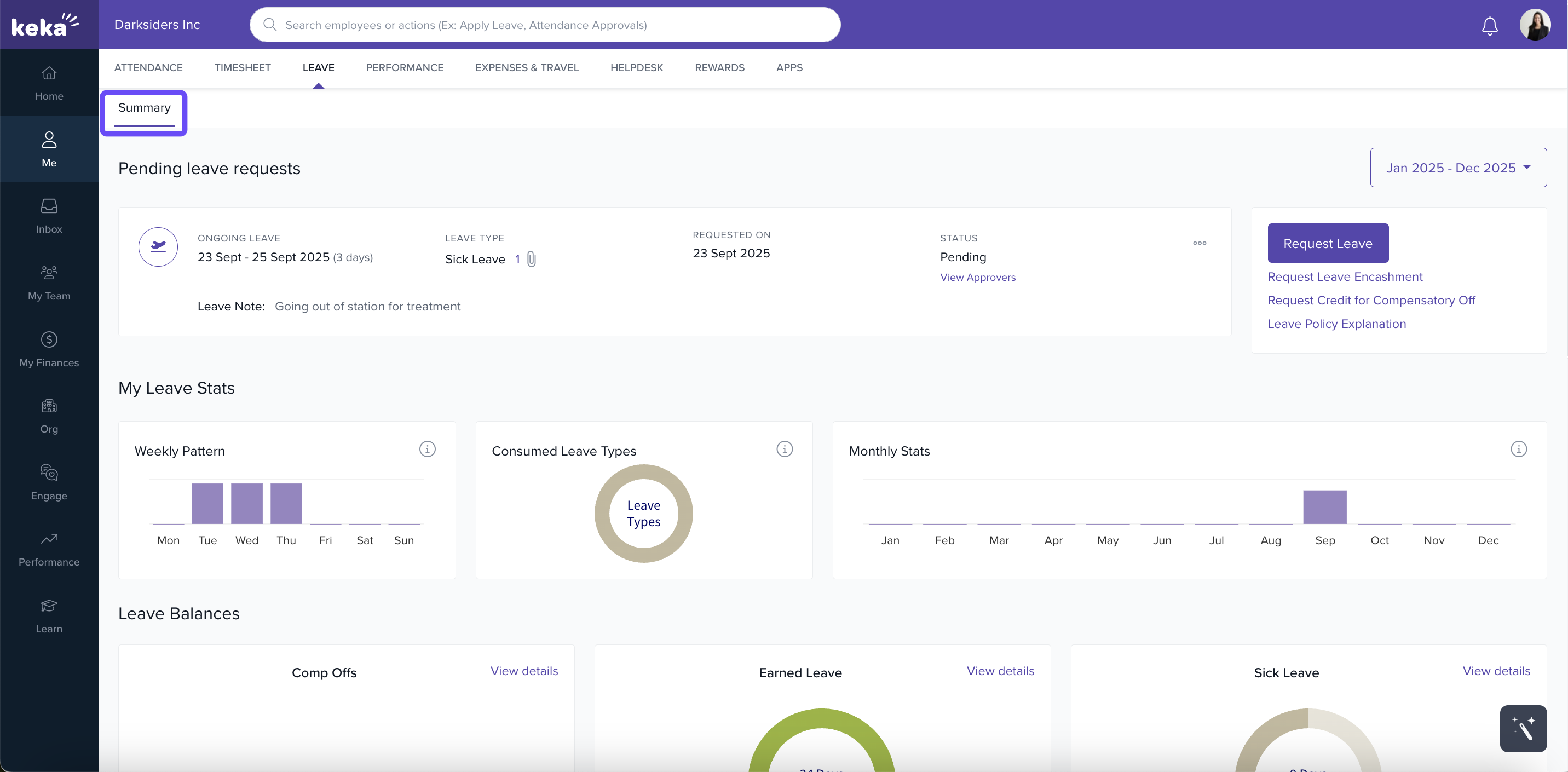
Viewing your leave requests
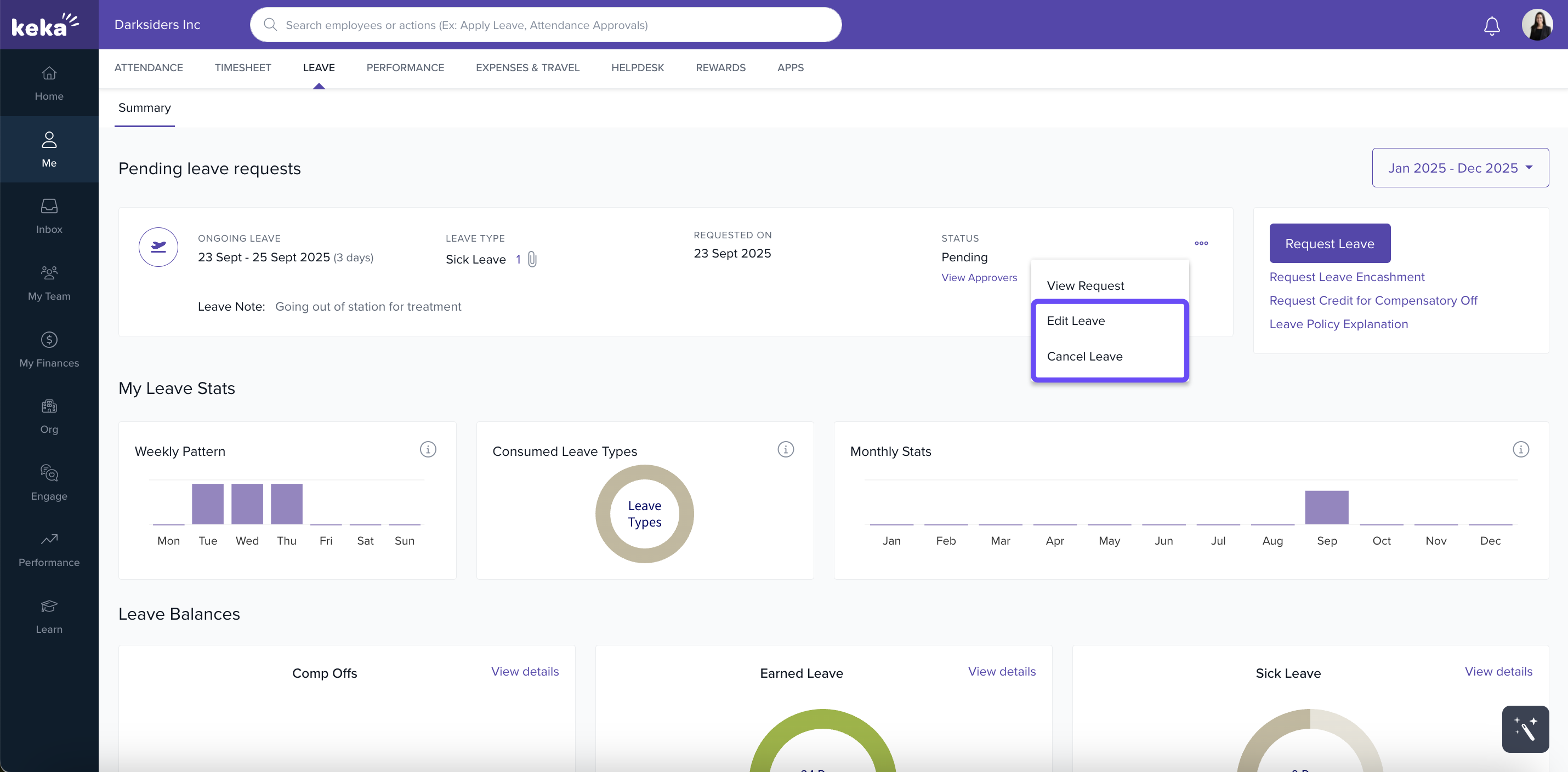
See Pending leave requests on Summary.
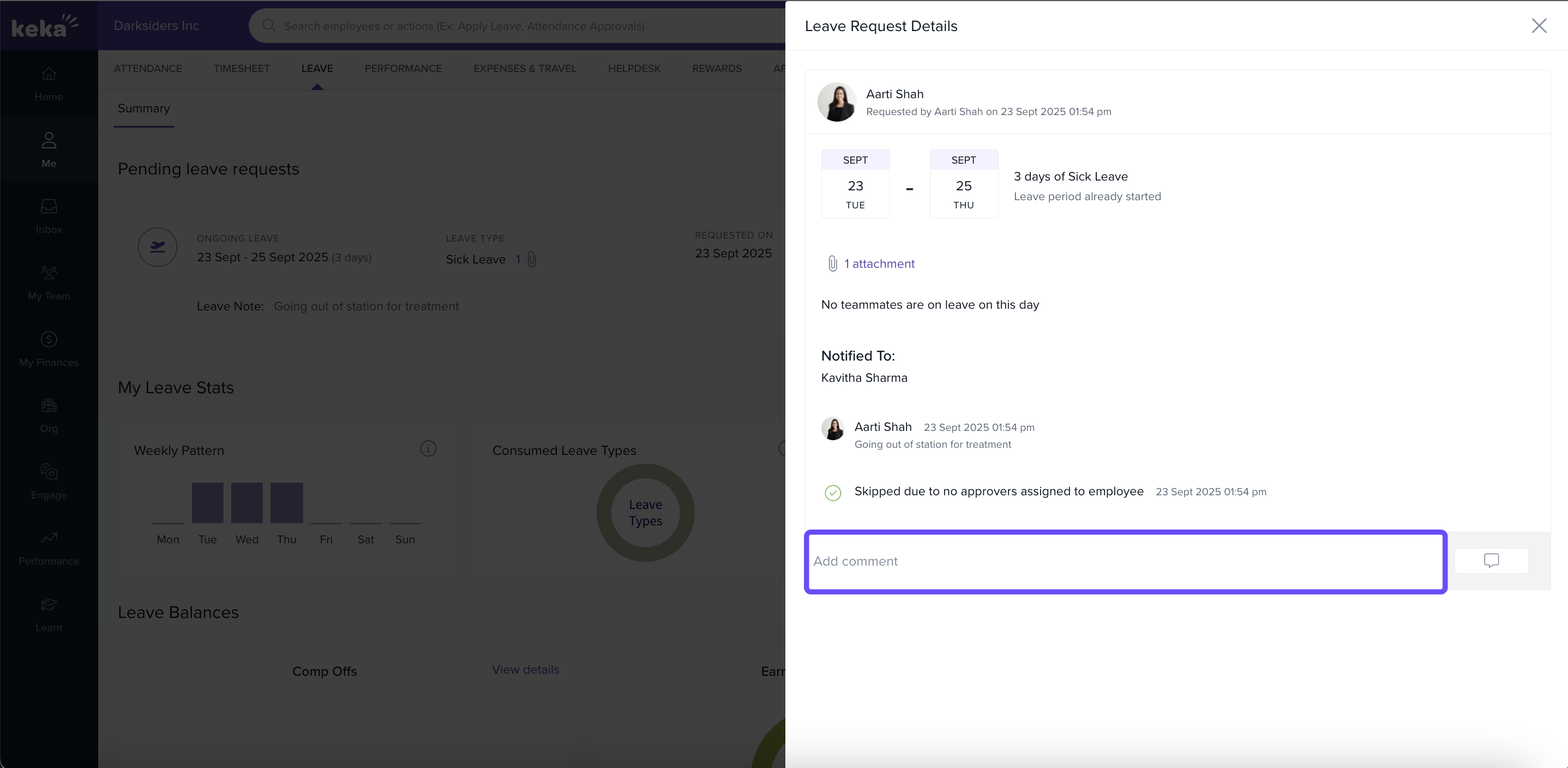
Click the ⋮ → View request to open it and Add comment → Post.
For future-dated requests: ⋮ → Edit Leave (update and Update Leave) or ⋮ → Cancel Leave (enter reason → Confirm).
Requesting credit for compensatory off
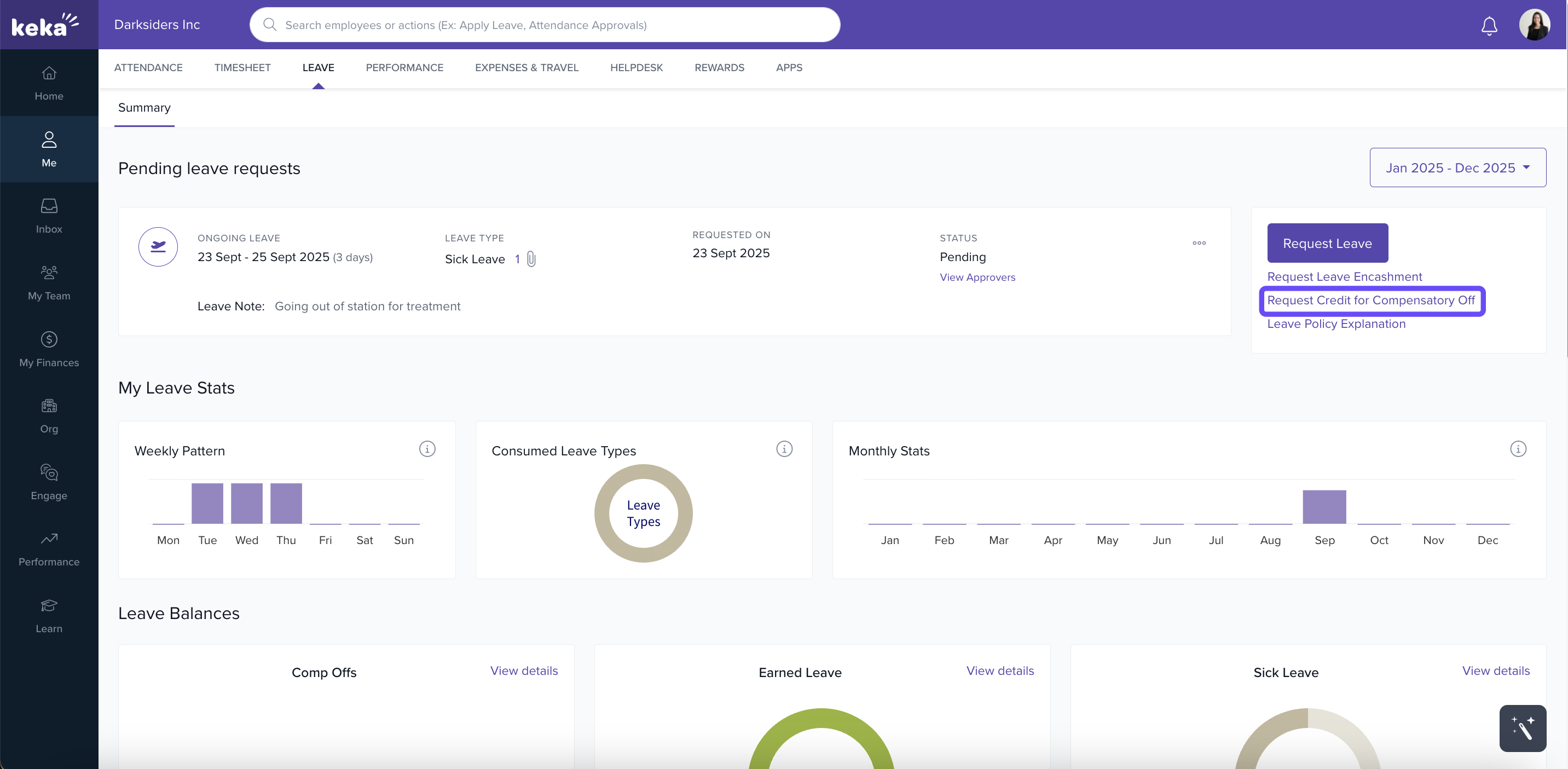
If you worked on a holiday/weekly off:
Go Me → Leave → Request Credit for Compensatory Off.
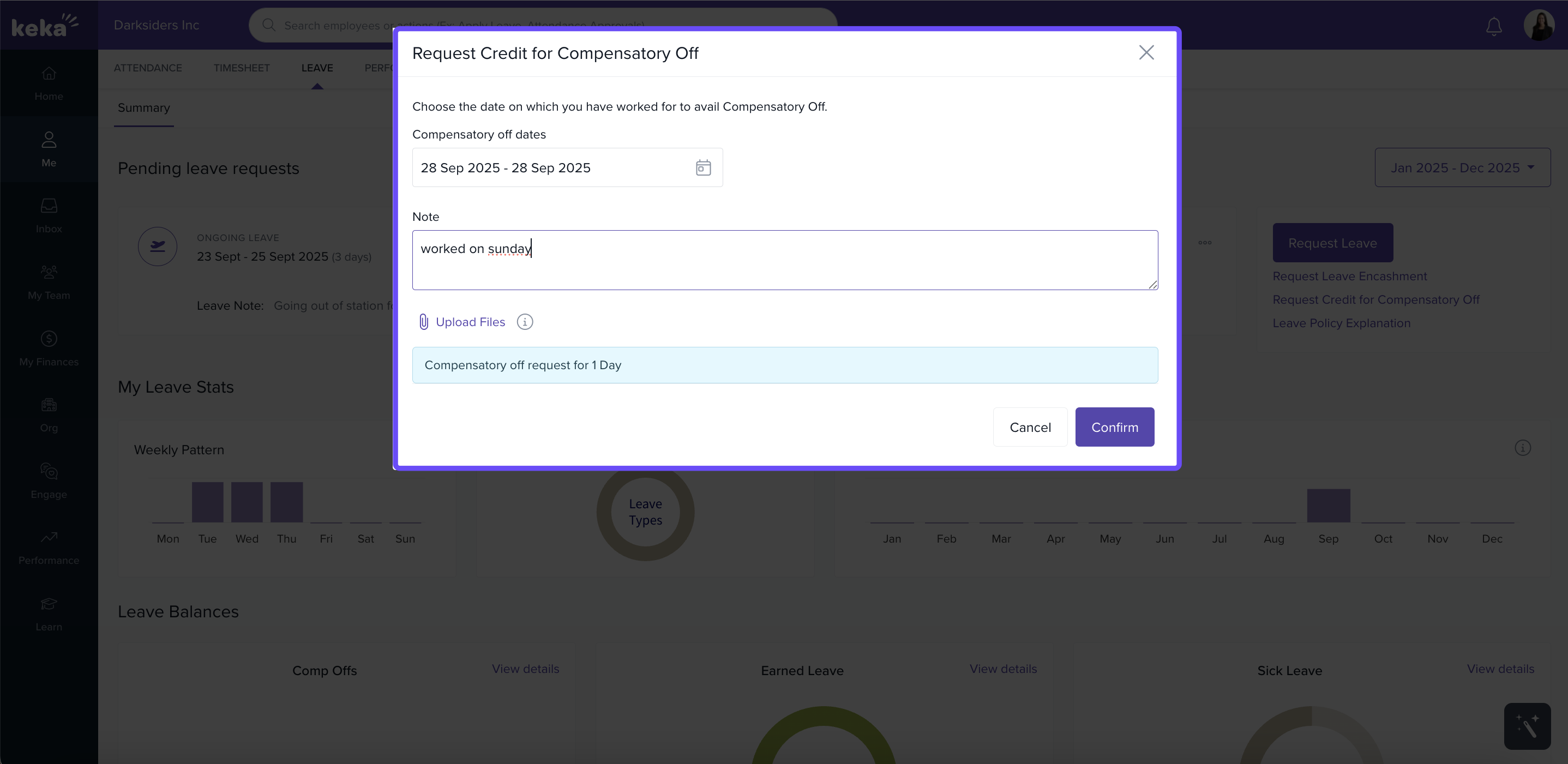
Select the Comp-Off dates, enter a Note, and if needed, upload supporting files (jpg, png, doc, docx, or pdf formats up to 20 MB). Then click Confirm.
Leave policy explanation
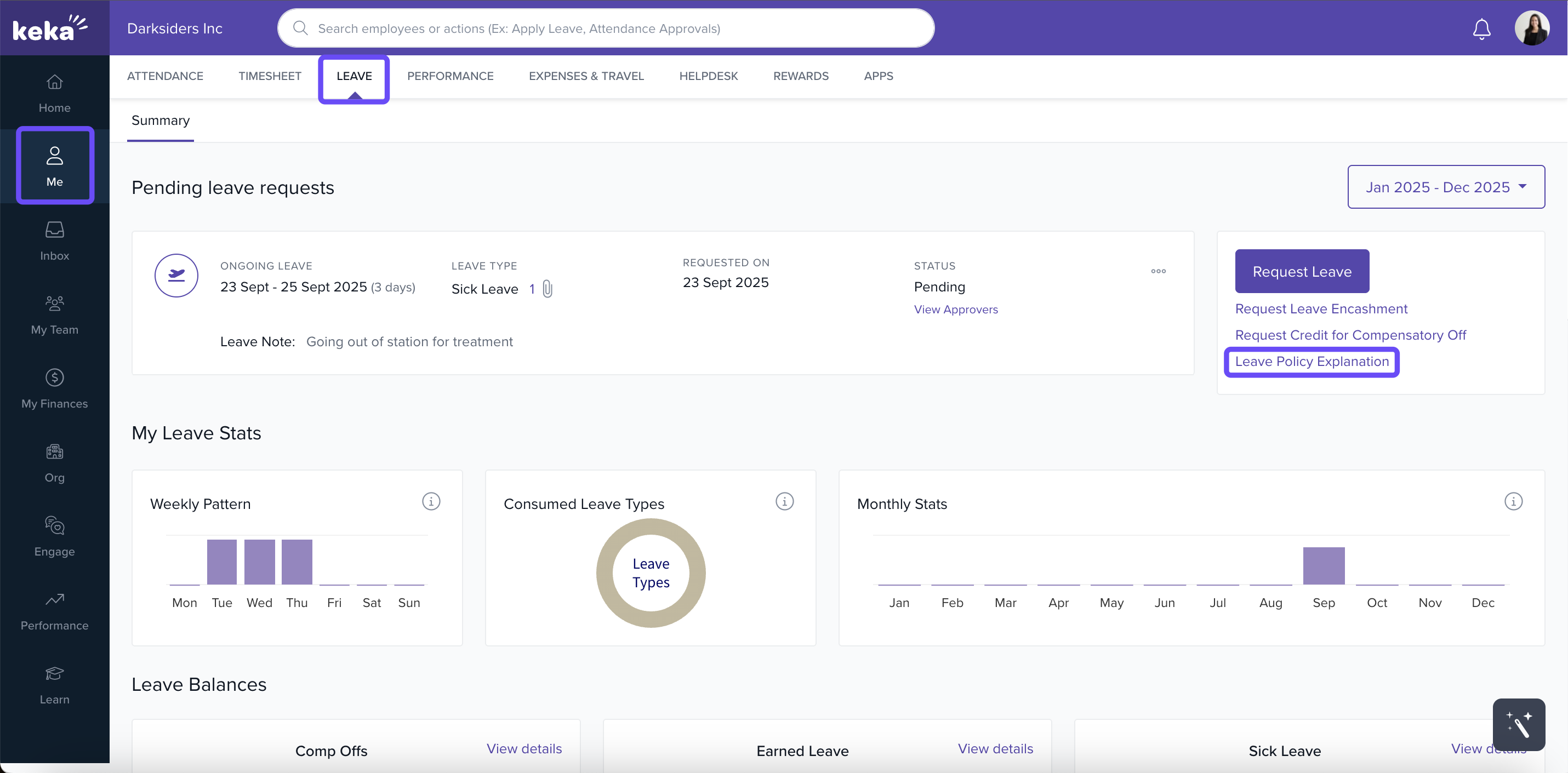
Open Me → Leave → Leave Policy Explanation to view every leave type and its rules; select any leave to see details.
We hope this article was helpful to you. If you have any other queries, please refer to the other articles.
note: If an employee adds one or more users in the Notify field while submitting a leave request, those users will receive an email notification when the leave request is approved.
Comments
0 comments
Please sign in to leave a comment.