You can download two types of reports in Keka: Consolidated Review Rating Report for overall performance ratings and Goals Rating Report for goal-specific ratings
Consolidated Review Rating Report
Navigate to Review Reports
From the left navigation panel, click on Performance and select Reports.
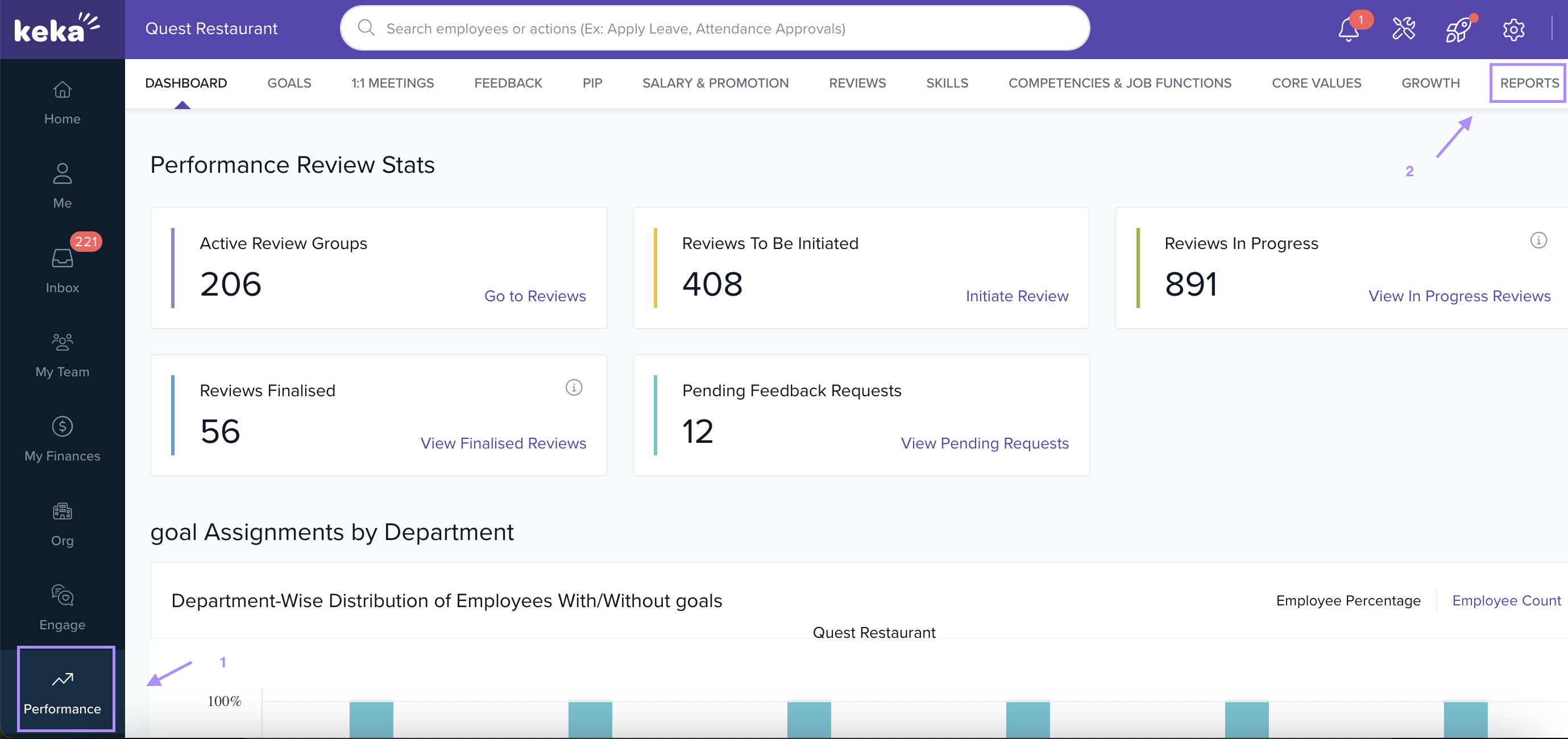
2. Under Reports, select Review Reports.
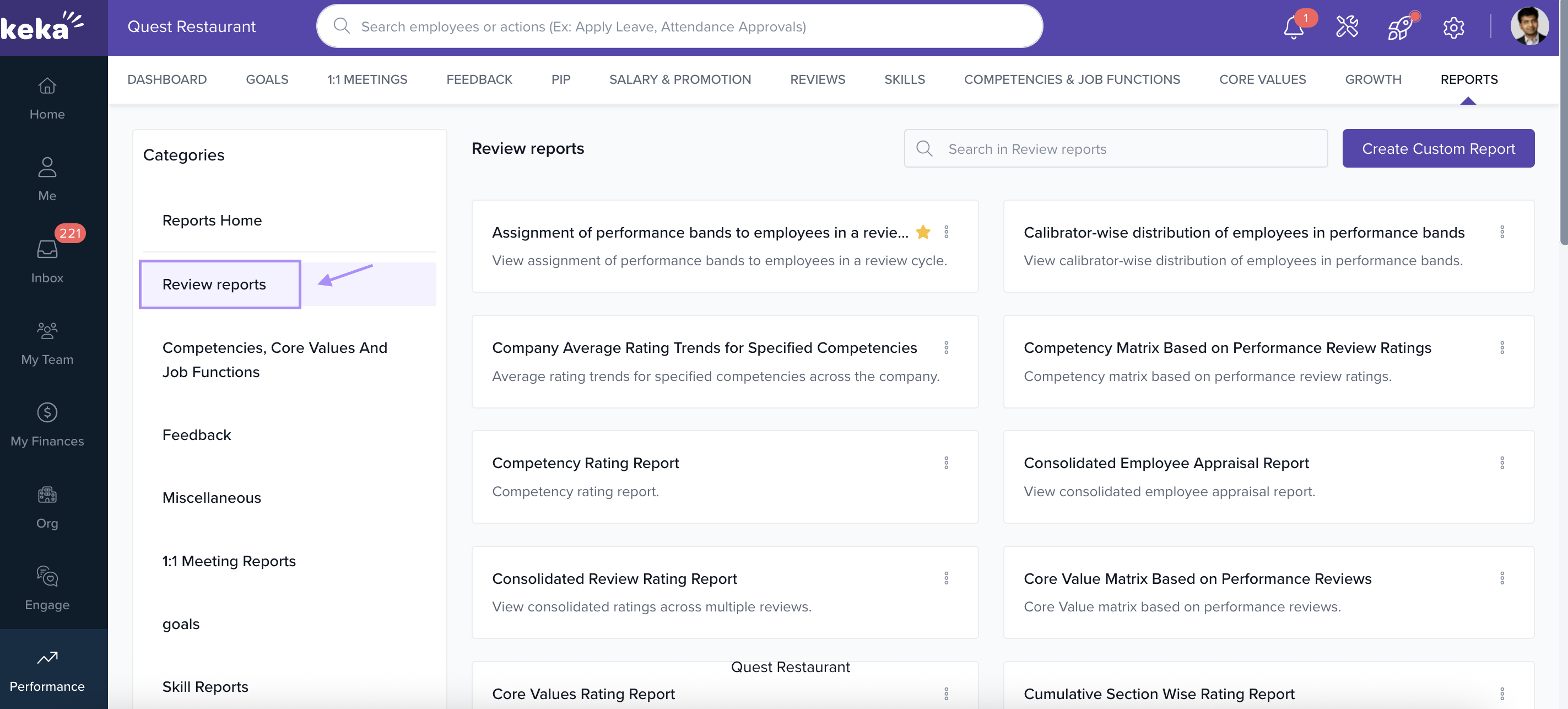
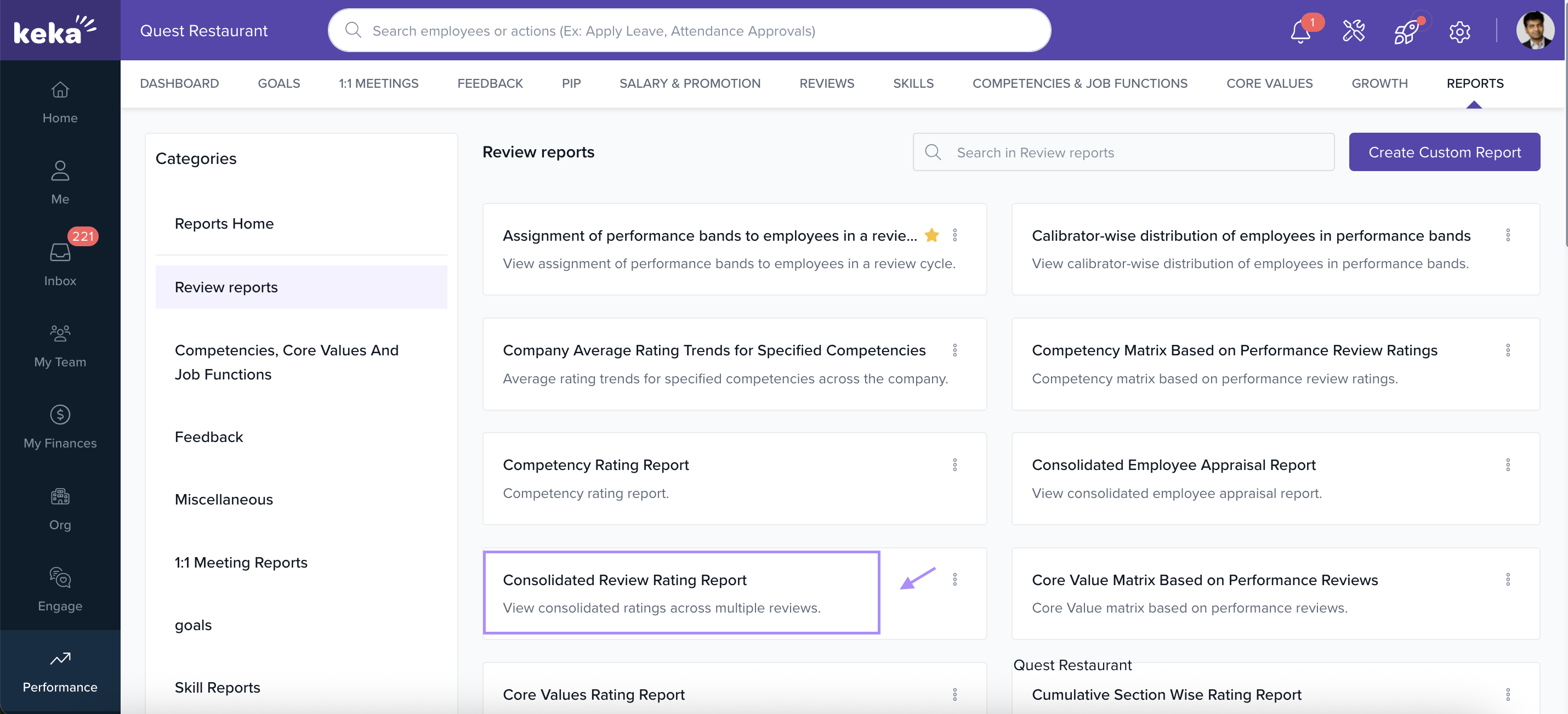
3. Choose the report you want to generate, such as:
- Consolidated Review Rating Report – for overall performance ratings.
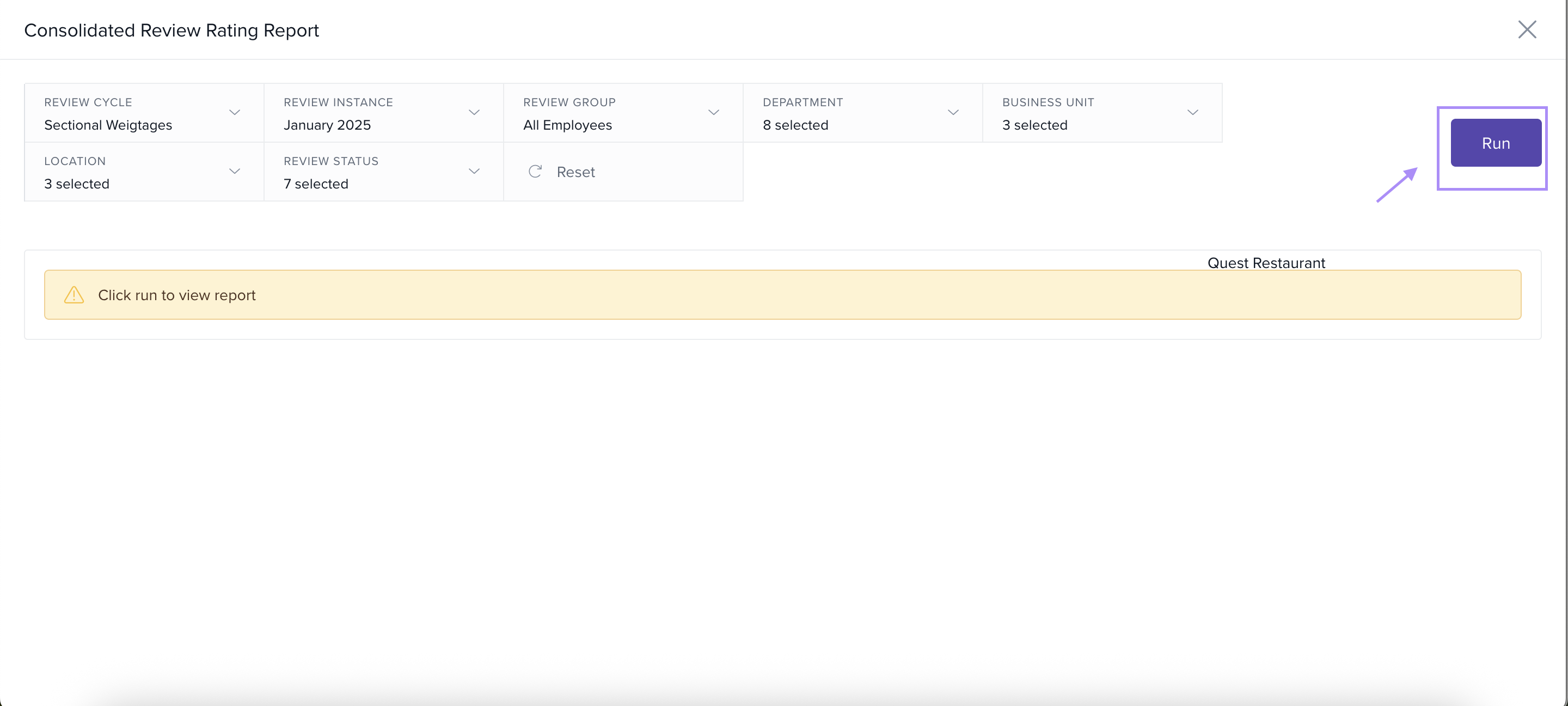
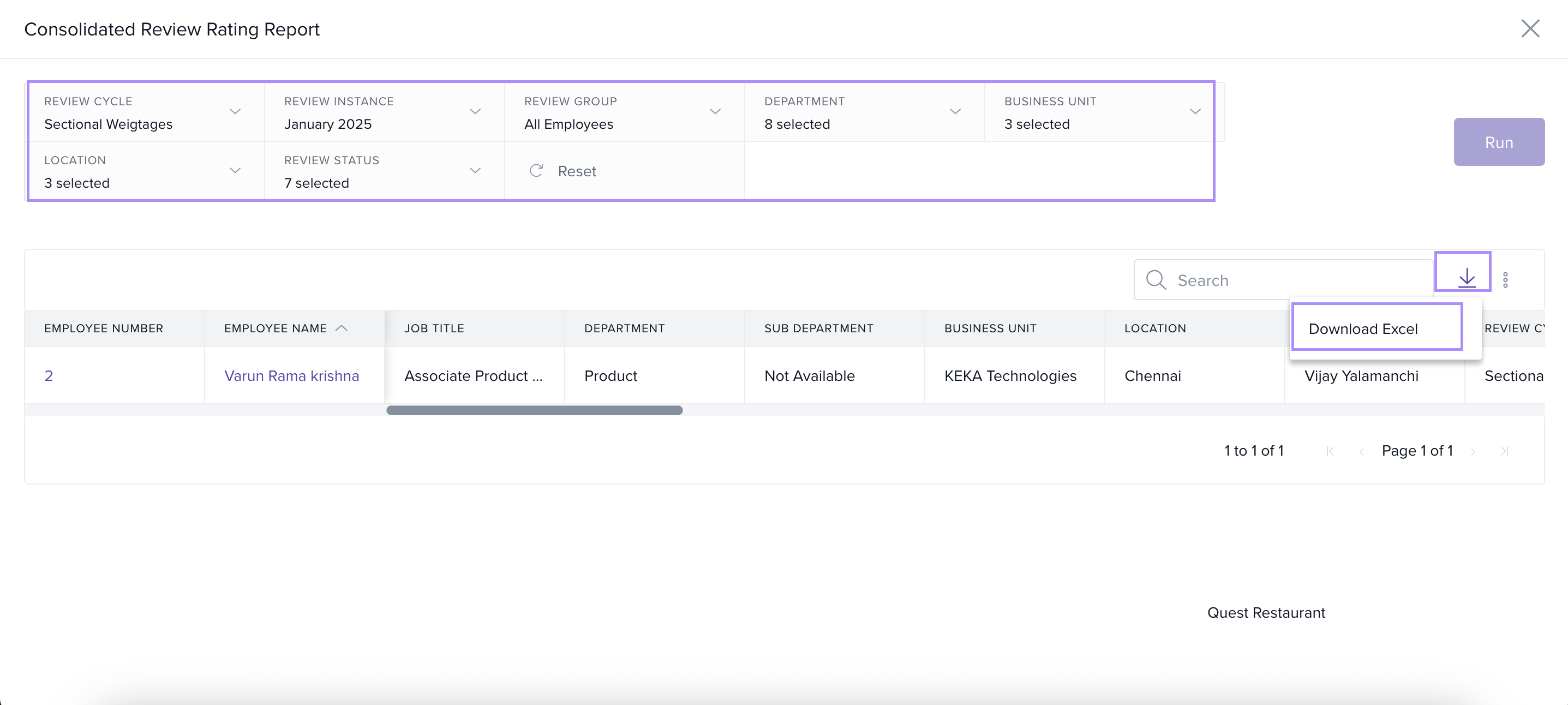
Apply Filters to Generate Report
Select the Review Cycle and Review Instance (e.g., January 2025).
Choose additional filters if required:
Review Group (All Employees or a specific group)
Department / Business Unit / Location
Goal Type (if downloading goal-based ratings)
- Review Status
After selecting the filters, click Run to generate the report.
View and Download the Report
Once the report loads, it will display employee details, job titles, review cycles, and their respective ratings.
Click on the Download icon on the top-right corner.
Select Download Excel to export the complete report to your system.
Use the filter options to focus on a single employee, department, or location for a more refined report.
The Consolidated Review Rating Report is ideal for a holistic view of employee performance.
For specific goal-based analysis, use the Goals Rating Report.
Goals Rating Report
Navigate to Review Reports
From the left navigation panel, click on Performance and select Reports.
2. Under Reports, select Review Reports.
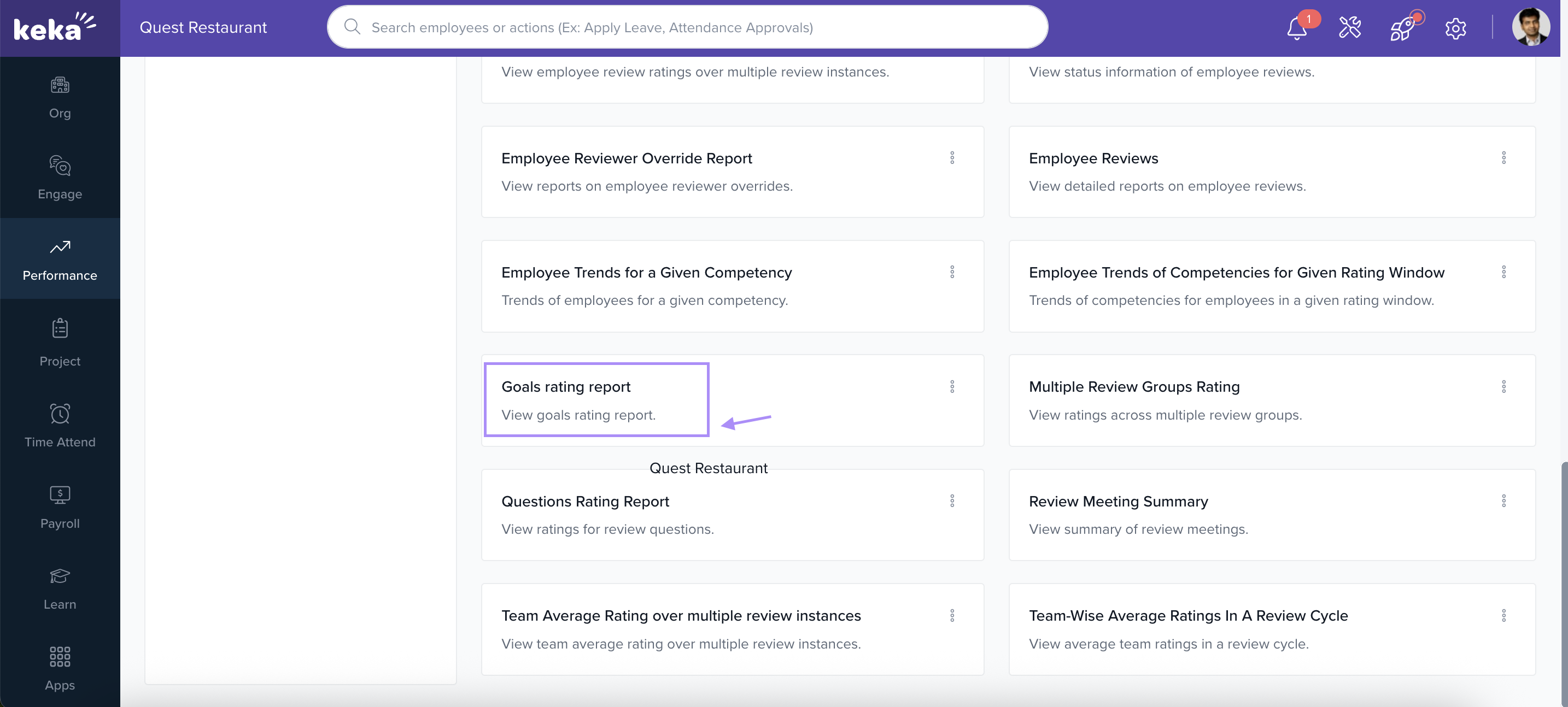
3. Choose the report you want to generate, such as:
- Goals Rating Report– for overall performance ratings.
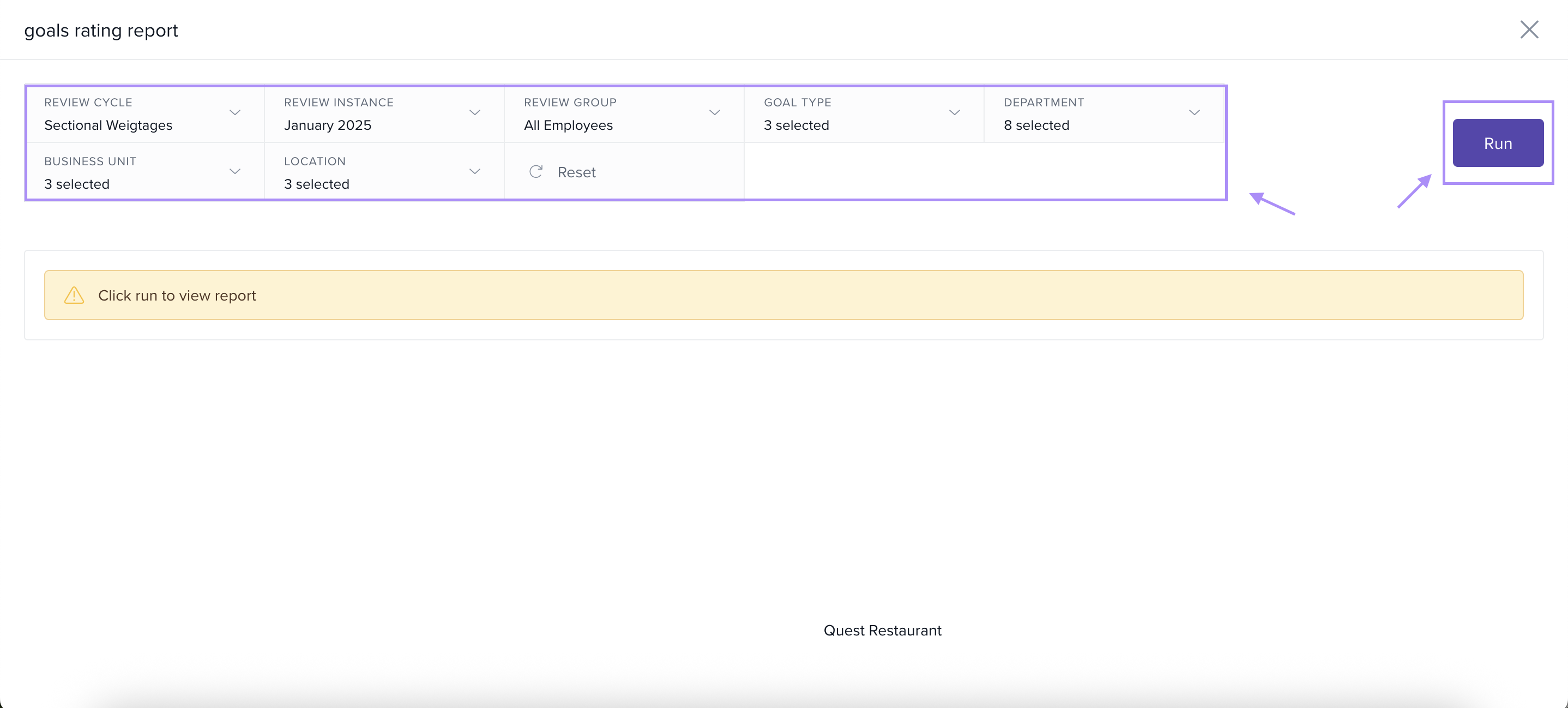
Apply Filters to Generate Report
Select the Review Cycle and Review Instance (e.g., January 2025).
Choose additional filters if required:
Review Group (All Employees or a specific group)
Department / Business Unit / Location
Goal Type (if downloading goal-based ratings)
After selecting the filters, click Run to generate the report.
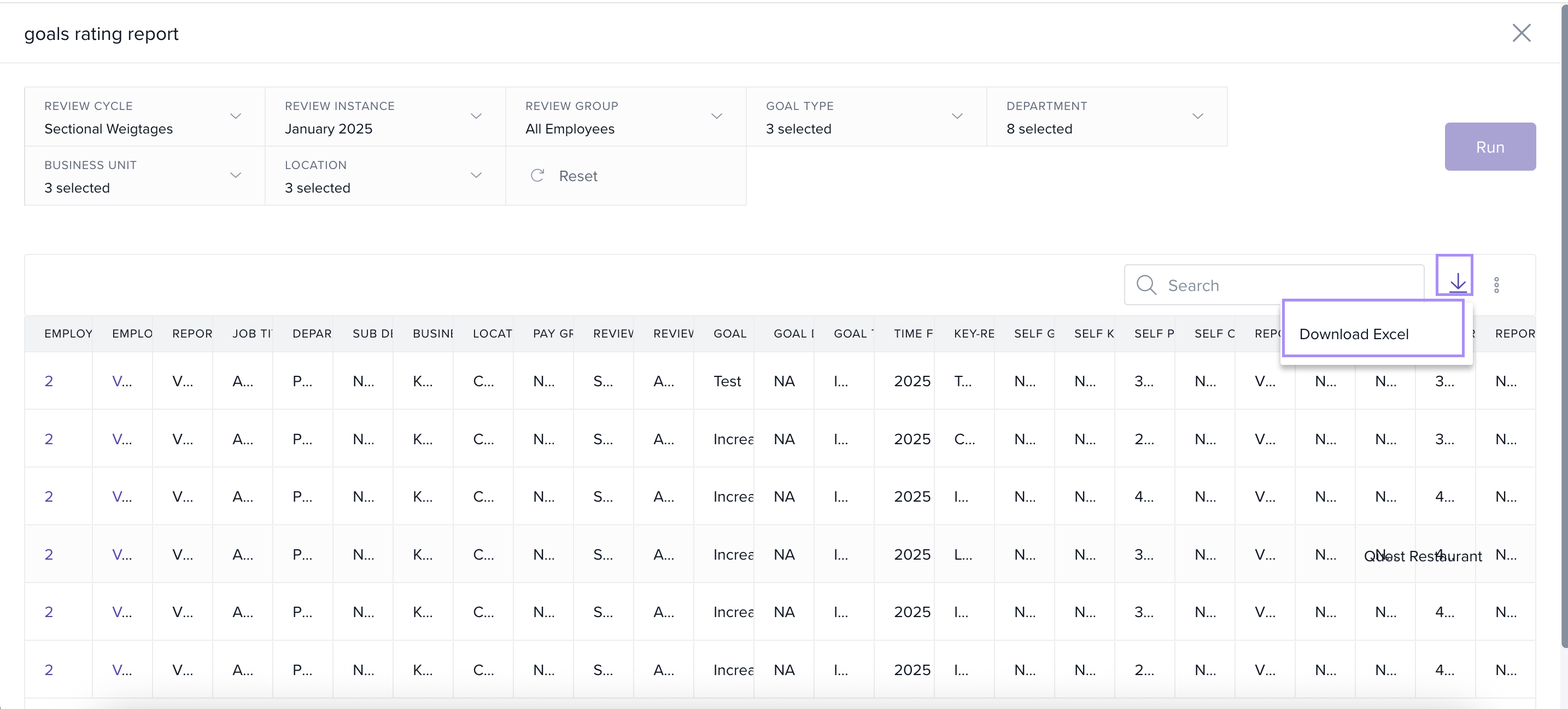
View and Download the Report
Once the report loads, it will display employee details, job titles, review cycles, and their respective ratings.
Click on the Download icon on the top-right corner.
Select Download Excel to export the complete report to your system.
By following these steps, you can effortlessly generate and download overall employee rating reports in Keka, ensuring quick access to performance insights and goal-specific evaluations for better decision-making.
The Excel file will contain the overall rating report for all selected employees, which you can further analyse or share with stakeholders.
Comments
0 comments
Please sign in to leave a comment.