Introduction
Designing high-quality assessments can be time-consuming. Keka Learn makes this easier with AI-powered assessment creation. This feature automatically generates quiz questions that you can customize by topic, question type, difficulty level, and number of questions.
AI-generated assessments save time while ensuring your learners get structured evaluations.
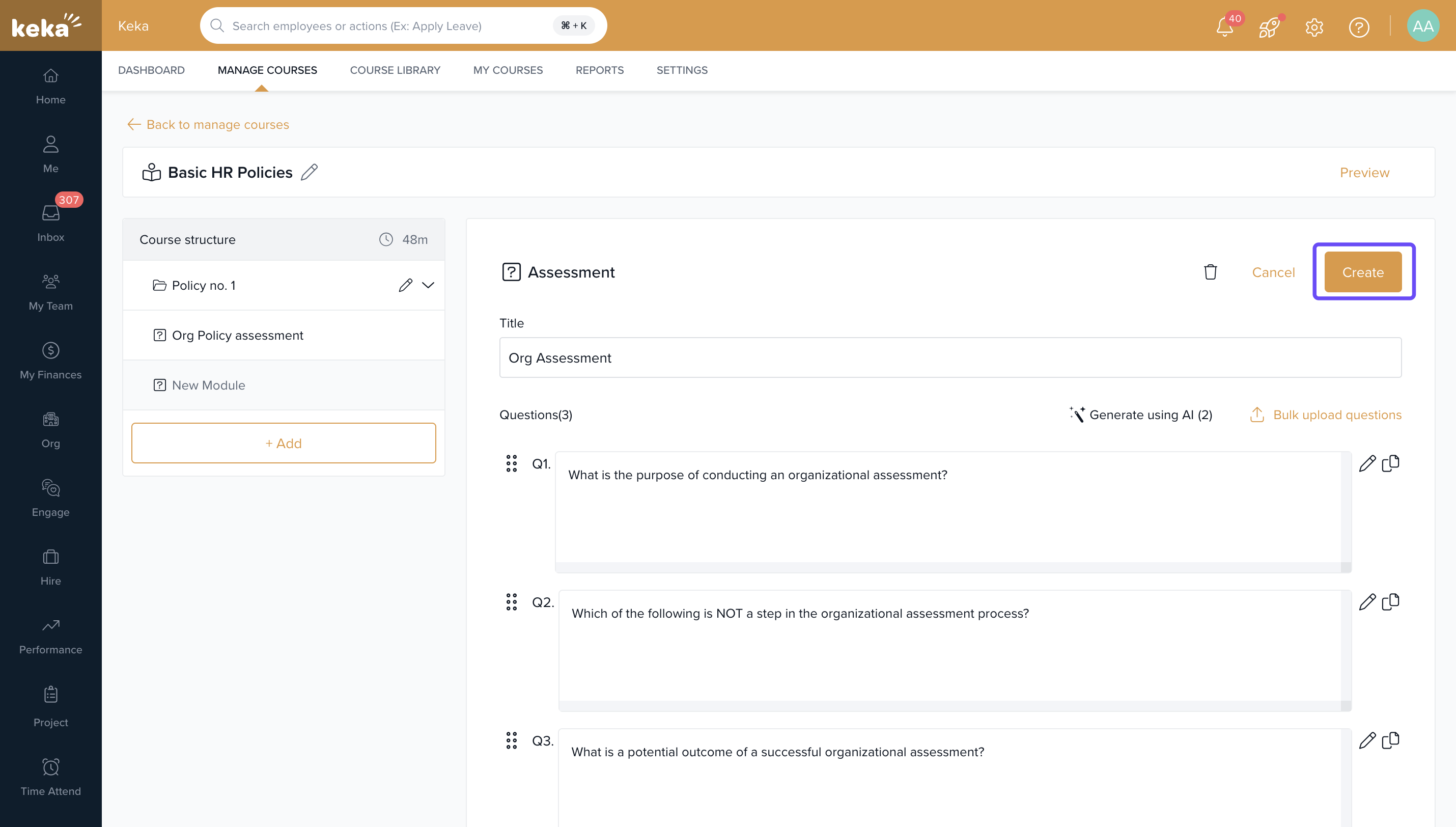
Following are the Steps to create the assessment :
Assessment Creation
Go to the Course Creation page.
Select the Assessment option.
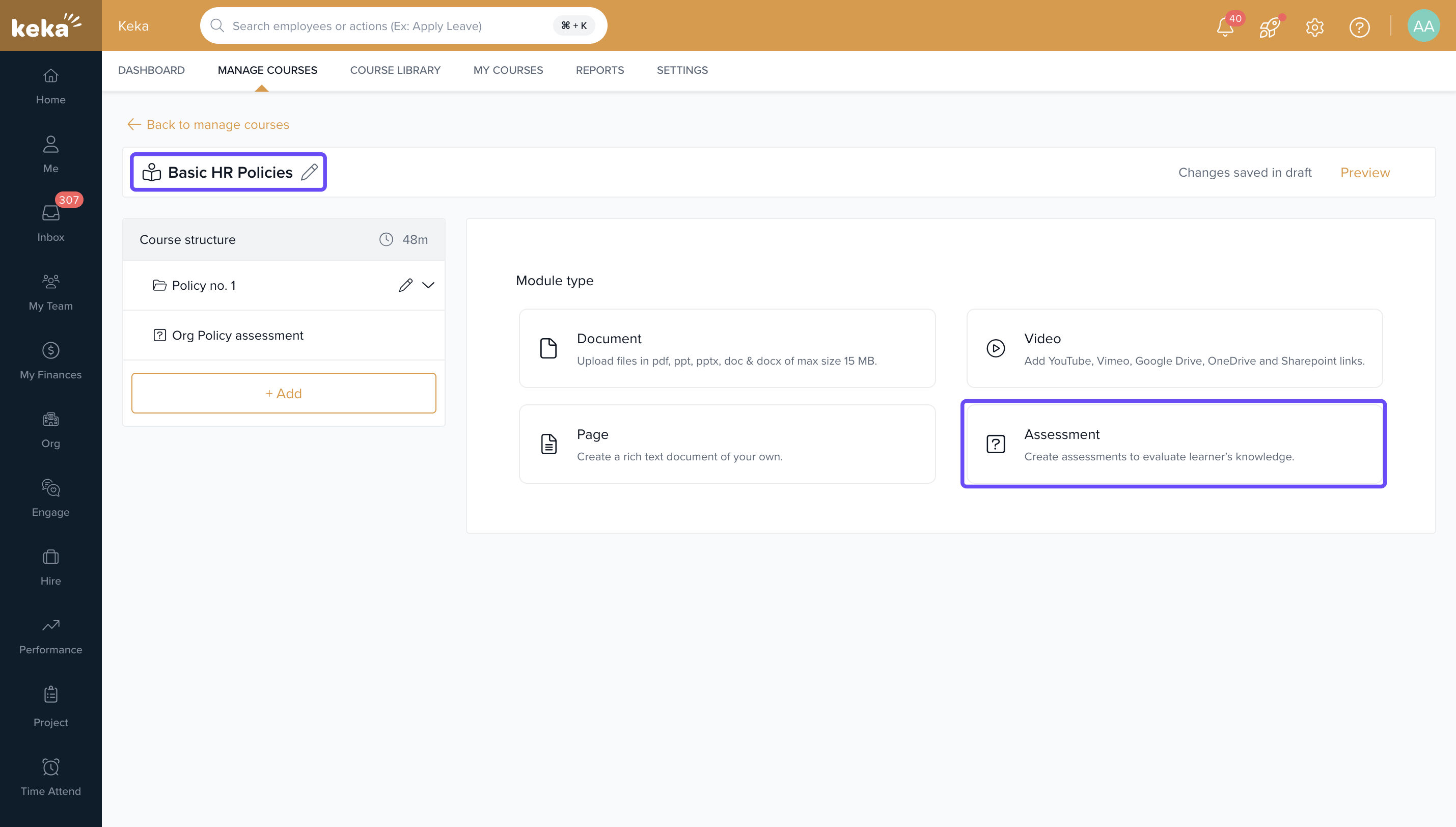
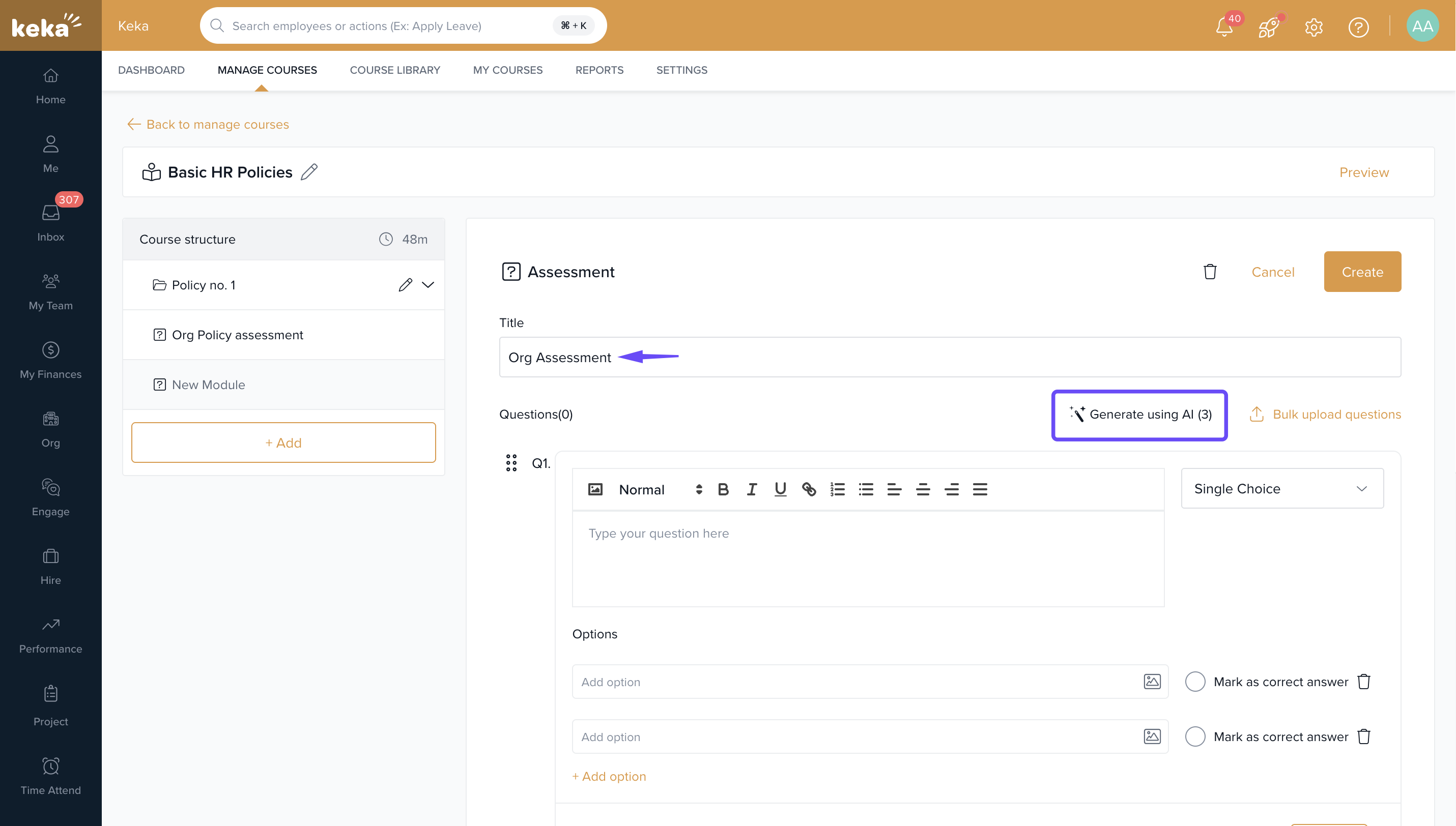
Enter a name in the Title field.
Click Generate using AI .
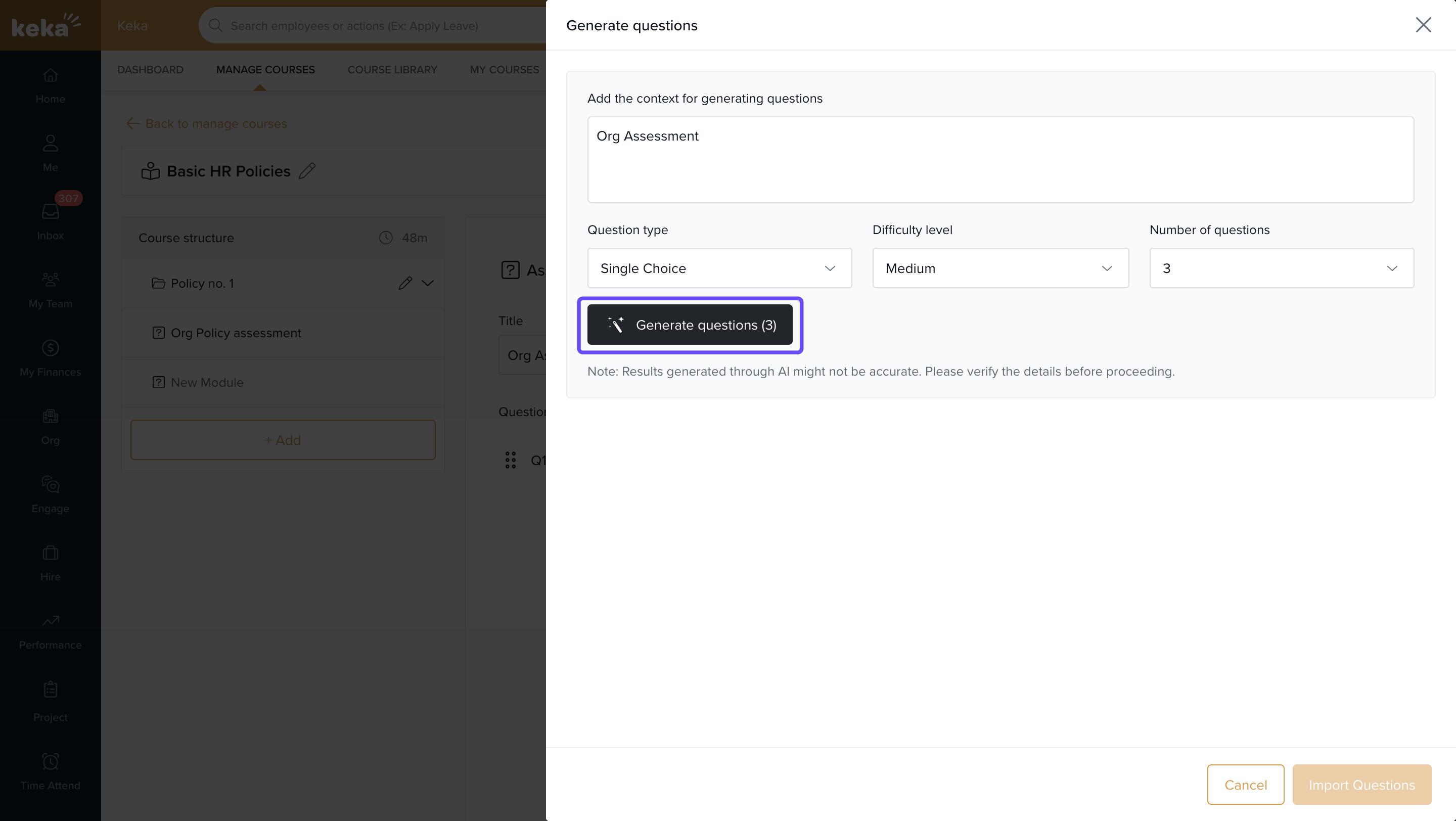
Customizing Question Settings
Select question type: Single-choice or Multiple-choice
Set the difficulty level
Enter the number of questions
Click Generate Questions
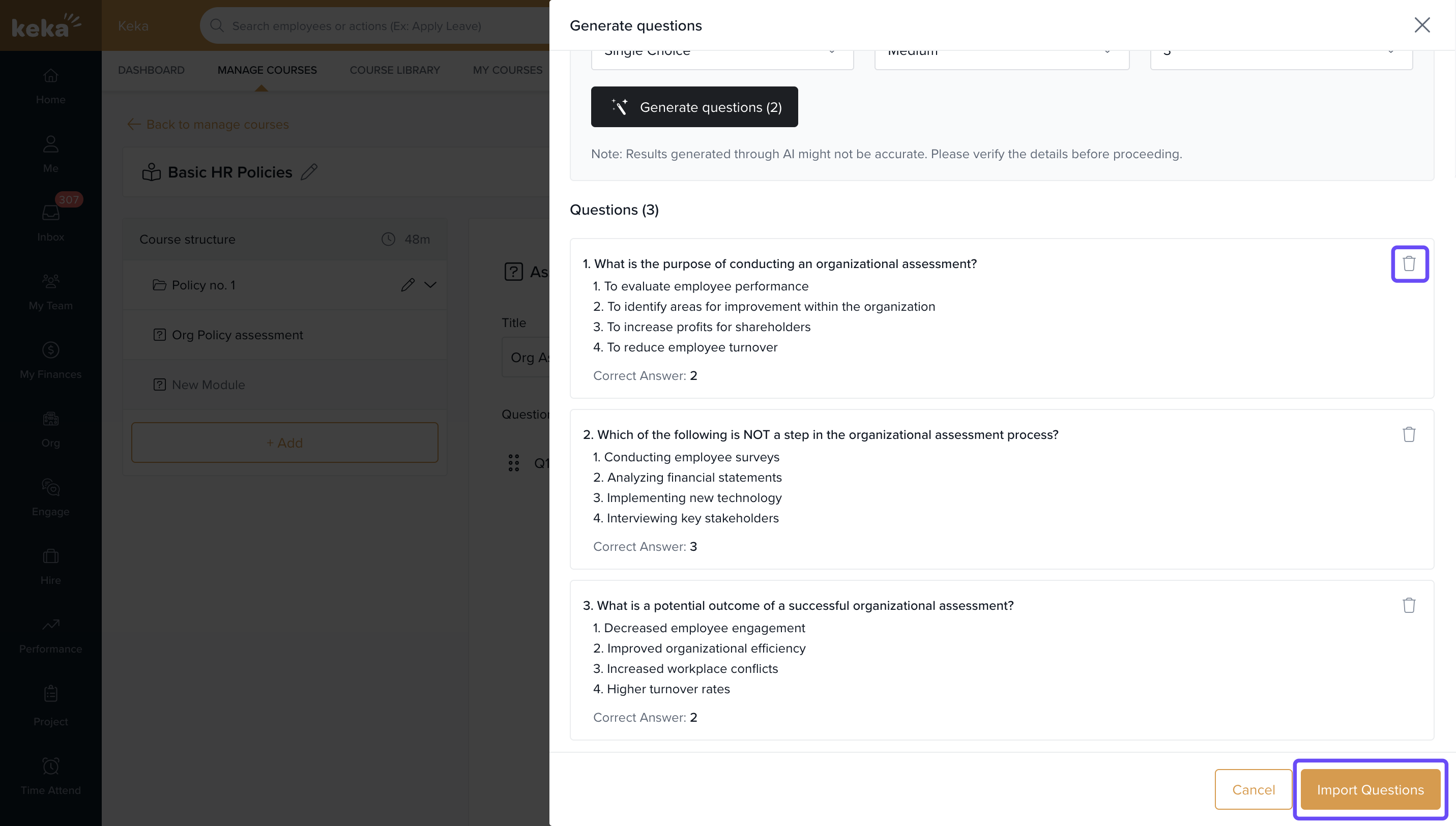
Reviewing and Importing Questions
Review all generated questions for accuracy.
To remove a question, click the Delete icon next to it.
Once satisfied, click Import Questions to add them to your assessment.
Tip: Use difficulty levels strategically—easy for introductory topics, moderate for mid-level courses, and hard for advanced learners.
Finalizing the Assessment
Click Create to complete the assessment.
Once done, you can publish the course if not published already.
To learn more about course creation, click here.
Comments
0 comments
Please sign in to leave a comment.