Introduction
You can edit, archive, or delete courses in Keka Learn at any time. This ensures your learners always have access to the most up-to-date training materials and helps you manage older or outdated courses.
Viewing Courses
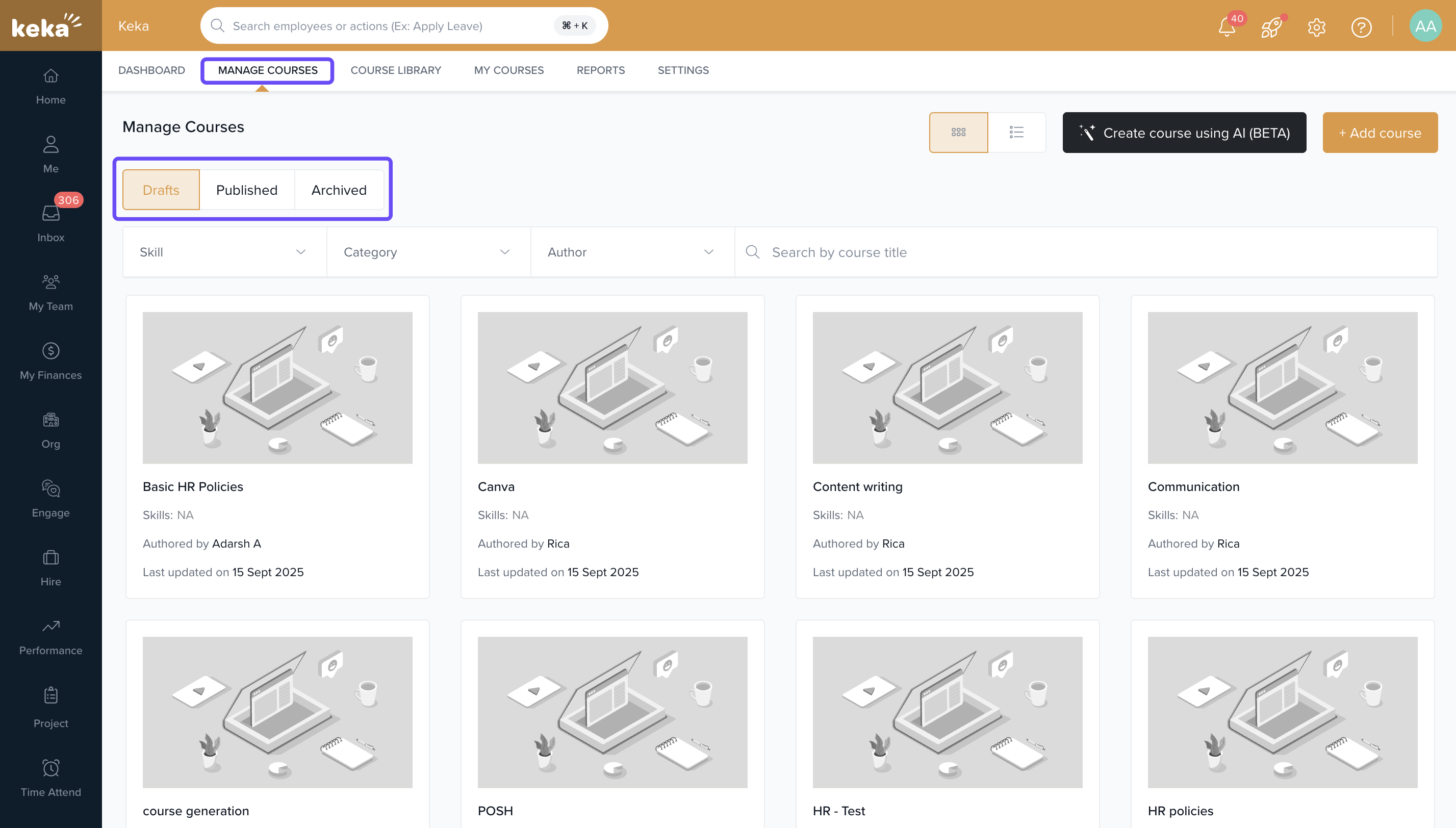
Go to Keka Learn from the left navigation menu.
Select the Manage Courses tab.
-
Use the tabs to view courses by their status:
- Drafts: Courses that are still being created. These can be viewed and edited.
- Published: Courses currently live for learners.
- Archived: Courses that have been removed from active use but not deleted.
Editing, Archiving, or Deleting a Course
From the Drafts or Published tab, select the course you want to manage.
-
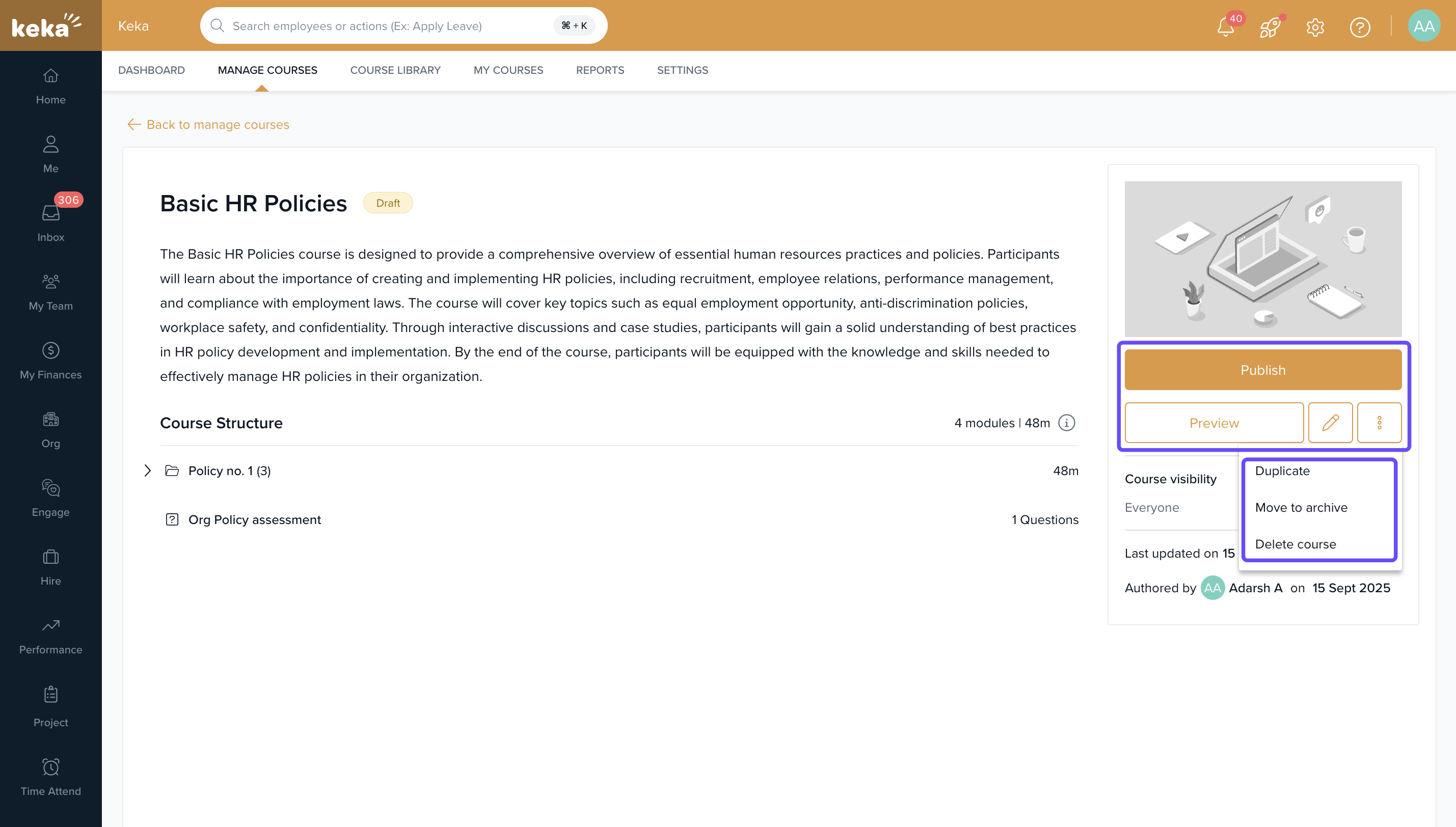
On the course details page, you’ll see several options:
- Publish : Make the course live for learners.
- Preview : See how the course looks before publishing.
- Edit : Add new content or update existing content.
-
More Options : Click on three dots for more options.
- Duplicate : Create a copy of the course as a new course
Move to Archive: Archive the course, removing it from active use without deleting it.
Delete Course: Permanently delete the course.
Important: Archiving a course hides it from learners but allows you to restore it later. Deleting a course is permanent and cannot be undone.
Comments
0 comments
Please sign in to leave a comment.