Introduction
Keka’s API module is a powerful tool designed to simplify integrations and enable seamless data flow between Keka and your other software systems. Whether you want to sync employee data, automate HR processes, or integrate with third-party tools, the API makes it possible. Here's a quick guide to get started with the Keka API.
Prerequisites for Using the Keka API
Before diving in, ensure the following:
-
API Module Add-On is Enabled: The API module is an add-on feature and must be enabled on your Keka account. Contact your account manager to activate it if it is not already part of your subscription.
- Technical Team Availability: The API implementation requires technical expertise. Make sure your technical team is available to handle the integration process, including creating the necessary API calls and troubleshooting issues.
Steps to Get Started with Keka API
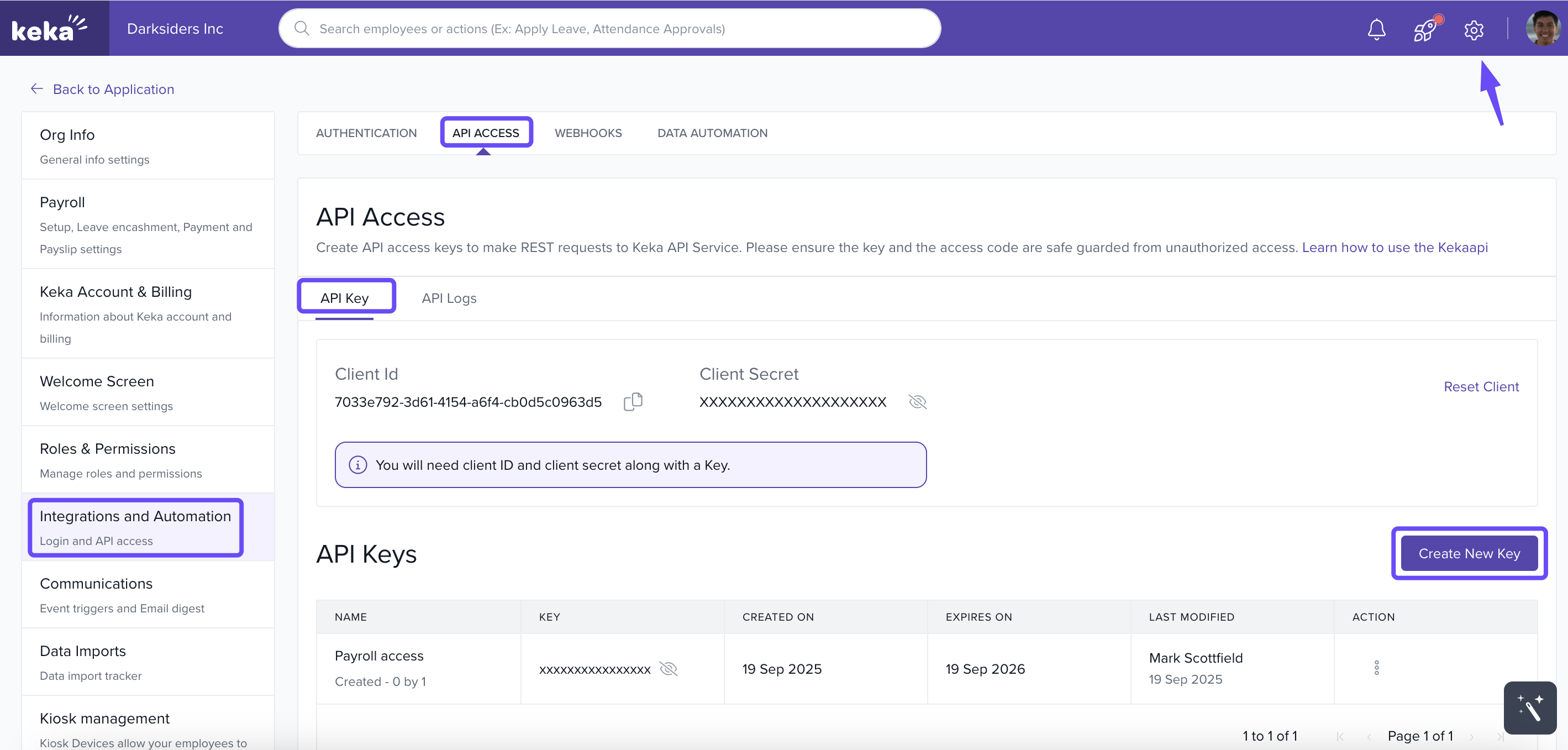
- To access API keys, users must navigate to Global admin settings and select Integrations & Automation and you will see API access and you will be in the API key section.
- Users must first generate the client ID and client secret.
Only the Global admin has the authority to generate and manage API keys.
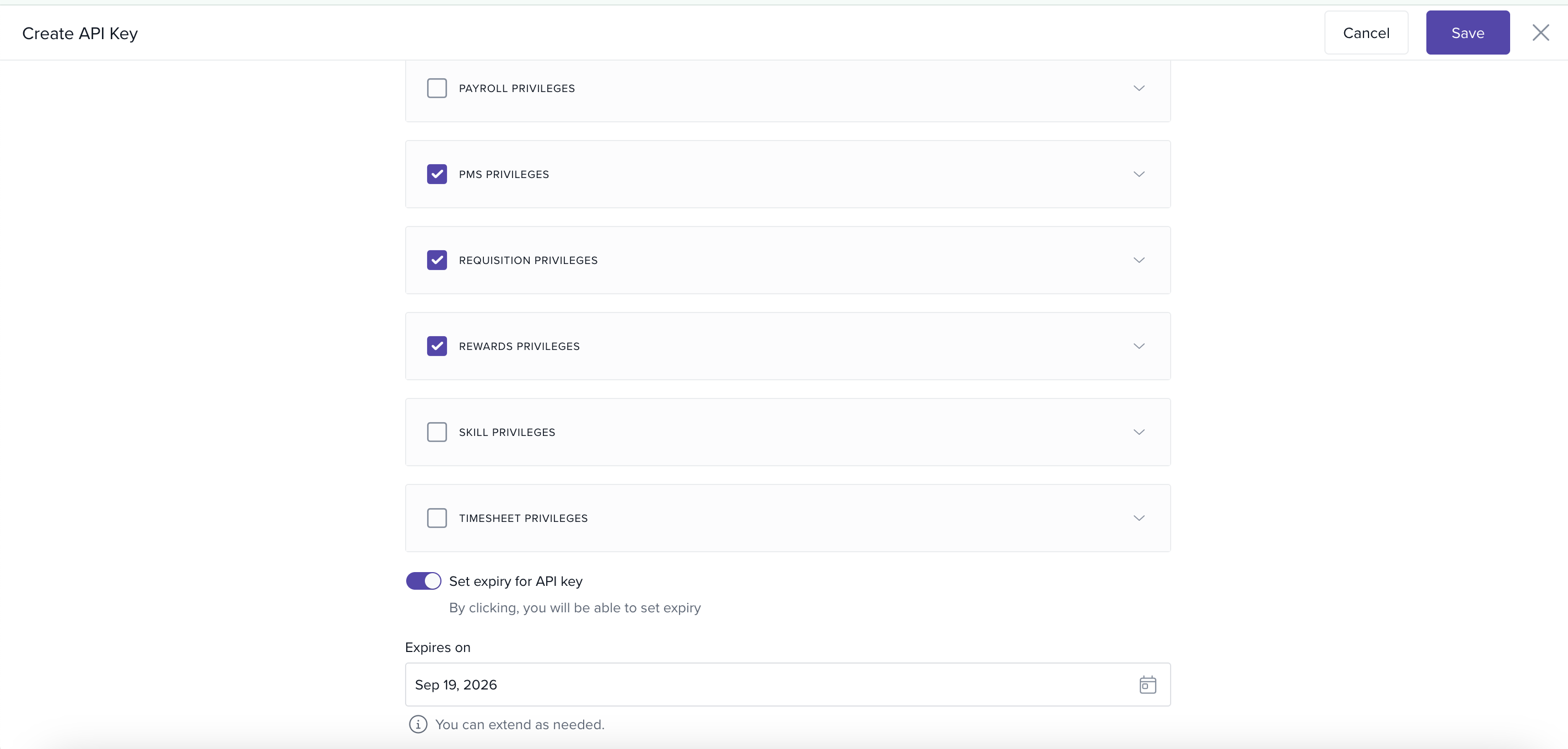
5. Finally, click save.
Need Help?
If you experience any difficulties during the setup or use of the API, you can submit a support ticket directly to the Keka team. Before doing so, please ensure that your subscription is activated and that you have generated the client access key. Additionally, have your technical team ready for a call when we reach out to schedule a follow-up. Our support team is available to help with technical questions, debugging, and any other concerns related to API usage.
Comments
0 comments
Please sign in to leave a comment.