The video will be updated shortly with new UI — meanwhile, explore the article for the latest updates.Overview
Competencies define the skills, behaviours, and characteristics employees need to perform effectively. In Keka, admins can add, edit, and manage competencies to assess employee performance, align roles, and support development.
This article explains what competencies are, their types, and how to manage them in Keka.
What is a Competency?
A competency is a skill or behaviour that helps employees succeed in their job.
Organisations often:
Define core competencies that apply to everyone.
Set levels of competencies that differ by role or seniority.
This ensures competencies are demonstrated in ways appropriate to each position.
Types of Competencies
Technical Competencies: Job-related technical skills (e.g., coding, financial knowledge).
Behavioural Competencies: Attitudes and soft skills (e.g., communication, collaboration, innovation).
Leadership Competencies: Skills required to lead people and businesses effectively.
Competency Categories in Keka
Core Competencies – Shared by all employees, representing organisational strengths.
Common Success Competencies – Key to workplace success across industries and roles.
Job-Specific Competencies – Unique to certain functions or positions.
Steps to add competencies
Accessing Competencies
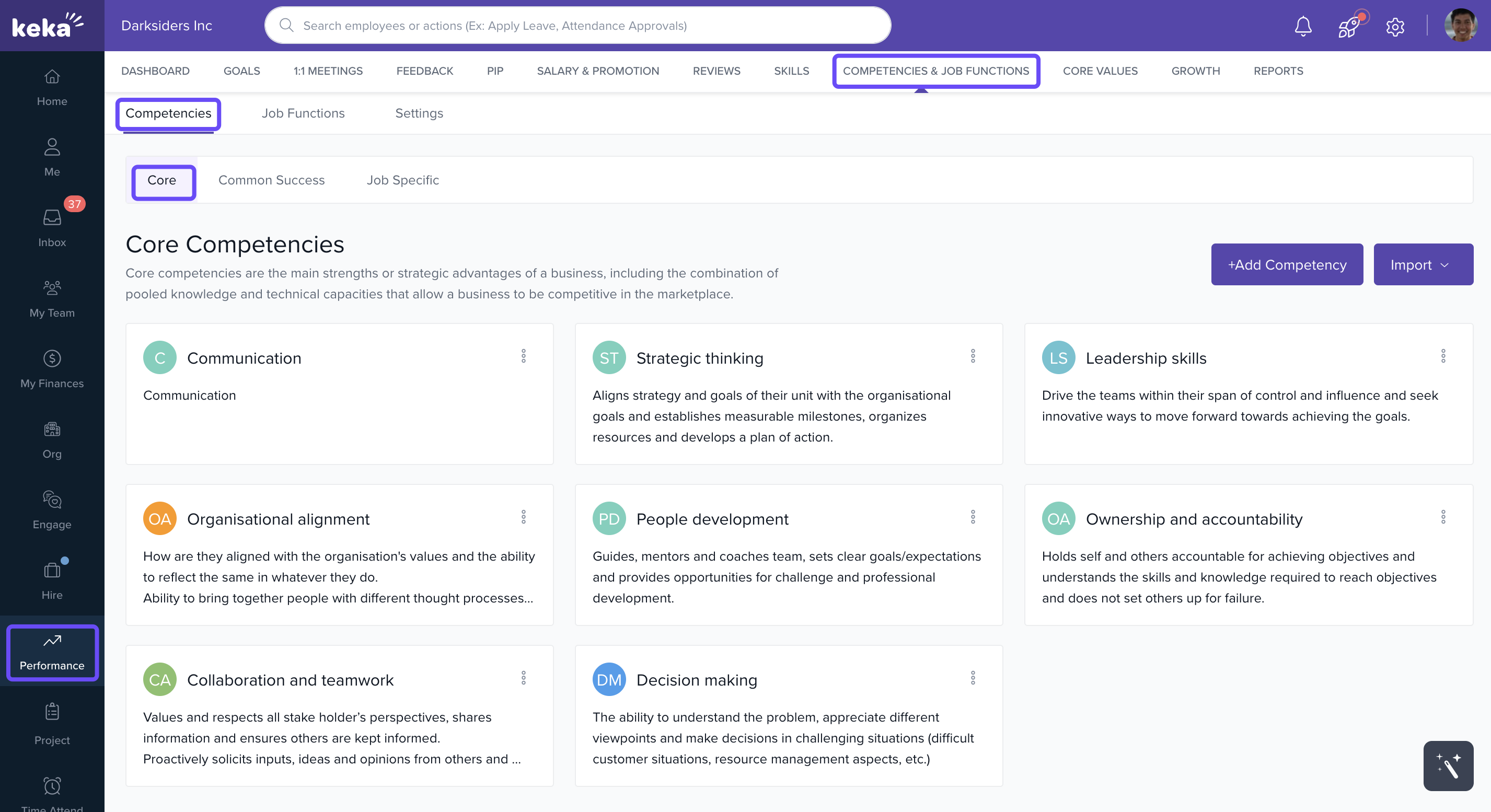
Go to Performance from the left menu.
Select Competencies & Core Values.
Open the Competencies tab.
-
Switch between Core, Common Success, and Job-Specific tabs to view existing competencies.
Adding Competencies
Add Individually
-
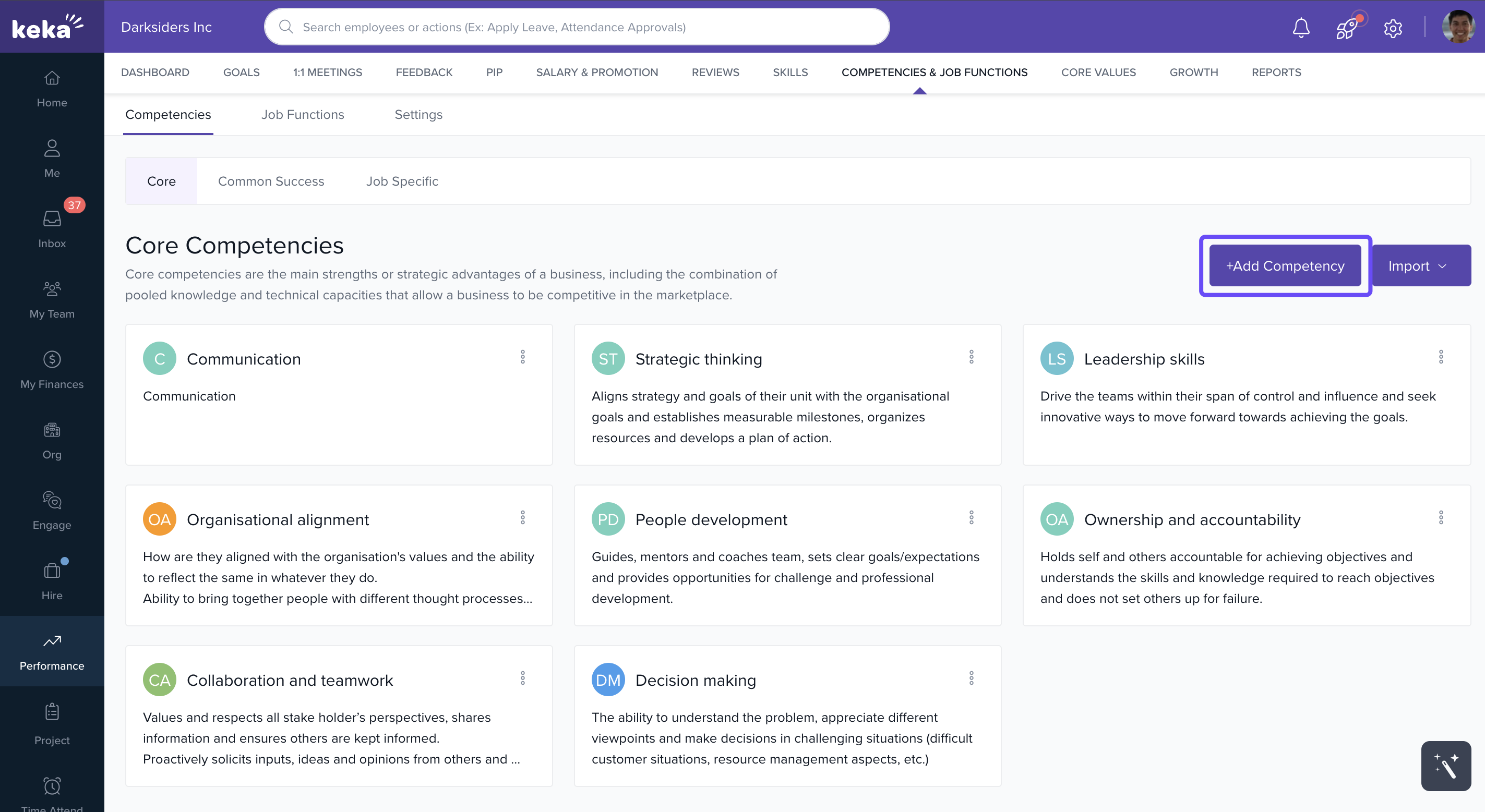
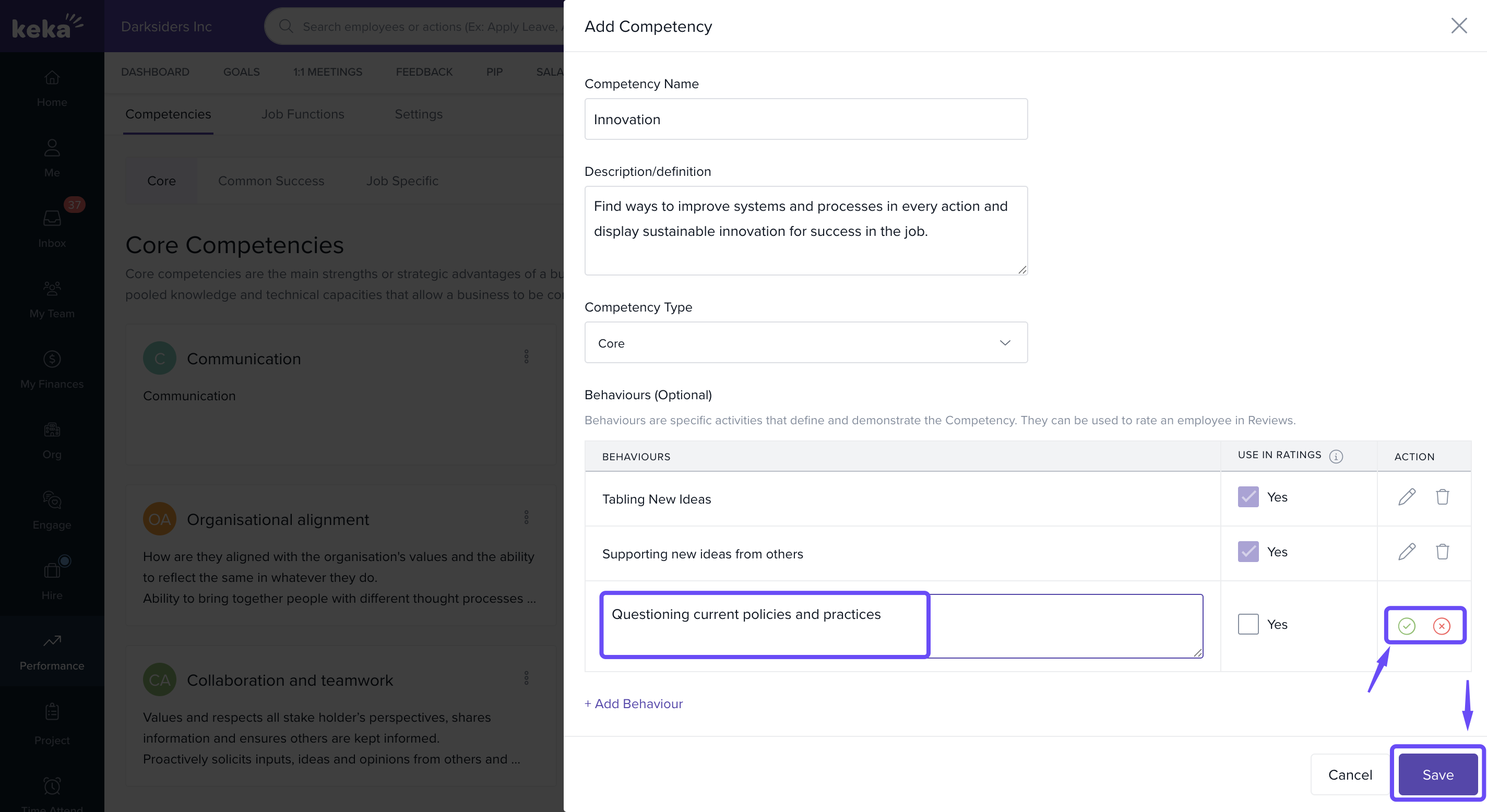
Click + Add Competency.
-
Fill in:
Name
Competency Type (Core, Common Success, or Job-Specific)
Description (optional)
-
Behaviours: Click + Add Behaviour to define observable actions.
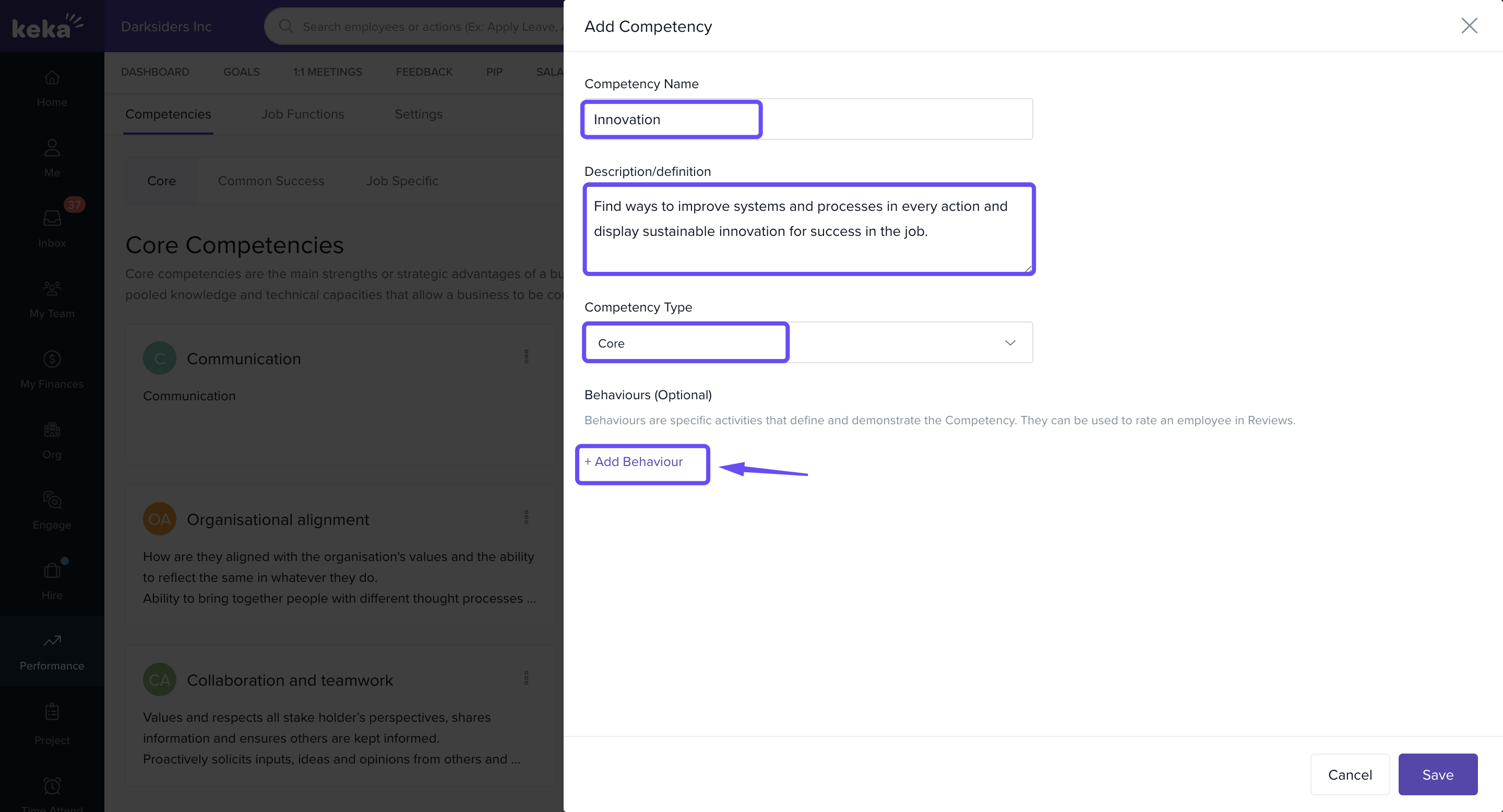
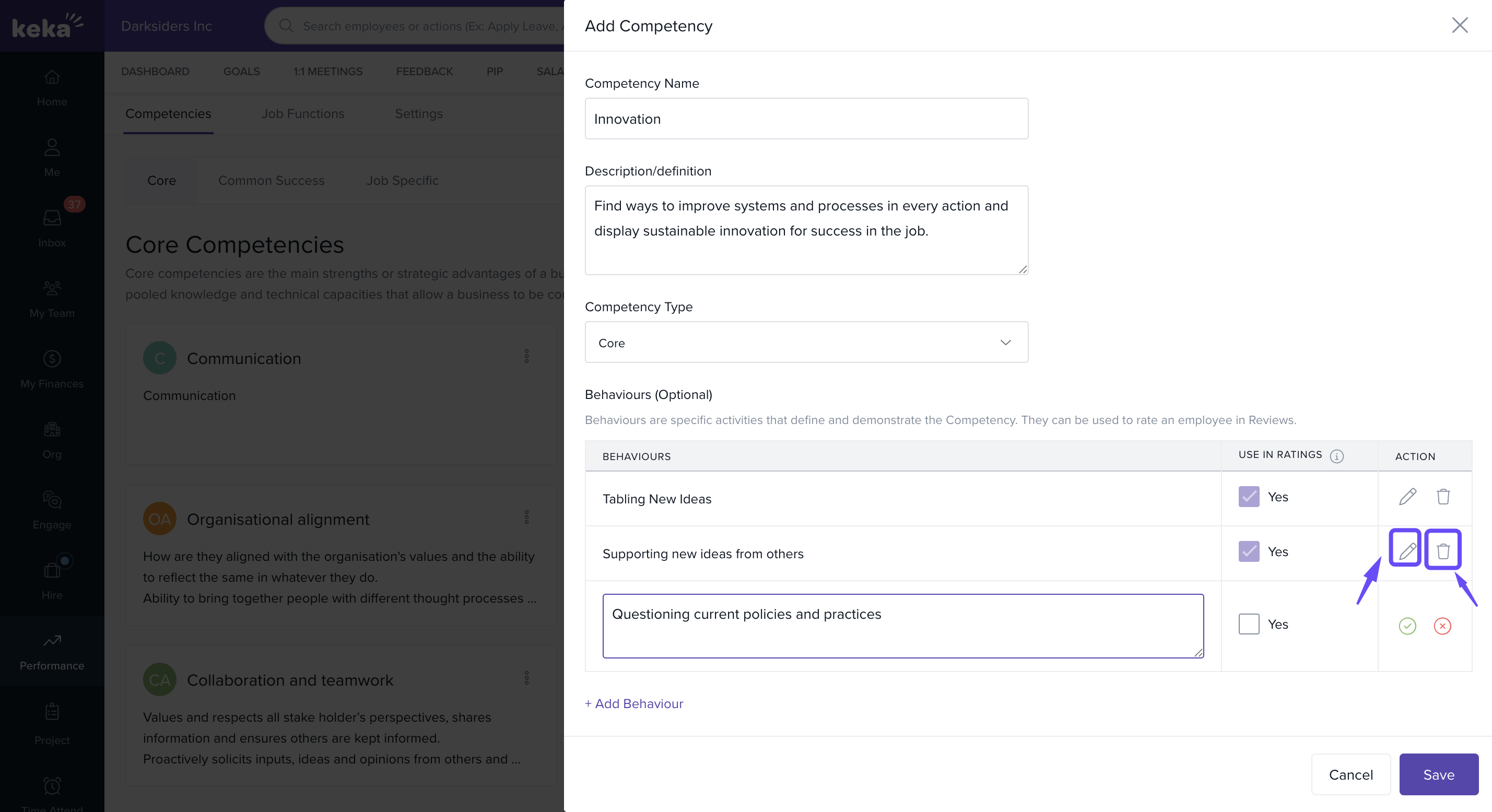
Choose whether to include behaviours in review forms.
-
Use Edit or Delete icons to adjust.
-
Click Save when done.
Add in Bulk
-
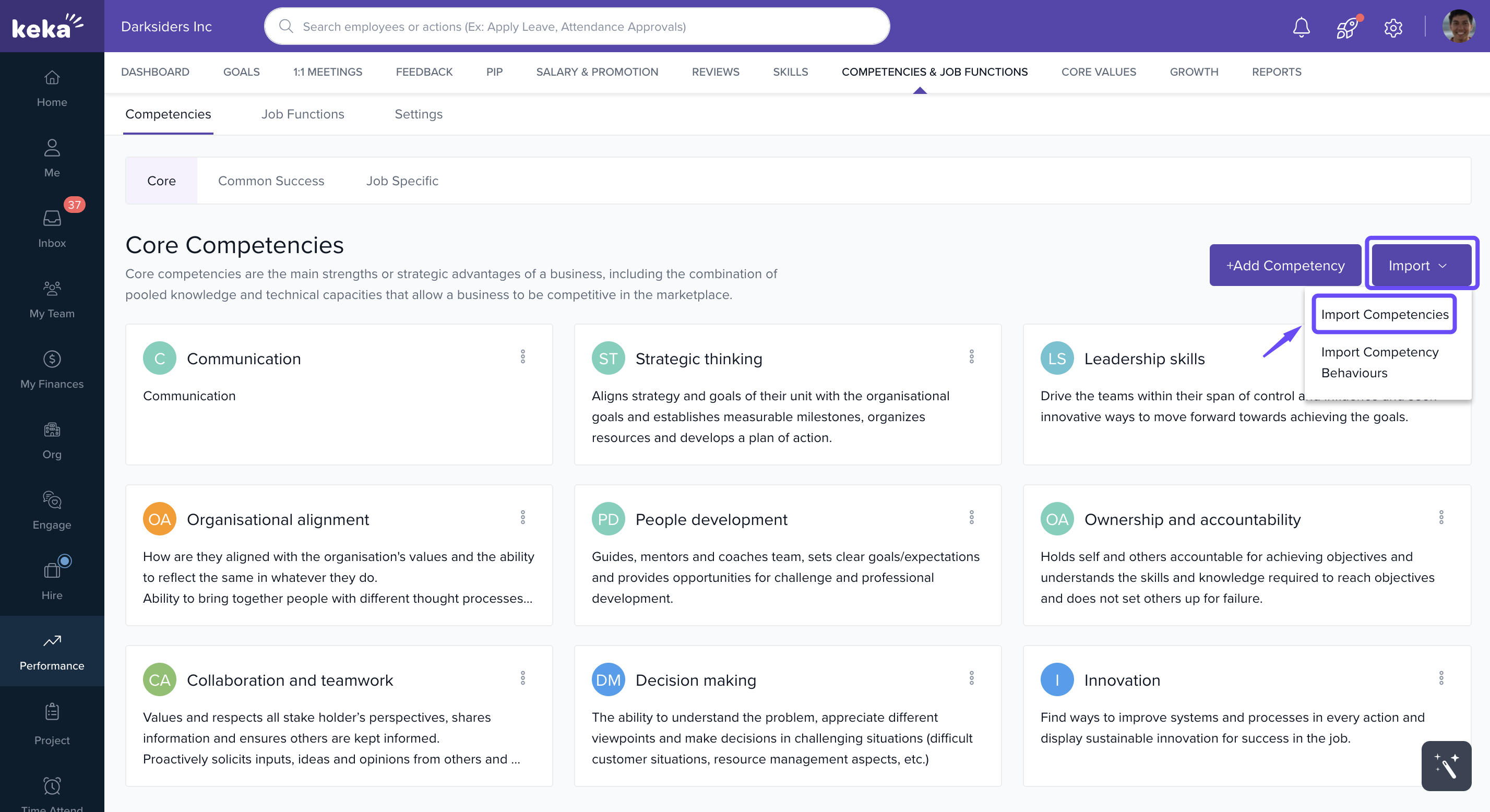
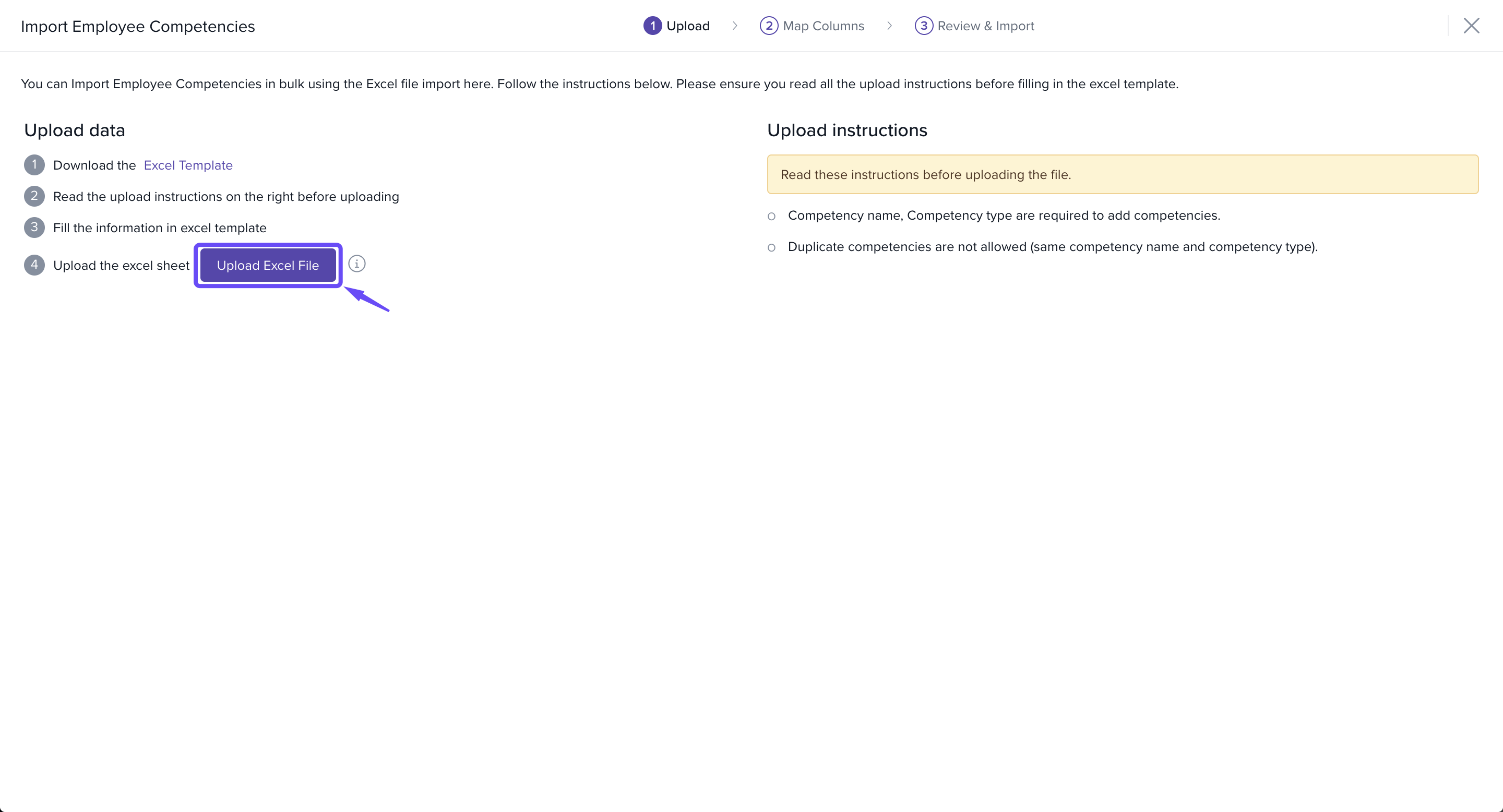
On the Competencies page, click Import and go to Import Competencies.
-
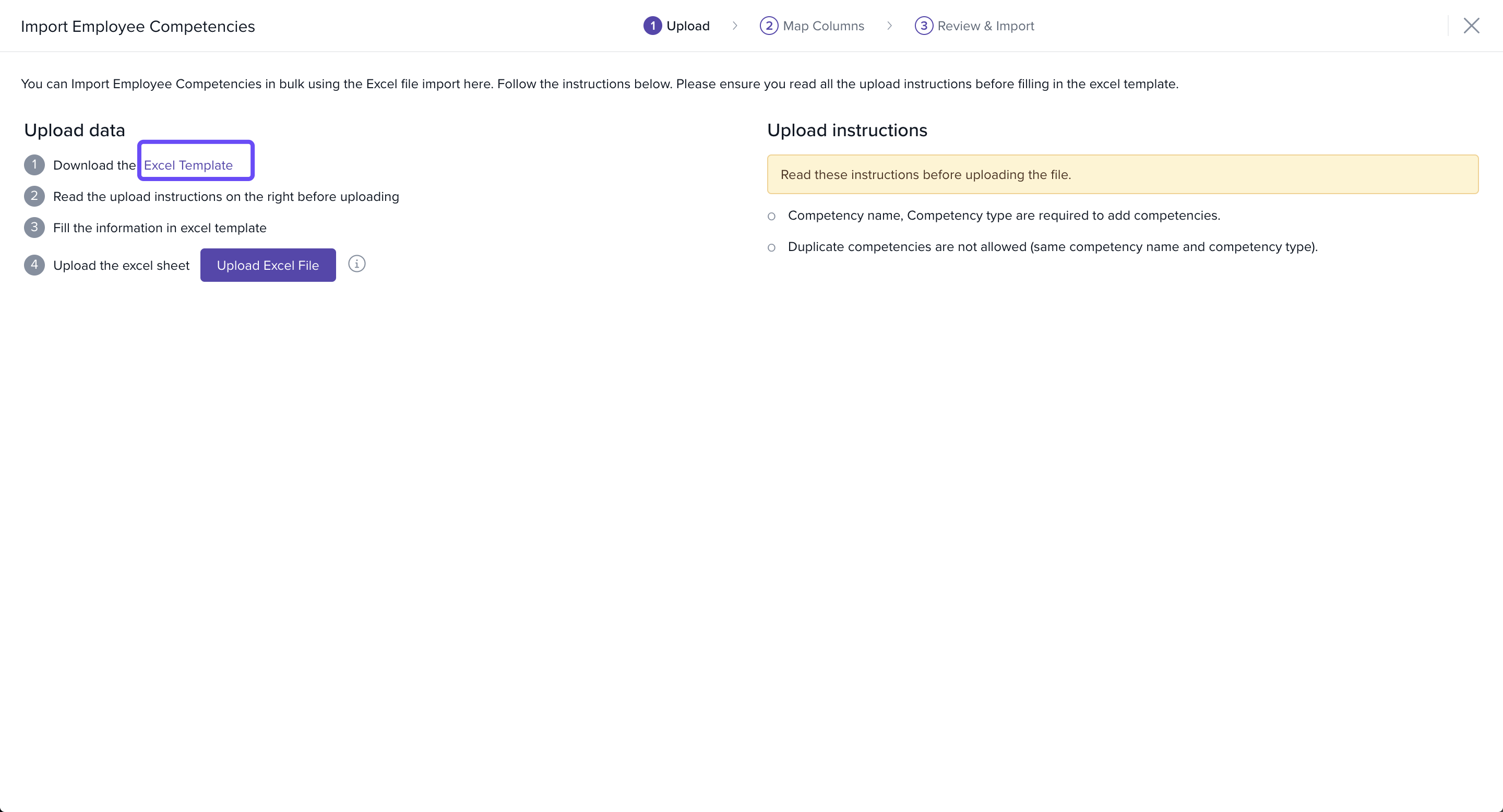
Download the Excel template.
-
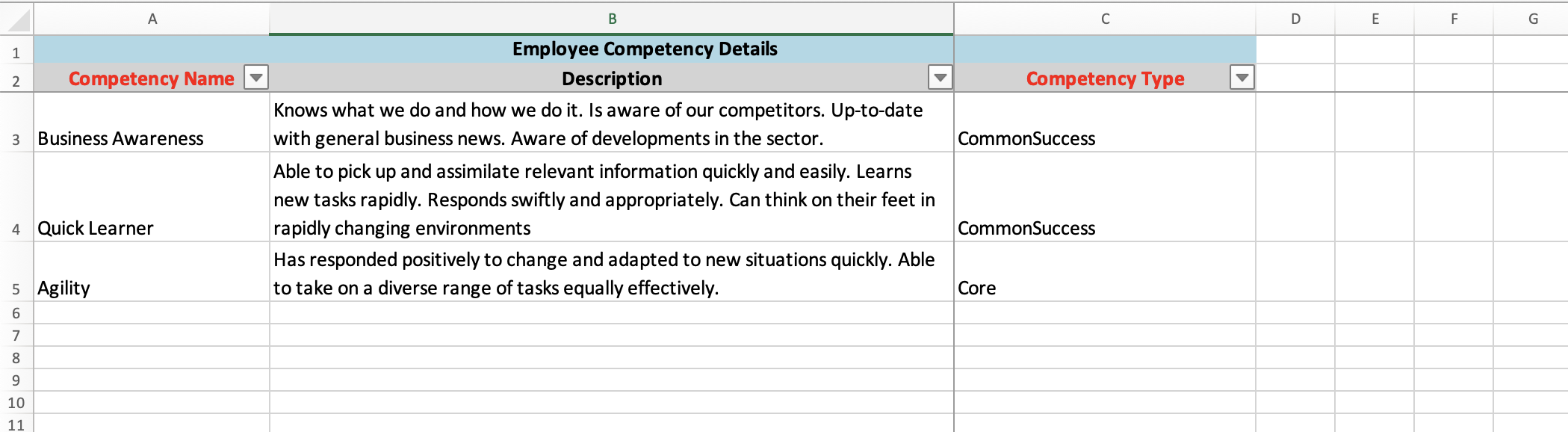
Enter competency details: Name, Type, Description.
-
Upload the file in Upload Excel File.
Use the Match Columns section to map fields.
-
Preview data and correct errors if shown.
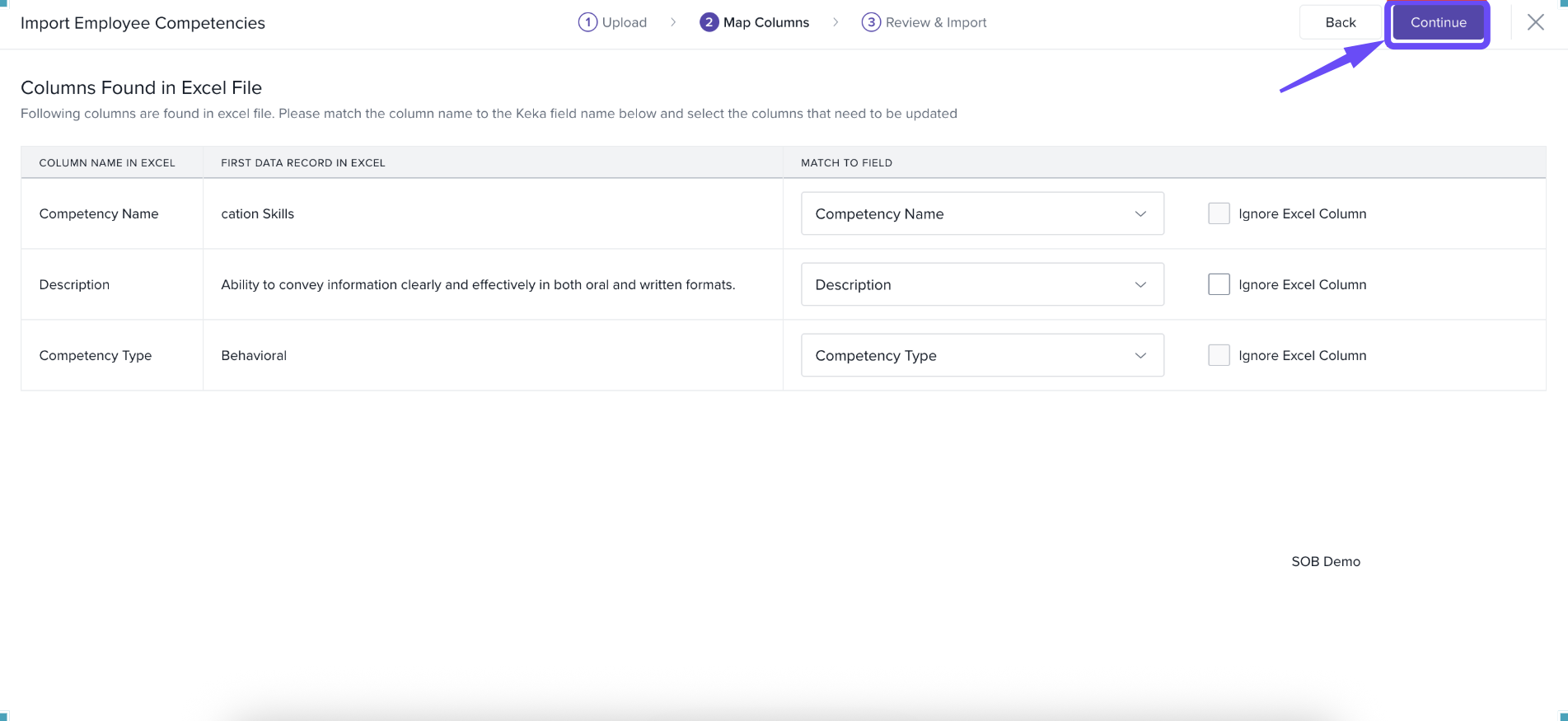
Click Continue, then Confirm to import.
Steps to Import Competency Behaviours
Go to the Competencies page.
-
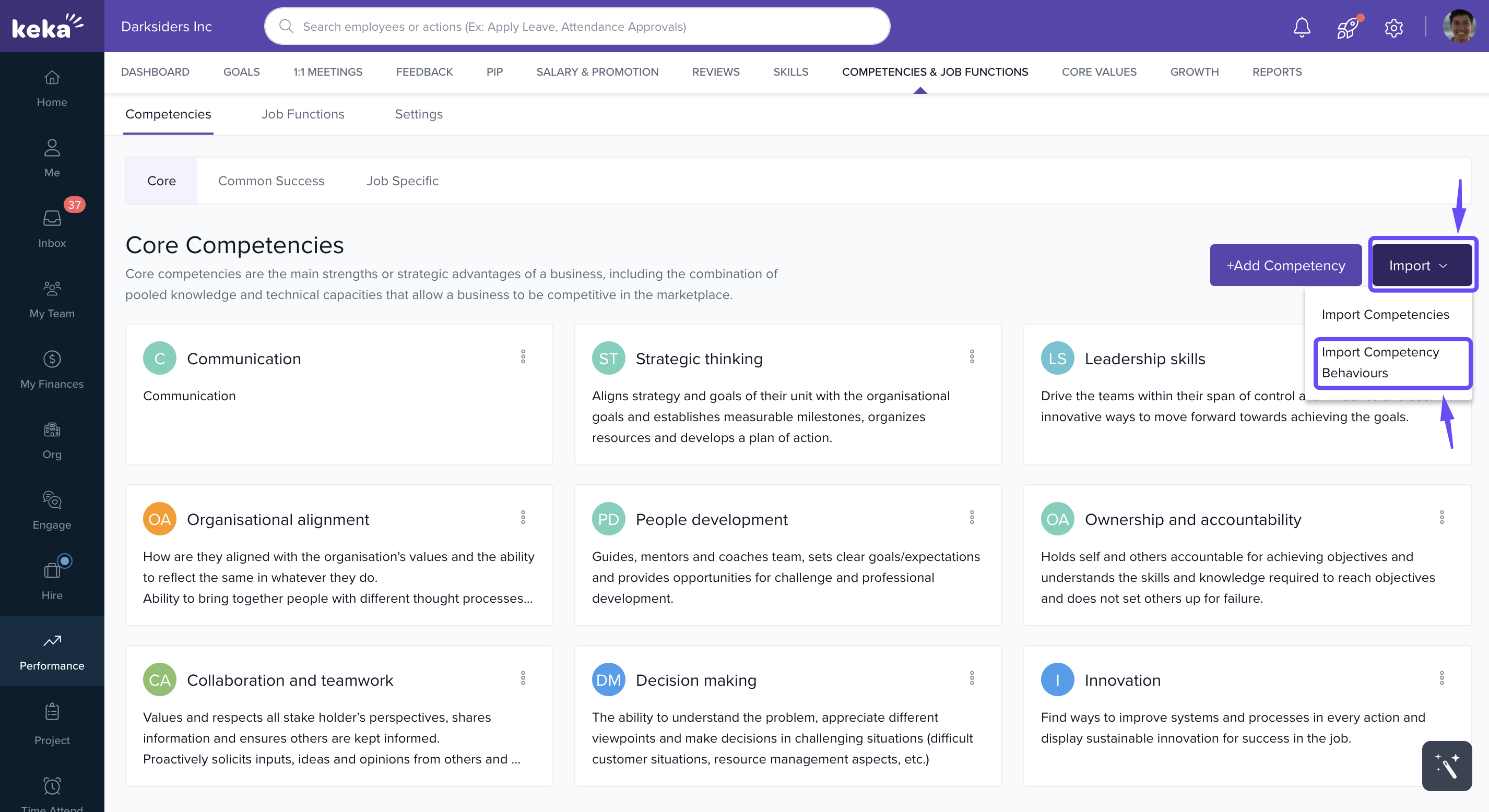
Click Import and click on Import Competency Behaviours.
-
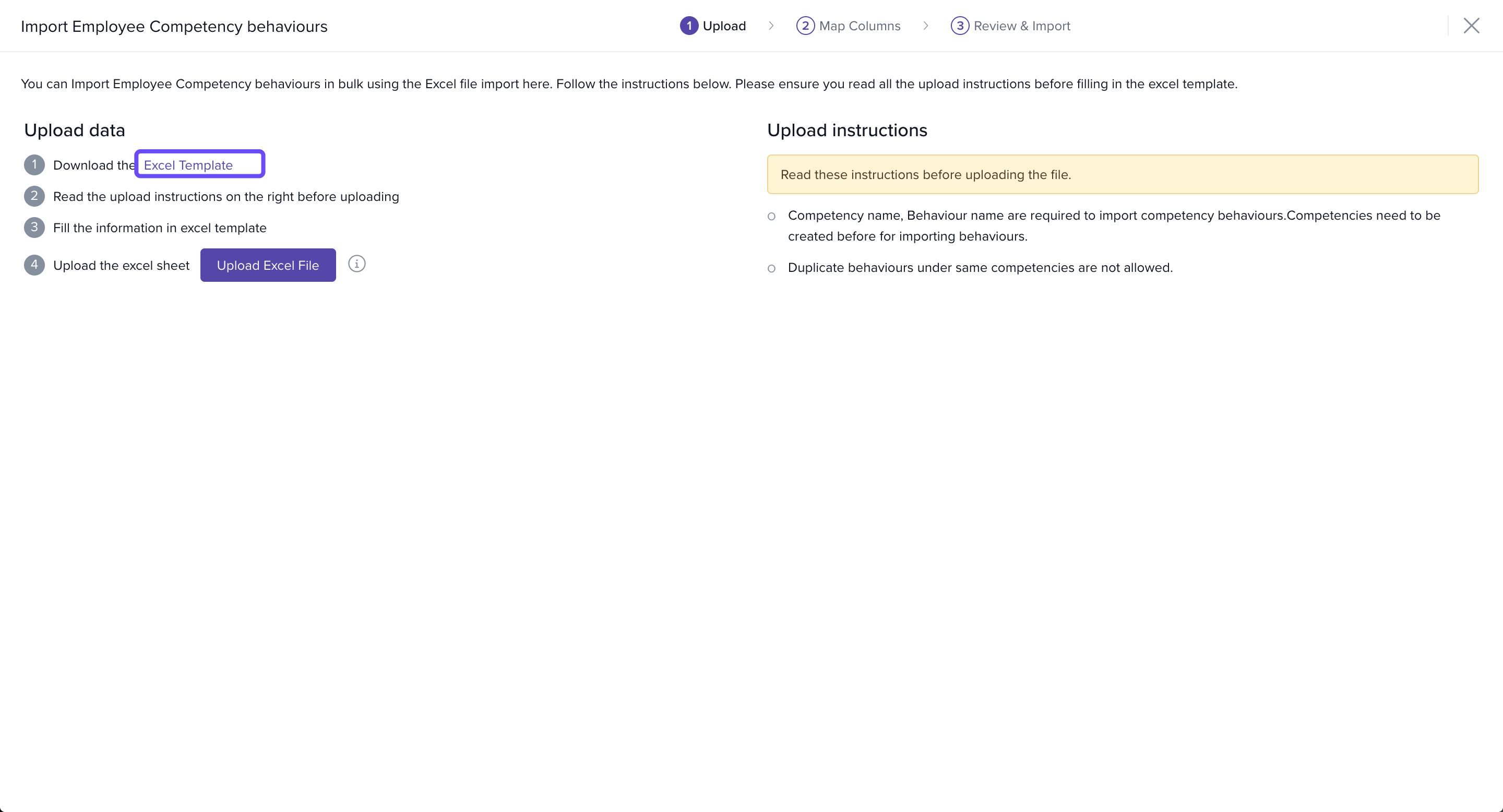
On the Import Employee Competency Behaviours page, click Download the Excel Template.
-
In the Excel file, enter:
Competency Name – must match an existing competency in Keka.
Behaviour – the action or trait linked to the competency.
Use in Ratings (Yes/No) – select if this behaviour should appear in review forms.
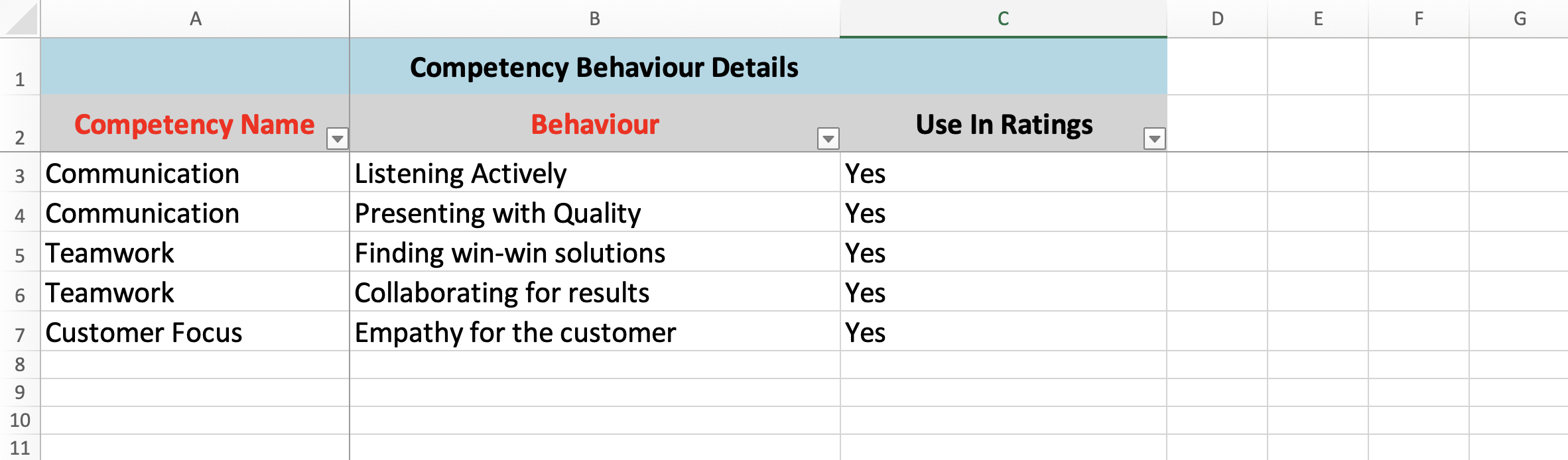
Save the file once you’ve entered all behaviours.
-
Return to the Import Employee Competency Behaviours window, and click Upload Excel File to upload your completed template.
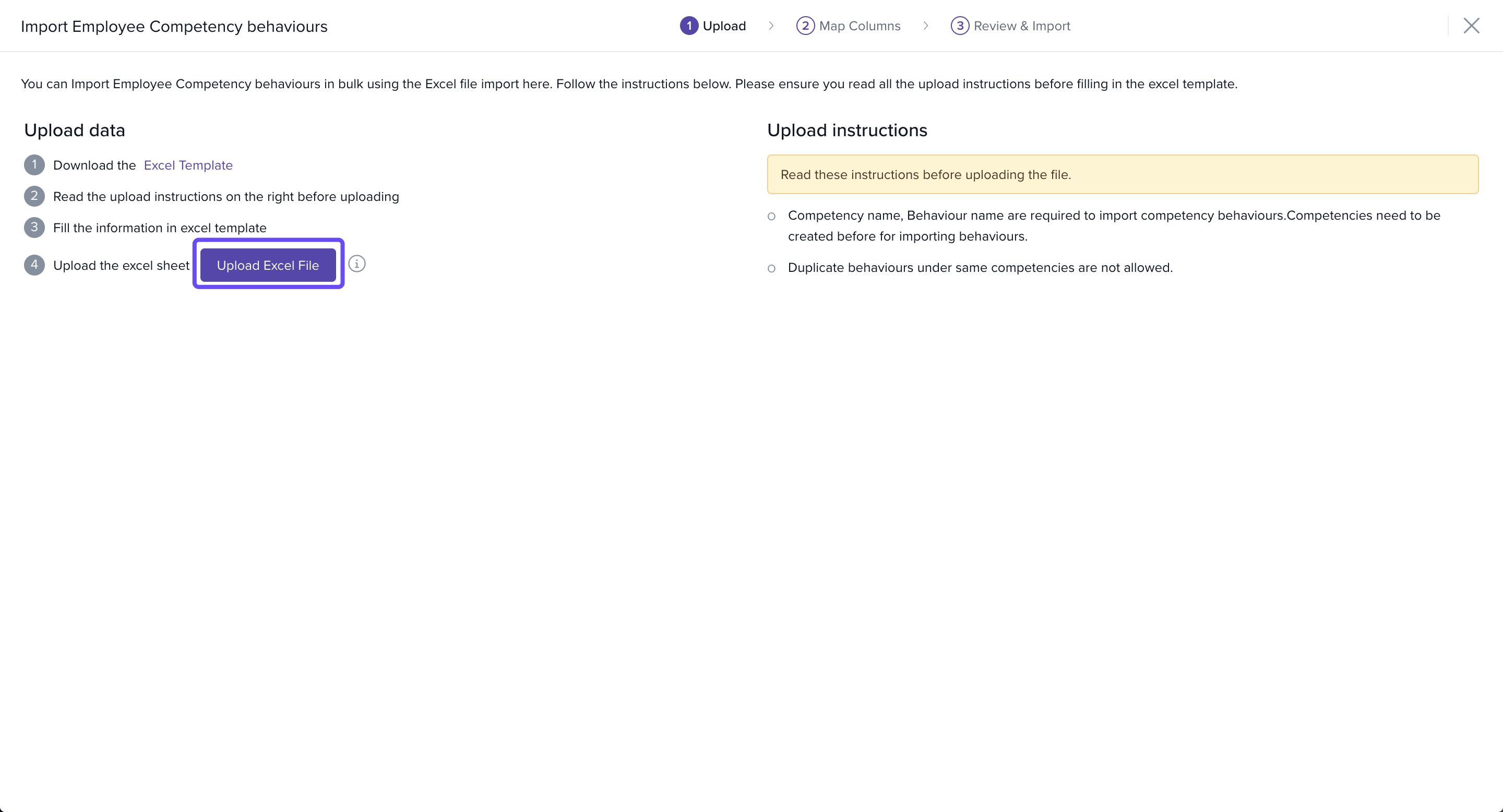
In the Match Columns section, confirm that the Excel columns are correctly mapped to Keka fields.
Continue to the Preview Data section to review entries and correct any errors flagged.
-
Once everything looks good, click Continue.
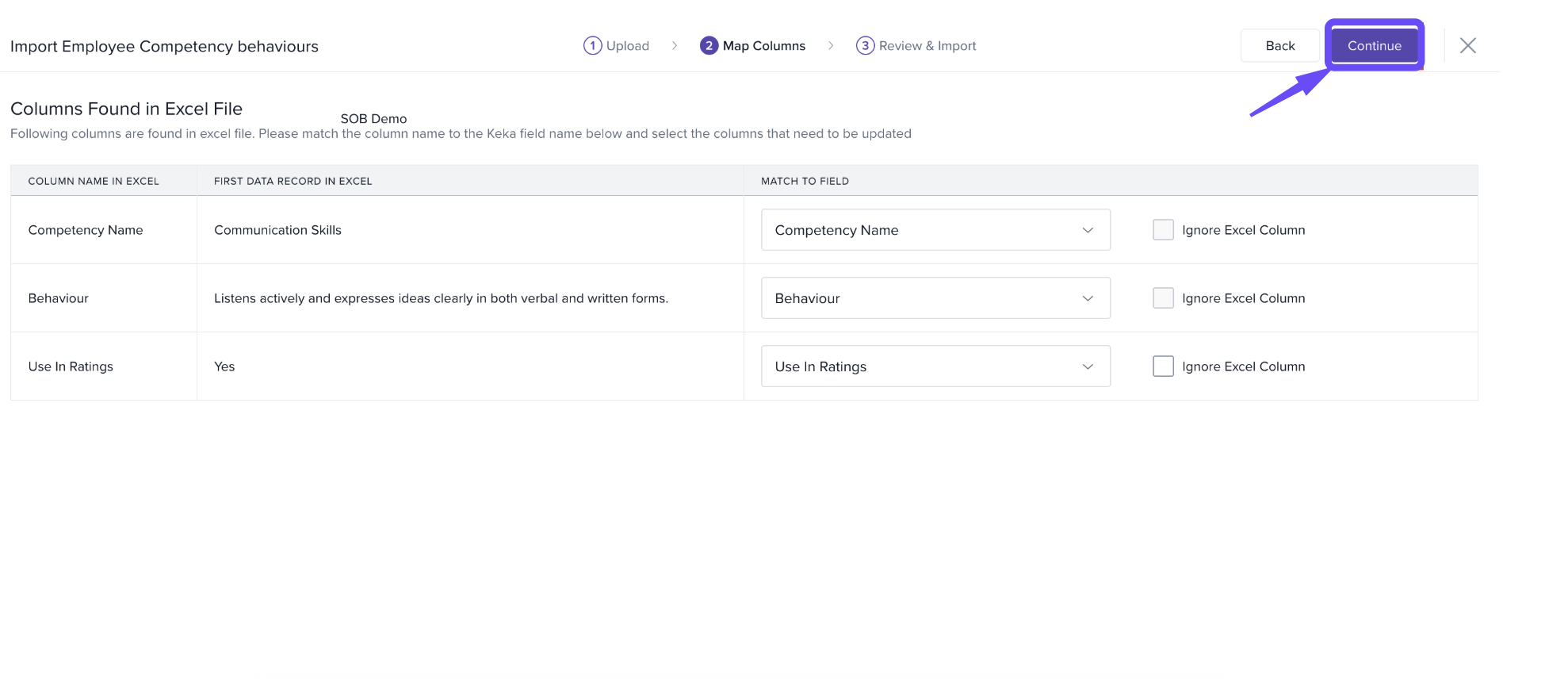
Confirm in the popup window to finish importing the behaviours.
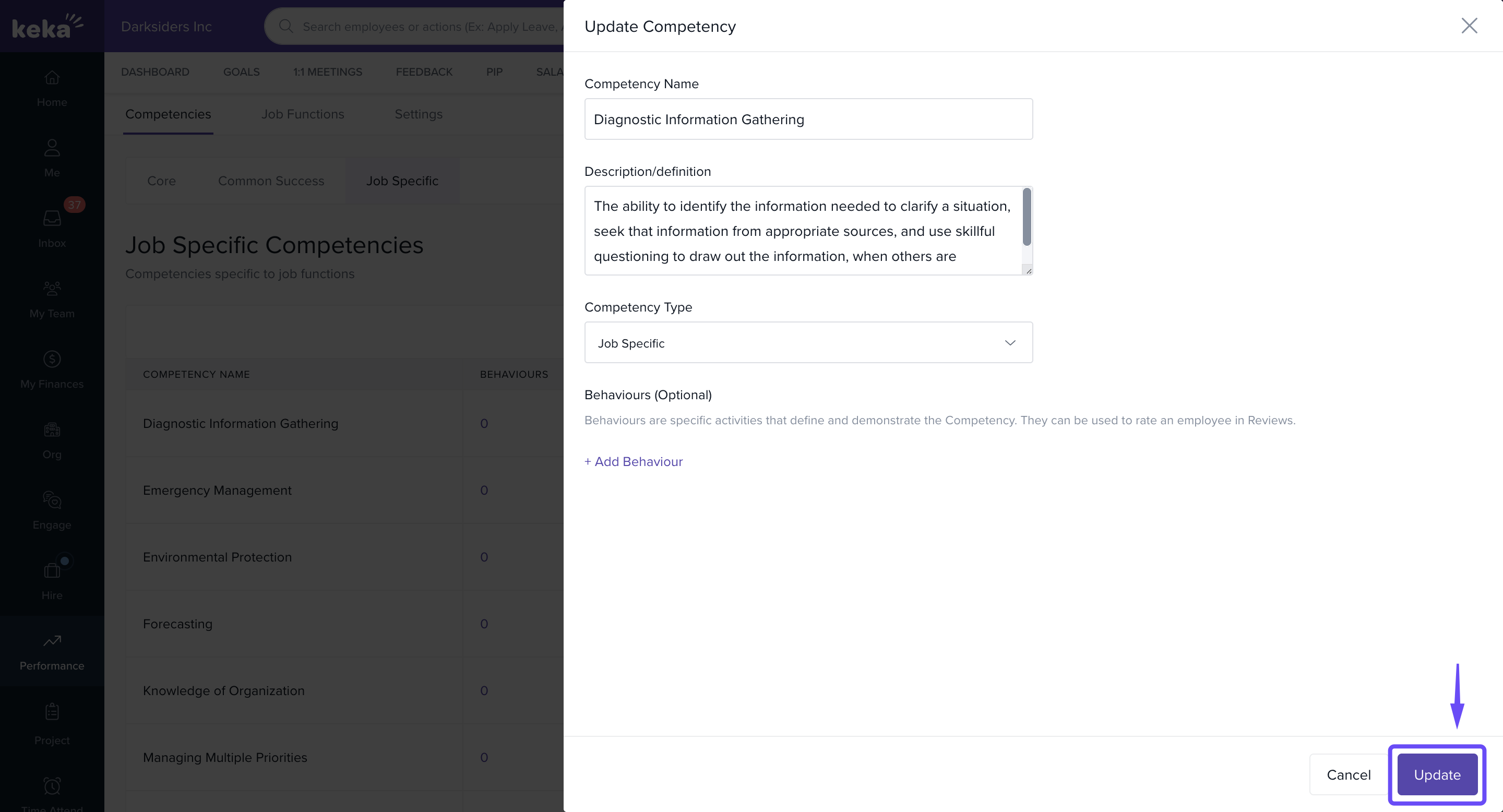
Editing Competencies
Go to the any of the Competencies tab.
Click the three-dot menu next to a competency.
-
Select Edit option.
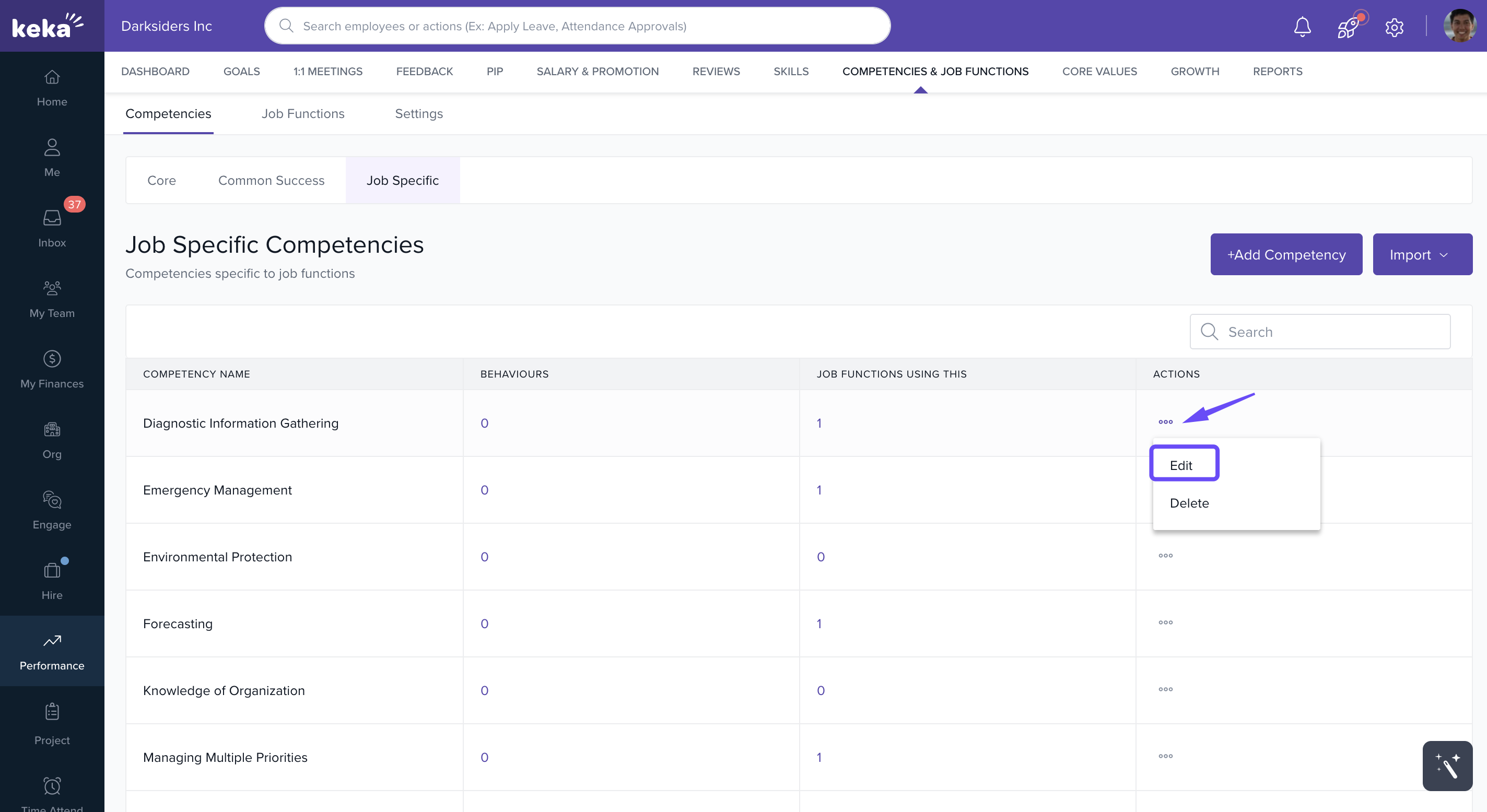
-
Update details, and click Update.
Deleting Competencies
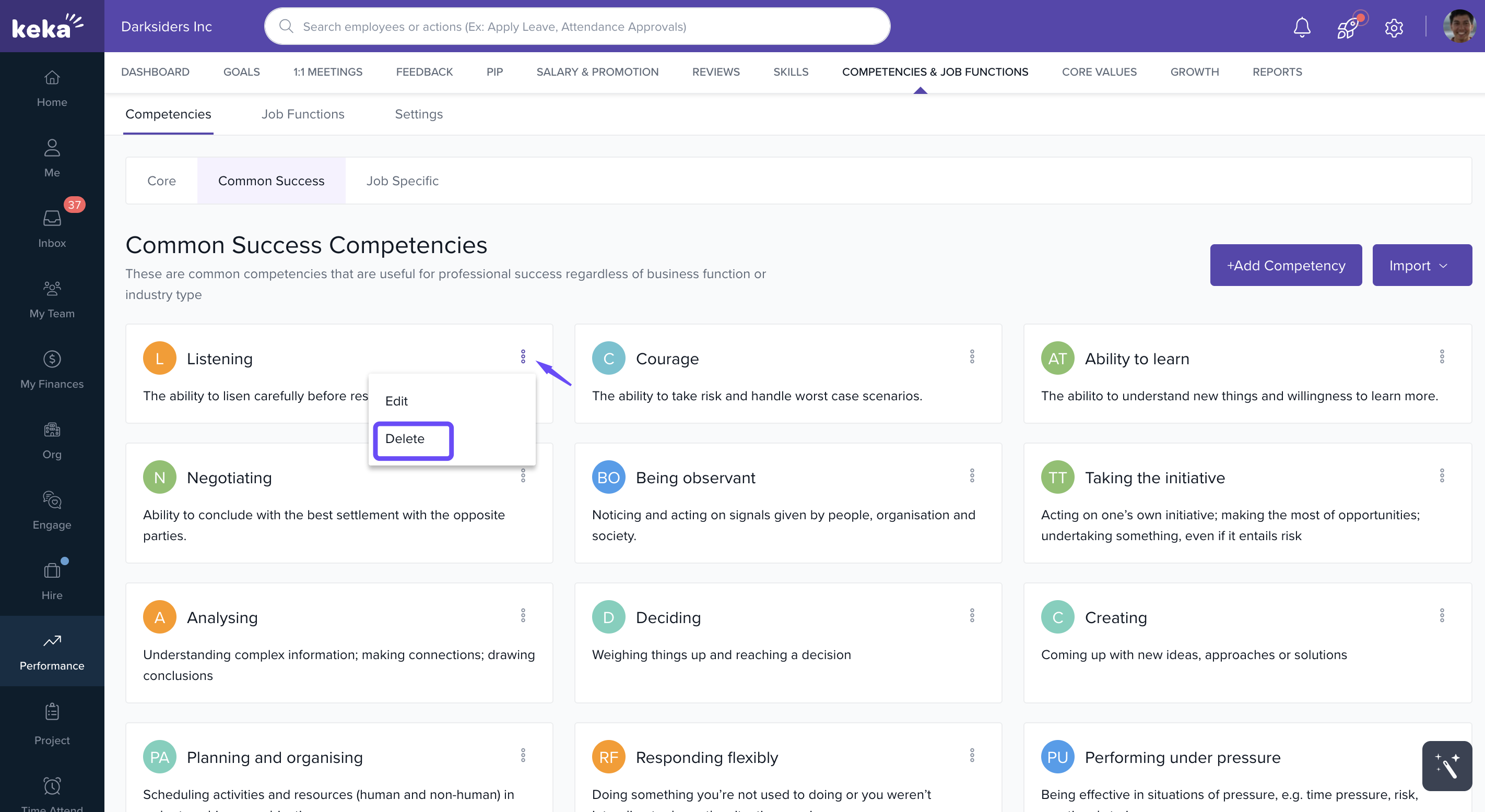
From any of the Competencies tab, click the three-dot menu next to a competency.
-
Select Delete.
-
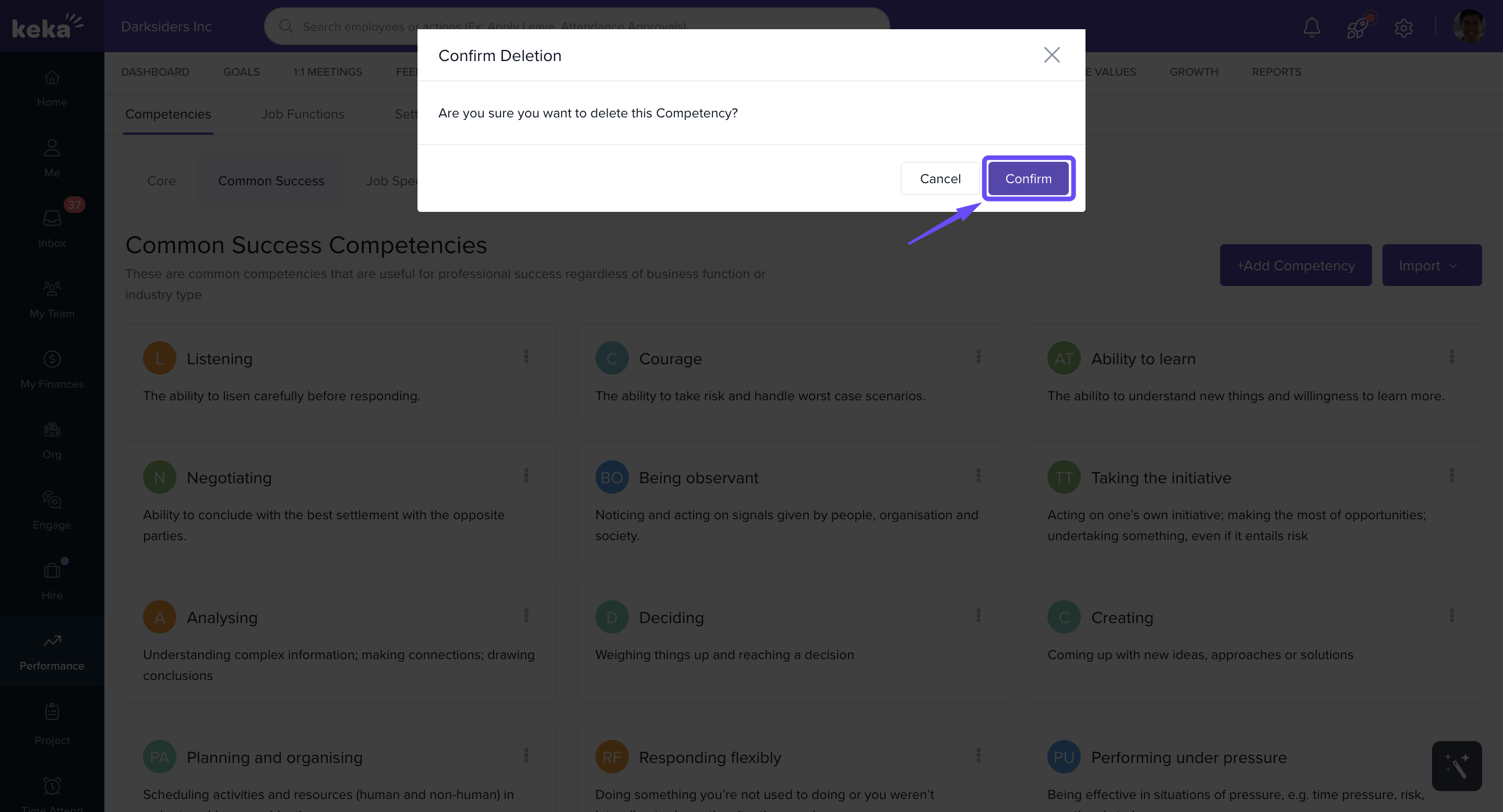
Click Confirm in the popup to finish.
Notes & Tips
Tip: Use job-specific competencies to clearly define role expectations.
Important: Deleting a competency removes it from performance reviews—double-check before deletion.
Note: Bulk import is useful when setting up competencies for a large workforce.
Examples & Use Cases
Technical Role: A developer might have “Problem Solving” and “Coding Standards” competencies.
Leadership Role: A team lead could have “Decision-Making” and “People Development” competencies.
Company-Wide: All employees might share “Collaboration” as a core competency.
Next Steps
Learn how to Creating and Managing Core Values in Keka.
Explore how to edit Job Functions assigned to employees in Keka.
Learn how to Add Competencies step by step.
Understand how to Add or Assign Competencies & Job Functions to employees.
Managing competencies in Keka ensures that employee skills and behaviours are clearly defined, tracked, and aligned with organisational goals. By setting up the right competencies, HR teams and managers can drive consistent performance evaluations, identify development needs, and support long-term employee growth.
Comments
0 comments
Please sign in to leave a comment.