Overview
Core values are the guiding principles that define how your organisation operates. They help shape behaviour, guide decisions, and align employees toward your culture and business goals. Keka lets you define, edit, and use core values in performance reviews to ensure behaviours reflect what matters most to your organisation.
What Are Core Values?
Core values are the foundational beliefs or principles that influence how people behave and make decisions in your organisation. Unlike competencies, core values are less about measurable skills and more about culture, ethics, and shared expectations. They are especially important when making tough decisions or dealing with conflict.
How Organisations Define Core Values?
Organisations typically define core values by:
Giving each one a name and a definition or description of what it means for the company.
Sometimes adding behaviours that show how that value should be demonstrated in day-to-day work.
Embedding values into things like performance reviews so people are evaluated not just on what they do, but how they do it.
Adding & Managing Core Values in Keka
Here’s how to add, edit, or remove core values in your organisation’s Keka portal:
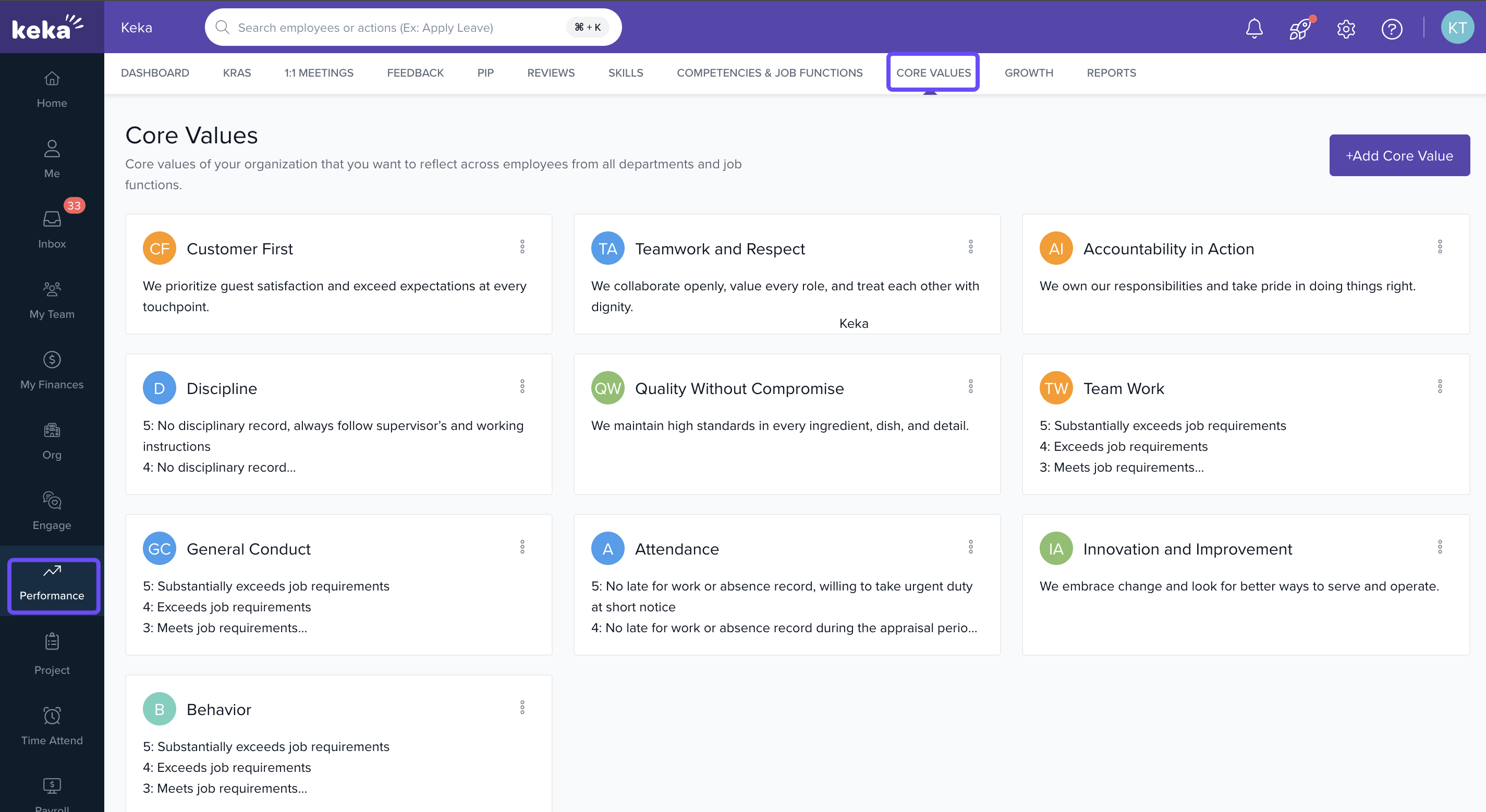
Go to Performance in the navigation pane.
Click on Core Values at the top of the Performance section.
-
You’ll see a list of all current core values already configured in your system.
Adding a Core Value
-
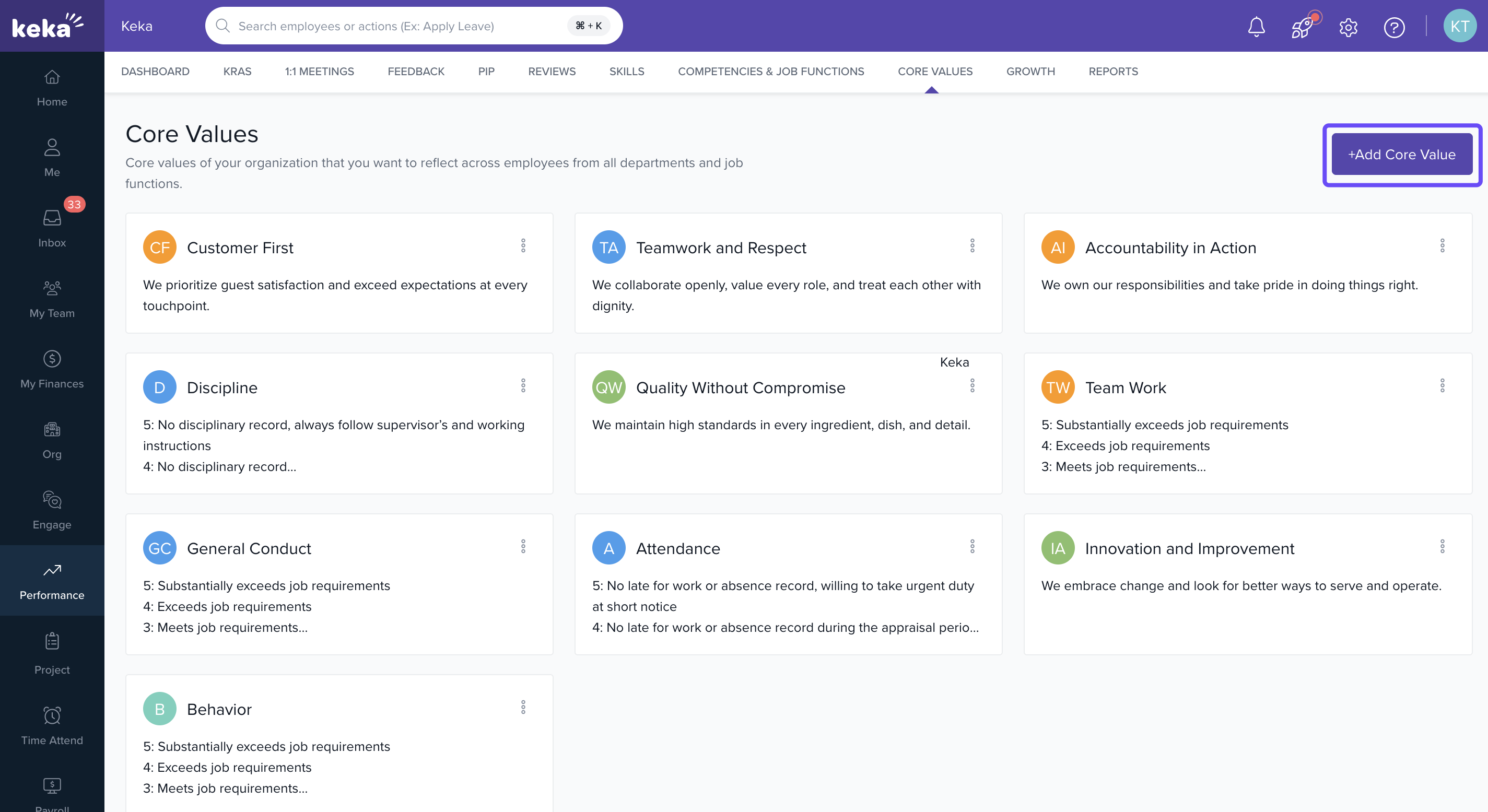
Click + Add Core Value.
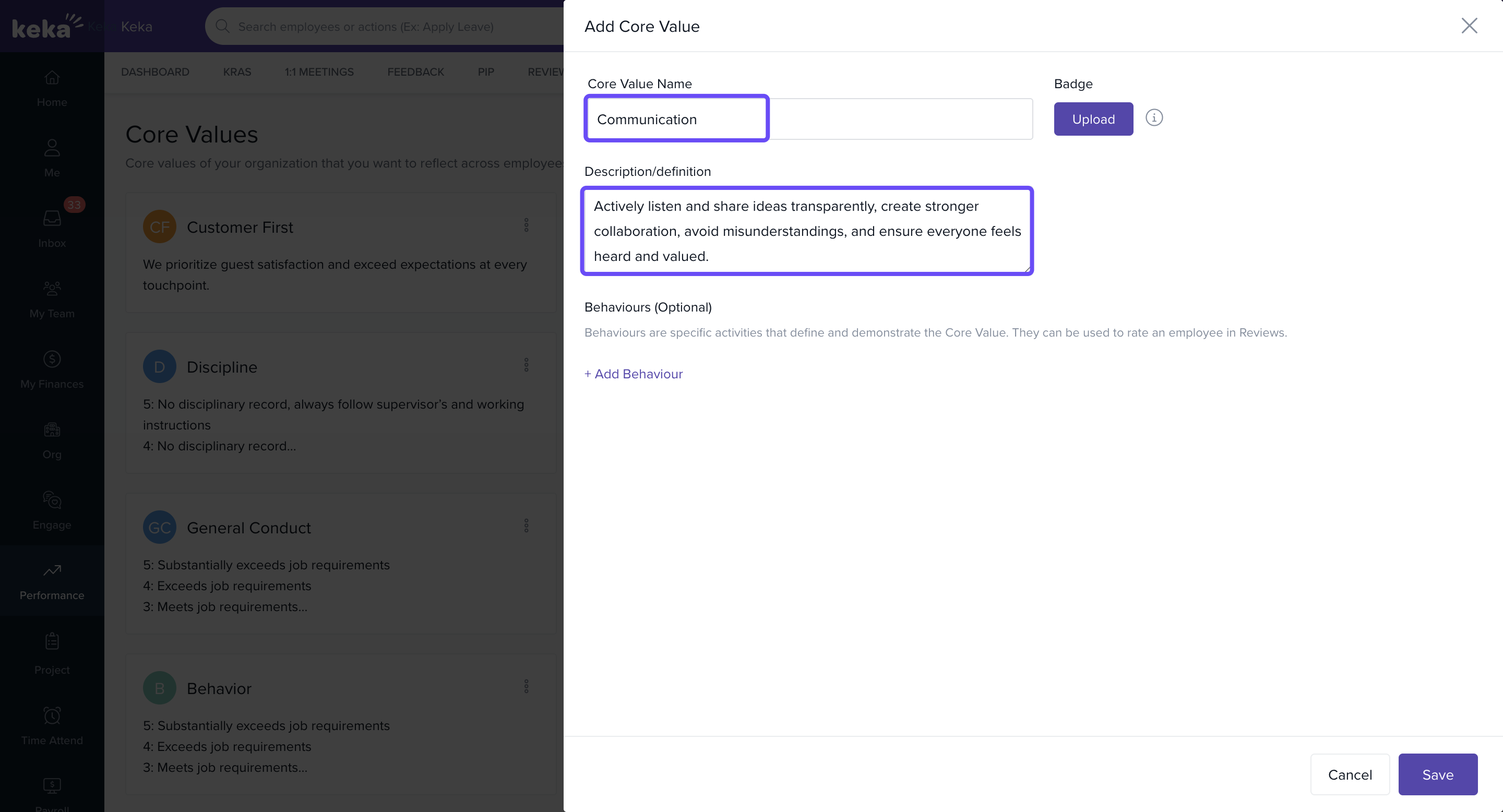
Enter the Core Value Name.
-
Add a Description/Definition that explains what this value means in practice.
-
Optionally, you can add behaviour. Click on +Add Behaviour.
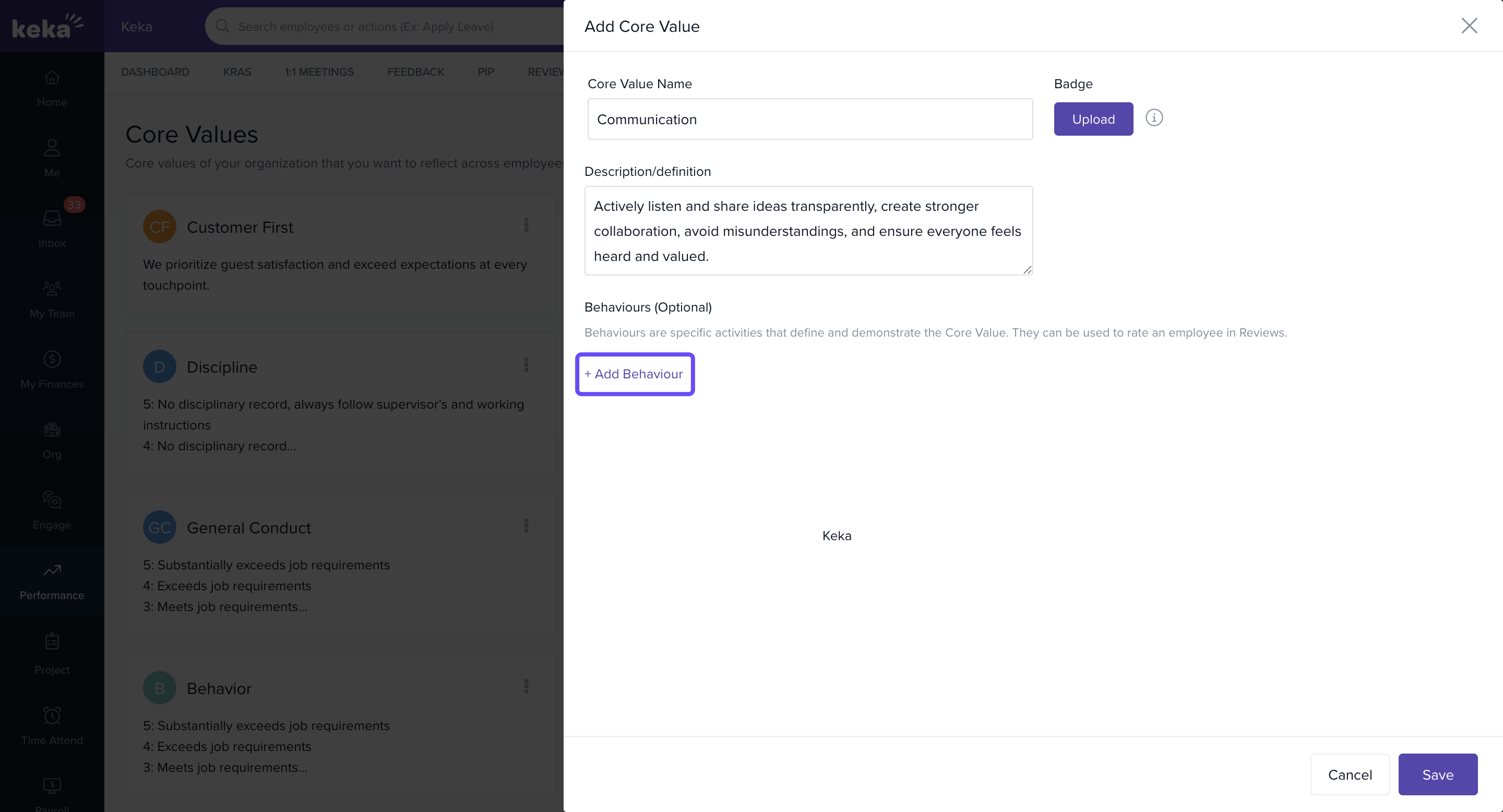
Add one or more behaviours that illustrate how this value should show up in work.
-
Optionally, upload a badge image to represent the core value (max size 20 MB).
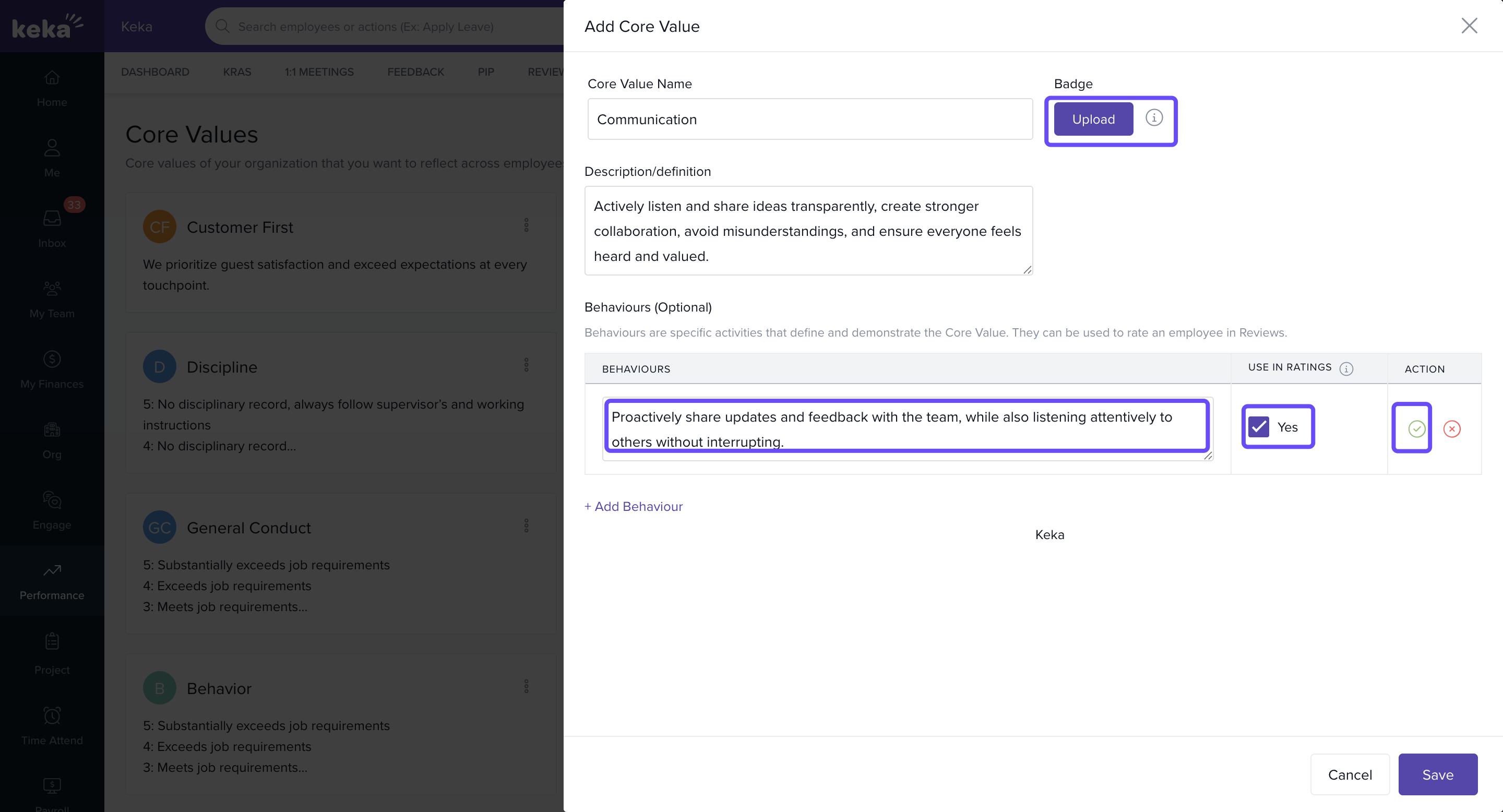
- You can also click on pencil icon to edit the behaviour. Finally, click Save.
Editing a Core Value
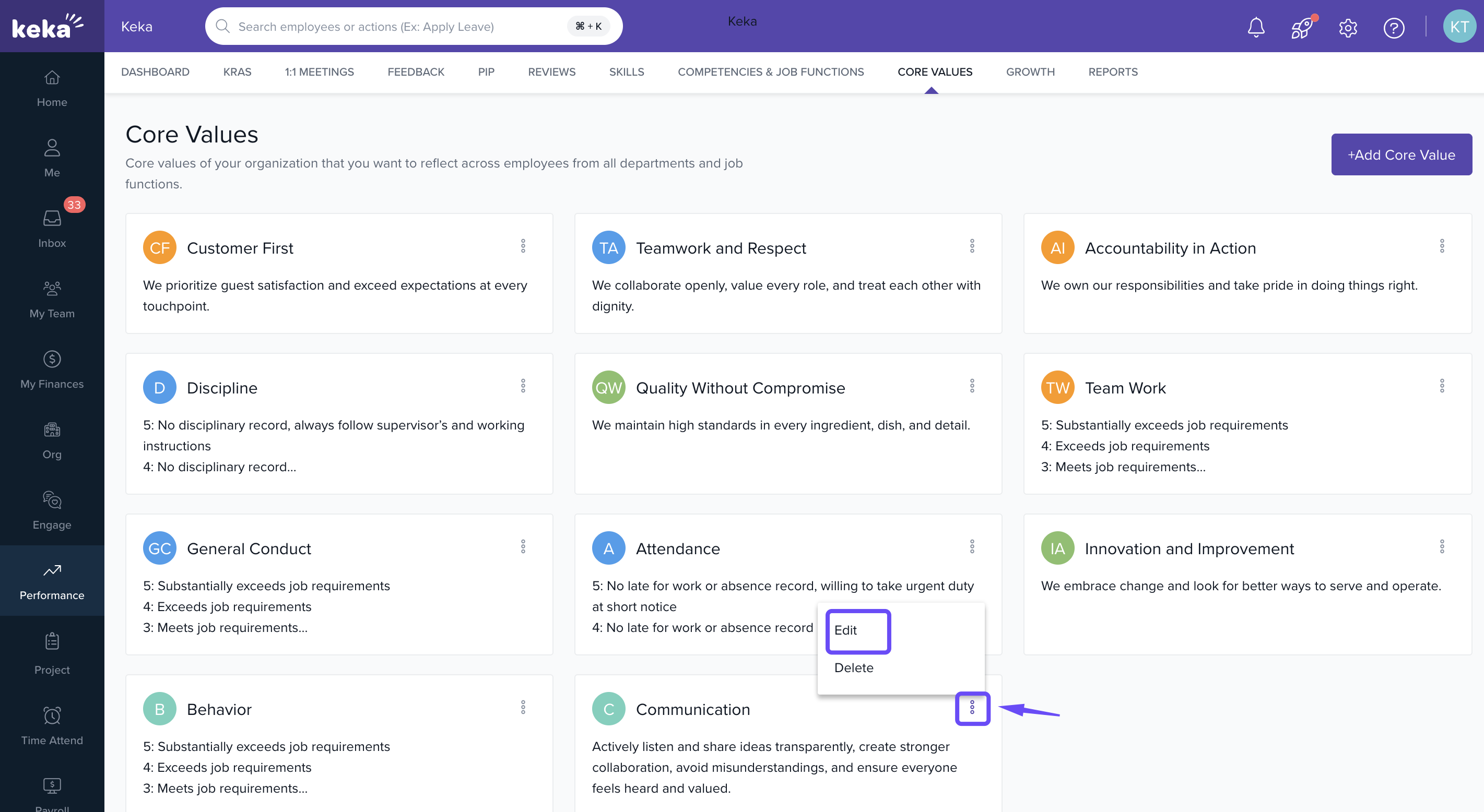
Find the core value in the list.
Click the three dots next to it.
-
Select Edit.
-
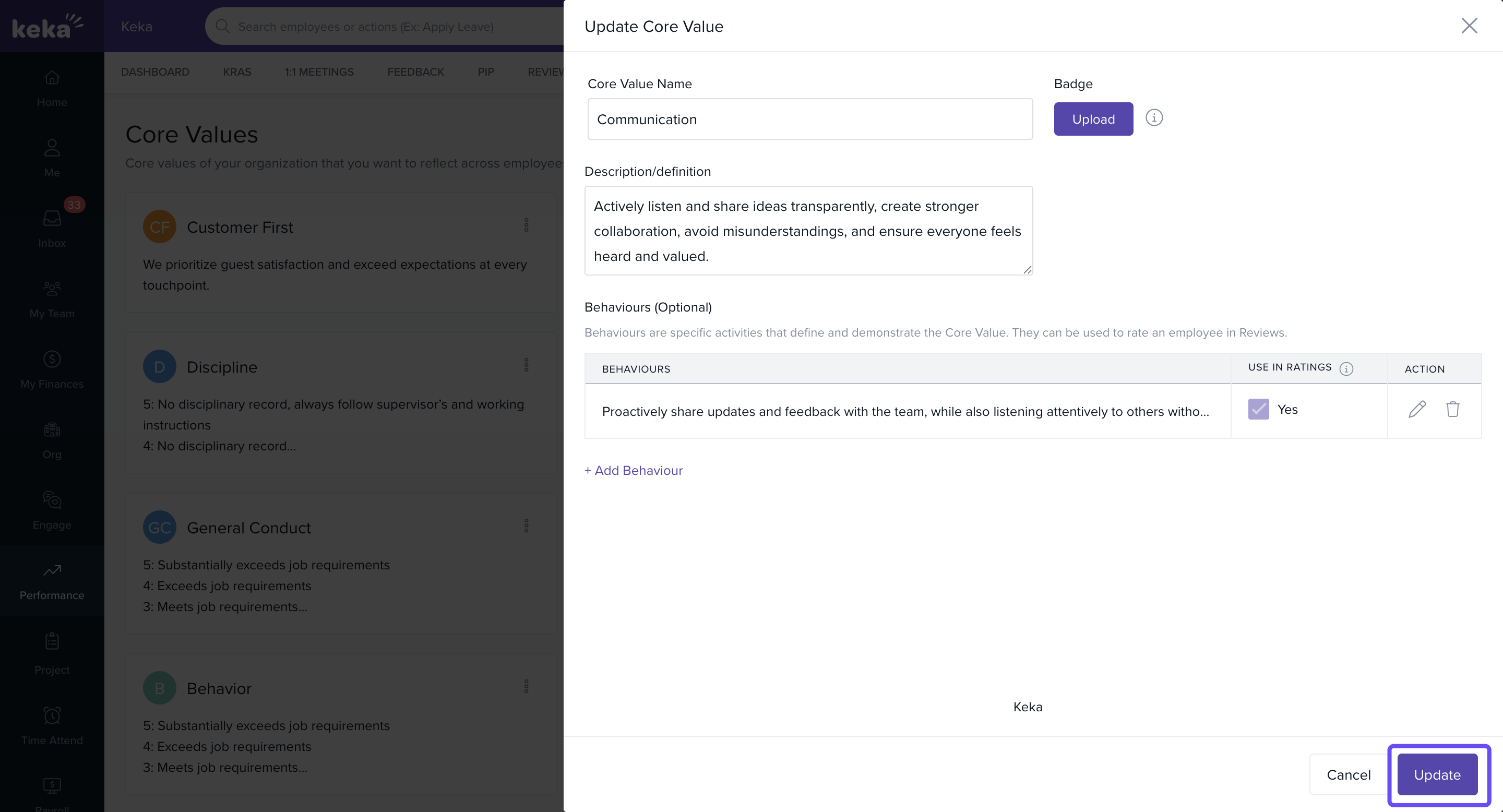
Make the changes (name, description, behaviours) and click Update.
Deleting a Core Value
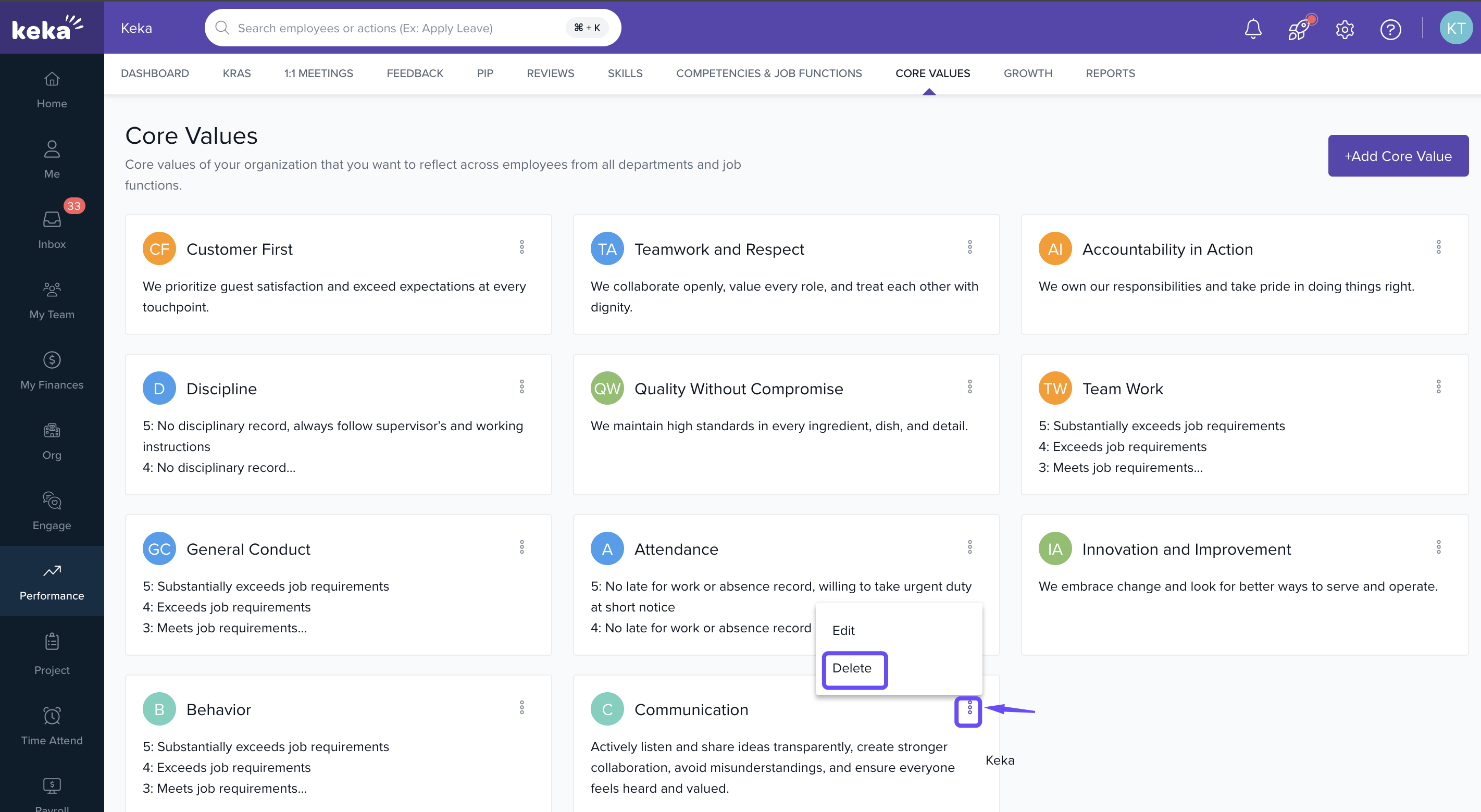
Locate the core value.
Click the three dots next to it.
-
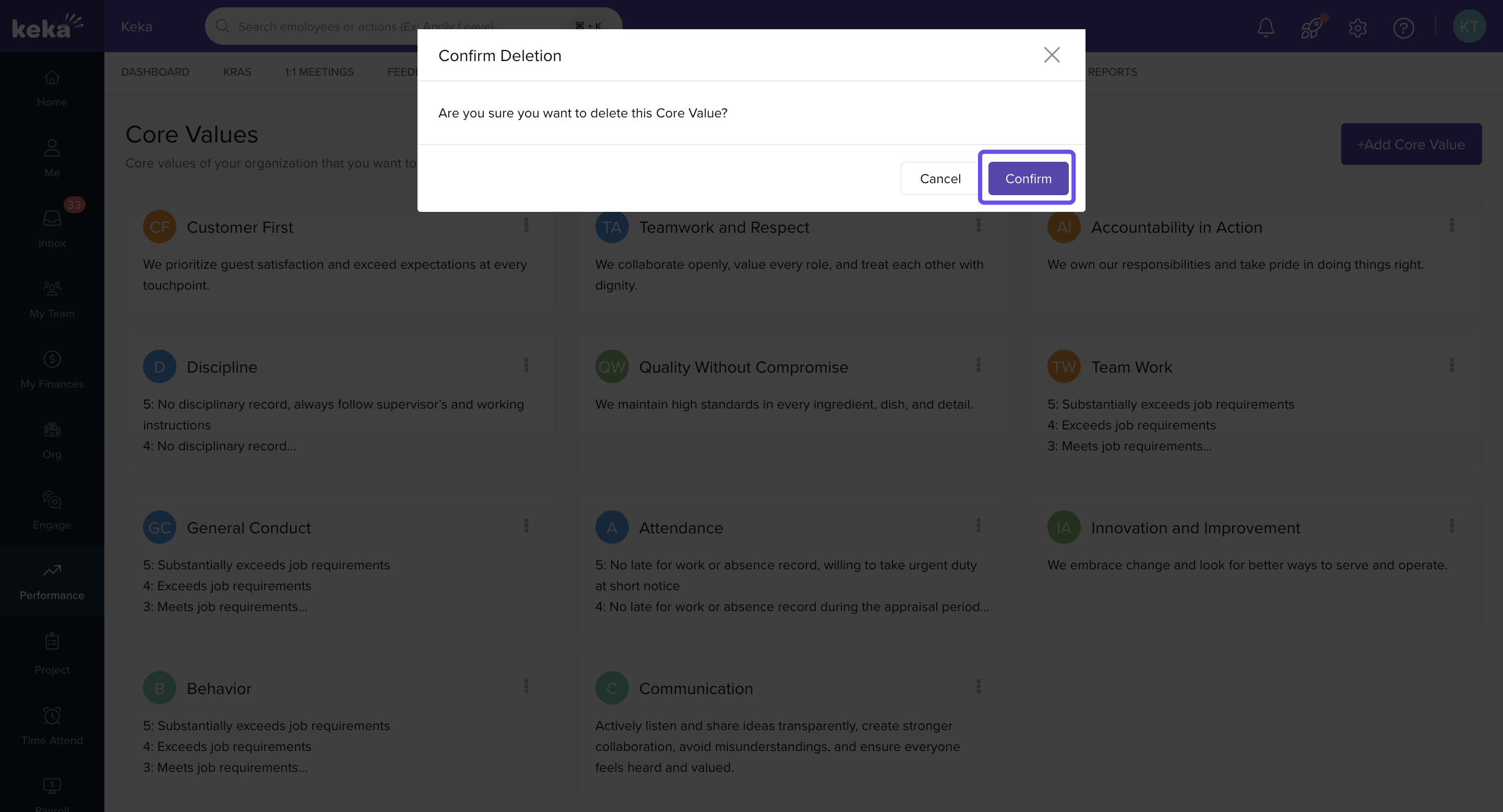
Select Delete.
-
Confirm when prompted to remove it permanently.
Notes & Tips
- Use behaviours to make core values tangible — they help employees understand what behaviour actually embodies a value.
- Once core values are set up, include them in performance reviews so they become part of how people are recognised and evaluated.
Comments
0 comments
Please sign in to leave a comment.