Rewarding employees should be simple—not a time-consuming task for HR teams. With Keka’s integration with XOXODay, your employees can now redeem reward points instantly on gift cards, experiences, and merchandise, all from within Keka.
What’s New?
Keka now connects directly to the XOXODay Rewards Marketplace, transforming the way rewards are distributed and redeemed. Employees can use their earned points without needing to log in to a separate system.
No emails. No delays. No manual work.
Key Features
Localised Reward Catalogs: Employees only see rewards available in their country.
Flexible Display: Points are shown directly or converted to local currency.
Live Sync: Redemptions and refunds update instantly under Transactions.
Single Sign-On (SSO): Employees are securely redirected—no extra logins.
Scalable Architecture: XOXODay is just the beginning; more marketplace options coming soon.
How It Works
Enable XOXODay in Keka
Go to Engage and click on Rewards. Under Settings, select General Settings.
-
Enable XOXODay Marketplace and Rewards Redemption.
-
Click on Edit option.
-
Here you can customise currency display and point settings. Once done, click Save.
-
You can also enable or disable the Show currency conversion to employees option to control the visibility of reward point currency conversion for employees, ensuring rewards are presented according to your organisation's preferences.
-
You can also check the “Limit Carry Forward Points” option and set the expiry date accordingly.
Create Reward Programs & Awards
You can link redeemable points directly to employee awards.
To set up a new reward program:
Go to Engage and click on Rewards. Under Rewards, select Award Programs.
-
Click New Program.
-
Add a program name, description, program admin, eligible candidates, and nominators.
-
Under Participants, you can also select based on departments, locations and worker types by using the Include button.
-
And then click Create.
-
Your program will be saved in Draft mode.
To add an award:
Open the program.
-
Click Add new Award.
-
You can either create a new award program or select a template.
-
Add details:
Award Name (e.g., Star Performer).
Description (e.g., “Goes above and beyond”).
You can also add the certificate text you want to display in your certificate.
You can select either Individual Award or Team Award.
And set number of winners.
Under Reward, choose Employee Reward Points and assign points (e.g., 200).
-
Click Create.
These points can now be redeemed by the award winner via the XOXODay marketplace.
-
Once created, the new award appears under Award Categories. To edit an award, find its card in the program view and click the edit (pencil) icon.
-
This will reopen the award configuration panel. Update the relevant fields and click Update to save the changes.
To assign panelists:
-
In the Review Panel section, click Add Panelists.
-
Select employees who will review nominations.
Click Save.
-
In the confirmation pop up, click Confirm.
-
Once confirmed, you will be able to see the panelist under the Award Program. You can also click on Edit option in case you want to modify.
To launch the program:
-
After adding awards and panelists, click Launch.
Employee Redemption Experience
Once the program is live and rewards are assigned:
Employees go to the Rewards Dashboard in Keka.
Click Redeem Now.
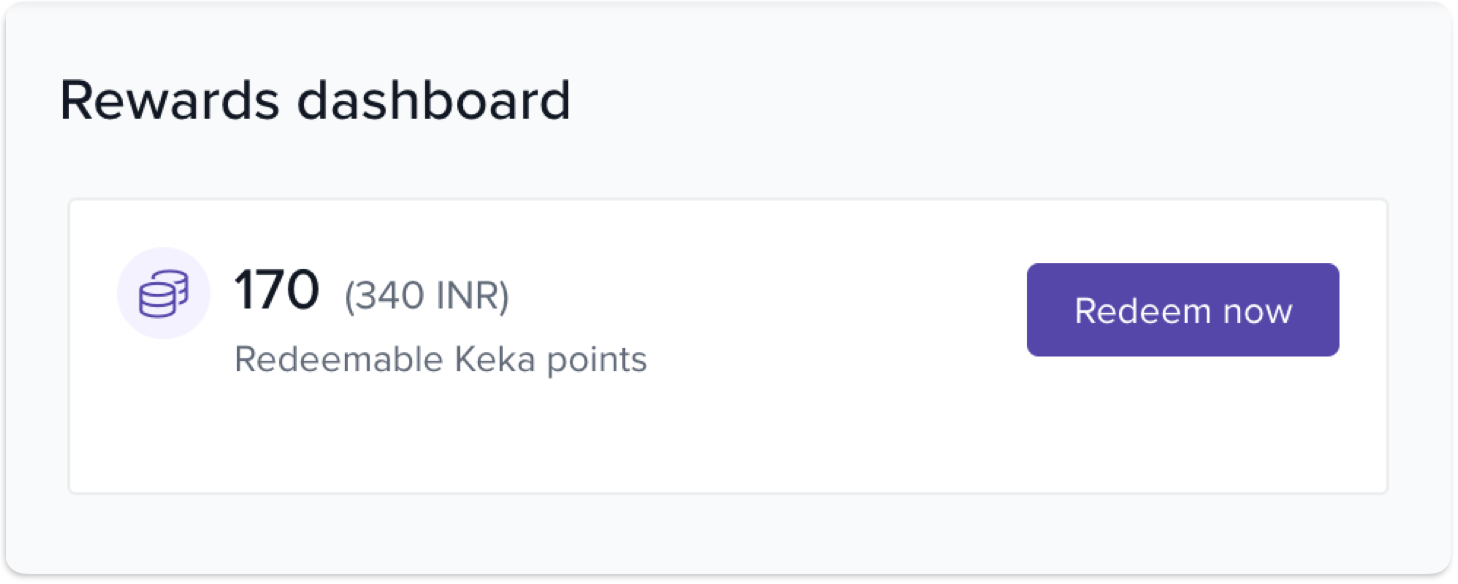
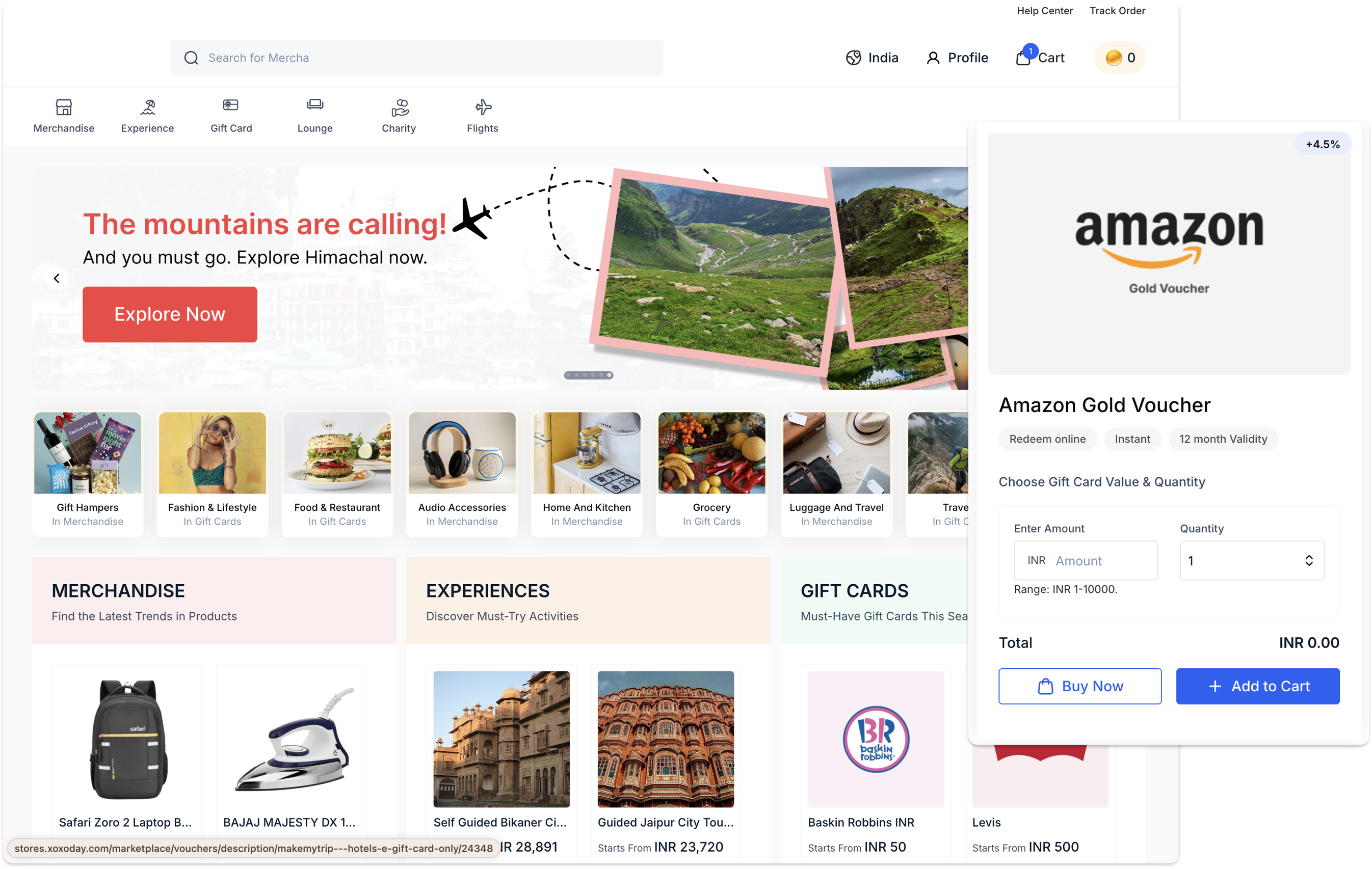
3. They are redirected to the XOXODay Marketplace.
4. Browse rewards—gift cards, merchandise, experiences.
5. Checkout using their available points.
It’s that easy!
Who Benefits?
For HR & Admins:
No manual reward processing.
Real-time tracking of redemptions.
Better employee satisfaction with minimal admin effort.
For Employees:
Personalised, instant rewards.
Global gift options.
No login or process delays.
Notes & Tips
This feature is available only for customers with the RnR (Rewards and Recognition) add-on. Ensure it is enabled in your Keka plan to access the XOXODay integration.
Comments
0 comments
Please sign in to leave a comment.