Overview
This article explains how Keka PSA integrates with the Workforce module to automatically sync employees' shift timings and weekly offs, ensuring timesheet accuracy and reducing administrative effort.
Who Can Do This?
- PSA Admins
- Project Admins
How It Works
- Real-Time Sync: Shift hours and weekly offs are fetched automatically from Keka’s Time and Attendance (Workforce) module
- Automatic Updates: Any shift changes in Workforce are reflected in PSA for accurate timesheet logging
- Manual Override: Admins can turn off syncing and set values manually
Step-by-Step Instructions
Enable Workforce Sync
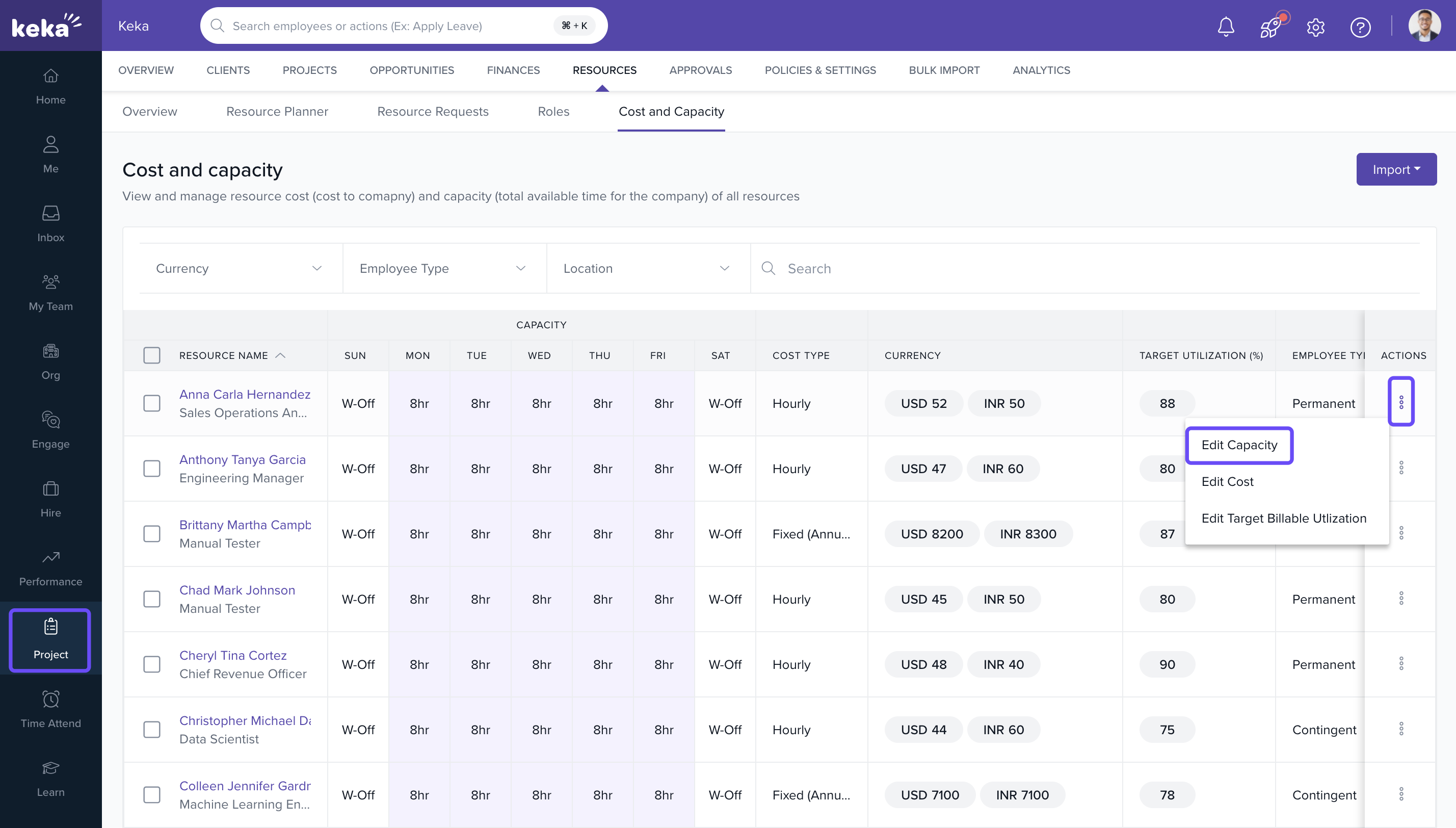
- Go to Projects → Resources → Cost and Capacity.
- Click on the three-dot menu next to a team member.
- Select Edit Capacity from the dropdown menu.
- Enable the checkbox Fetch Workforce Availability.
- Save the capacity.
Manage Cost for the Resource
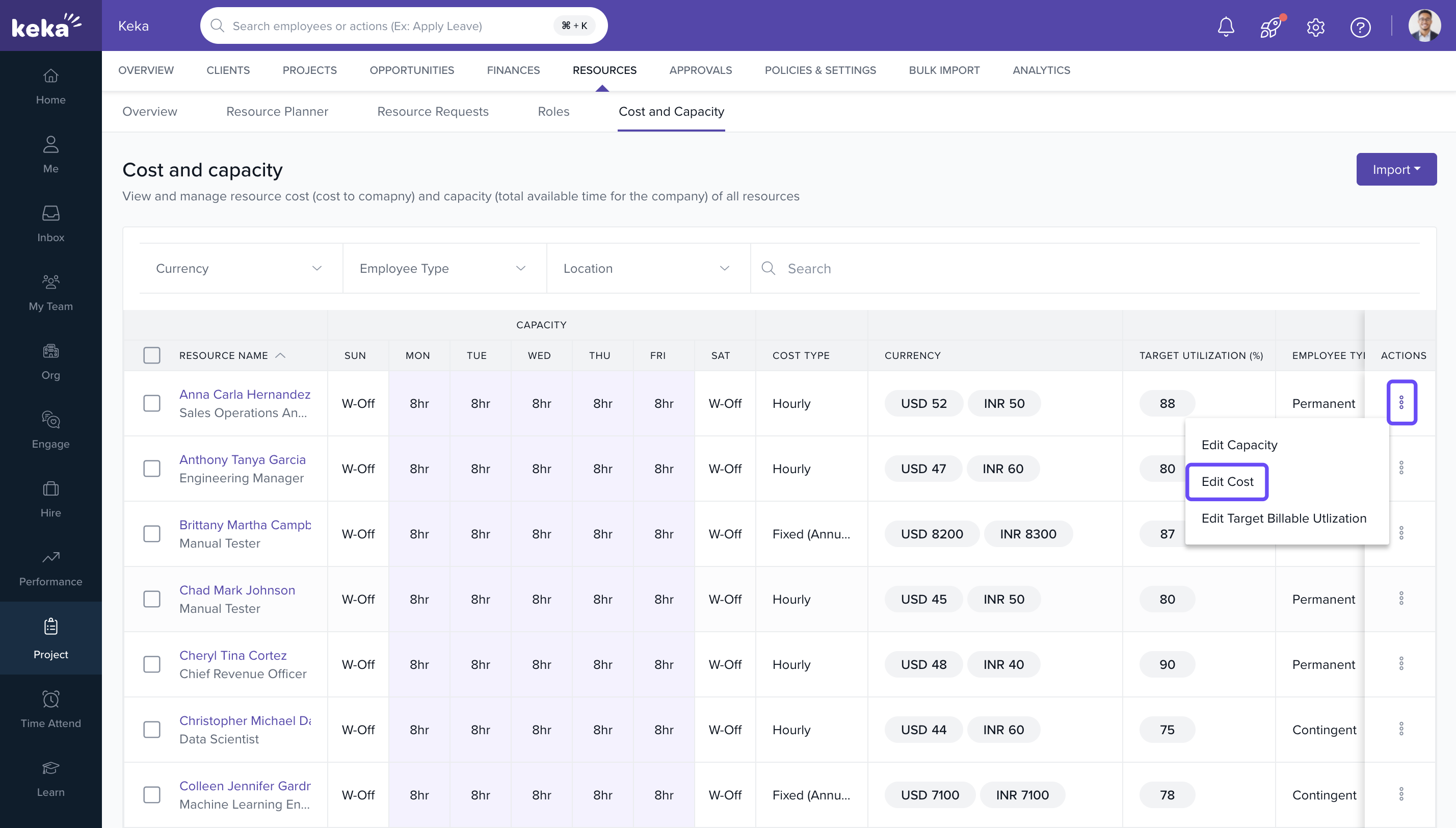
- Click the three-dot menu → select Edit Cost.
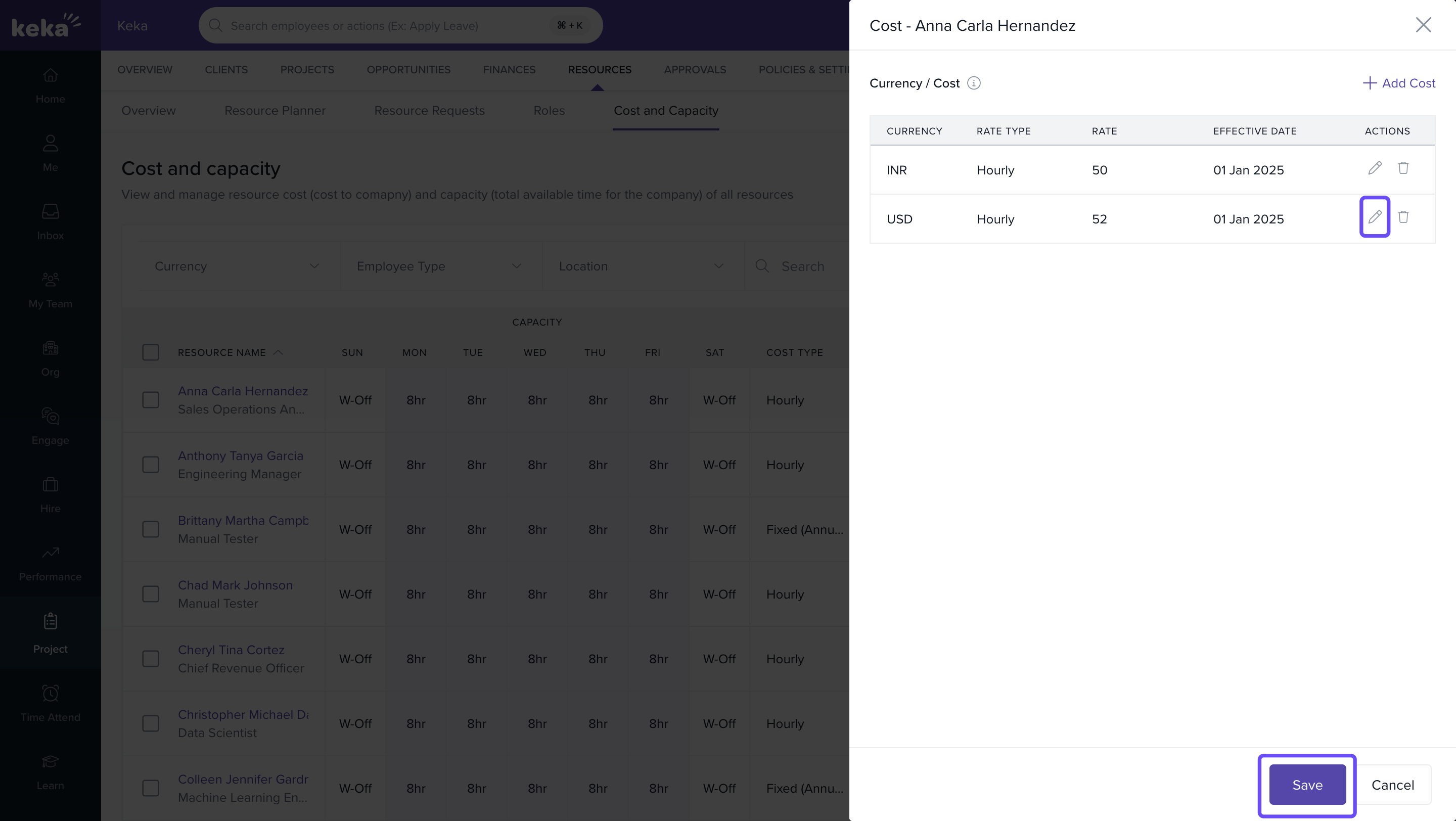
- Input rate type, currency, and effective date.
- Click Save.
Access & Availability
This feature is available across all Keka plans with no additional setup required.
Comments
0 comments
Please sign in to leave a comment.