Overview
This article explains how to create, edit, and manage billing roles in Keka PSA. These roles serve as the foundation for resource allocation and rate card management. Proper configuration of roles ensures billing consistency across projects and improves invoicing accuracy.
Who Can Do This?
- PSA Admins
- Finance Admins
- Global Admins with access to billing and resource management
Pre-requisites
- Rate cards should be configured to use these roles for billing
- Resources must be assigned roles during project allocation
- Roles cannot be deleted if currently assigned to any active resource
Accessing the Roles Section
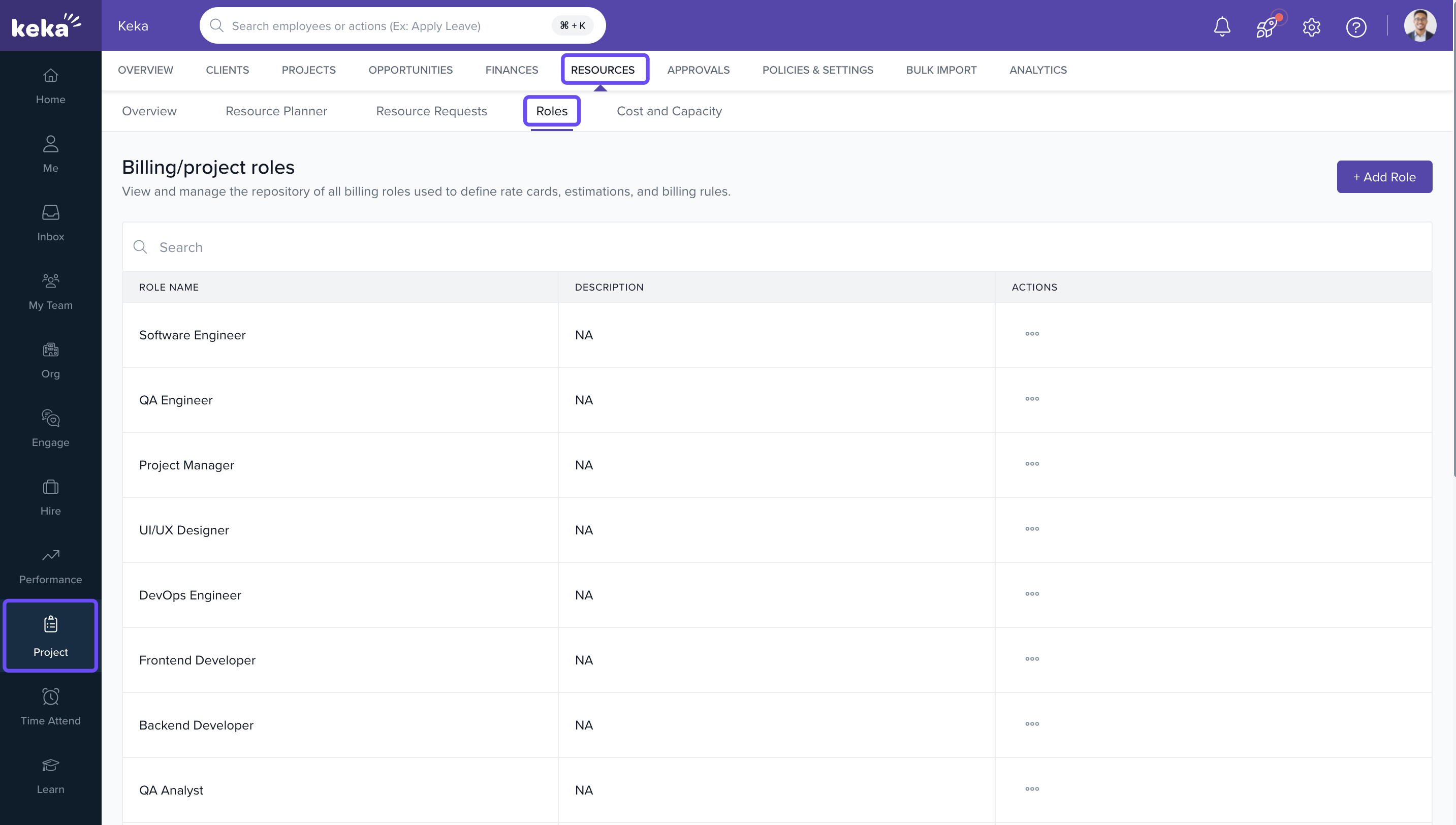
- Go to the Projects section.
- Click on the Resources tab.
- Select the Roles tab to view the list of all billing roles.
Creating New Roles
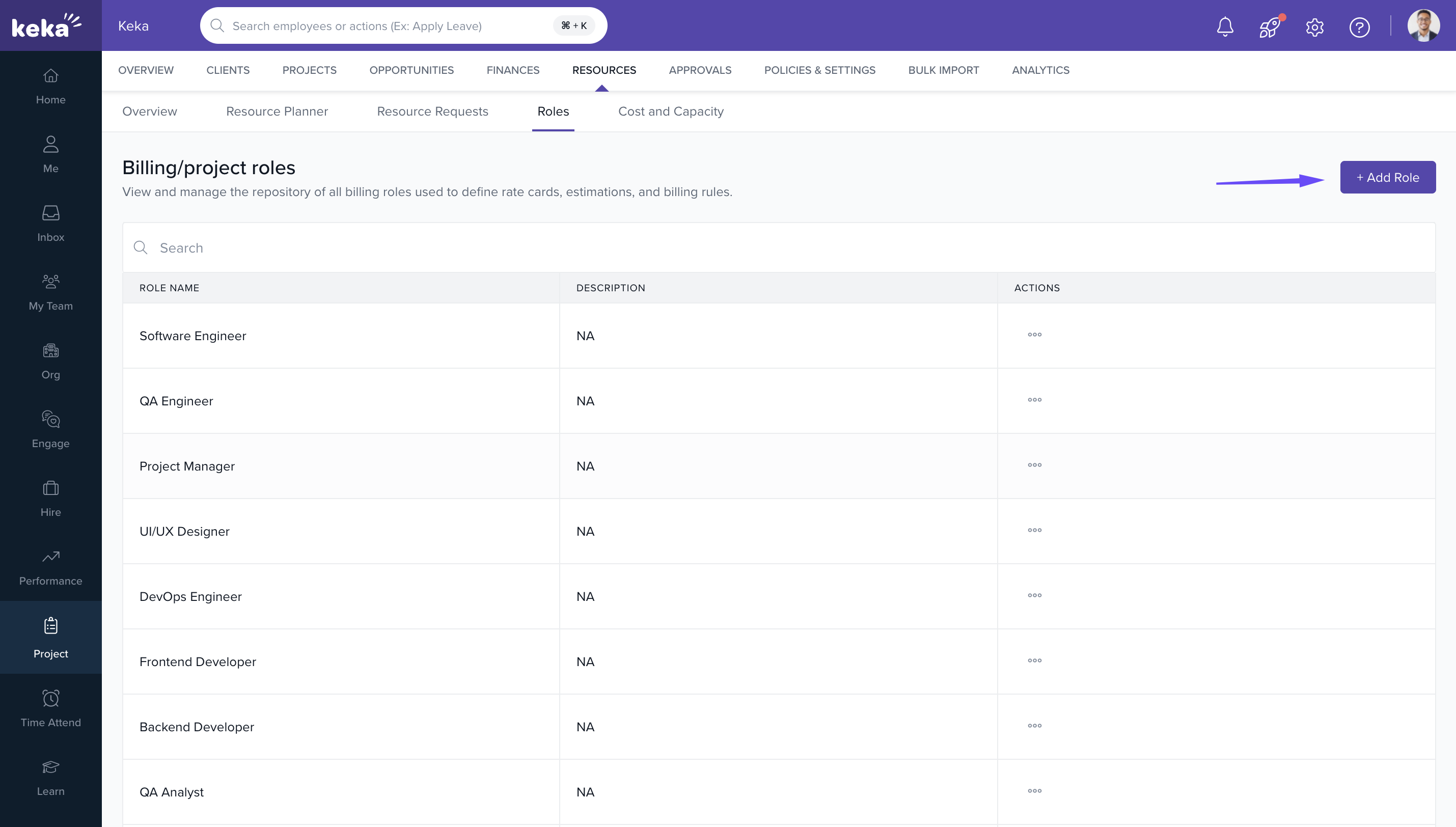
- Click +Add Role.
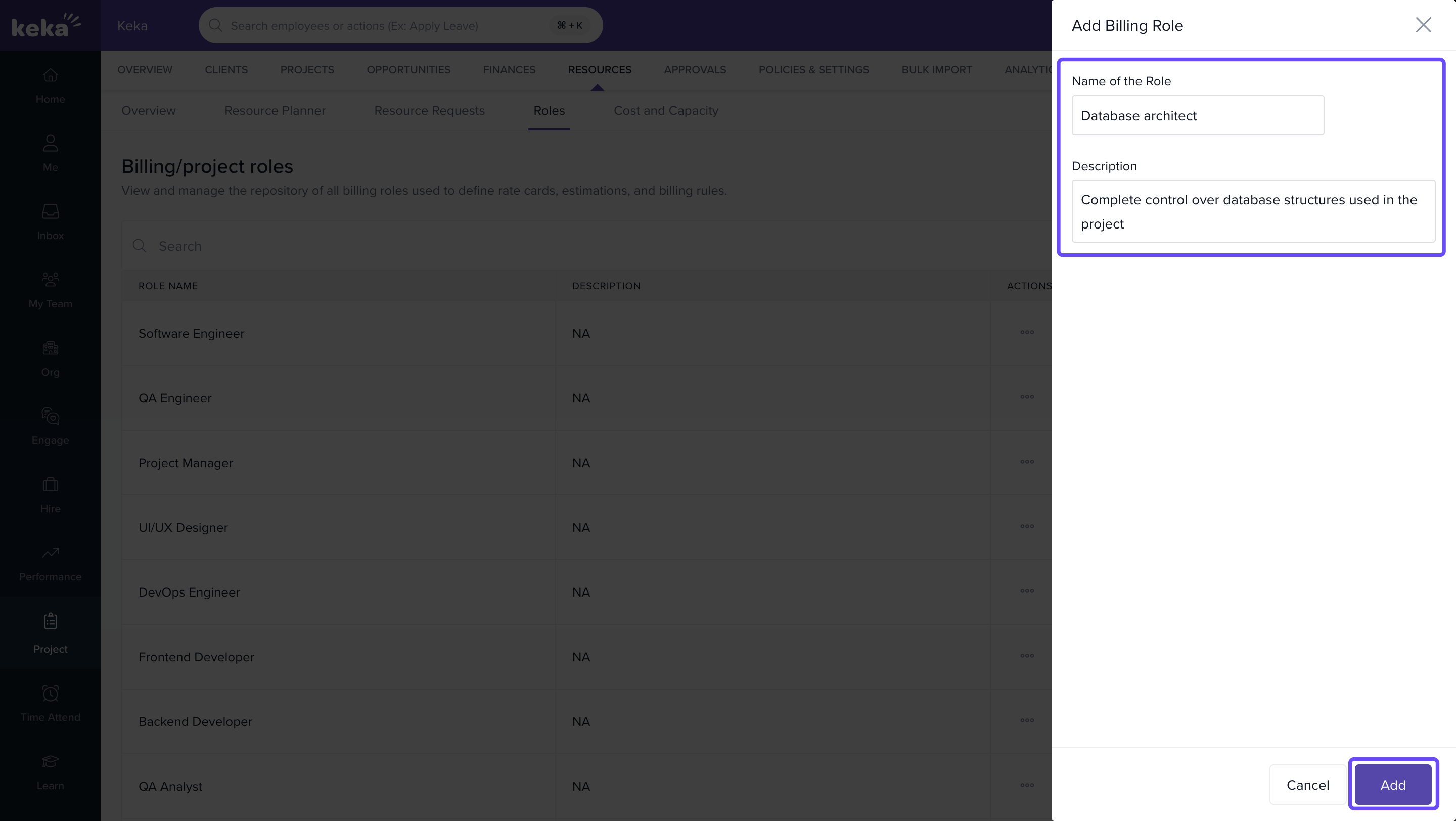
- In the Add Billing Role window:
- Enter a Role Name (e.g., Developer, QA Lead).
- (Optional) Add a Description.
- Click Add to save the role.
Once created, the role will be available in:
Editing and Deleting Roles
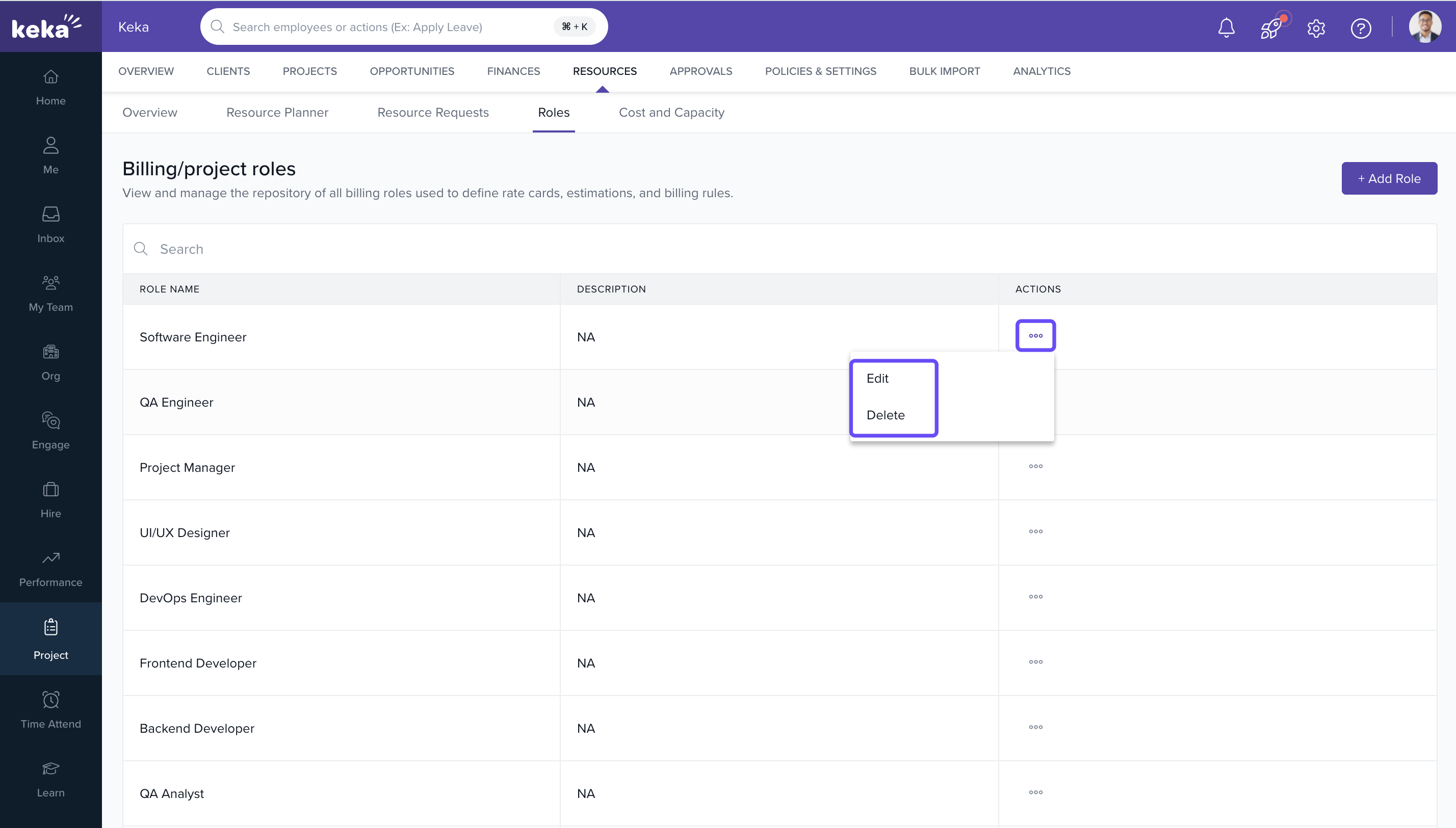
- Locate the role in the list.
- Click the three-dot icon in the Actions column.
- Select one of the following:
- Edit Billing Details: To modify role name, rate, or apply new rates from an effective date.
- View Allocation History: To track past changes.
- Delete: To remove the role (only if unassigned).
-
To update the billing rate:
- Click Edit Billing Details.
- Enter the new Bill Rate, Suggested Cost, and choose an Effective From date.
- Click Update Role to save the changes.
Note: You cannot delete a role that is currently in use. Unassign the role from all projects before deletion.
FAQs
Q: Can I reuse the same role across different projects?
A: Yes. Once created, roles can be reused across multiple projects and rate cards.
Q: Can I track role rate history?
A: Yes. Use the View Allocation History option to see changes over time.
Q: What happens if I change the rate for a role already in use?
A: The new rate will apply only from the specified Effective From date onward.
Q: Can I assign different rates for the same role across clients?
A: Yes. Role rates can vary by client or project, depending on your configured rate card.
Comments
0 comments
Please sign in to leave a comment.