Overview
Managing client records in Keka PSA is essential for keeping your project and billing data organized. This article explains how administrators can edit or delete client information. Editing allows updates to client details, while deletion removes inactive or incorrect entries, provided there are no active dependencies such as ongoing projects.
Who can do this?
Admins with access to the Projects module in Keka PSA.
Pre-requisites
- The client must already exist in the system.
- For deletion, ensure no active or past projects or opportunities are linked to the client.
- Billing currency cannot be changed once a client is created.
Steps to edit a client
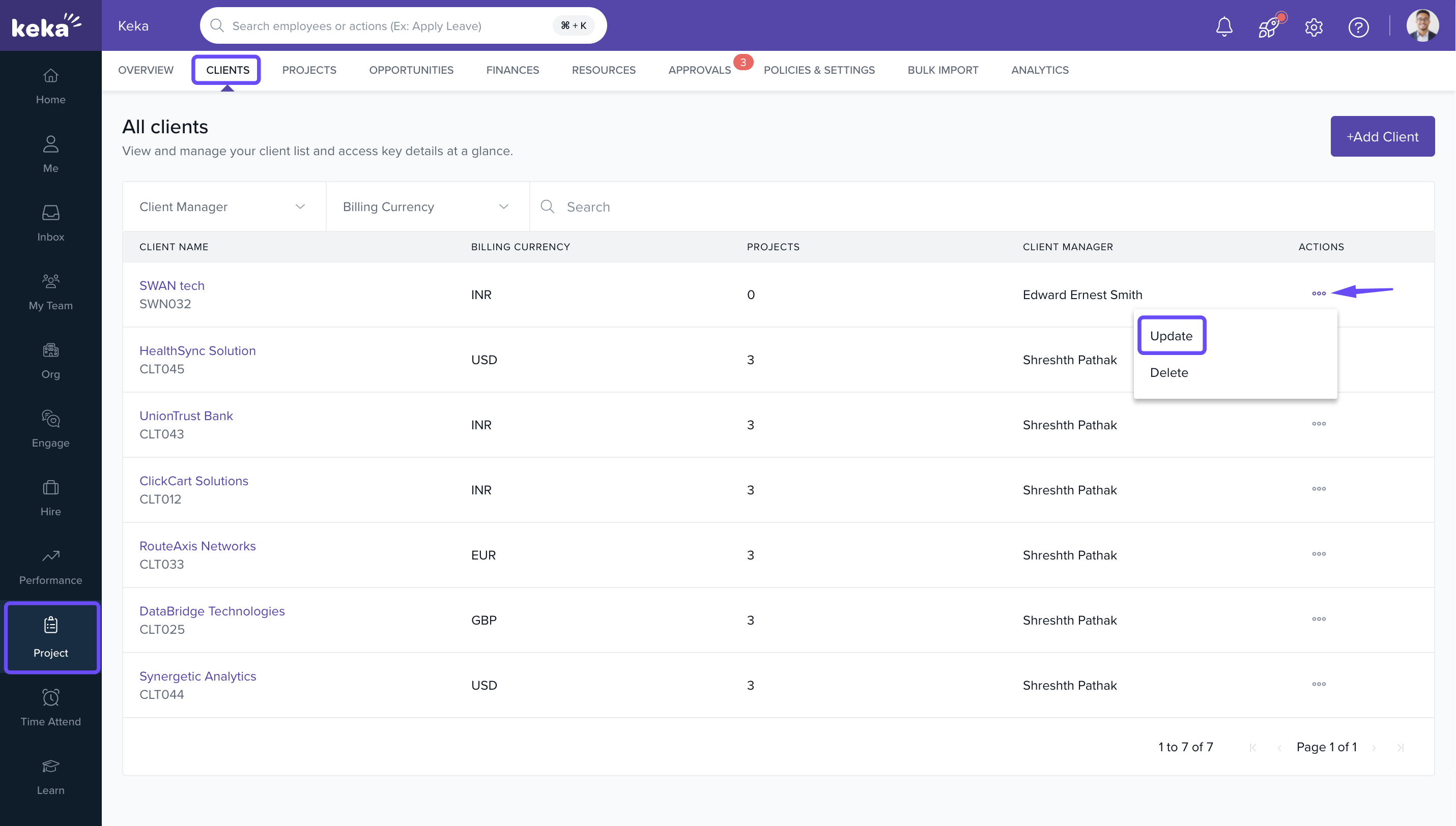
- Go to Projects >> Clients.
- Find the client you want to edit.
- Click on the three dots (⋮) next to the client’s name.
-
Select Update from the dropdown menu.
- Edit the necessary details (e.g., name, contact).
-
Click on Update to save your changes.
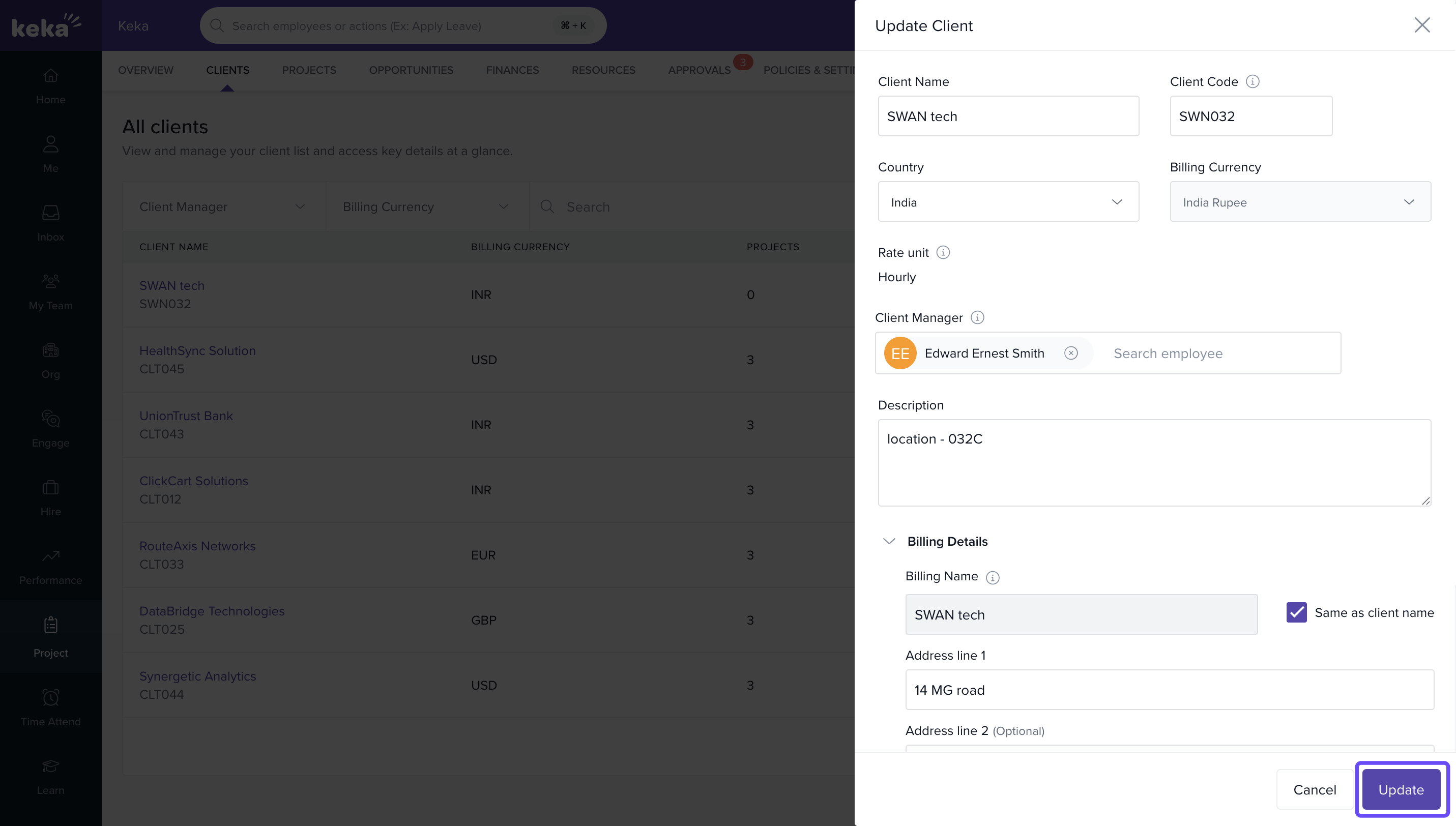
Note: Billing currency cannot be changed after the client is created.
Steps To delete a client
- Go to Projects >> Clients.
- Locate the client you wish to delete.
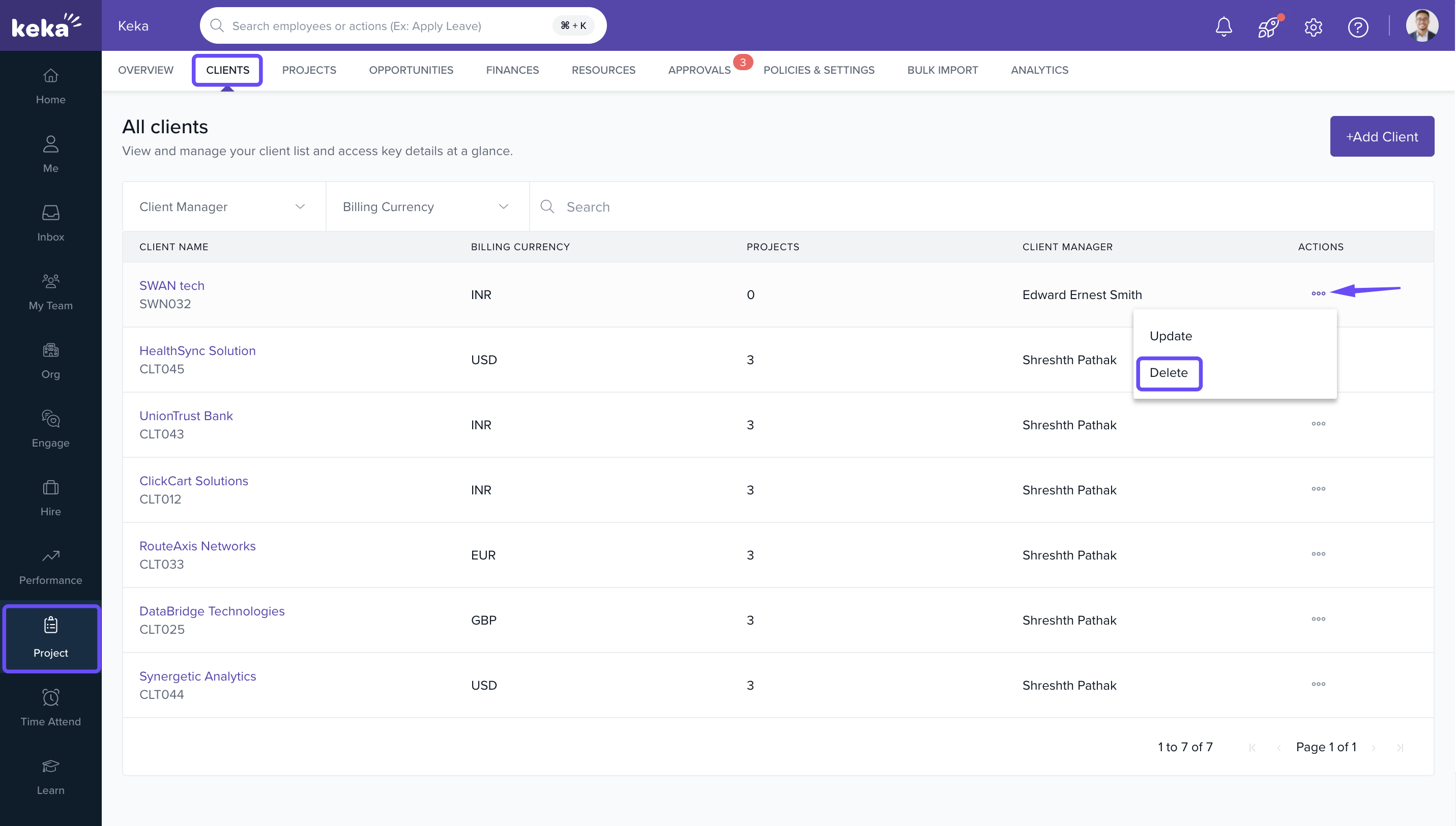
- Click on the three dots (⋮) next to the client’s name.
-
Select Delete from the dropdown menu.
- In the confirmation window, type DELETE.
-
Click on Delete to confirm.
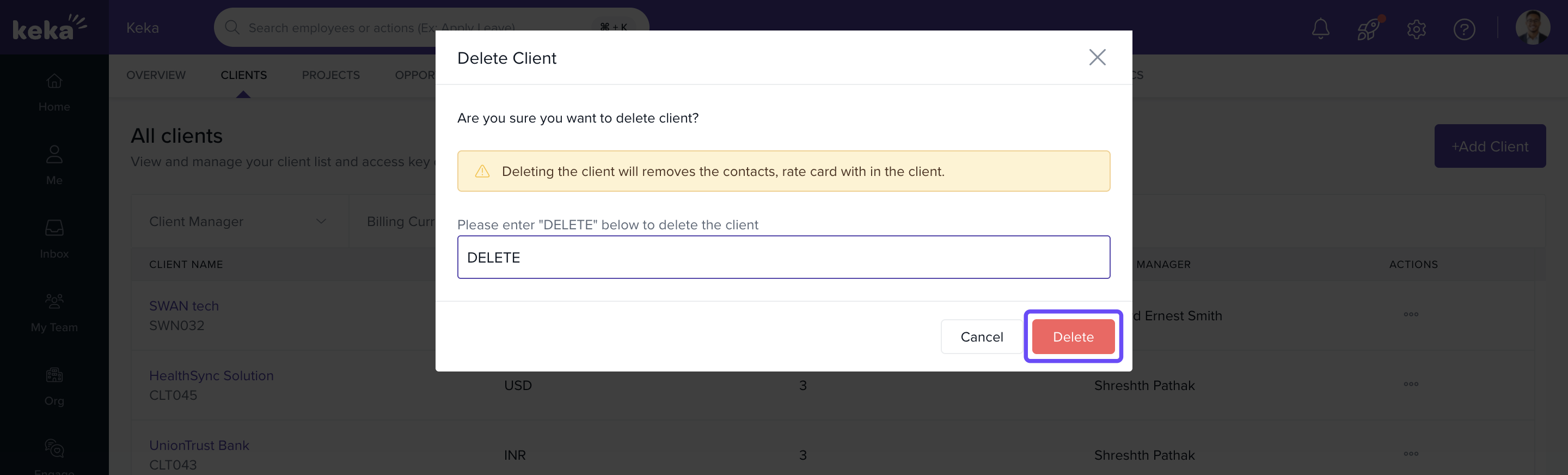
Important: Make sure there are no associated projects before deletion.
How it connects with other modules
|
Module |
Integration Details |
|
Projects |
A client must be associated with every project. Projects prevent client deletion. |
|
Billing |
Client details are used in invoices and billing records. |
|
Resource Planning |
Client-level planning affects project allocation and utilization reporting. |
FAQs
Q: Can I change a client’s billing currency after creation?
A: No, the billing currency is fixed once the client is created.
Q- If I change the billing name or address, will it be changed acoss the existing invoices?
A- No, existing invoices will not be affected.
Q: Why can’t I delete a client?
A: There may be one or more projects linked to the client. You must remove or reassign them first.
Q: Can I restore a deleted client?
A: No. Deletion is permanent. Recreate the client if needed.
Troubleshooting
Unable to edit a client?
- You may not have the required admin permissions. Contact your system admin.
Delete option is disabled?
- Active or archived projects are still associated with the client. Clear these dependencies first.
Fields appear grayed out while editing?
- Some fields like billing currency are locked after initial setup and cannot be changed.
Comments
0 comments
Please sign in to leave a comment.