Overview
This article explains how to use the bulk upload feature in Keka PSA to efficiently manage and update resource allocation percentages across projects. It is ideal for project managers and resource planners handling large teams or multiple projects. This feature reduces manual input, improves accuracy, and enhances resource planning workflows.
Who Can Do This?
- PSA Admins
- Project Managers
- Resource Managers with bulk import permissions
Pre-requisites
- Projects must already be created in the system
- Resources must be pre-assigned to projects
- Excel file must follow the correct template format provided in the import interface
Step-by-Step Instructions
Access Bulk Import Section
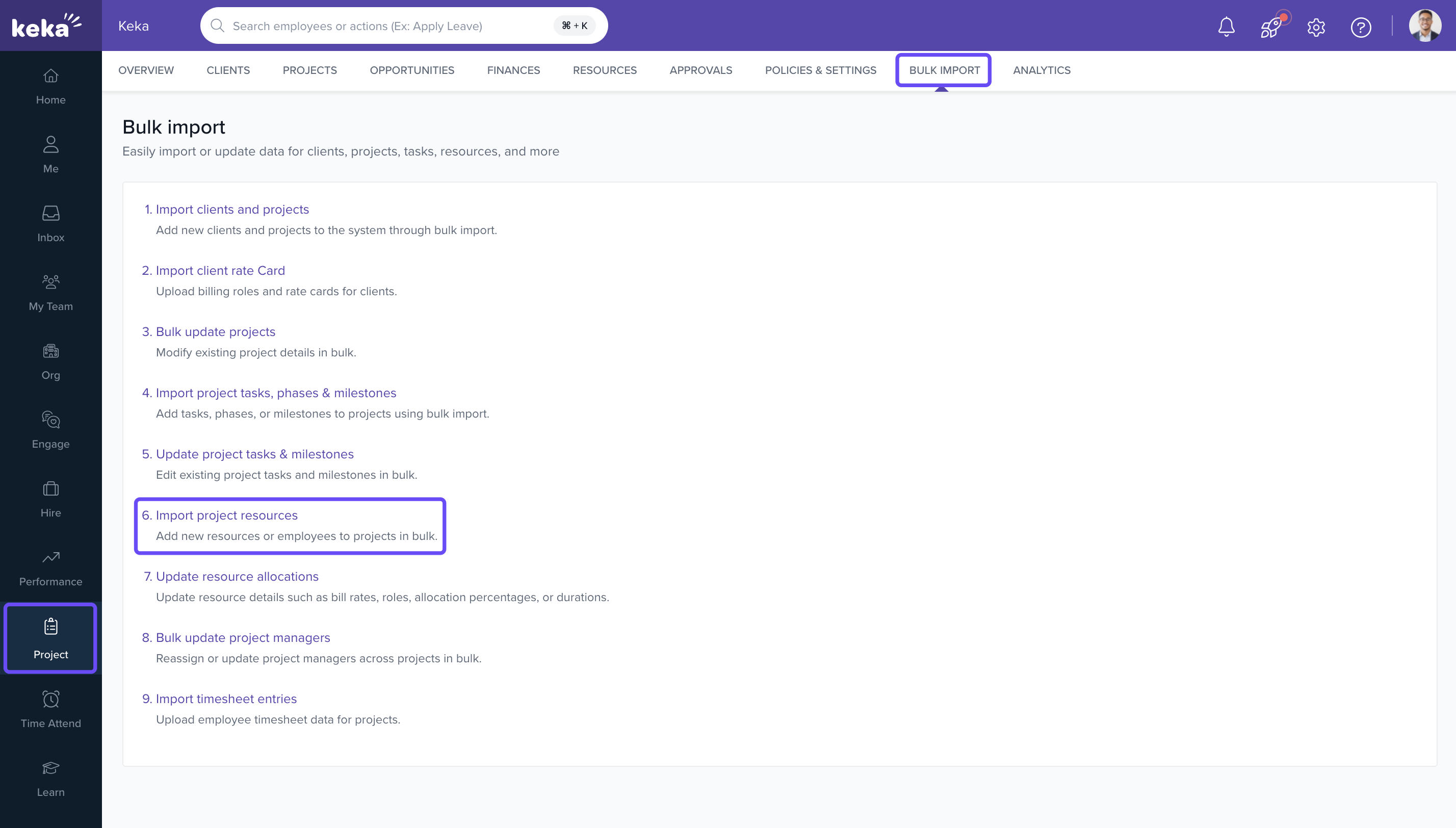
- Navigate to the Projects section from the left navigation pane.
- Click on Bulk Import.
- Select Import Project Resources.
Upload Excel File
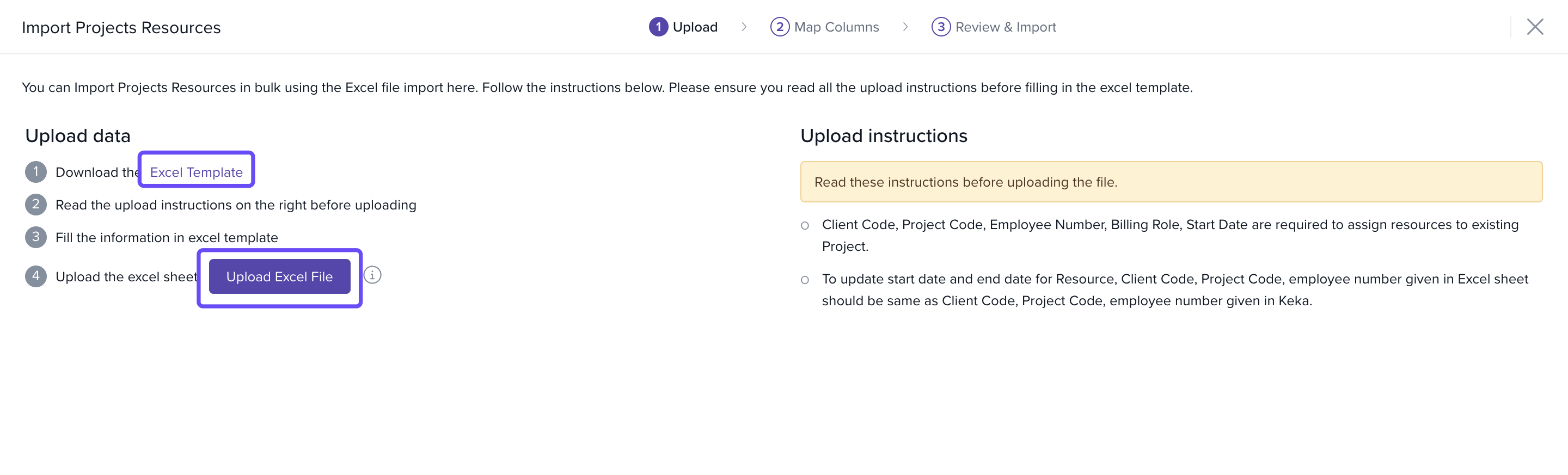
- Download the excel template
- In the Excel sheet, modify the Allocation % for the relevant resources.
- Review values for accuracy and ensure the correct Project ID, Employee ID, and Dates are included.
- Make sure the file is filled using the correct column structure.
- Save the file before uploading.
- Click on Upload Excel File
- Choose the file containing your updated resource allocation percentages.
Review and Confirm Upload
- After uploading, preview the data.
- Confirm mappings and click Submit.
- Allocations will be updated across all projects based on the imported data.
FAQs
Q: Can I upload allocations for multiple projects in one file?
A: Yes. As long as each row specifies a unique project and resource combination.
Q: Will this overwrite existing allocations?
A: Yes. The new percentages will replace the current allocations for the specified duration.
Q: What if a resource is not already assigned to the project?
A: The import will fail for that entry. Ensure the resource is pre-assigned before uploading.
Q: Can I use this feature for soft or hard allocation tagging?
A: No. This bulk upload is only for updating allocation percentages.
Comments
0 comments
Please sign in to leave a comment.