TABLE OF CONTENTS
- What is Asset Unavailable Status
- How To Configure Asset Unavailable Status
- How To Set Asset Unavailable Status
What is Asset Unavailable Status
In Keka, you can mark an asset as unavailable using the Asset Unavailable Status feature. This helps classify why an asset is not available for use—whether due to repair, damage, loss, or other reasons.
Additionally, this feature supports linking unavailability to charging employees for damages if required.
How To Configure Asset Unavailable Status
You can add, edit, or delete reasons for asset unavailability to match your organization’s needs.
Navigate to Org > Assets > Settings > Unavailable Status.
Click + Add Reason.
Enter the Reason Name and Description.
Save the new status.
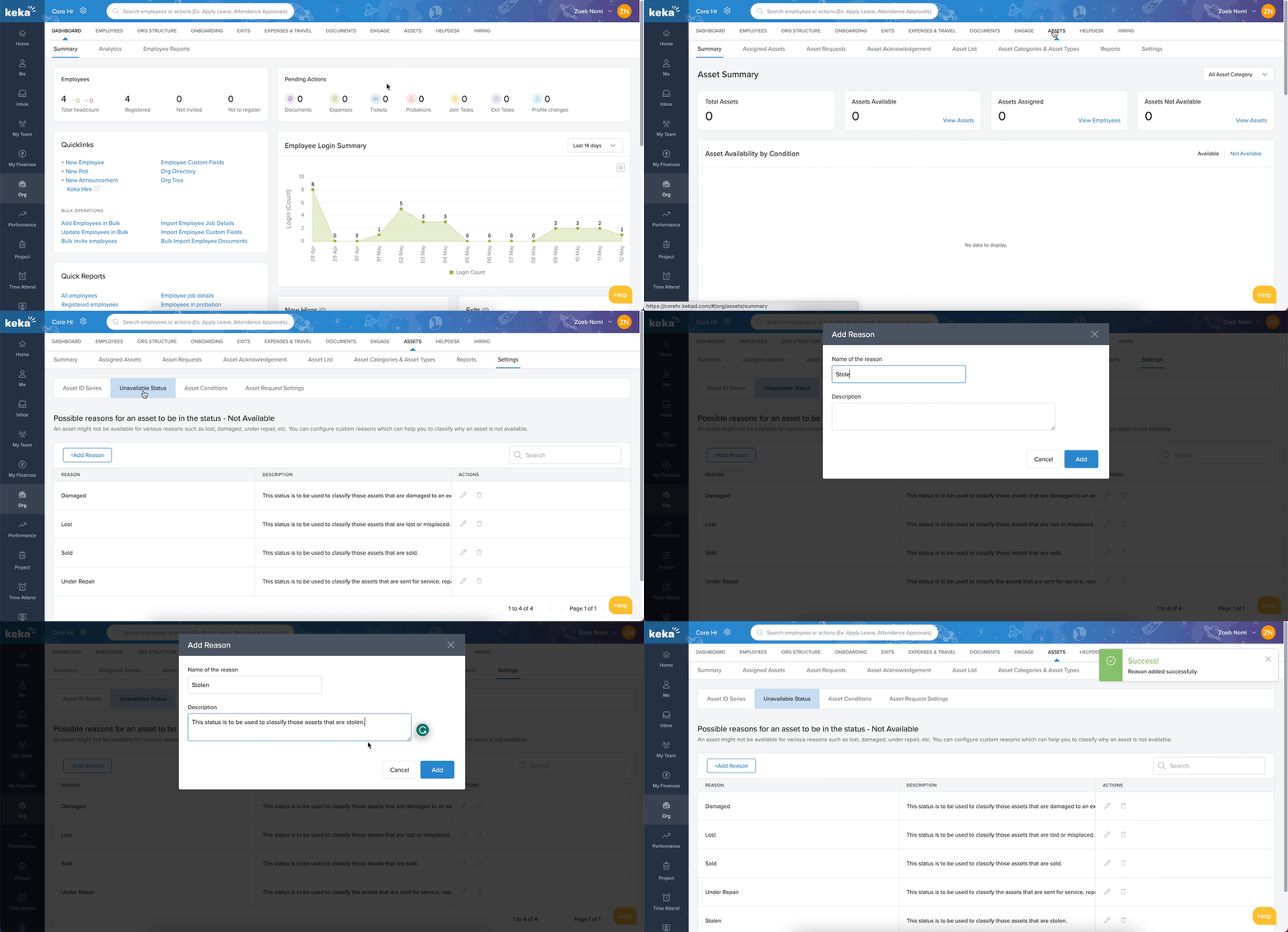
Default statuses provided by Keka:
Damaged – For assets that are broken or no longer usable.
Lost – For assets that are missing or misplaced.
Sold – For assets sold by the company.
Under Repair – For assets currently undergoing servicing or maintenance.
These default statuses can be edited or deleted as needed.
How To Set Asset Unavailable Status
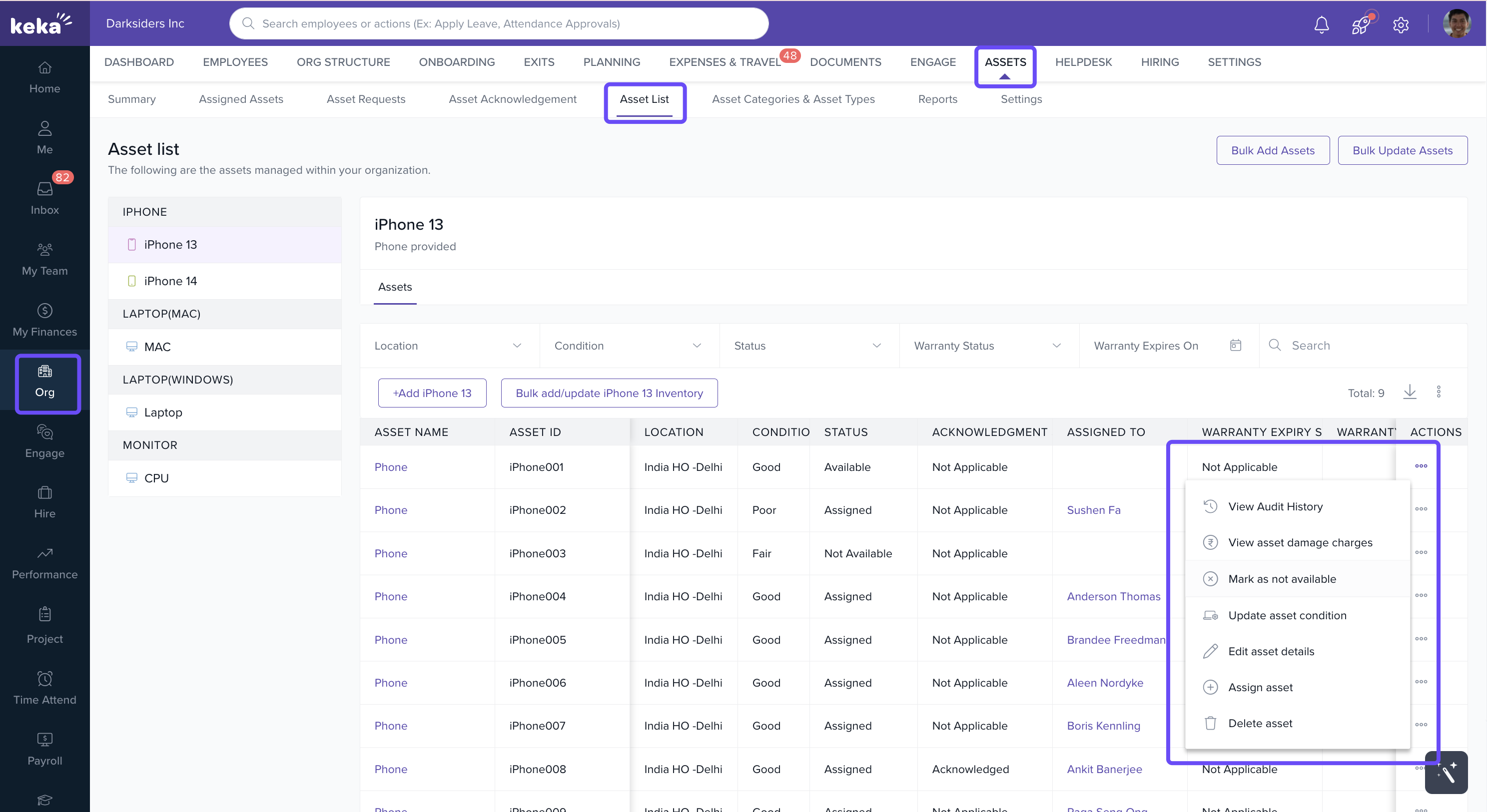
Go to Org > Assets > Asset List.
Locate the asset you want to update. Use the category filters on the left to narrow down the list.
Click the three dots (...) in the Actions column for that asset.
-
Select Mark as Not Available.
-
In the pop-up:
Choose the Reason from the dropdown.
(Optional) Update the Asset Condition.
(Optional) Add a Note for context.
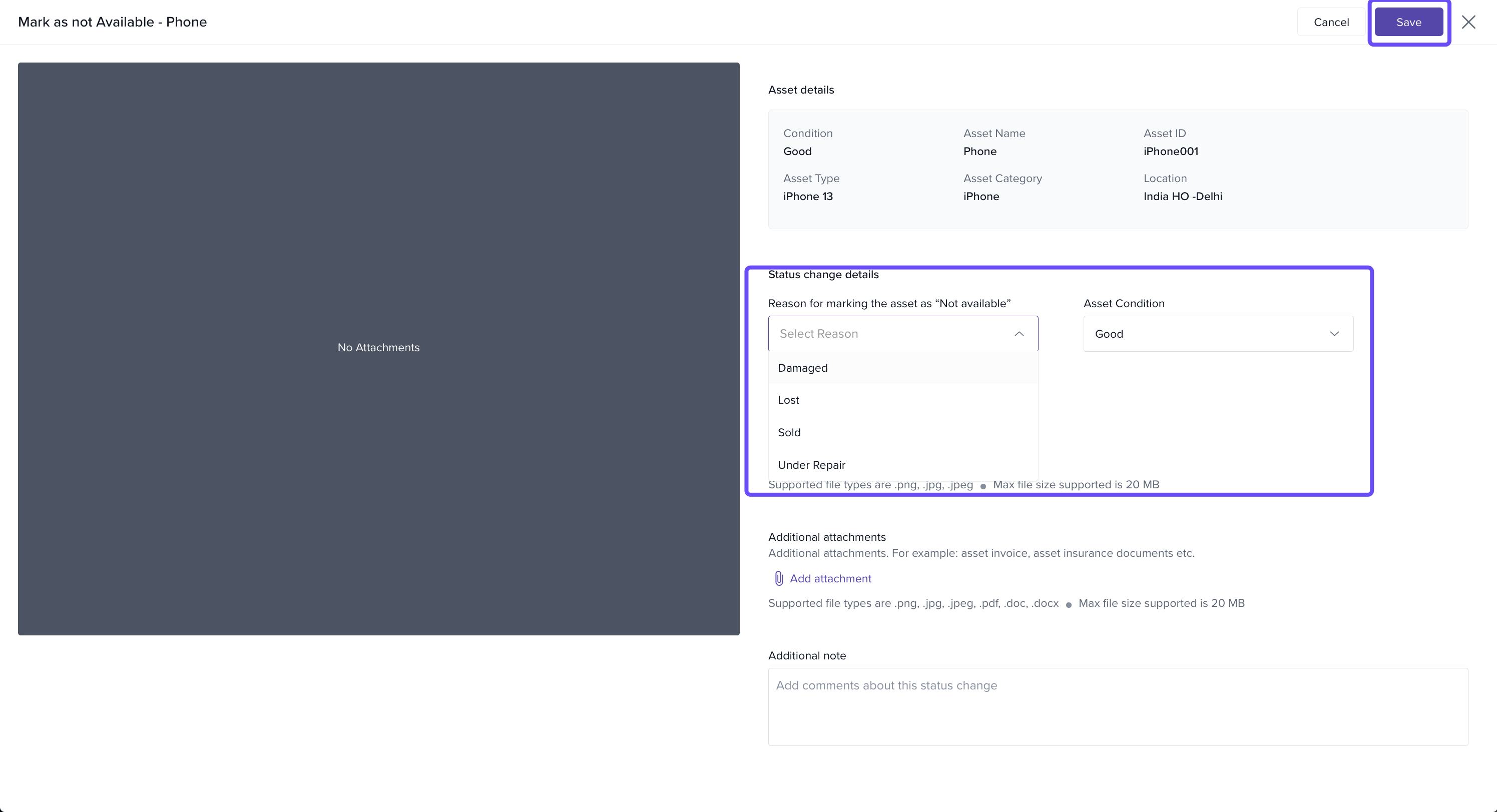
- Click Save.
The asset’s status will now be updated as unavailable, along with the reason and any notes provided.
Comments
0 comments
Please sign in to leave a comment.