Skip to main content
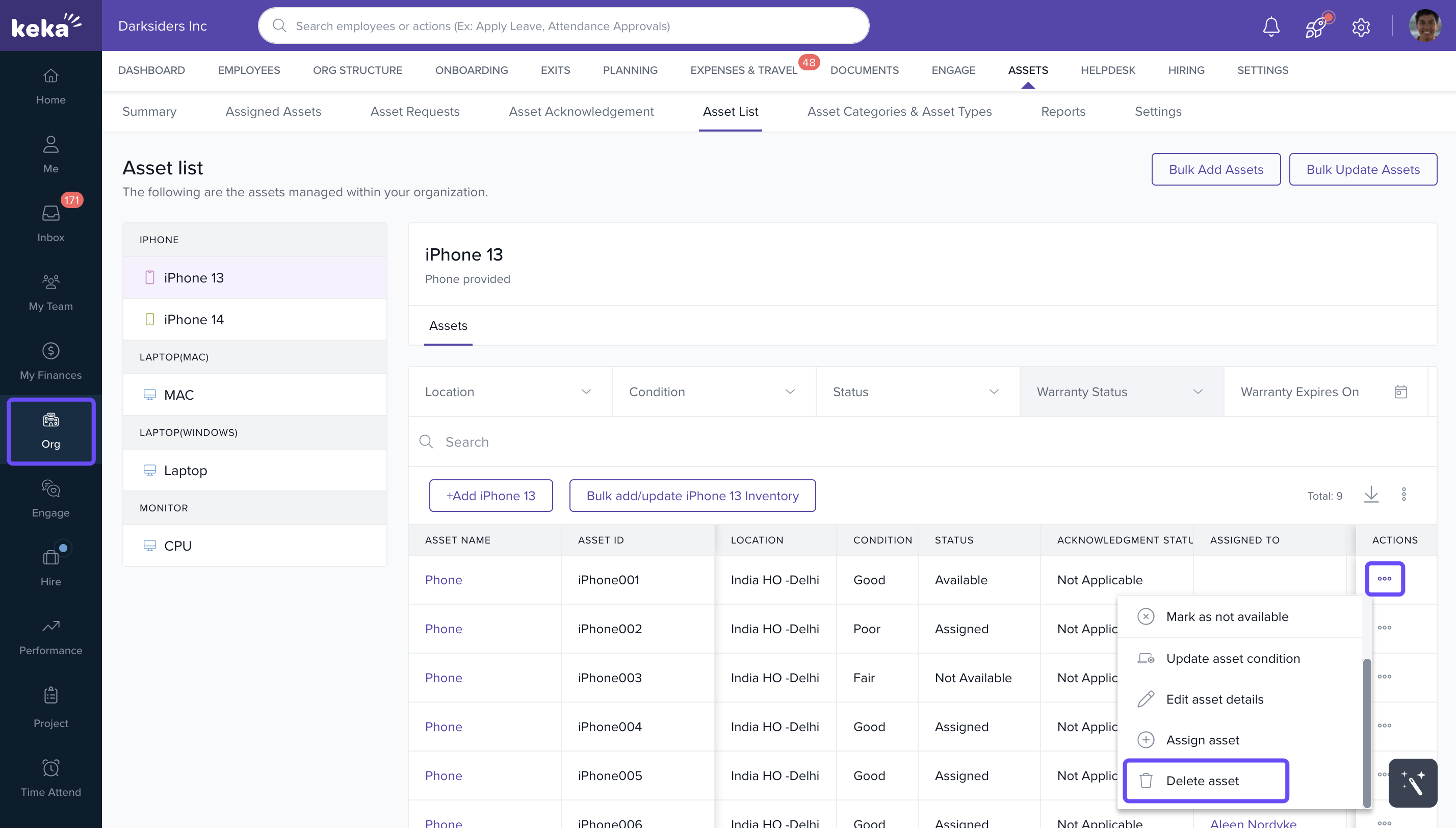
- Go to Org from the left navigation panel and select Assets.
- Then, click on Asset List and navigate to the Asset Category where the asset is listed.
- Locate the asset you wish to delete and click on Options under the Actions column, and select Delete Asset.
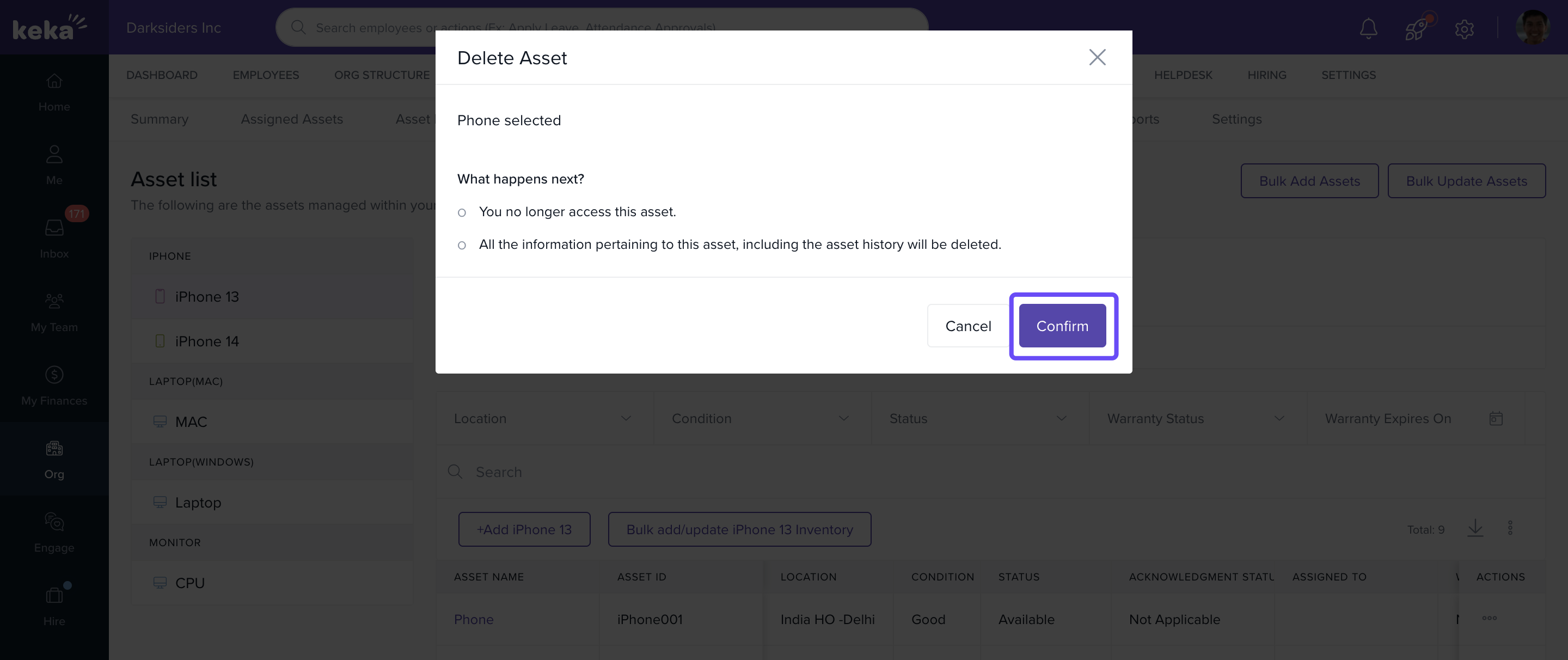
- In the confirmation window, click Confirm to permanently delete the asset from the inventory.
Comments
0 comments
Please sign in to leave a comment.