Introduction
Keka Hire uses roles to control what each user can see and do. Your account includes several standard roles—some paid and some free—and you can edit their permissions or create new roles to fit your process.
Standard roles in Keka Hire
Global Admin (Paid): Full access across Keka Hire, including account and billing.
Super Recruiter (Paid): Broad privileges—manage jobs, offers, candidates, and hiring teams.
Recruiter (Paid): Manage candidates, job details, and hiring team for assigned jobs.
External Recruiter (Paid): For outsourced recruiters; can add/manage candidates, job details, and hiring team but cannot see candidates sourced by others or from other sources.
Hiring Manager (Free): For business managers/decision makers on the role.
Interviewer (Free): View assigned candidates and submit interview feedback.
You can modify permissions for these predefined roles or add your own custom roles at any time.
Manage and update user information
View existing roles and permissions
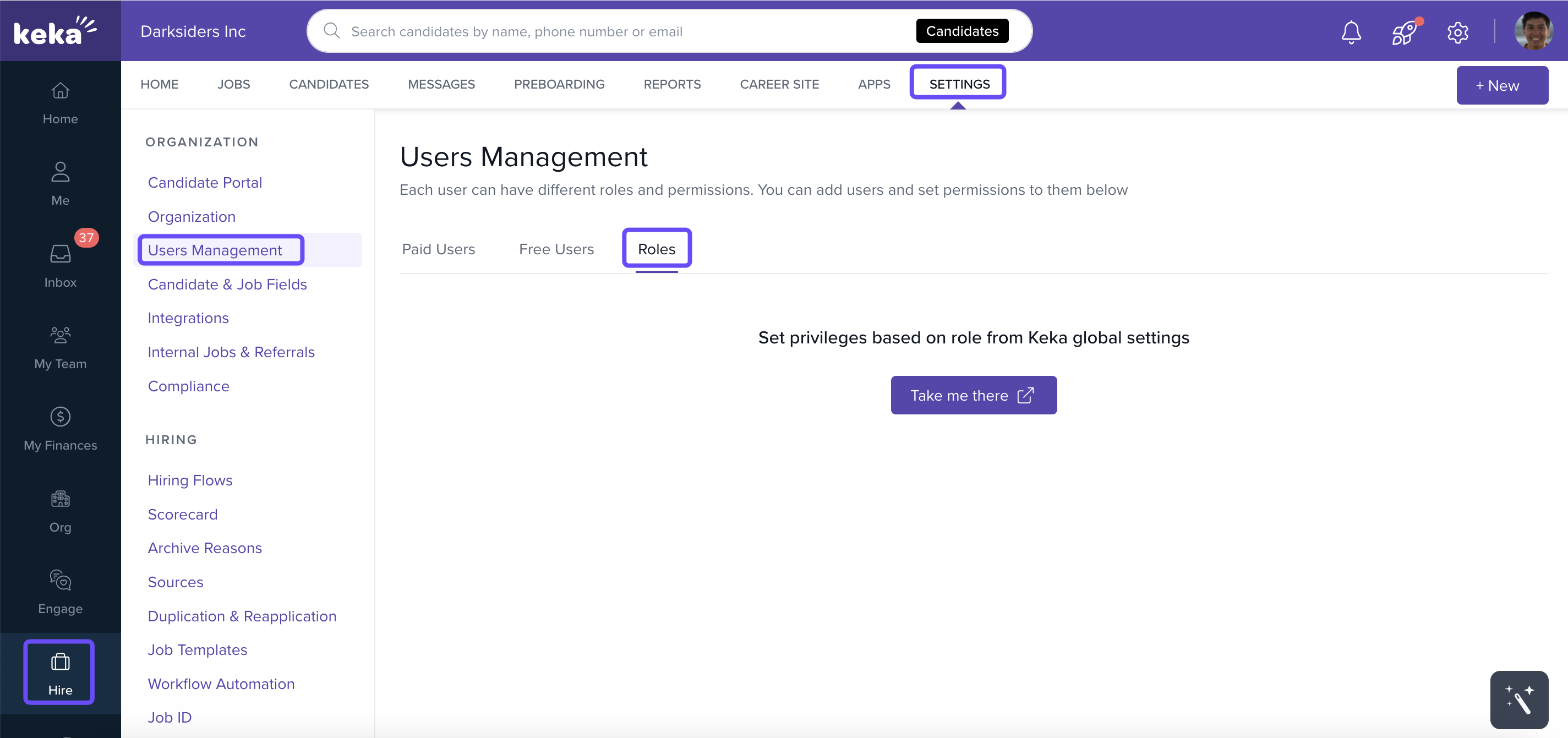
Go to Hire in the left navigation.
Click Settings.
Under Organization, select Users Management.
Open the Roles tab to review all roles and their permissions.
Add a new role
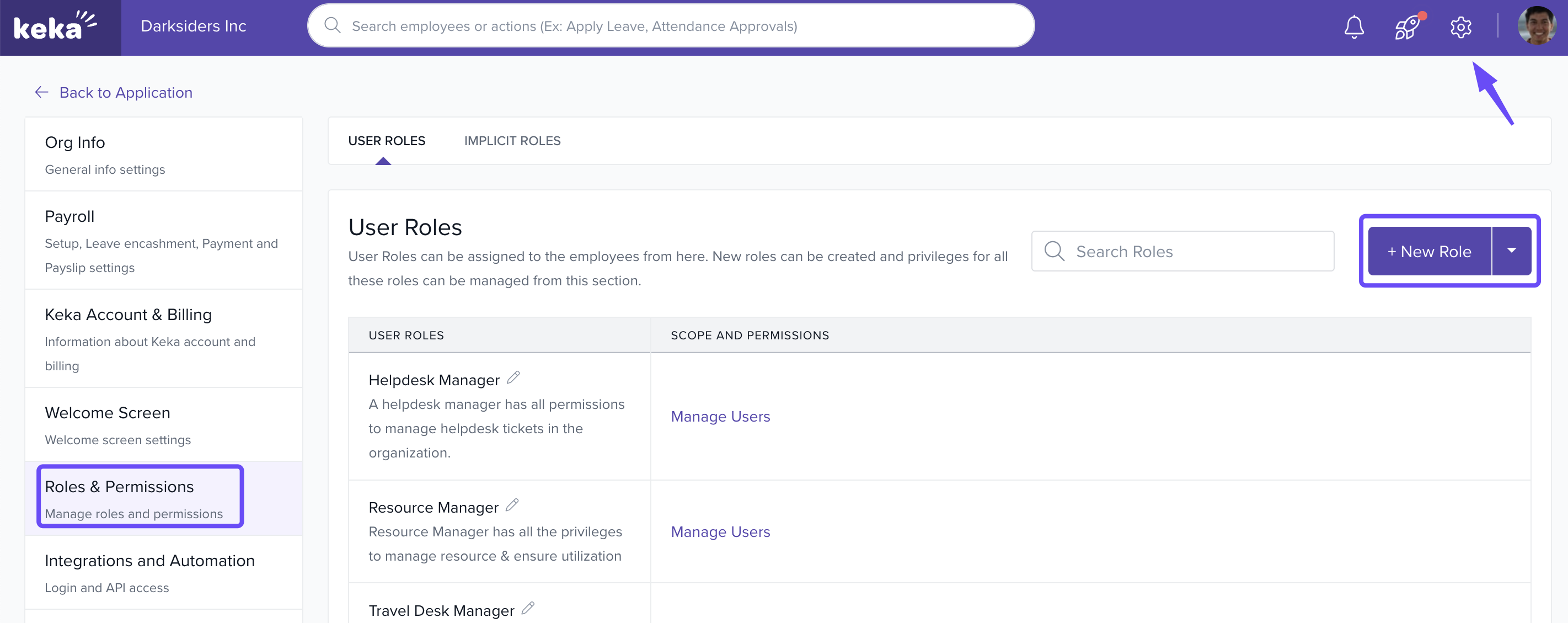
- You can access the Roles tab directly through Global Settings.
- On the Roles tab, click + New Role.
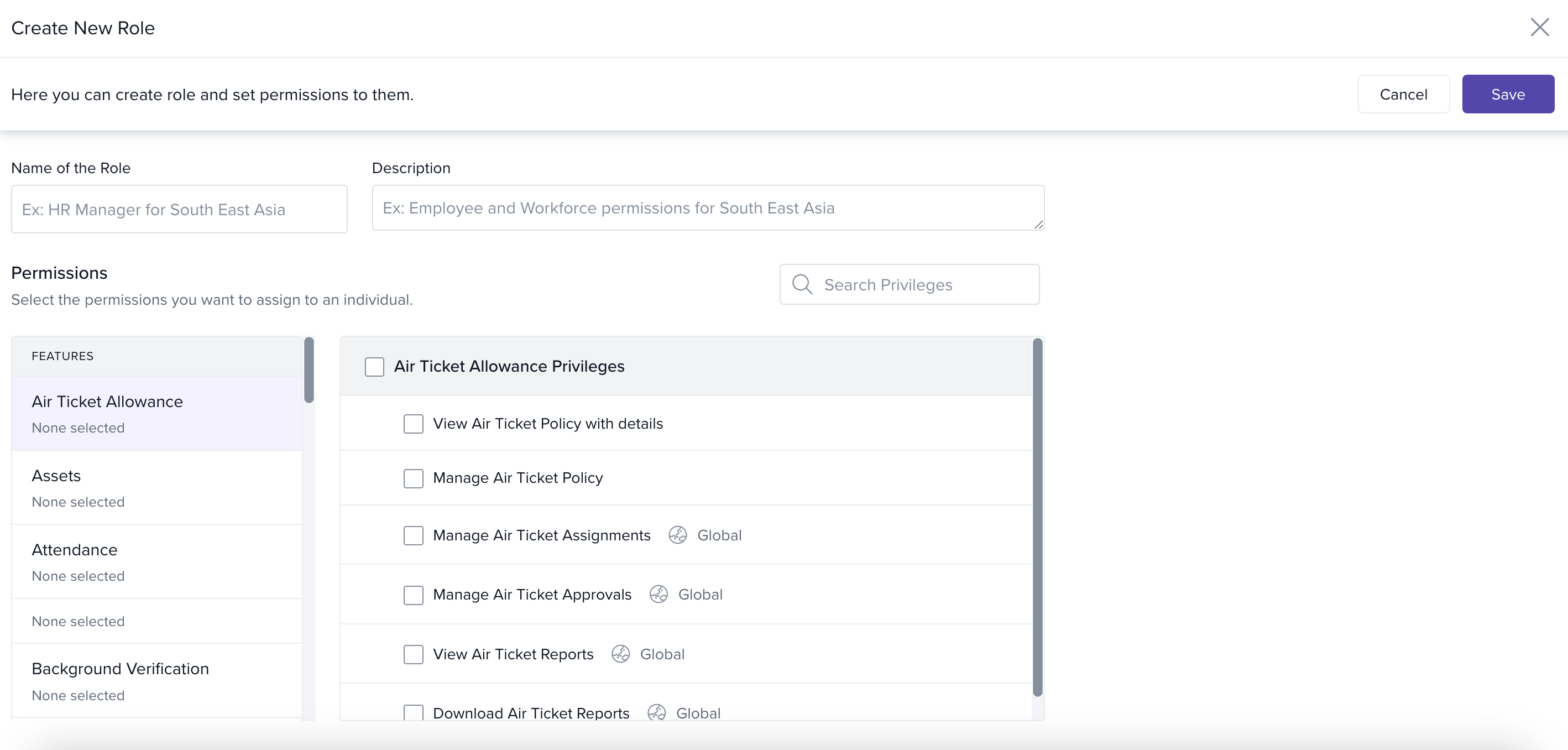
Enter the Role Name and a brief Description.
Under Permission categories, select the checkboxes for the access you want to grant
Click Save to create the role.
Options & Variants
Paid vs Free roles: Some roles (e.g., Global Admin, Super Recruiter, Recruiter, External Recruiter) are paid; Hiring Manager and Interviewer are free.
External Recruiter visibility: External Recruiters cannot view candidates added by others or from other sources.
Predefined vs Custom: You can manage permissions for predefined roles or create new, customized roles to suit your organization.
Field Reference / Parameters
| Field | What it does | Allowed values / details | Tips |
|---|---|---|---|
| Role Name | Name shown in the Roles list. | Text | Use a clear naming convention (e.g., “Recruiter – Campus Hiring”). |
| Description | Short summary of the role’s purpose. | Text | State the scope and team(s) this role is for. |
| Permission categories | Logical groupings of permissions. | System-defined categories | Review each category so you don’t miss required access. |
| Permission checkboxes | Grant specific capabilities within a category. | On/Off per permission | Grant the minimum access needed for the job (“least privilege”). |
| Save | Commits the new role and permissions. | Button | Revisit to update as your process evolves. |
Notes, Tips, Important, Warnings
Important: Global Admin has all privileges, including account and billing—assign sparingly.
Important: External Recruiter cannot view candidates sourced by others or external sources they didn’t add.
Tip: Start with a predefined role closest to your needs, then adjust permissions or duplicate it into a custom role.
Note: Many organizations use Hiring Manager (free) for decision makers and Interviewer (free) for panelists who only need to review and give feedback.
We hope you now have a good idea of how to add and edit user details on the Keka Hire portal. Please feel free to reach out to one of our product experts in case you have any additional queries!
Comments
0 comments
Please sign in to leave a comment.