Provident Fund (PF) is one of the largest social security benefits available to employees in India. To stay compliant with statutory regulations, it’s important to configure PF settings correctly for your pay groups.
In Keka, you can easily manage PF contributions at the pay group level to align with your payroll processes. This guide walks you through how to update PF settings.
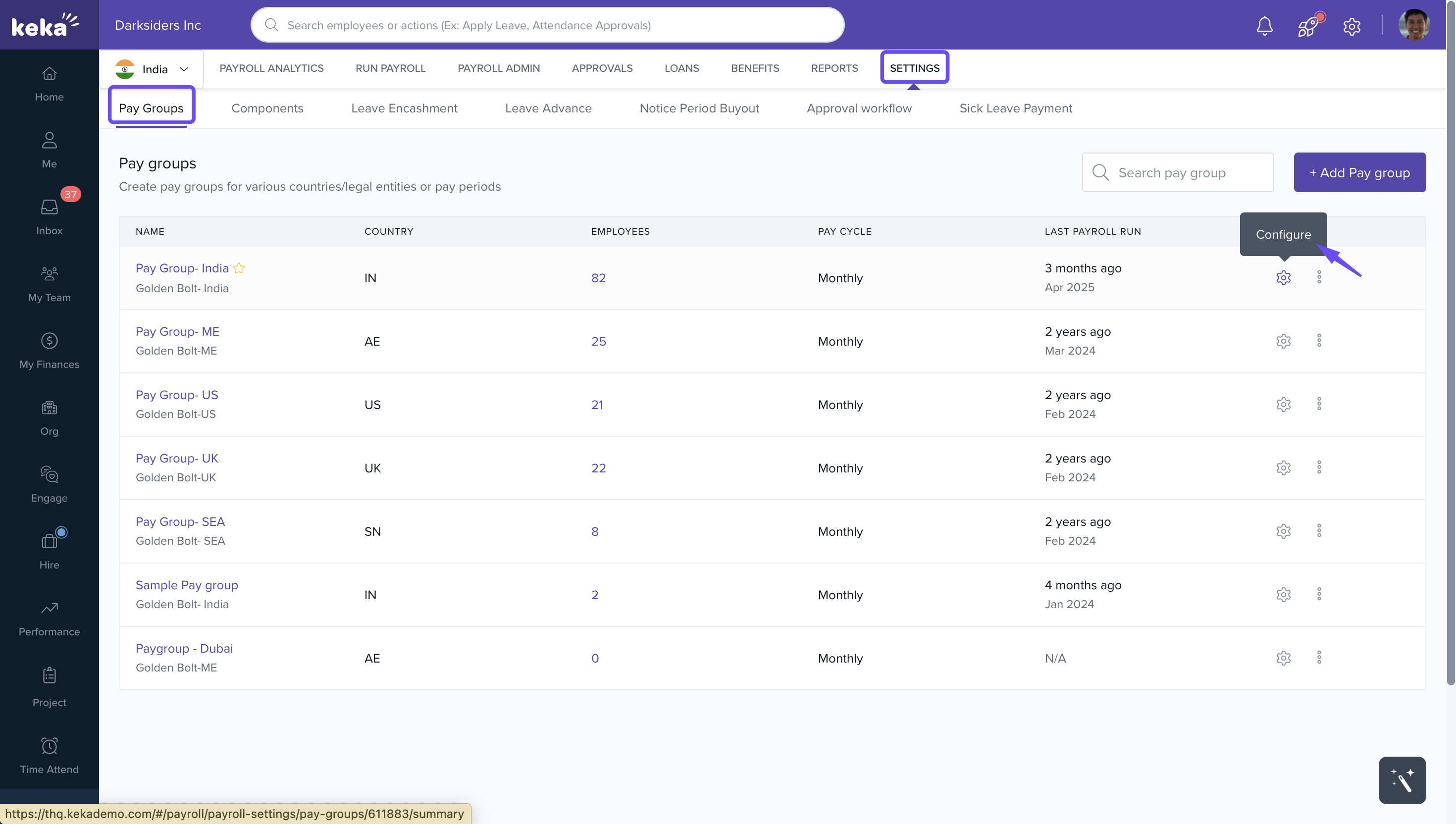
1. Go to Payroll → Settings.
2. Open the Pay Groups tab. Here you’ll see the list of pay groups configured in your organization.
3. Click the Configure icon next to it.
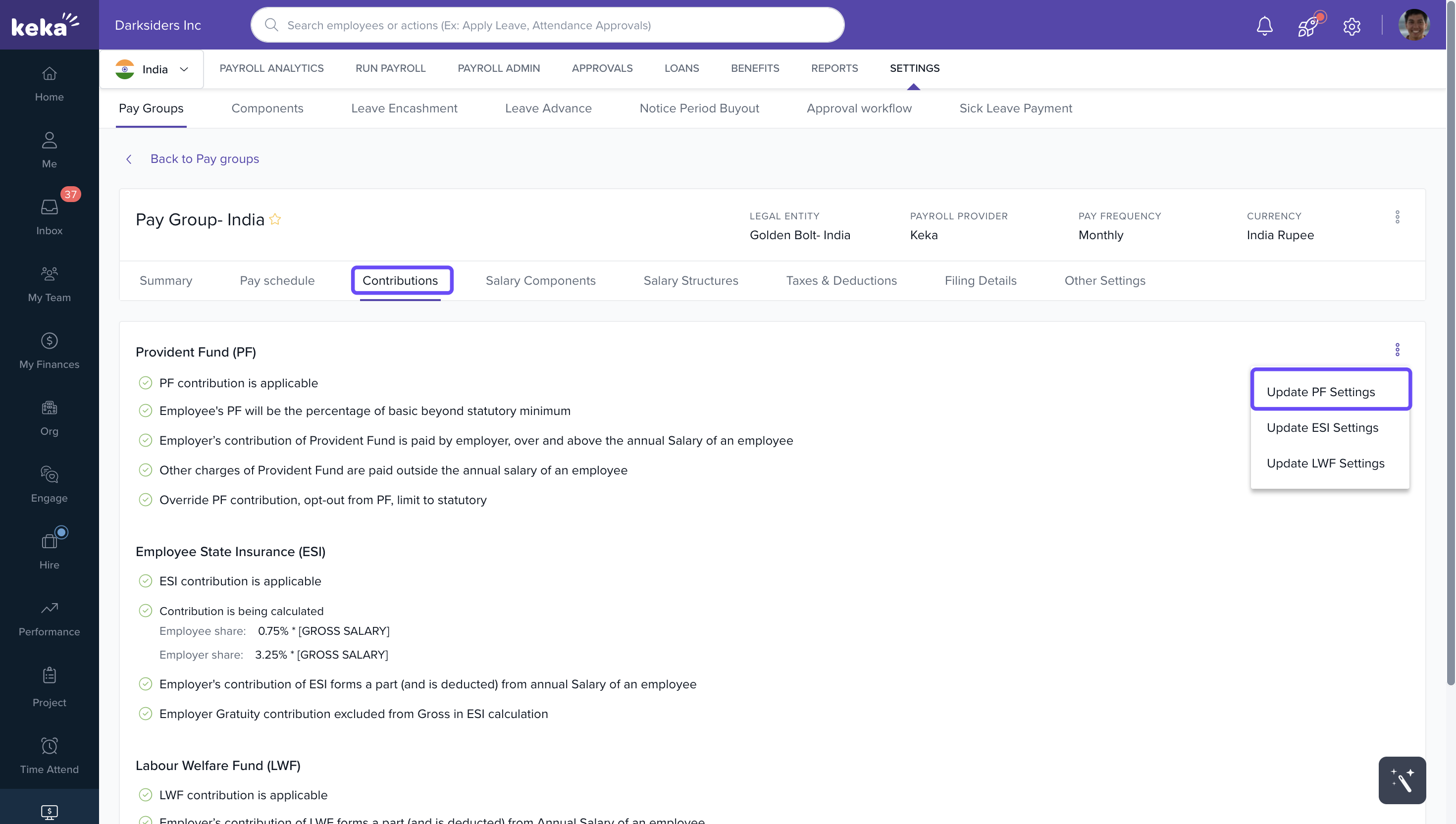
4. In the Pay Group Configuration window, open the Contributions tab.
5. Click the three-dot menu in the top-right corner.
6. From the dropdown, select Update PF Settings.
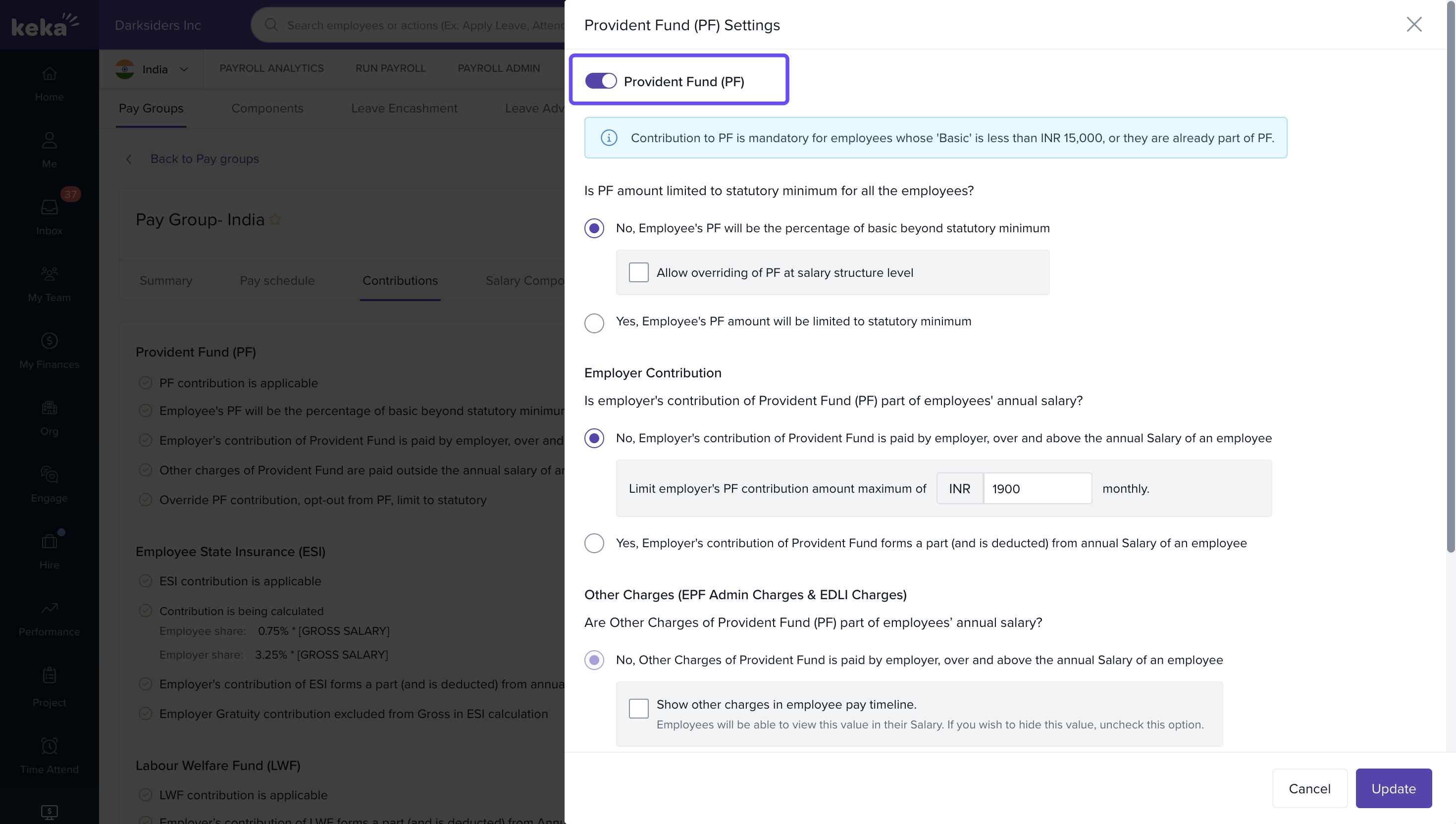
7. In the Provident Fund (PF) Settings window, you’ll see the option to turn PF on or off:
-
Use the toggle button at the top to enable PF for the selected pay group.
-
Switch it off if PF does not apply to this pay group.
Comments
0 comments
Please sign in to leave a comment.