Introduction
In Keka, you can manage how Labour Welfare Fund (LWF) contributions are applied to specific pay groups. This includes enabling or disabling LWF, configuring employer contributions, and adjusting calculation settings to match your organization’s policies.
To get started:
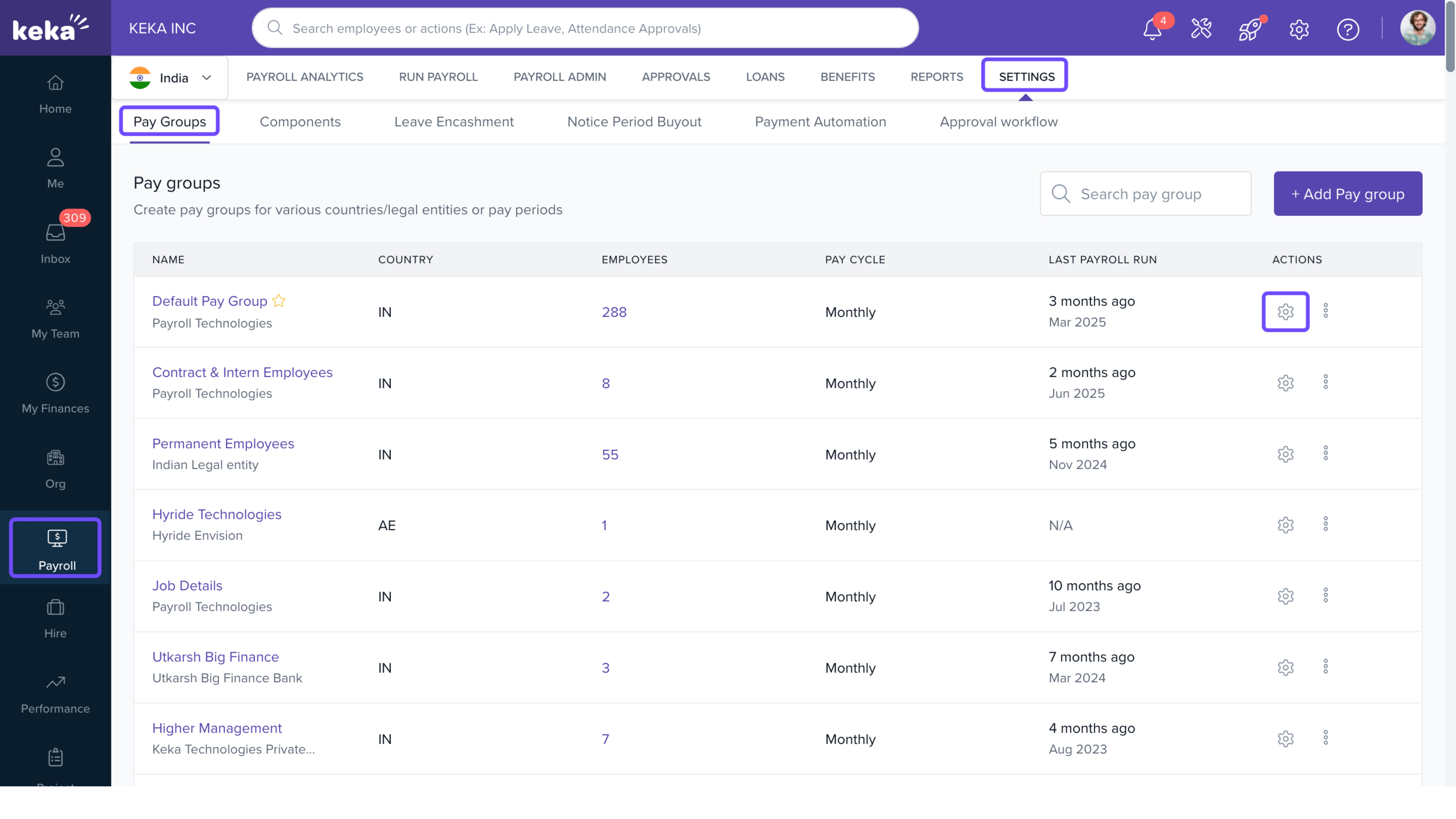
- Go to Payroll from the left-hand menu.
- Click the Settings tab.
- Under the Pay Groups tab, find the pay group you want to configure and click the Configure icon.
On the Pay Group Configuration page:
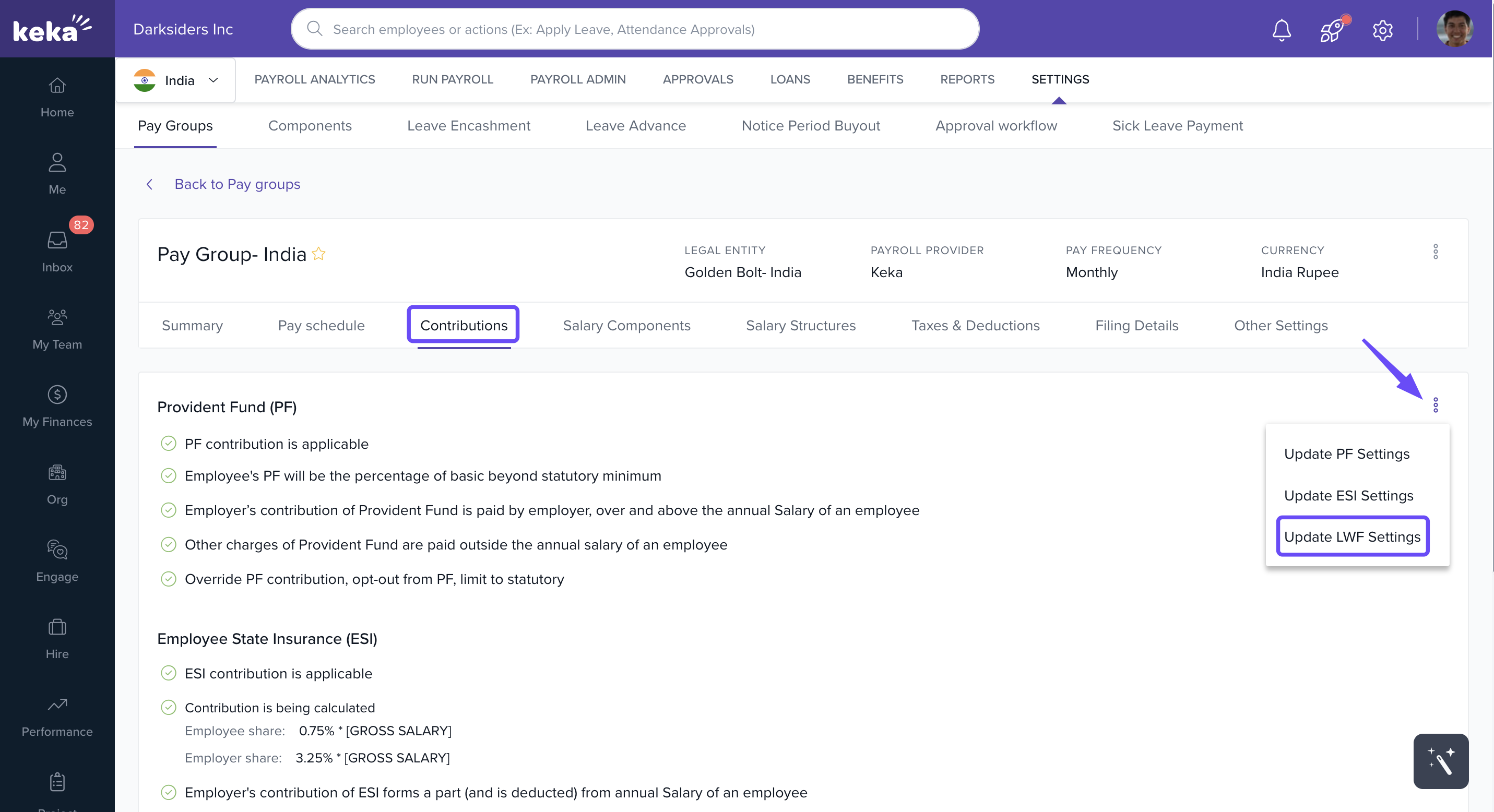
- Select the Contributions tab.
- Click the three-dot menu.
- Choose Update LWF Settings.
In the LWF Settings window, you can toggle LWF on or off for the selected pay group.
Employer Contribution
You can decide how the employer’s LWF contribu
tion is treated:
- If it is part of the employee’s annual salary:
- Select: Yes, Employer’s contribution of LWF forms a part (and is deducted) from Annual Salary of an employee.
- If it is paid over and above the annual salary:
- Select: No, Employer’s contribution of LWF is paid by employer, over and above the Annual Salary of an employee.
- Additional Settings
- Prorating LWF Contributions for New Joiners- If an employee joins your organization partway through the contribution period, their LWF contribution will be calculated on a prorated basis, ensuring they pay only for the period they are employed.
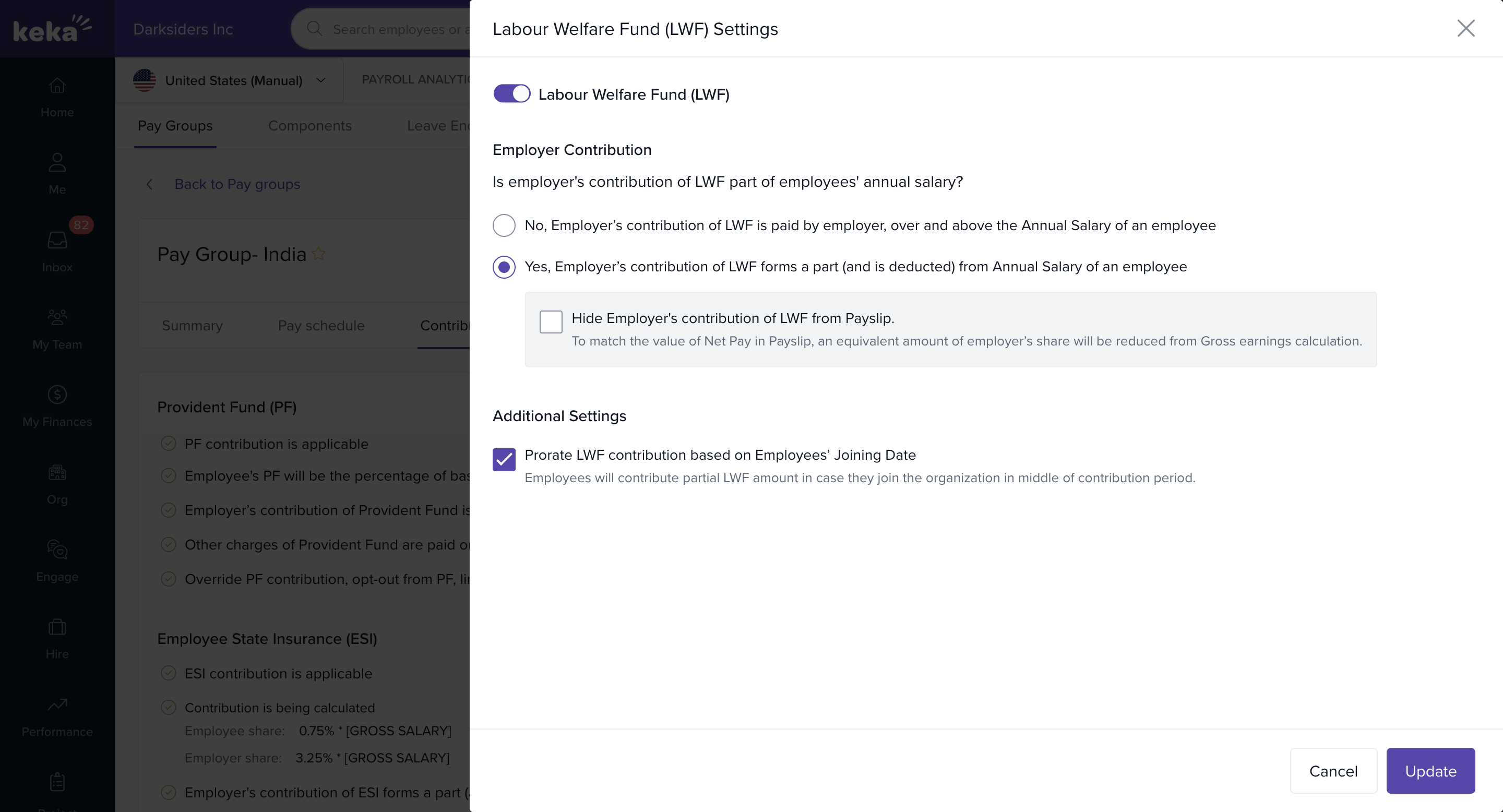
If the contribution is part of the salary, you also have the option to hide the employer’s contribution from the employee's payslip. In this case, the amount is excluded from the employee’s gross earnings.
After configuring the settings, click Update to save your changes.
Need more help with LWF contributions? Reach out to our product experts, and we’ll be happy to assist you.
Comments
0 comments
Please sign in to leave a comment.